
 View on Asset Store (opens in new tab)
Package details
- Latest version
- 1.0
- Last updated
- First released
- Unity version
- 6000.3.22 or later
- Package size
- 638 KB
- Files
- 38
- Favorites
- 5
- Views in the past week
- 17
Price tracking
- Last checked
- Tracked since
- Lowest recorded
- $23.79 on
Keywords
Highlight Plus 2 Integration for Game Creator 2
Bridge between Game Creator 2 and Highlight Plus 2. Outline, glow, select, flash and label any object with visual scripting nodes, no code.
Affiliate link · Purchases support this site
Price history
Last 6 months
USDAsset preview
1 / 2
Highlight Plus 2 Integration for Game Creator 2 screenshot 1
About this asset
⭐ WHAT YOU GET
🎛️ 12 INSTRUCTIONS. Highlight, toggle, recolour, flash, select, label and more, all as Game Creator instructions you drop on a trigger.
🔎 3 CONDITIONS. Branch on whether an object is highlighted, is selected, or already carries an effect.
📤 3 PROPERTIES. Read the selected object, a label's text, or a glow colour, and feed any of them straight into another node.
📡 5 EVENTS. React the moment the mouse hovers, leaves, clicks, selects or deselects an object. Each one hands you the object it happened to.
🩺 ONE CLICK SETUP. A button in the welcome window drops a ready made Highlight Manager into your scene, so the mouse driven events work with nothing to configure.
✨ HIGHLIGHTING
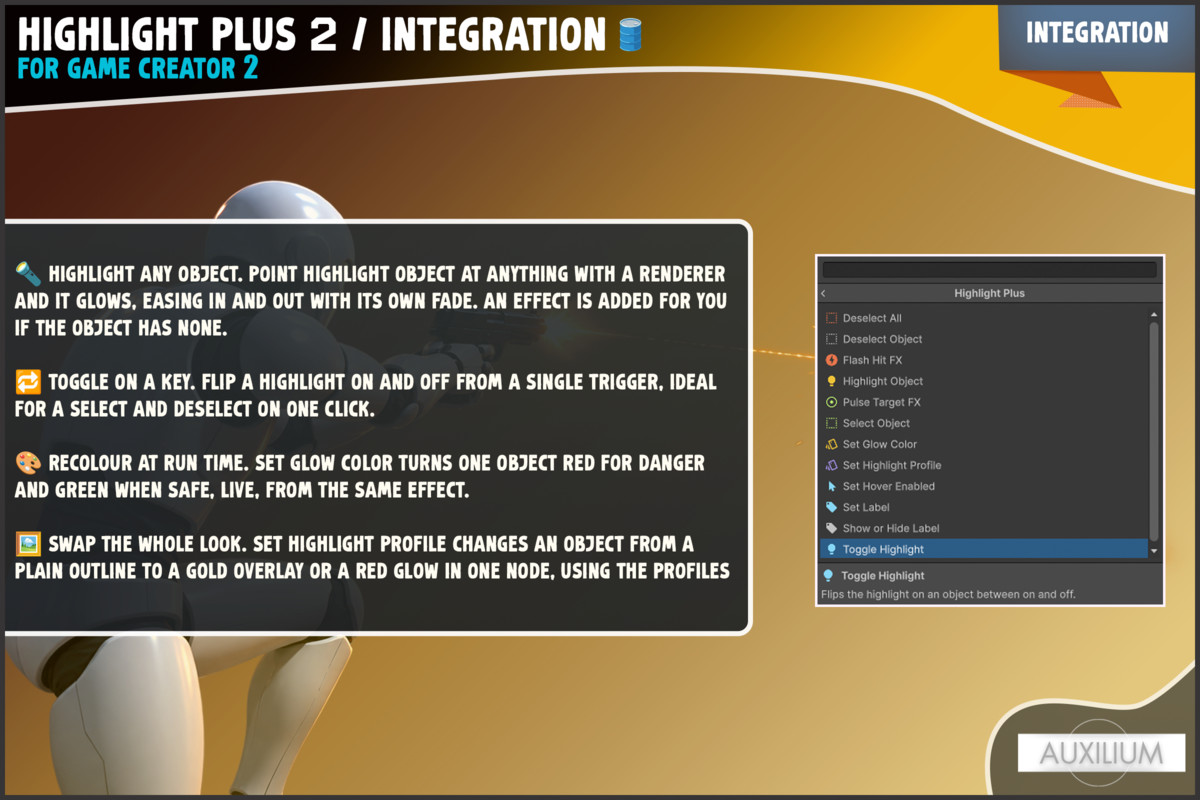
🔦 HIGHLIGHT ANY OBJECT. Point Highlight Object at anything with a renderer and it glows, easing in and out with its own fade. An effect is added for you if the object has none.
🔁 TOGGLE ON A KEY. Flip a highlight on and off from a single trigger, ideal for a select and deselect on one click.
🎨 RECOLOUR AT RUN TIME. Set Glow Color turns one object red for danger and green when safe, live, from the same effect.
🖼️ SWAP THE WHOLE LOOK. Set Highlight Profile changes an object from a plain outline to a gold overlay or a red glow in one node, using the profiles you saved in Highlight Plus.
🖱️ THE MOUSE
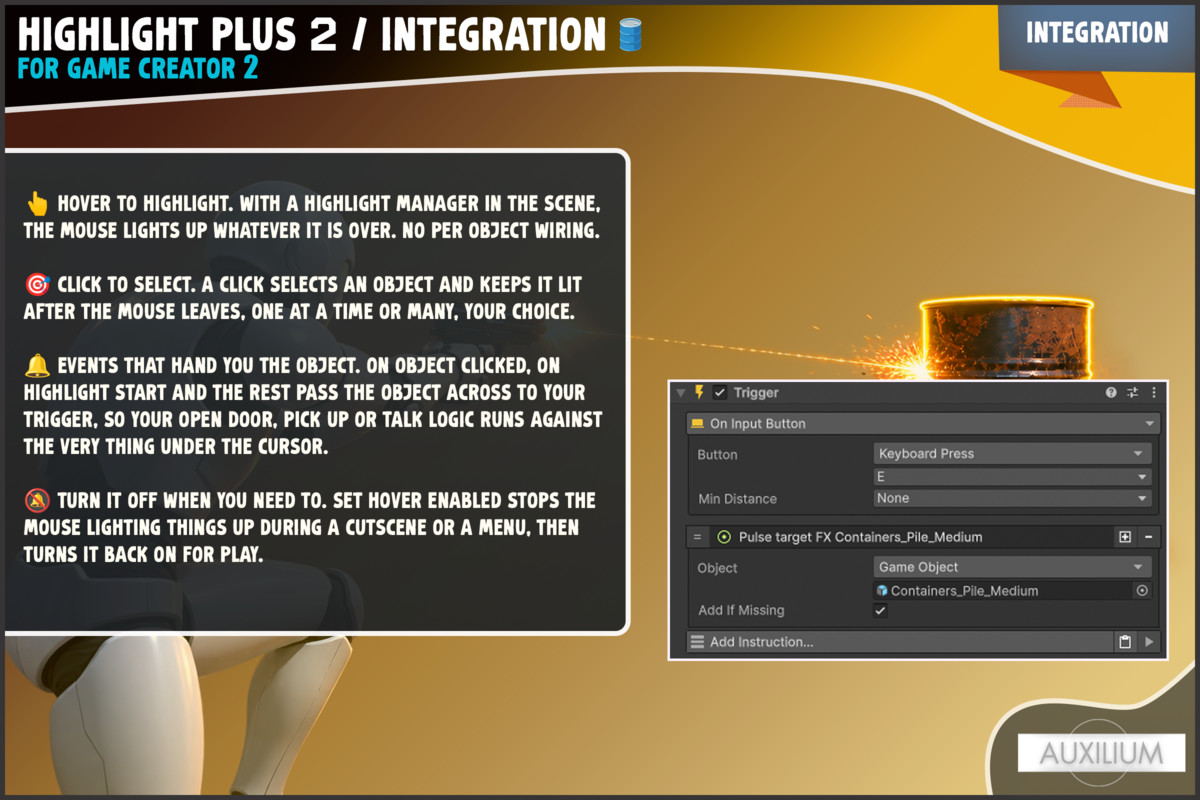
👆 HOVER TO HIGHLIGHT. With a Highlight Manager in the scene, the mouse lights up whatever it is over. No per object wiring.
🎯 CLICK TO SELECT. A click selects an object and keeps it lit after the mouse leaves, one at a time or many, your choice.
🔔 EVENTS THAT HAND YOU THE OBJECT. On Object Clicked, On Highlight Start and the rest pass the object across to your trigger, so your open door, pick up or talk logic runs against the very thing under the cursor.
🔕 TURN IT OFF WHEN YOU NEED TO. Set Hover Enabled stops the mouse lighting things up during a cutscene or a menu, then turns it back on for play.
💥 FEEDBACK
⚡ DAMAGE FLASH. Flash Hit FX bursts a colour over an object the moment it takes a hit, then fades on its own. No highlight needs to be on first, so it reads cleanly in combat.
🎯 TARGET RETICLE. Pulse Target FX plays the spinning target marker to call out an enemy or an objective.
🏷️ FLOATING LABELS. Set Label writes a name tag over an object with your text, colour and size, and Show or Hide Label reveals it only while the player is looking.
From the publisher's Asset Store listing.
Technical details
🎯 23 Game Creator 2 nodes: 12 instructions, 3 conditions, 3 properties, 5 events.
🎛️ Instructions: Highlight Object, Toggle Highlight, Set Highlight Profile, Set Glow Color, Flash Hit FX, Pulse Target FX, Set Label, Show or Hide Label, Select Object, Deselect Object, Deselect All, Set Hover Enabled.
🔎 Conditions: Is Highlighted, Has Highlight Effect, Is Selected.
📤 Properties: Selected Object, Label Text, Glow Color.
📡 Events: On Highlight Start, On Highlight End, On Object Selected, On Object Unselected, On Object Clicked.
🩺 A welcome window with dependency checks and a one click Add Highlight Manager To Scene button.
✅ REQUIREMENTS
📦 Game Creator 2 (Core). Sold separately, not included.
📦 Highlight Plus 2 by Kronnect. Sold separately, not included.
🎨 Universal Render Pipeline. Highlight Plus 2 draws through URP in this project.
🧊 Unity 6.3 LTS or newer. Built and tested there.
Compatibility
| Unity version | Built-in | URP | HDRP |
|---|---|---|---|
| 6000.3.22f1 | Not listed | Compatible | Not listed |
As listed on the Asset Store.