
 View on Asset Store (opens in new tab)
Package details
- Latest version
- 1.0
- Last updated
- First released
- Unity version
- 6000.3.6 or later
- Package size
- 23.9 MB
- Files
- 240
- Views in the past week
- 53
- Requires
Price tracking
- Last checked
- Tracked since
- Lowest recorded
- $10.00 on
Keywords

COZY Stylized Weather 4 Integration | Game Creator 2
- Launch discount
Connect COZY: Stylized Weather 4 to Game Creator 2. React to weather, time and seasons, change them with Instructions, check them with Conditions, and save it all. No code needed.
Launch promotion for 426878 COZY Stylized Weather 4 Integration | Game Creator 2 Ends (22 Nov)
Get 50% off on Asset Store (opens in new tab)Affiliate link · Purchases support this site
Price history
Last 6 months
USDAsset preview
1 / 8
COZY Stylized Weather 4 Integration | Game Creator 2 screenshot 1
About this asset
Want your Game Creator 2 project to react to weather, time of day and seasons?
COZY Stylized Weather 4 Integration connects COZY: Stylized Weather 4 with Game Creator 2. Run Triggers when the weather changes, move time forward with a smooth transition, show the date and time in your UI, and save the whole COZY state with the Game Creator 2 save system. All without writing a single line of code.
🌦️ React to the World
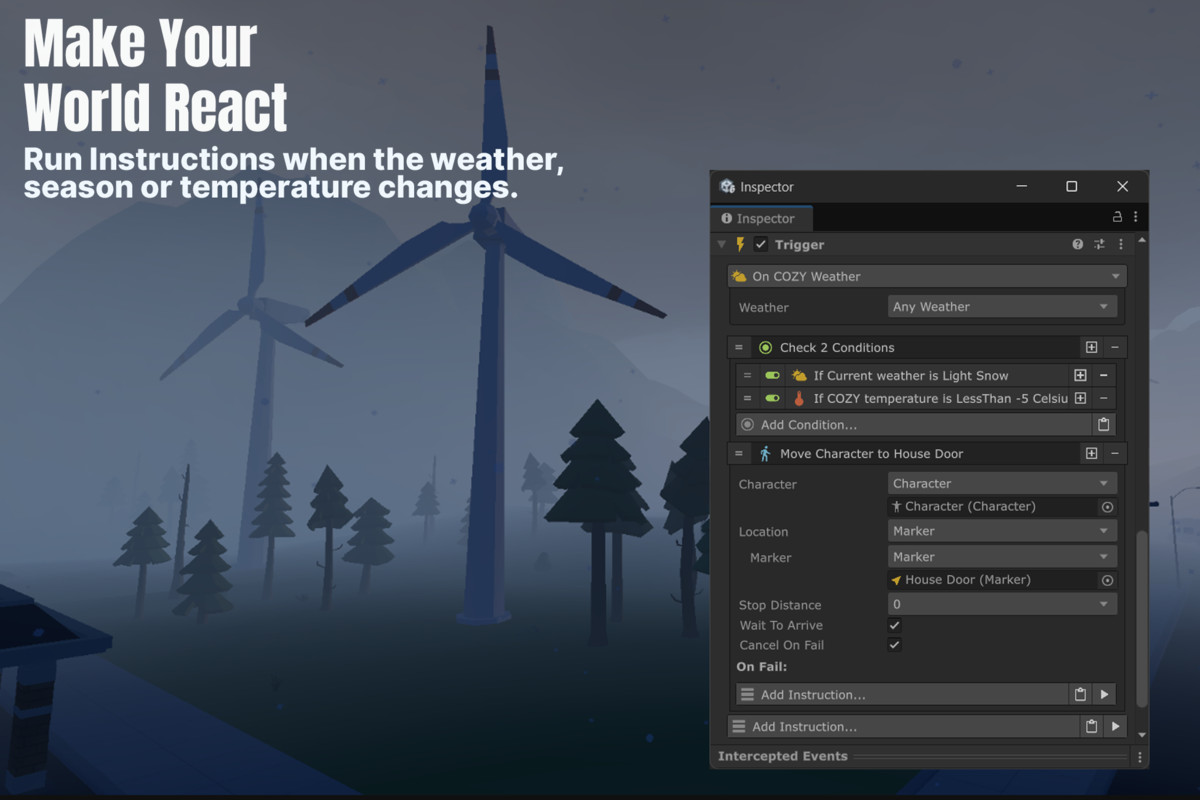
Make your world respond to COZY as it changes.
- Weather Triggers: Run instructions when the weather changes. Choose Any to react to every change, or Specific to react to one Weather Profile.
- Ambience, Atmosphere and Seasons: React when the ambience, atmosphere, climate, forecast or season changes.
- Temperature: Run Triggers when the temperature rises above, falls below or crosses a value, in Celsius or Fahrenheit.
- Biomes: Run instructions when the player enters or leaves a biome.
🎛️ Control the Weather and Climate
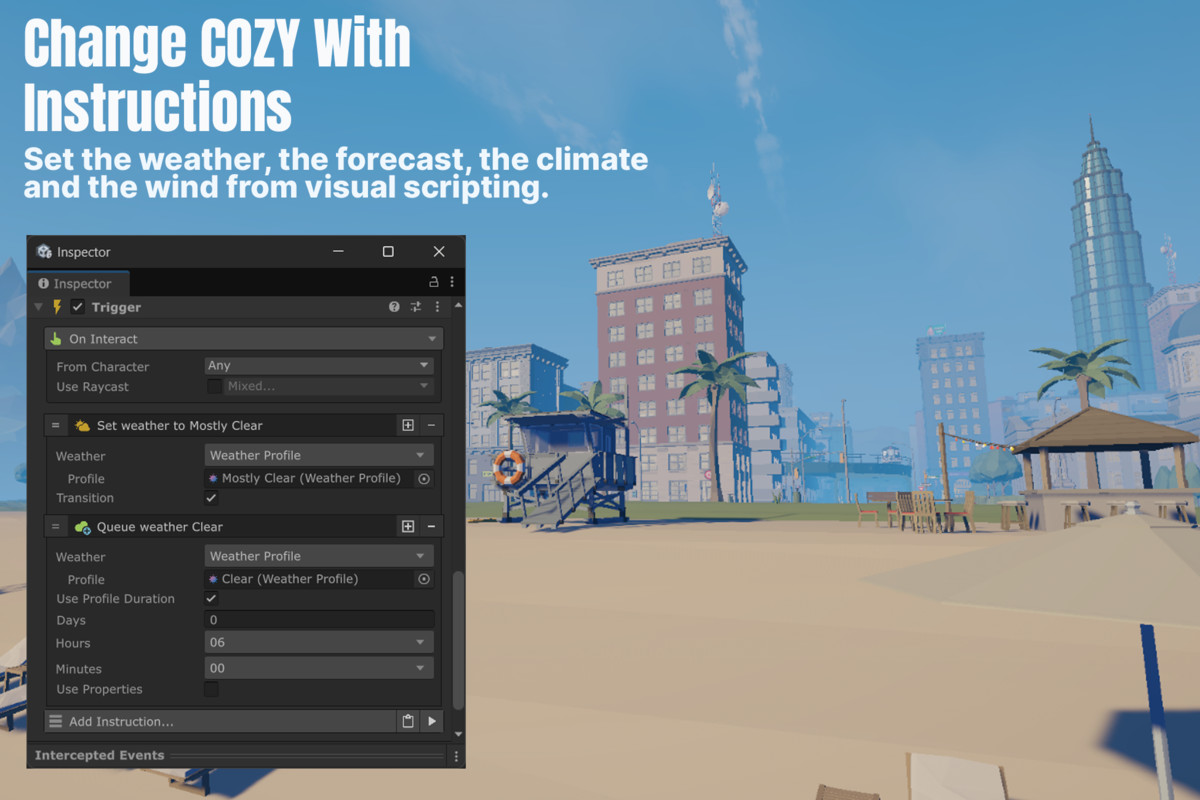
Change the weather, the climate and the wind with Game Creator 2 Instructions.Change the weather, the climate and the wind with Game Creator 2 Instructions.
- Weather and Forecast: Set the current weather, add weather to the forecast, or swap the whole Forecast Profile. You can also change how and how fast COZY moves between weathers.
- Ambience and Atmosphere: Change the Ambience and Atmosphere Profiles, and their transition times.
- Climate: Set the temperature, humidity, pressure, snow on the ground and more, or swap the whole Climate Profile.
- Wind: Change the wind heading, strength, speed and gusting.
- Profile Variables: Store Weather, Ambience, Atmosphere, Climate and Forecast Profiles in Global and Local Variables, and use them in any profile field.
🕒 Full Control Over Time
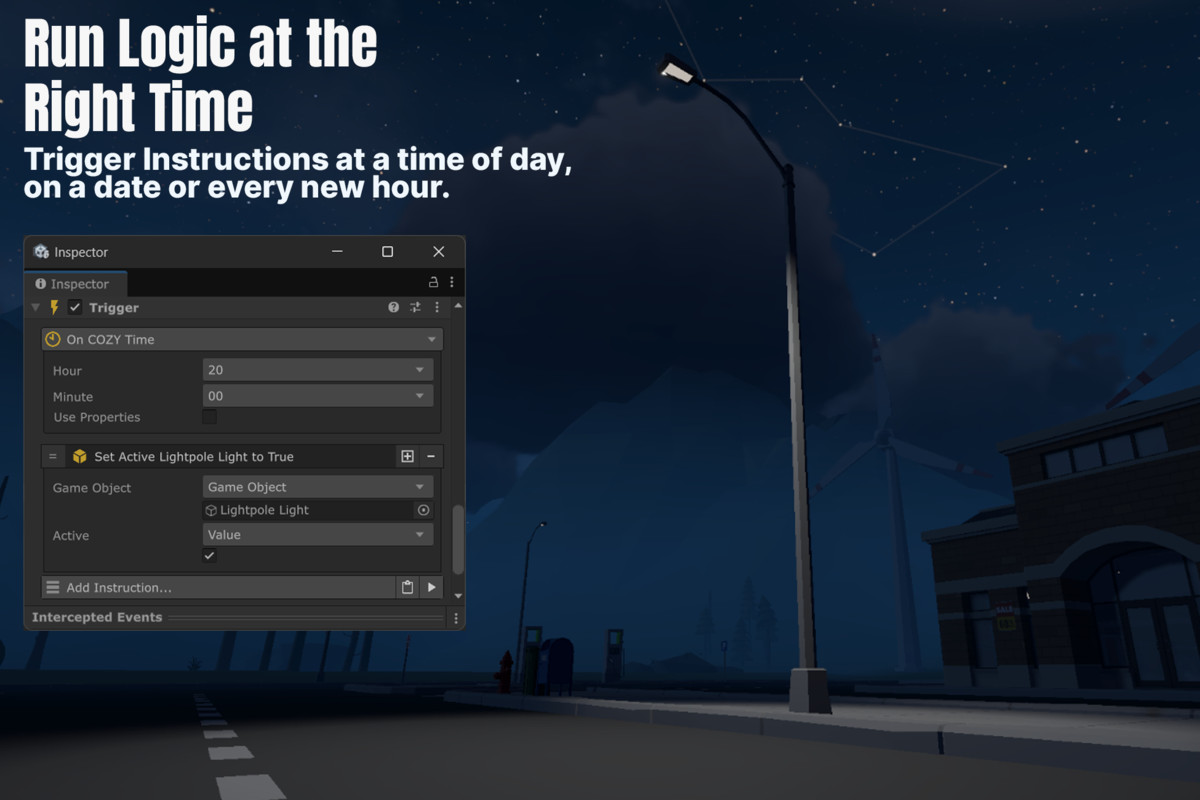
Run logic at the right moment and control time from visual scripting.
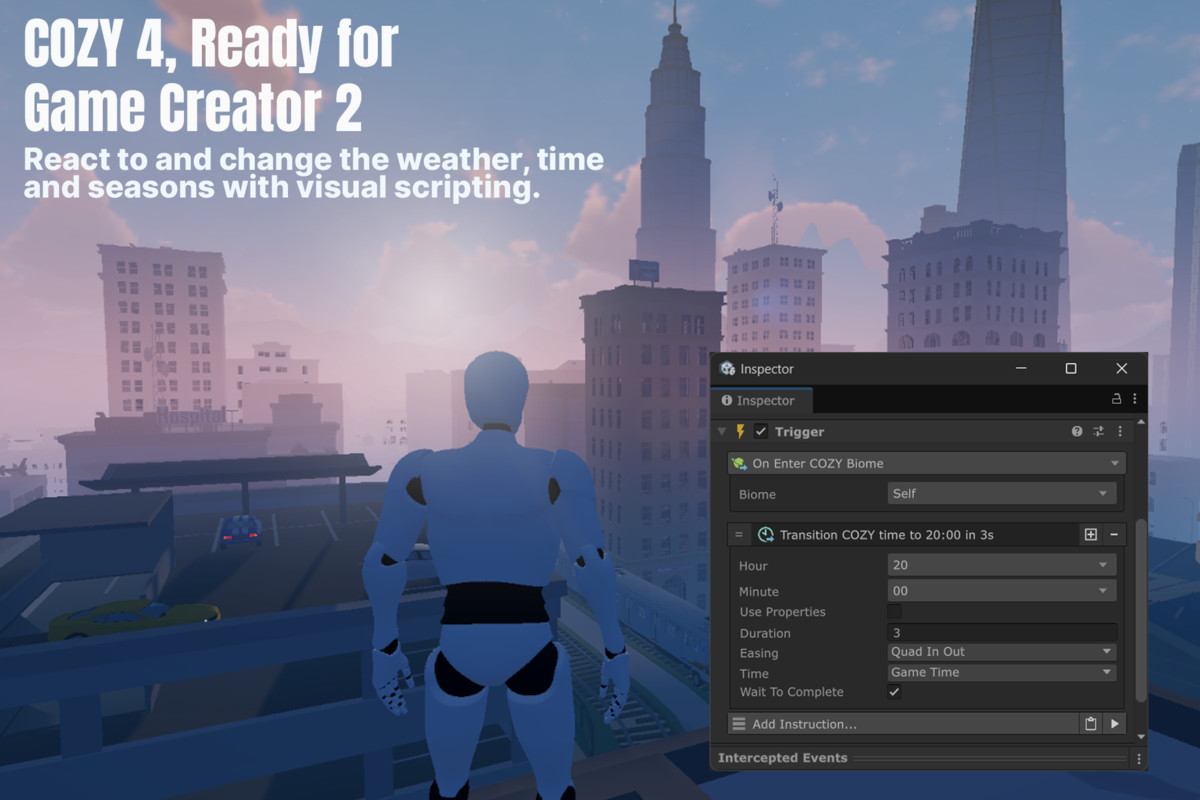
- Time Triggers: Run instructions at a time of day, on a date, every new hour, at a set interval, or when a new part of the day starts. Triggers still fire when time is skipped past them.
- Set and Skip Time: Set the time or the date directly, or skip forward by a set amount of time.
- Smooth Transitions: Move time forward to any hour over a few seconds, with your own duration and easing.
- Wait for Time: Pause your instructions for an amount of in-game time, or until the clock reaches a certain hour.
- Pause Time: Pause and resume time, and check whether it’s paused.
- Easy Time Fields: Pick hours, minutes, days, months and years from dropdowns, or turn on Use Properties to read them from variables.
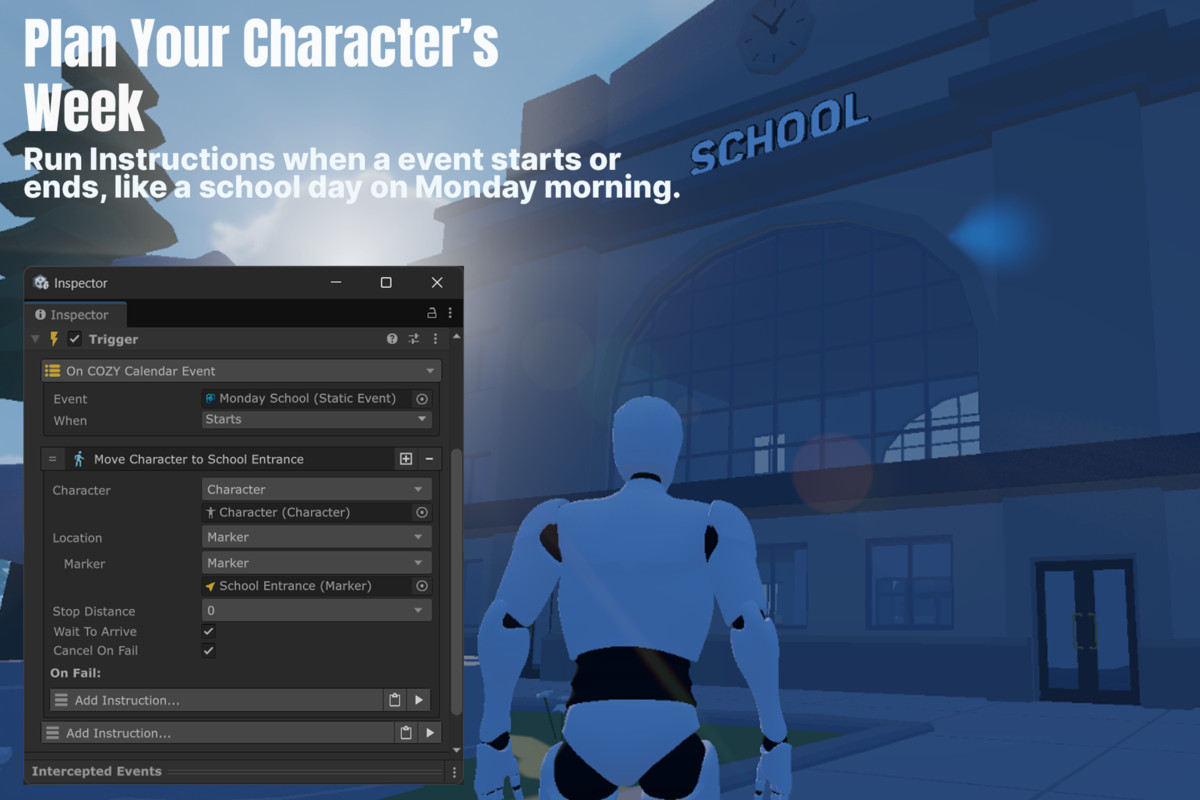
- Calendar Events: Add, remove and react to COZY calendar events, like holidays or market days.
✅ Check Conditions
Make decisions based on what COZY is doing right now.
- Weather and Profiles: Check the current weather, ambience, atmosphere, climate or forecast.
- Temperature and Climate Values: Compare the temperature, humidity, snow on the ground and other climate values.
- Time: Check if the time is between two hours, or which part of the day it is.
- Biomes and Events: Check if the player is inside a biome, or if a calendar event is running.
🖥️ Show It in Your UI
Keep clocks, dates and weather text up to date without extra work.
- On Time Changed: Updates your UI every time the shown minute, hour or day changes, including after setting time, skipping time or loading a save.
- Ready-Made Formats: Show a 24-hour clock, a 12-hour clock, the weekday, the month name, or a full date like “Monday 3 March, Year 1”.
- Profile Names: Show the current weather, ambience, atmosphere, season or month name.
💾 Save and Load
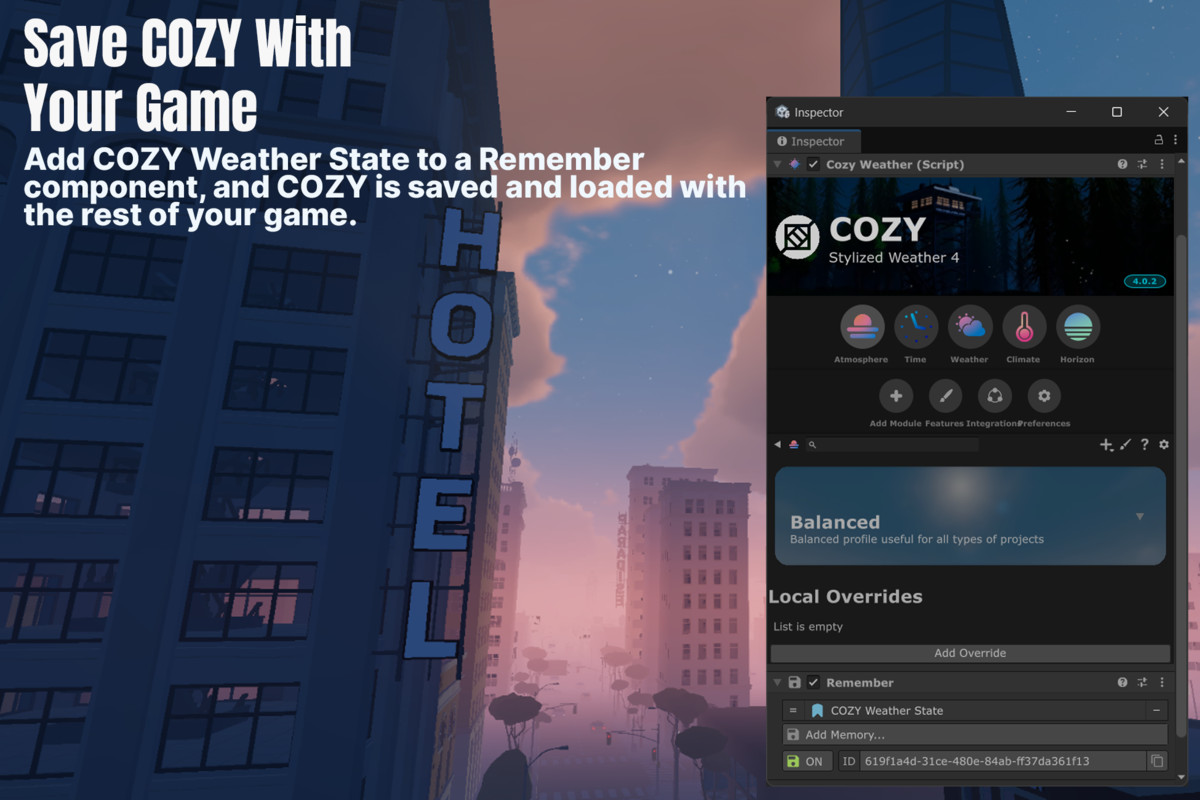
Add COZY Weather State to a Remember component and Game Creator 2 saves COZY along with the rest of your game. The date and time, weather and forecast, ambience, atmosphere, climate, precipitation and wind are all restored when the game loads.
🧩 Optional Module Support
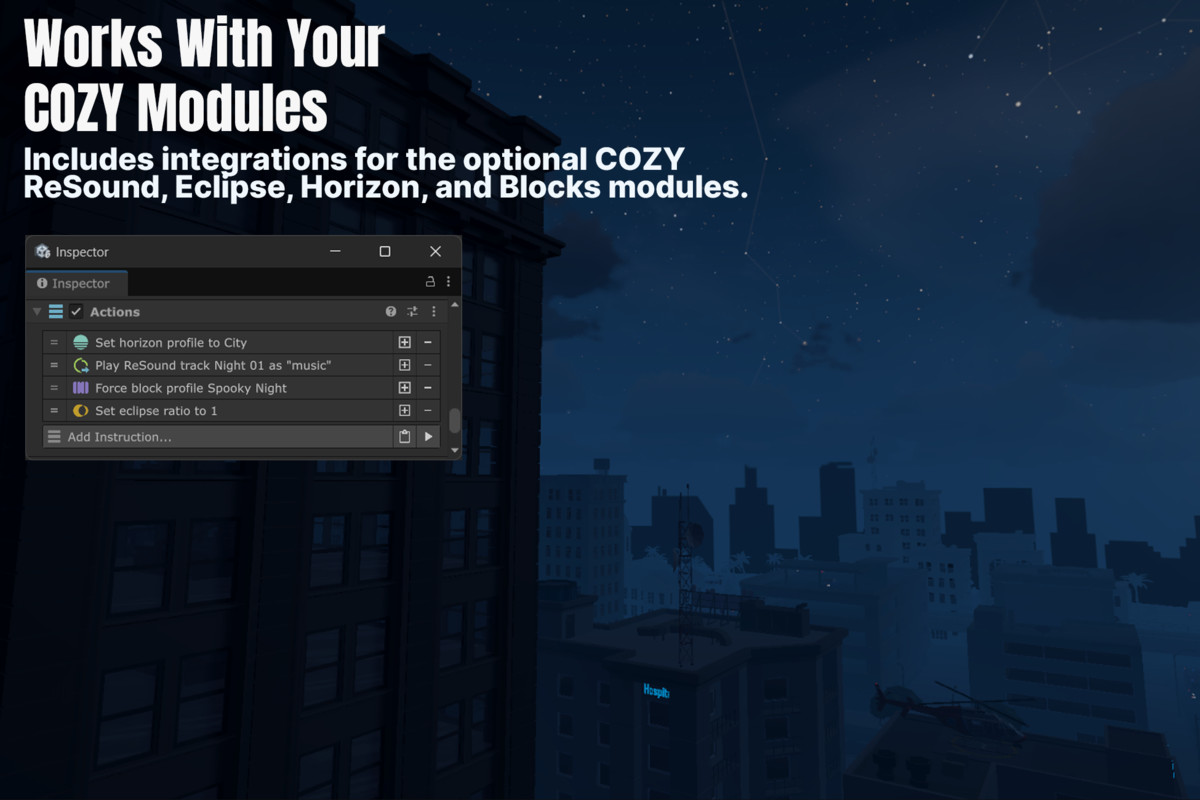
Own other COZY modules? Get extra Instructions, Conditions and Triggers for them too.
- ReSound: Play a track over the music COZY picks, for example for a boss fight, then let the normal soundtrack come back.
- Eclipse: Control the eclipse profile, style and ratio.
- Horizon: Change and check the Horizon Profile.
- Blocks: Swap Blocks Collections, force a Blocks Profile during a cutscene, and react when the current Blocks Profile changes.
🎮 Useful For
- NPCs that go inside when it gets dark or starts snowing
- Street lights that turn on at night and off in the morning
- Shops and events that open on certain days or hours
- Sleeping or waiting that skips time smoothly
- Survival games that track temperature and seasons
- Boss fights and cutscenes with their own music and sky
📦 What’s Included
- Full Source Code
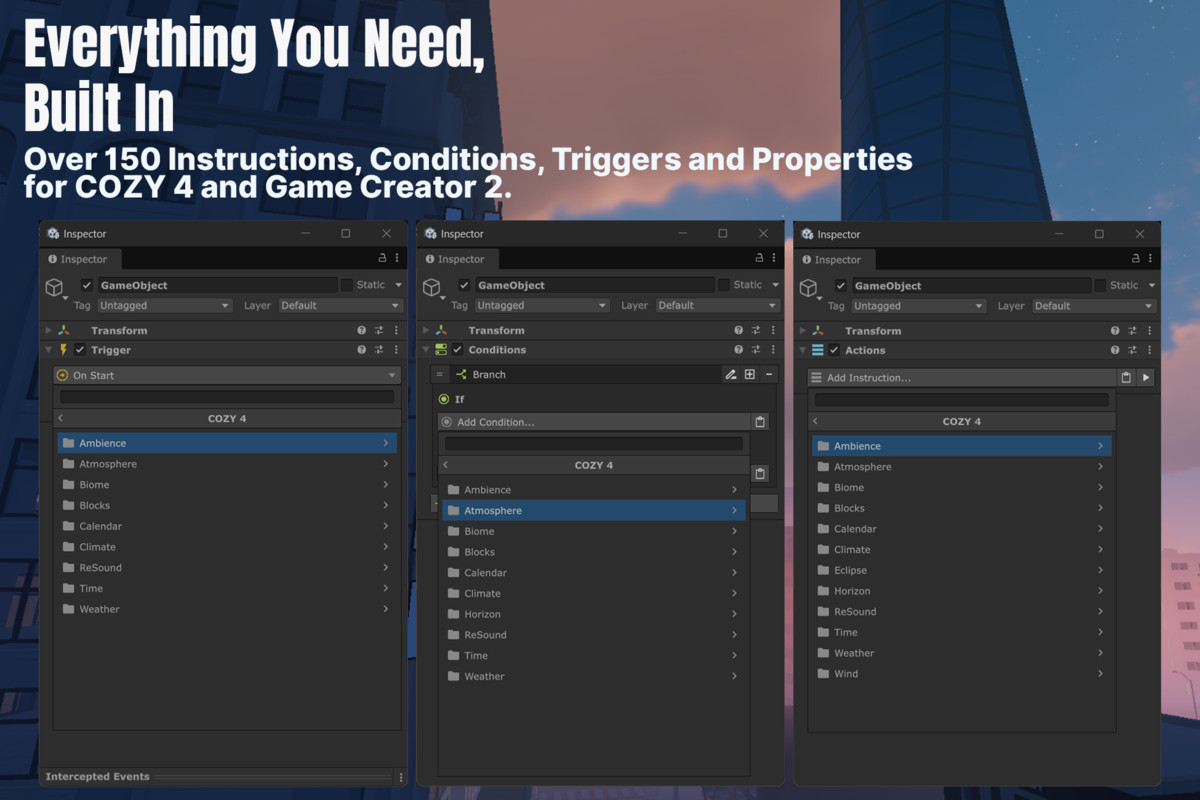
- Over 150 Game Creator 2 Instructions, Conditions, Triggers & Properties
- Properties for weather, time, climate, wind and profiles
- Variable support for Weather, Ambience, Atmosphere, Climate and Forecast Profiles
- Example Scene
- Documentation & Setup Guide
🔗 Links
🌐 Website | 📖 Documentation | 💬 Discord
From the publisher's Asset Store listing.
Technical details
Key Features
- Over 150 Game Creator 2 Instructions, Conditions, Triggers and Properties for COZY: Stylized Weather 4
- Triggers for weather, ambience, atmosphere, climate, forecast, season, temperature and biome changes
- Time Triggers for a time of day, a date, every new minute, hour or day, set intervals and parts of the day
- Time Triggers still fire when time is skipped or transitioned past them
- Set, skip and smoothly transition time, with your own duration and easing
- Wait an amount of in-game time, or until the clock reaches a certain hour
- Pause and resume time
- Set and queue weather, and change the Forecast, Ambience, Atmosphere and Climate Profiles
- Set temperature, humidity, pressure, snow on the ground, wind and other climate values
- Conditions for weather, profiles, temperature, climate values, time between hours, part of the day, biomes and calendar events
- Add, remove and react to COZY calendar events
- On Time Changed Trigger for UI that stays up to date, also after loading a save
- Ready-made time and date text formats for UI
- Global and Local Variable support for Weather, Ambience, Atmosphere, Climate and Forecast Profiles
- Hour, minute, day, month and year dropdowns, with an option to read them from Properties
- Save and load the full COZY state with the Game Creator 2 Remember component
- Optional support for the ReSound, Eclipse, Horizon and Blocks modules
- Example Scene
- Full Source Code
Requirements
- Game Creator 2
- COZY: Stylized Weather 4
Compatibility
| Unity version | Built-in | URP | HDRP |
|---|---|---|---|
| 6000.5.9f1 | Not listed | Compatible | Not listed |
| 6000.3.6f1 | Not listed | Compatible | Not listed |
As listed on the Asset Store.