
 View on Asset Store (opens in new tab)
Package details
- Latest version
- 1.0
- Last updated
- First released
- Unity version
- 6000.5.6 or later
- Package size
- 729 KB
- Files
- 46
- Favorites
- 1
- Views in the past week
- 12
- Requires
Price tracking
- Last checked
- Tracked since
- Lowest recorded
- $20.29 on
Keywords

Visual Engine Integration for PlayMaker 2
Drive seasons, weather and wind from PlayMaker 2. No code. 28 actions for The Visual Engine.
Affiliate link · Purchases support this site
Price history
Last 6 months
USDAsset preview
1 / 3
Visual Engine Integration for PlayMaker 2 screenshot 1

About this asset
The Visual Engine paints seasons, rain, snow and wind across your world. PlayMaker lets you build your game with no code. This asset connects them.
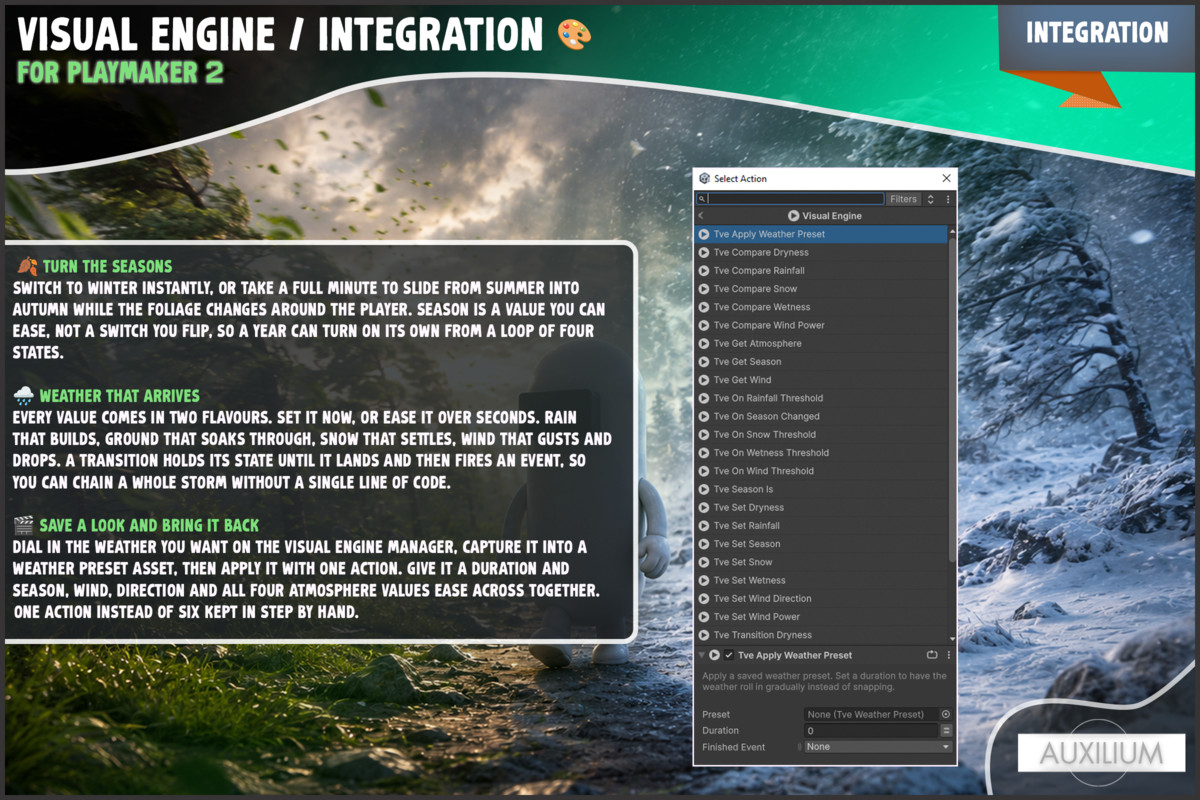
Visual Engine | PlayMaker 2 adds 28 ready made actions to your PlayMaker Action Browser, all under a clean Visual Engine category. Turn the seasons, roll a storm in, dry the world out, gust the wind, and react the moment the weather changes, all from your state machines. If you build with PlayMaker and you own The Visual Engine, this is the fastest way to put the world under your control.
No scripts. No glue code. No digging through the Visual Engine API. Just actions.
🍂 TURN THE SEASONS
Switch to winter instantly, or take a full minute to slide from summer into autumn while the foliage changes around the player. Season is a value you can ease, not a switch you flip, so a year can turn on its own from a loop of four states.
🌧️ WEATHER THAT ARRIVES
Every value comes in two flavours. Set it now, or ease it over seconds. Rain that builds, ground that soaks through, snow that settles, wind that gusts and drops. A transition holds its state until it lands and then fires an event, so you can chain a whole storm without a single line of code.
🎬 SAVE A LOOK AND BRING IT BACK
Dial in the weather you want on the Visual Engine manager, capture it into a Weather Preset asset, then apply it with one action. Give it a duration and season, wind, direction and all four atmosphere values ease across together. One action instead of six kept in step by hand.
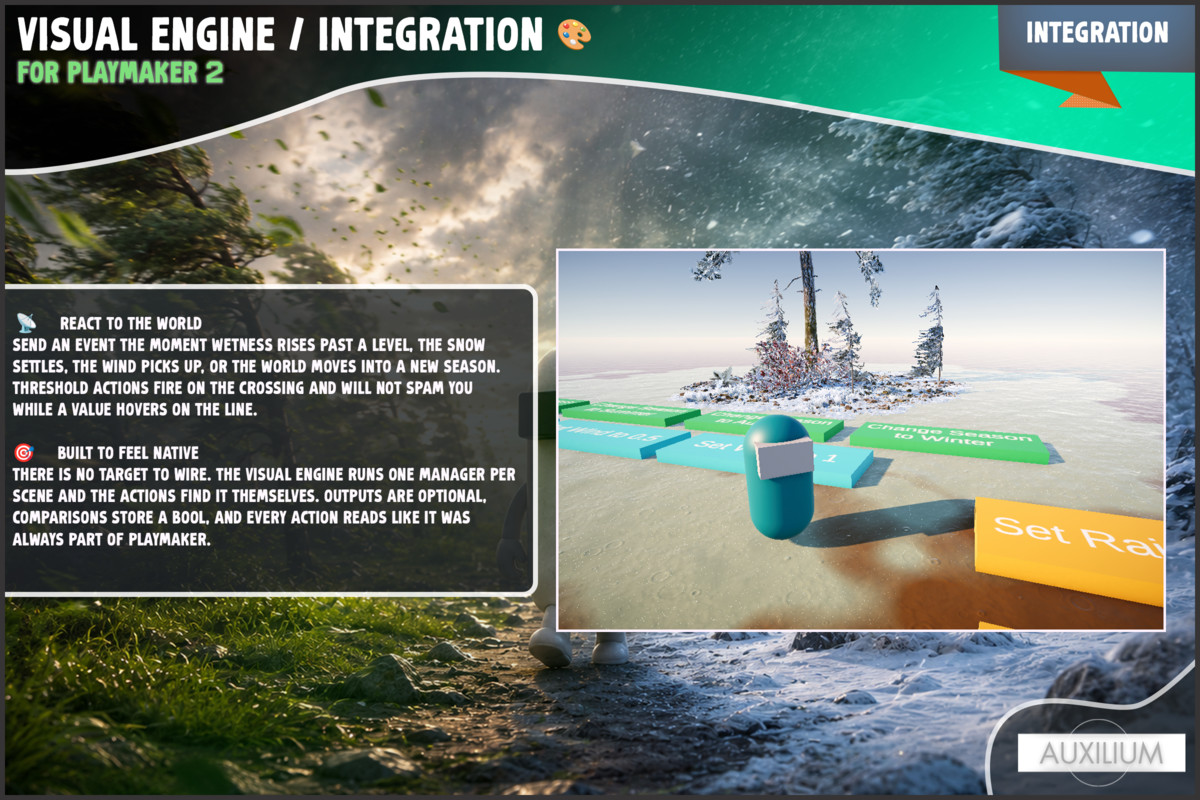
📡 REACT TO THE WORLD
Send an event the moment wetness rises past a level, the snow settles, the wind picks up, or the world moves into a new season. Threshold actions fire on the crossing and will not spam you while a value hovers on the line.
🎯 BUILT TO FEEL NATIVE
There is no target to wire. The Visual Engine runs one manager per scene and the actions find it themselves. Outputs are optional, comparisons store a bool, and every action reads like it was always part of PlayMaker.
POWERED BY THE VISUAL ENGINE AND PLAYMAKER
Huge thanks to Boxophobic and Hutong Games for the tools this asset builds on.
SUPPORT
Questions or ideas? Join our Discord at discord.gg/an4yMHNdes and we will be glad to help.
Made by Auxilium.
From the publisher's Asset Store listing.
Technical details
🧱 28 custom PlayMaker actions in one Visual Engine category.
🛠️ Built for PlayMaker 2 using the modern action API, and for The Visual Engine by Boxophobic.
🔌 Drives season, wind strength, wind direction, wetness, rainfall, snow and dryness.
⏱️ Transition actions run every frame and finish themselves, so no helper objects are added to your scene.
🎬 Weather Preset ScriptableObject with capture from scene and eased apply.
📄 Full C# source included.
🧩 Does not modify The Visual Engine or PlayMaker. It lives in its own folder as a bridge.
🎨 Works wherever The Visual Engine works. The visuals come from The Visual Engine.
✅ Requires PlayMaker 2 and The Visual Engine. Both required, not included.
Compatibility
| Unity version | Built-in | URP | HDRP |
|---|---|---|---|
| 6000.5.6f1 | Not listed | Compatible | Not listed |
As listed on the Asset Store.