
 View on Asset Store (opens in new tab)
Package details
- Latest version
- 1.0
- Last updated
- First released
- Unity version
- 6000.4.3 or later
- Package size
- 552 KB
- Files
- 51
- Favorites
- 1
- Views in the past week
- 11
- Requires
Price tracking
- Last checked
- Tracked since
- Lowest recorded
- Free on
Keywords
FEEL Integration + GC2
Integrates More Mountains FEEL with Game Creator 2 visual scripting, and exposes selected GC2 systems back to FEEL feedbacks.
Affiliate link · Purchases support this site
Price history
Last 6 months
USDAsset preview
1 / 3
FEEL Integration + GC2 screenshot 1
About this asset
Installation
Install the required Asset Store packages before adding this package:
- Game Creator 2
- Feel
Unity Package Manager does not install Game Creator 2 or Feel automatically.
=== Runtime Features ===
Game Creator 2
- Actions under the `Feel` category for playing, playing at a position, stopping, pausing, resuming, rewinding, skipping, setting intensity, and initializing `MMF_Player` components.
- Trigger events for MMF Player play, pause, resume, and complete events.
- Conditions for checking whether an MMF Player is playing or initialized.
- A GC2 `MMF Player` GameObject property type so fields can use GC2's dynamic property system while still targeting Feel players.
MMF Player trigger events listen to Feel's `MMFeedbacksEvent` stream. Enable event emission in the target MMF Player's Events foldout for those GC2 triggers to fire.
Feel
- `Game Creator/Camera/Camera Shake Burst` feedback for GC2's camera shake system.
- `Game Creator/Camera/Camera Shake Sustain` feedback for GC2's layered sustain camera shake system.
- `Game Creator/Camera/Camera Viewport Pulse` feedback for GC2 camera field-of-view and orthographic-size pulses.
- `Game Creator/Camera/Shot Recoil` feedback for GC2's native first-person and third-person shot recoil feature.
- `Game Creator/Camera/Shot Zoom Pulse` feedback for animating GC2 Shot Zoom levels on supported shots.
- `Game Creator/Actions` feedback for running a GC2 Actions component.
- `Game Creator/Conditions` feedback for running a GC2 Conditions component.
- `Game Creator/Trigger` feedback for executing a GC2 Trigger component.
Feel feedback target fields use GC2 `PropertyGetGameObject` selectors, so they can target direct scene references, Self, Target, and any other compatible GC2 GameObject property source.
When an MMF Player is played from one of this package's GC2 instructions, Game Creator Feel feedbacks preserve the incoming GC2 `Args` context by default. The default `Self = Self` and `Target = Target` settings pass the caller's context through to nested GC2 Actions, Conditions, Triggers, camera lookups, and GC2 property evaluation. Changing either field acts as an explicit override.
Default labels in the MMF Player feedback list include `(Game Creator)` for clarity, while the Add Feedback menu keeps concise names under the `Game Creator` parent menu.
Camera-specific Feel feedbacks are intentionally limited to GC2-owned camera state, where standard Feel camera transform feedbacks would be overwritten by GC2's camera or shot systems. General GC2 camera actions can still be invoked through `Game Creator/Actions`.
Example Scene
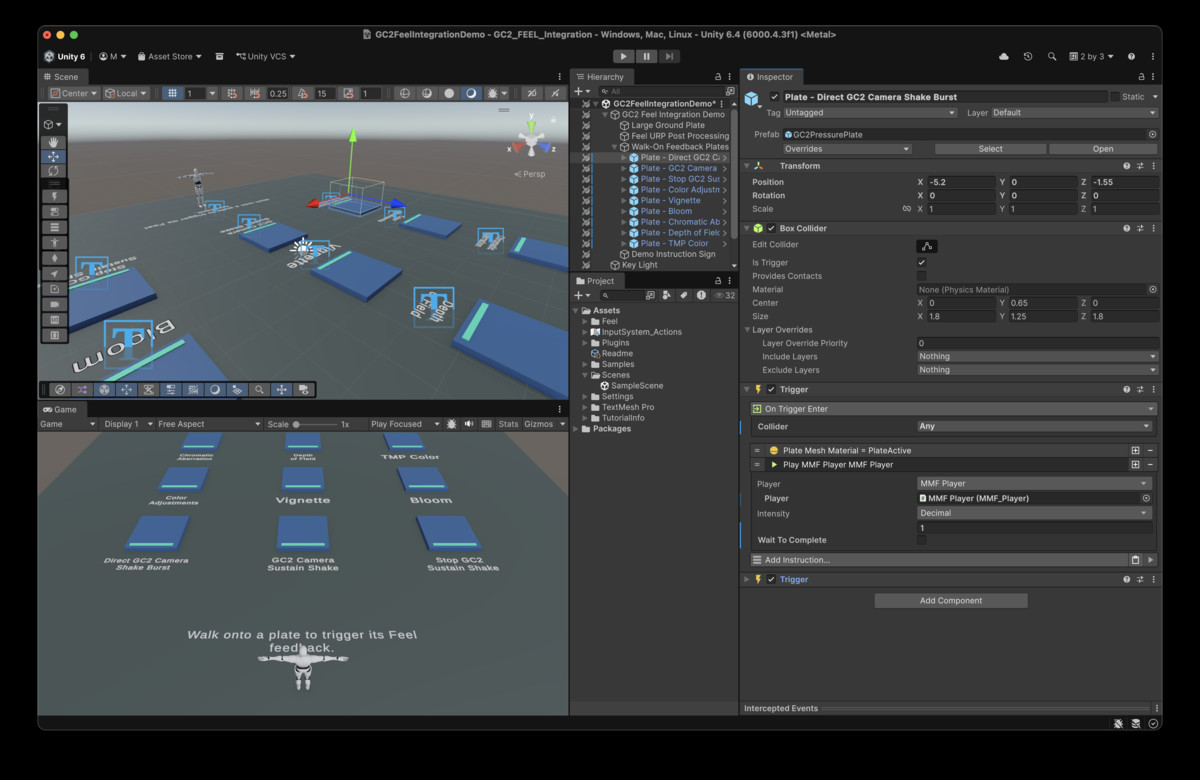
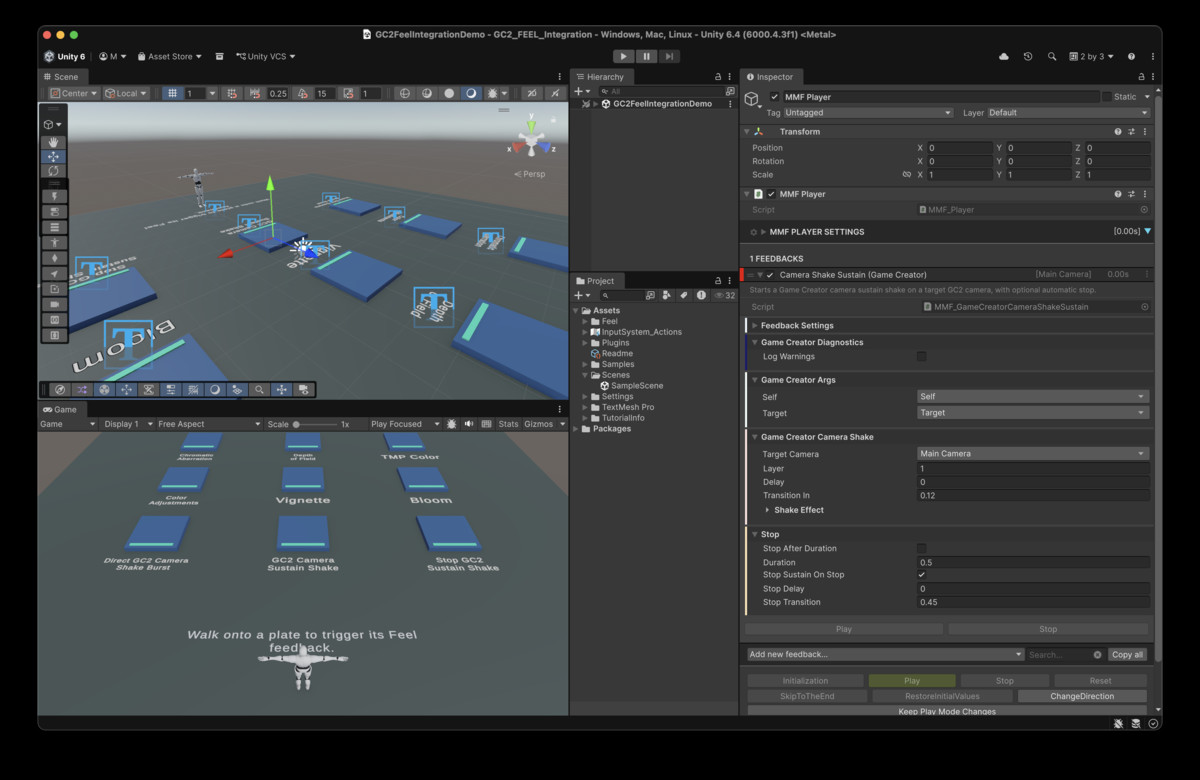
The package includes a UPM sample named `Feel Integration Demo`. In Unity's Package Manager, select `Game Creator 2 + Feel Integration` and import the sample from the package details panel.
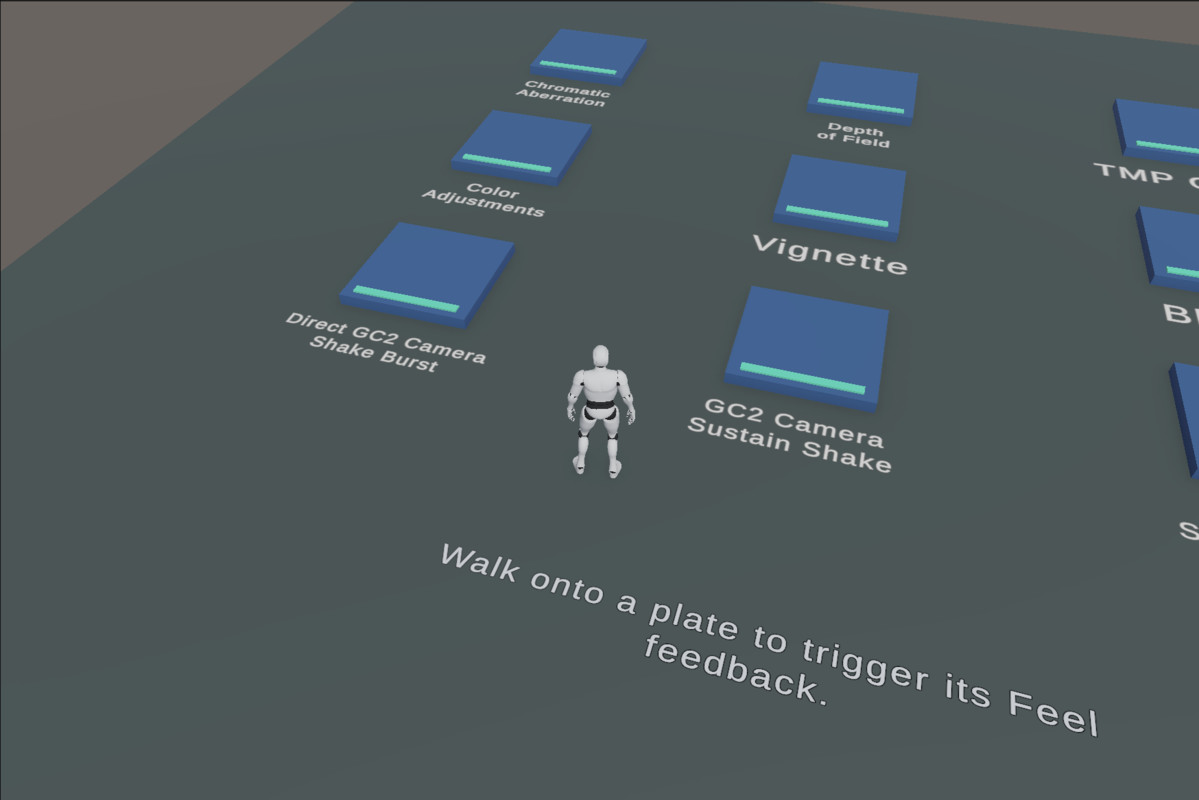
After import, open `Scenes/GC2FeelIntegrationDemo.unity` from the imported sample folder under `Assets`. It contains a standard Game Creator 2 mannequin player, a walkable ground plate, and a grid of prefab pressure plates. Each plate uses a Unity trigger collider plus GC2 enter and exit Triggers: entering highlights the plate and plays or stops an MMF Player, while exiting restores the idle material. The TMP Color plate targets the floor labels directly. The sample includes its own TMP font and shader assets for those labels.
Known Limitations
- MMF Player trigger events listen to Feel's `MMFeedbacksEvent` stream. Enable event emission in the target MMF Player's Events foldout for those GC2 triggers to fire.
- `Shot Zoom Pulse` only affects GC2 shots that provide `ShotSystemZoom`, such as supported third-person or lock-on shots.
- `Shot Recoil` only has visible impact on GC2 shot types that consume GC2's shot recoil feature.
- `Camera Viewport Pulse` changes the active GC2 camera viewport value directly. A GC2 shot transition with viewport overrides can replace those values.
- Runtime target lookup uses GC2 `PropertyGetGameObject` selectors. If a selector resolves to the wrong type, the feedback no-ops unless `Log Warnings` is enabled.
From the publisher's Asset Store listing.
Technical details
## Compatibility
Built and verified in this project with:
- Unity `6000.4.3f1`
- Game Creator 2 Core `2.18.60`
- Feel `5.9.1`
## Upgrade Checklist
After updating Game Creator 2, Feel, or Unity:
- Open Unity and confirm the project compiles without errors.
- Run `Tools/Bionic/Feel Integration/Validate Setup`.
- Check the Add Feedback menu paths under `Game Creator`.
- Test one GC2 Action-to-Feel flow and one Feel-to-GC2 Action flow.
- Test `Camera Shake Burst`, `Shot Zoom Pulse`, and `Shot Recoil` on real GC2 camera setups.
Compatibility
| Unity version | Built-in | URP | HDRP | Custom |
|---|---|---|---|---|
| 6000.4.3f1 | Compatible | Compatible | Compatible | Compatible |
The integration itself is render pipeline independent. The sample scene uses URP.
As listed on the Asset Store.