
 View on Asset Store (opens in new tab)
Package details
- Latest version
- 1.4.0
- Last updated
- First released
- Unity version
- 6000.6.0 or later
- Package size
- 411 KB
- Files
- 134
- Favorites
- 2
- Views in the past week
- 11
- Requires
Price tracking
- Last checked
- Tracked since
- Lowest recorded
- $24.99 on
Keywords
- Search for Game Creator 2
- Search for GC2
- Search for Asset Resolver
- Search for addressables
- Search for Runtime References
- Search for unity tools
- Search for Reference System
- Search for Audio References
- Search for Asset References
- Search for Asset Database
- Search for asset management
- Search for Workflow Tools

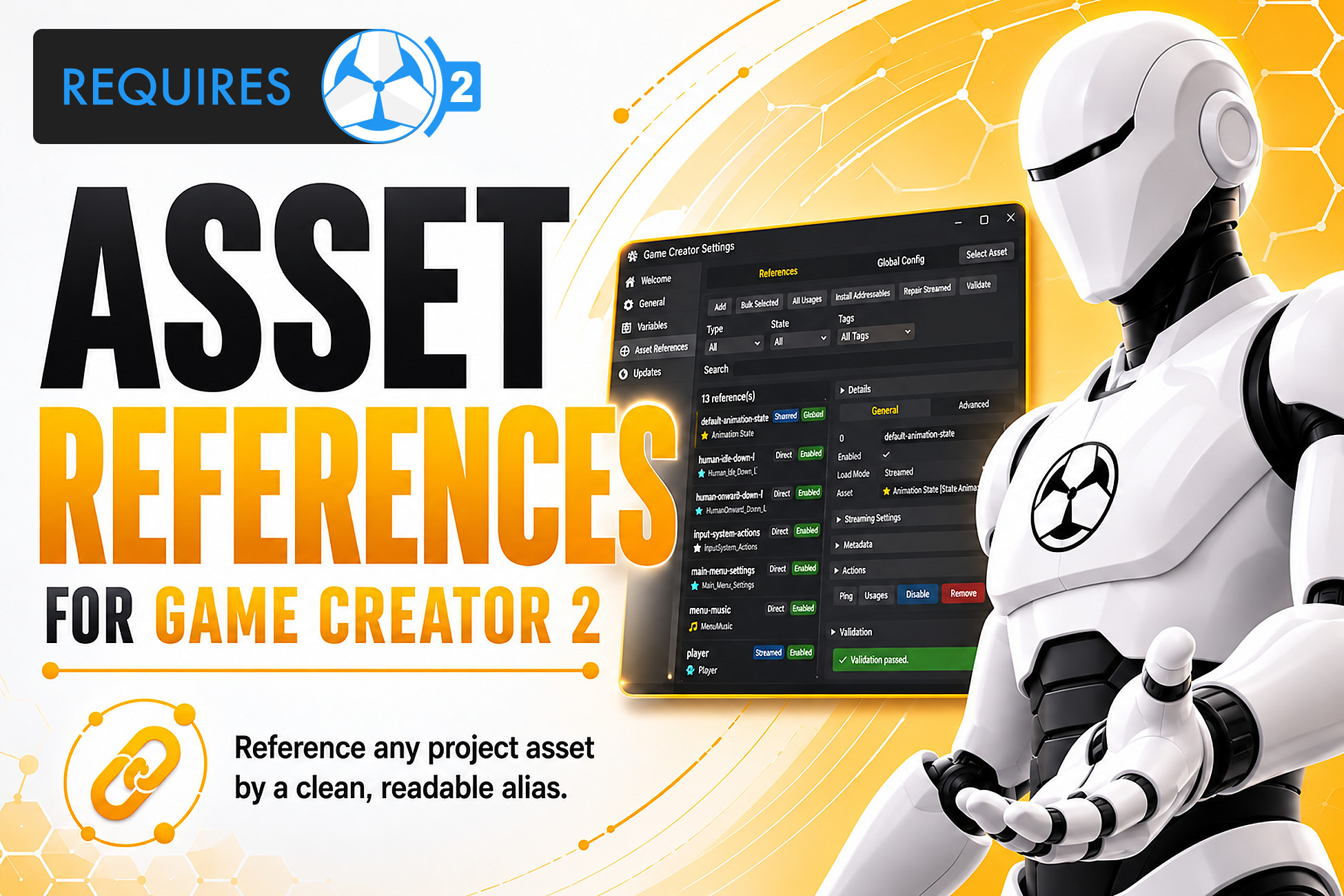
Asset References for Game Creator 2
Register project assets once and reference them anywhere in Game Creator 2 via stable, readable IDs. Supports direct loading and Addressables-backed streaming out of the box!
Affiliate link · Purchases support this site
Price history
Last 6 months
USDAsset preview
1 / 12
Asset References for Game Creator 2 screenshot 1
About this asset
✨ Key Features & Technical Specifications
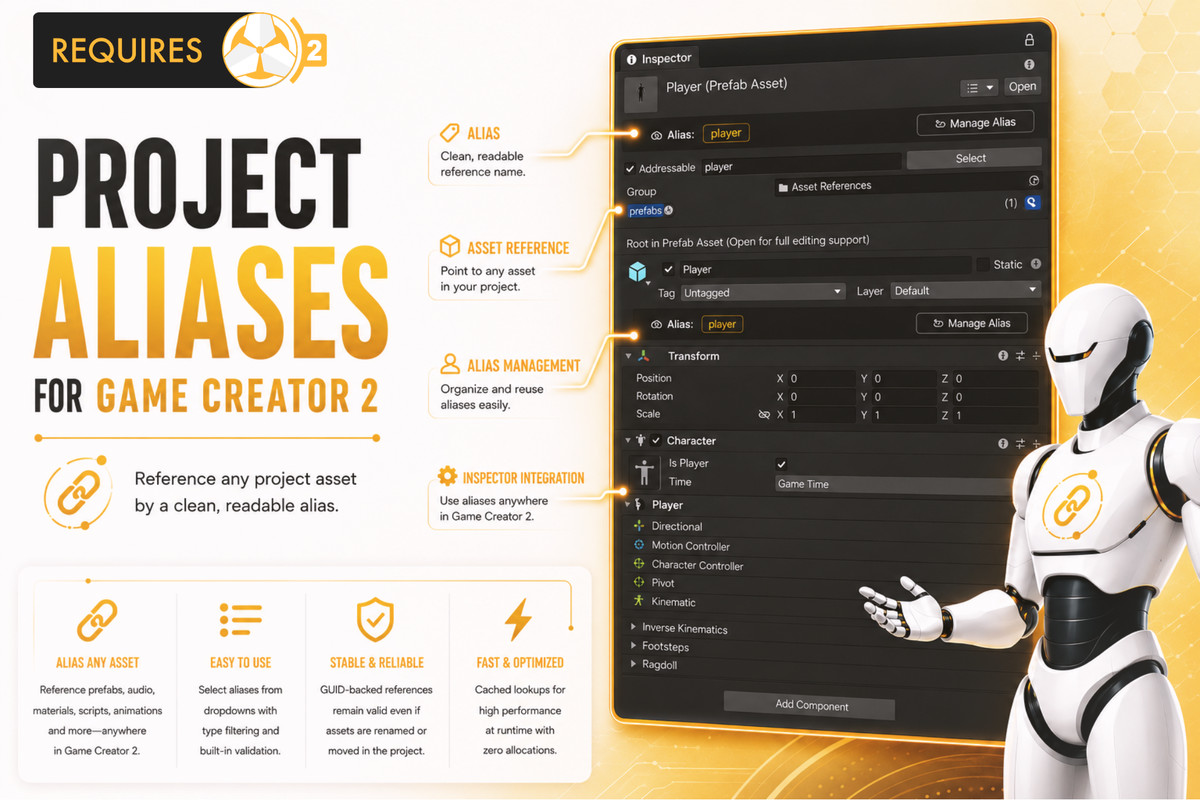
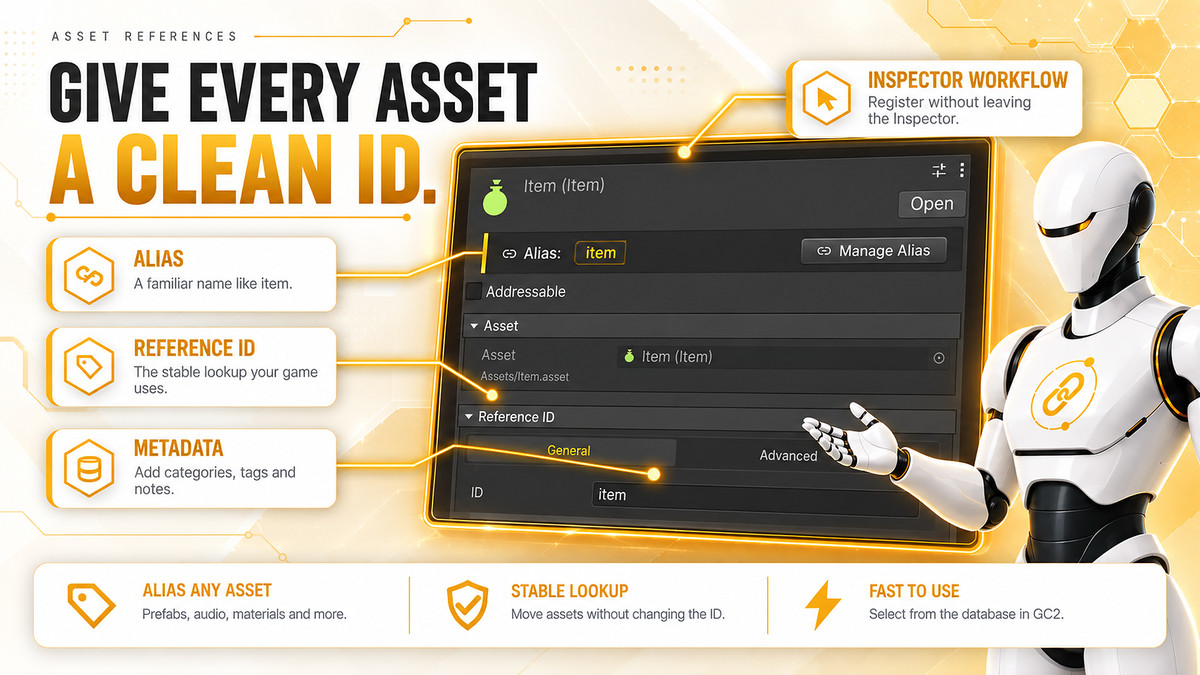
Asset References for Game Creator 2 gives you a clean, powerful, and designer-friendly way to reference project assets directly inside Game Creator 2.
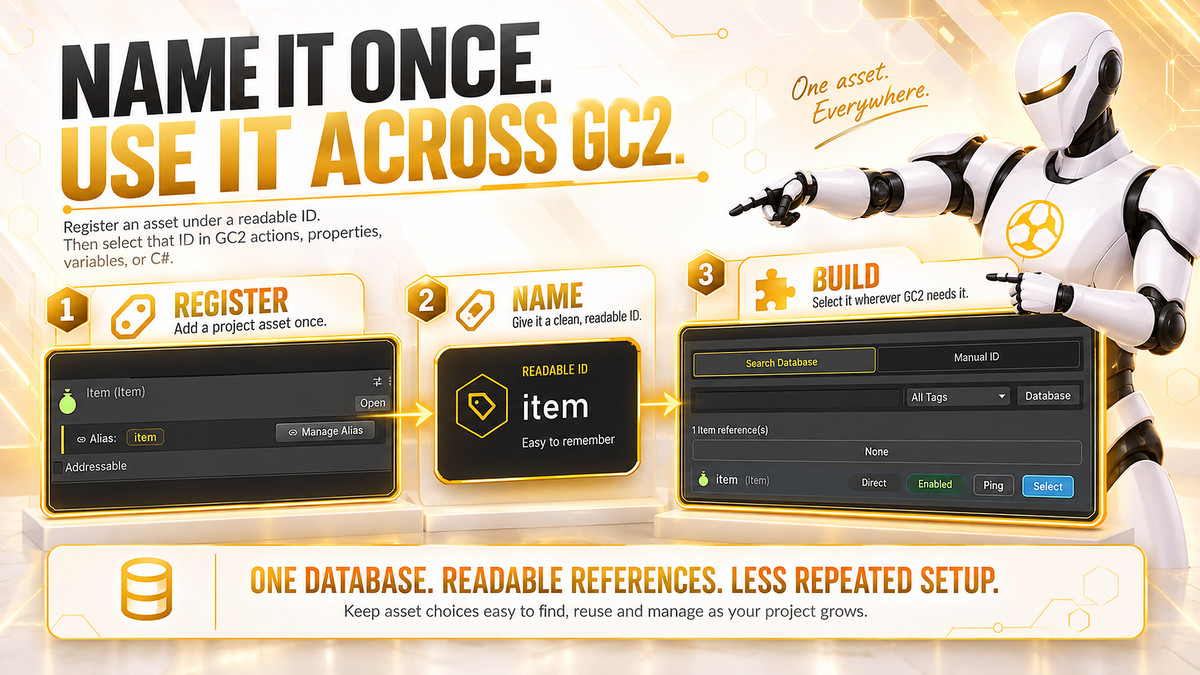
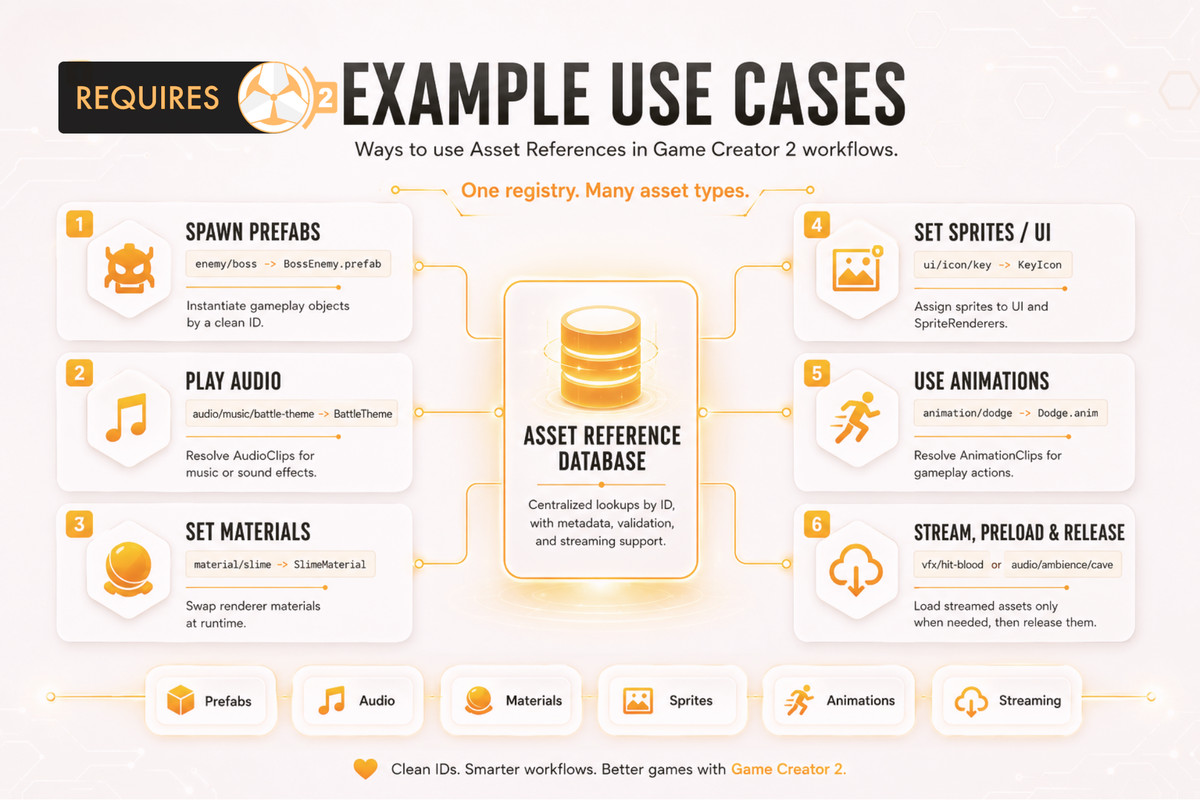
Create stable Reference IDs for prefabs, audio clips, materials, sprites, textures, animation clips, scenes, and more — then use them across GC2 Properties, Conditions, Instructions, and Events without constantly dragging references around your project. 🚀
No messy scene dependencies.
No repeated manual assignments.
No fragile hardcoded paths.
Just clean, searchable, reusable asset references built for real production workflows.
🎮 Deep Game Creator 2 Integration
Built to feel natural inside Game Creator 2:
• Properties
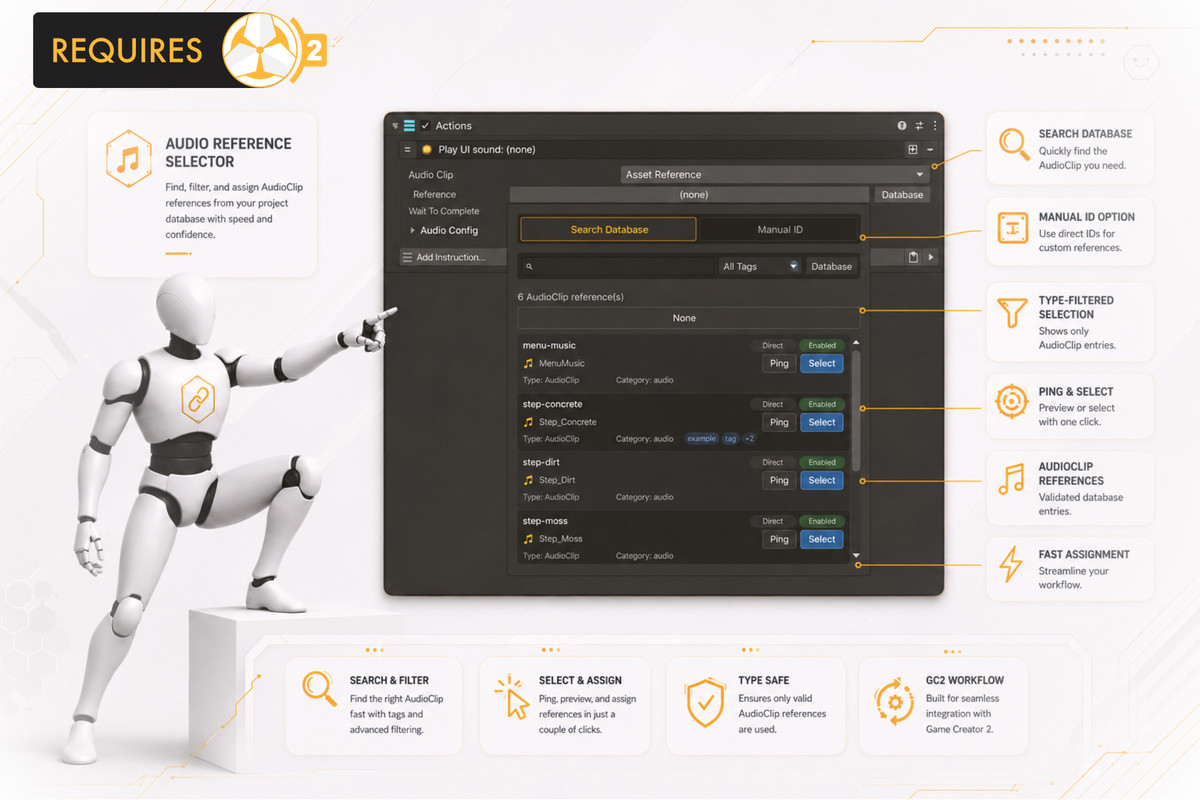
Get references for GameObject, AudioClip, Material, Sprite, Texture, Texture2D, AnimationClip, and Scene build index.
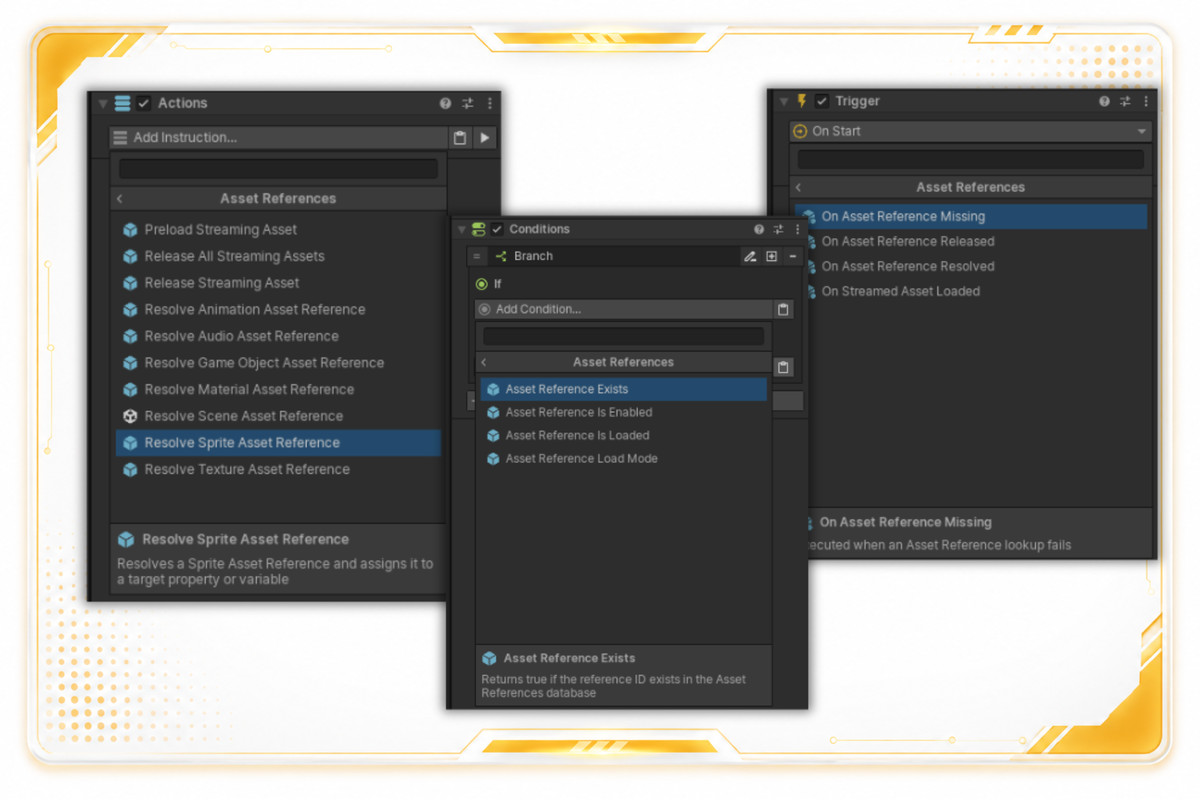
• Conditions
Check whether a reference exists, is loaded, is enabled, or which load mode it uses: Direct or Streamed.
• Instructions
Preload streamed assets, release streamed assets, release all streamed assets, and resolve supported asset types directly into GC2 variables.
• Events
React when an asset reference is resolved, loaded, released, or missing.
Events can listen globally or filter by a specific Reference ID.
🗂️ Powerful Database Editor Window
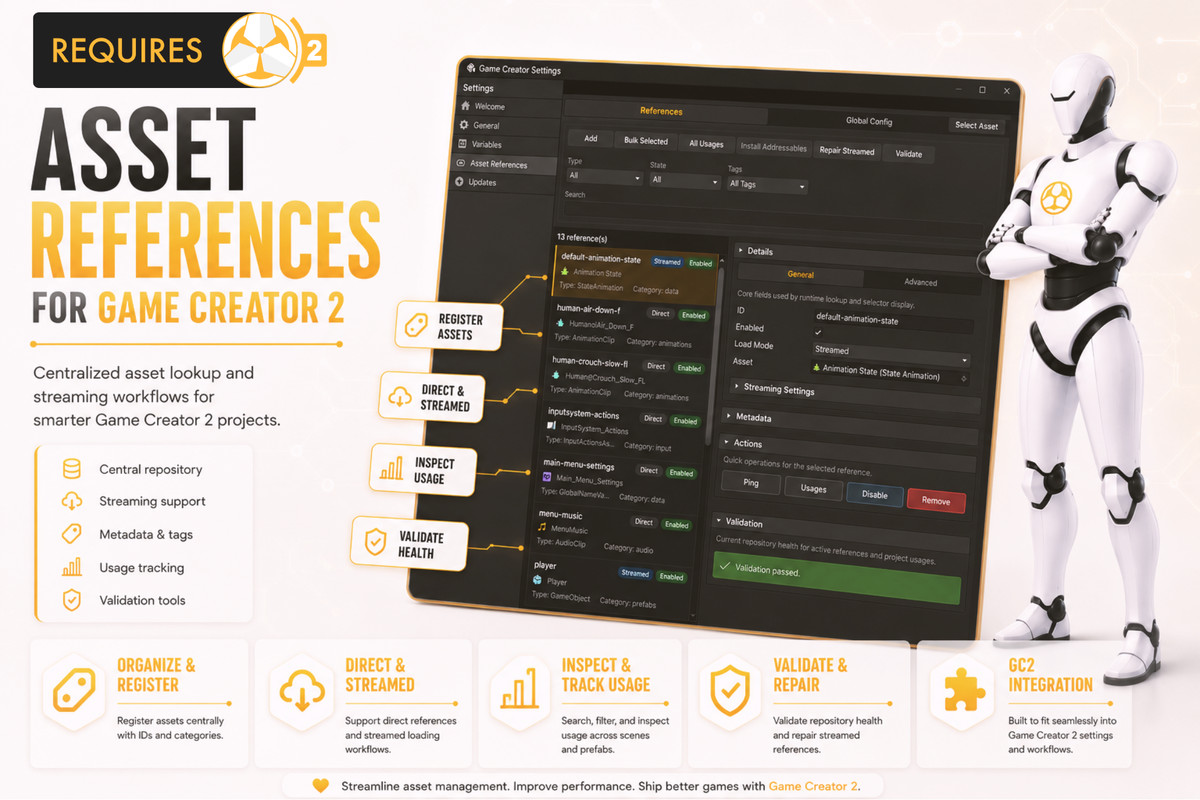
Manage your entire asset reference library from one dedicated editor window.
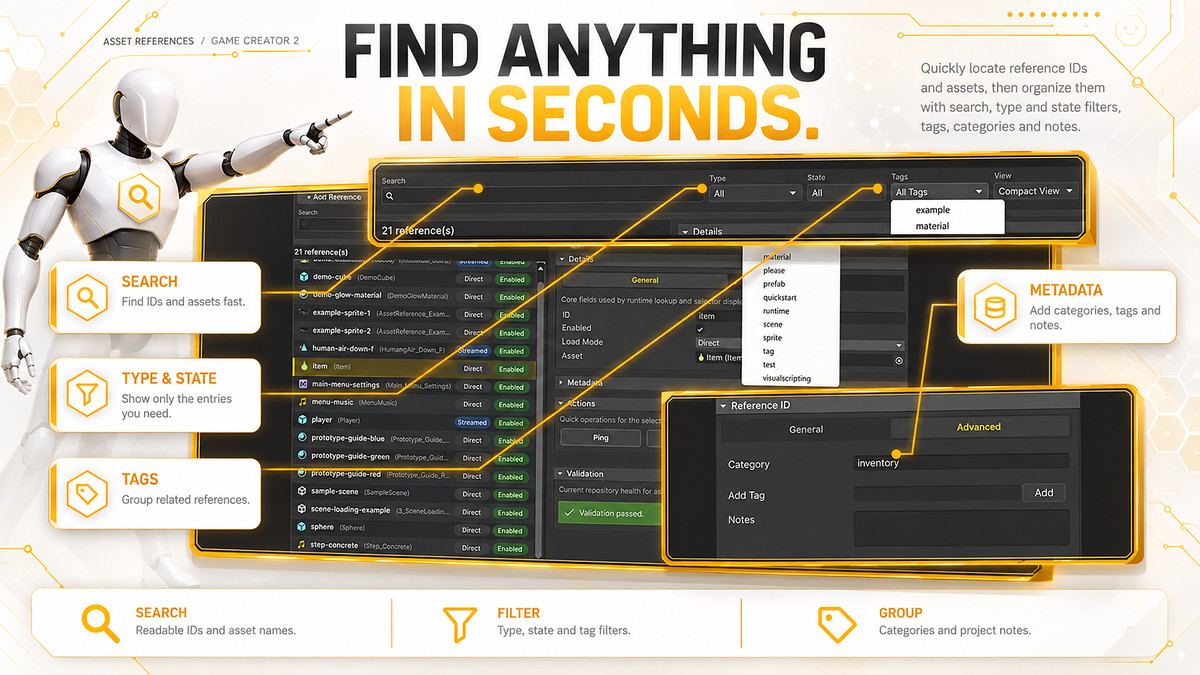
• Search & Filter
Quickly search metadata and filter by asset type, state, category, or custom tags.
• Usage Scanning
Find exactly which serialized assets are using a specific Reference ID.
Perfect for renaming, cleanup, refactoring, and avoiding broken references.
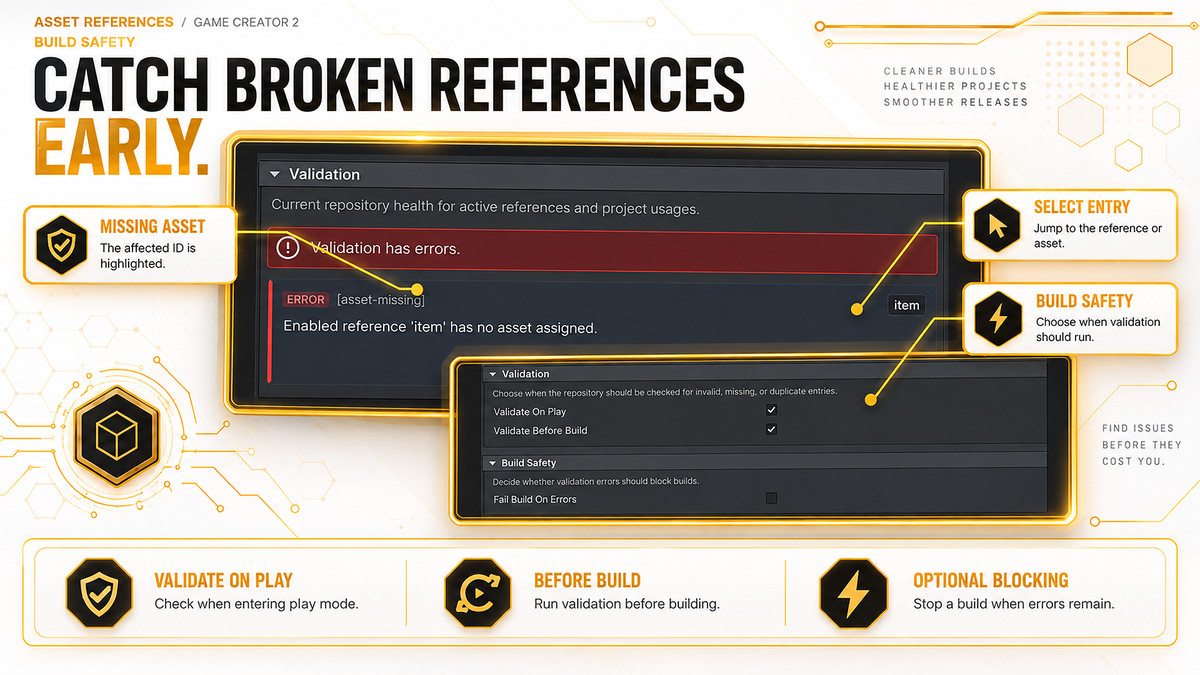
• Validation Suite
Run one-click validation to detect missing assets, duplicate IDs, scene object references, disabled references, and mismatched Addressables metadata.
• Rapid Workflow
Add references directly from the Inspector, register selected assets, or use context-menu bulk generation tools.
• C# Code Snippet Exporter
Copy raw IDs or static runtime API snippets like AssetReferences.Get() directly into your custom scripts.
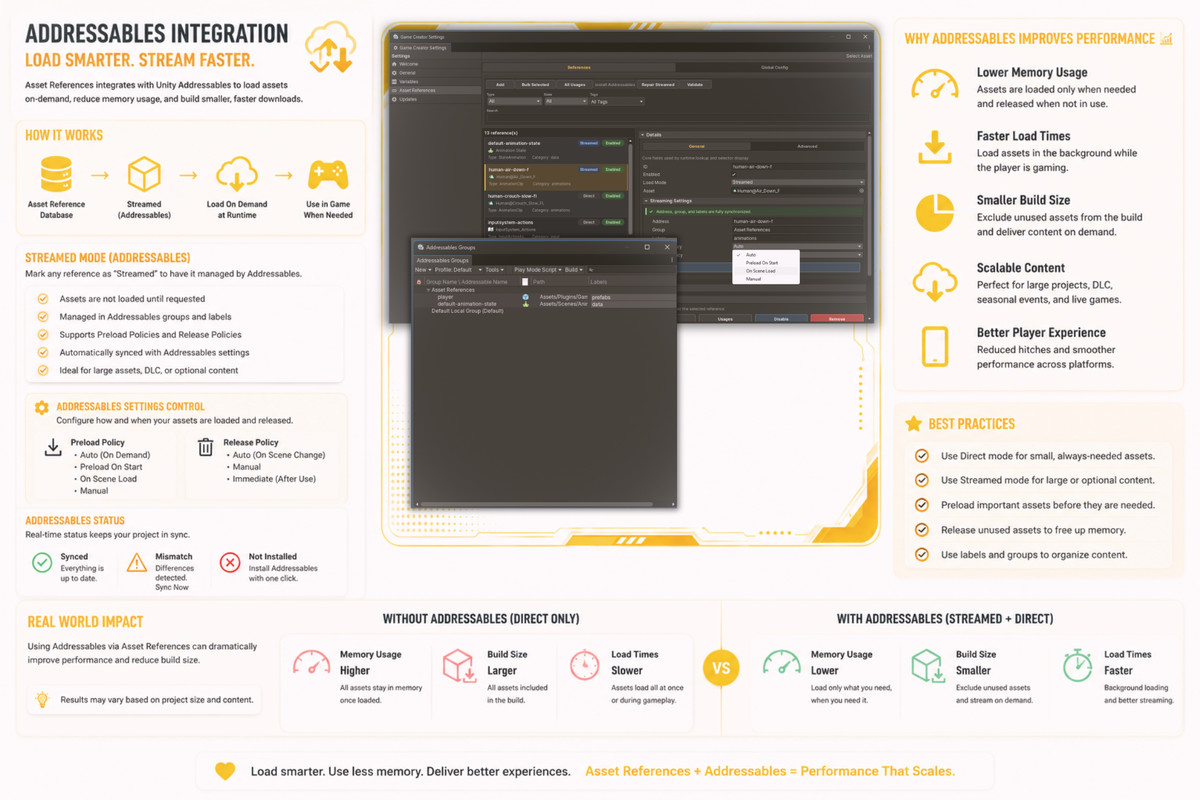
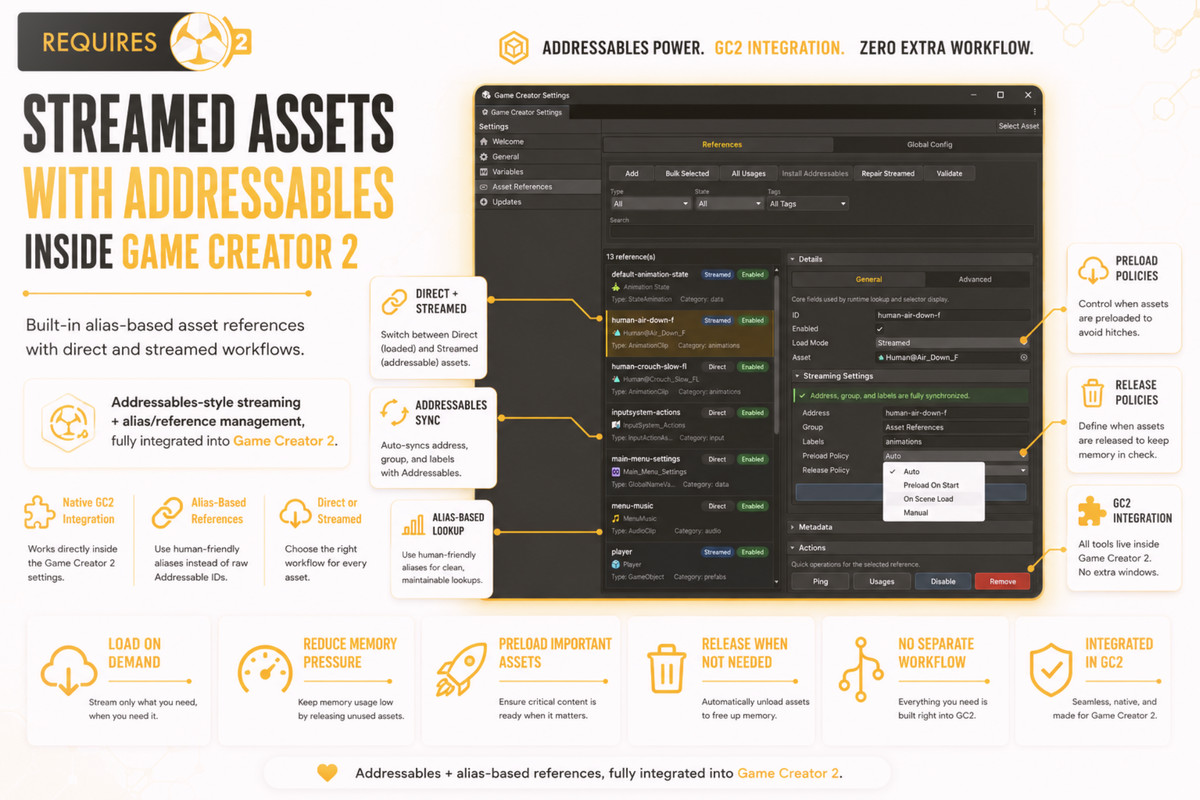
🌊 Dynamic Addressables-Backed Streaming
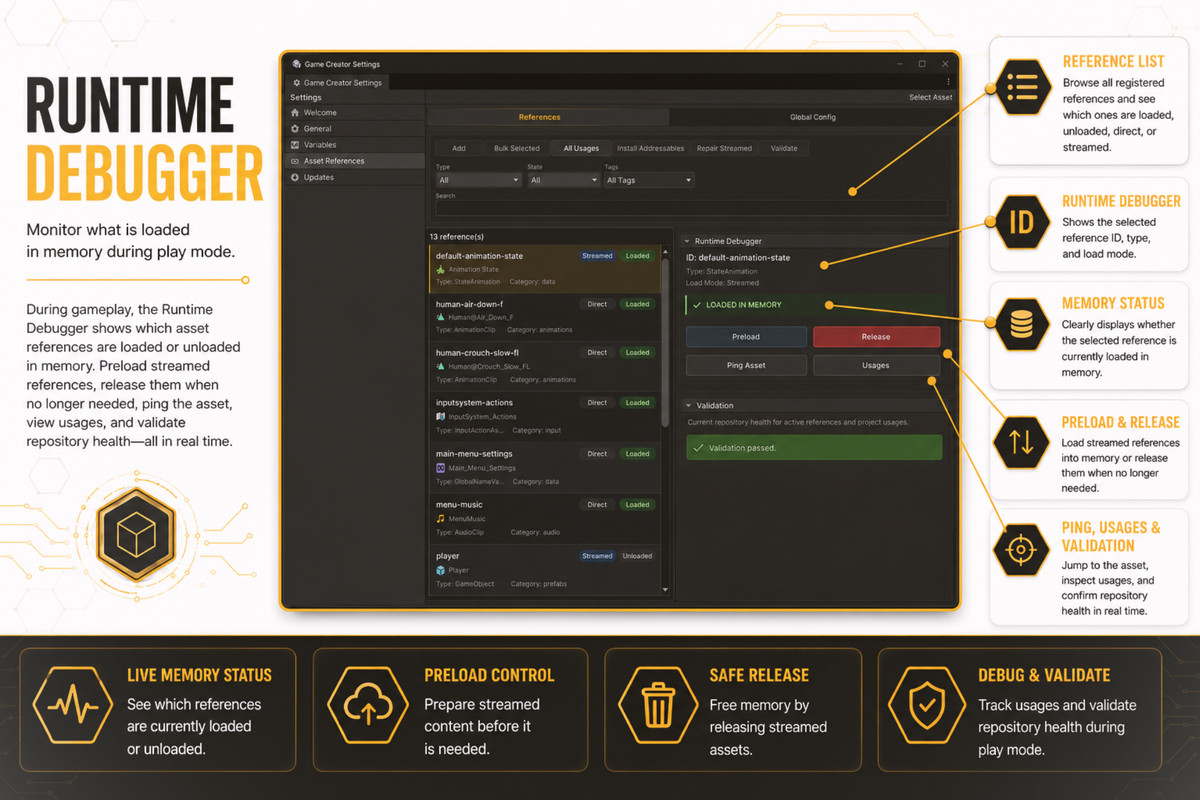
For larger projects, Asset References supports streamed assets using Unity Addressables.
• Preload Policies
Choose between Auto, Preload On Start, On Scene Load, or Manual loading.
• Release Policies
Use Auto release on scene change, Manual release, or Immediate release after resolving.
• Integrated Addressables Tools
See real-time sync status, detect mismatches, sync assets with one click, repair metadata manually, and automatically unregister assets when needed.
⚡ Performance Optimized Runtime
Designed to stay lightweight, safe, and fast during gameplay.
• Fast dictionary-based lookup cache
• Safe synchronous and asynchronous APIs
• TryGet support for graceful missing-asset handling
• No heavy editor database scanning during runtime
• Clean separation between editor tooling and runtime resolving
Your assets stay organized in the Editor, while runtime lookups remain simple and efficient.
🧩 Requirements & Compatibility
• Requires Game Creator 2 by Catsoft Works
• Compatible with Unity 2021.3 LTS, Unity 2022.3 LTS, or newer
• Streaming features require the Unity Addressables package
• Addressables can be installed directly from the Database window when needed
📚 Useful Links
Online Documentation:
https://skyward-games.github.io/Asset-References-For-GC2-Documentation/
Skyward Games Website:
Support Discord:
From the publisher's Asset Store listing.
Technical details
✨ Key Features & Technical Specifications
Asset References for Game Creator 2 is built to make project assets easier to organize, select, validate, stream, and use directly inside Game Creator 2 workflows.
Create clean Reference IDs for prefabs, audio clips, materials, sprites, textures, animation clips, scenes, and more — then access them through GC2 Properties, Conditions, Instructions, and Events without constantly dragging asset references around your project.
🎮 Game Creator 2 Integration
Designed to feel fully integrated with Game Creator 2.
• Properties
Getters for GameObject, AudioClip, Material, Sprite, Texture, Texture2D, AnimationClip, and Scene build index.
• Conditions
Check if a reference exists, is loaded, is enabled, or whether it uses Direct or Streamed load mode.
• Instructions
Preload streamed assets, release streamed assets, release all streamed assets, and resolve supported asset types directly into variables.
• Events
Listen for asset reference events such as Resolved, Streamed Asset Loaded, Released, and Missing. Events support both global listening and filtering by a specific Reference ID.
🗂️ Powerful Database Editor Window
A dedicated editor window gives you full control over your asset reference library.
• Search & Filter
Search metadata and filter references by type, state, category, or custom tags.
• Usage Scanning
Locate exactly which serialized assets are using specific Reference IDs.
Perfect for renaming IDs, cleaning up unused references, and preventing broken workflows.
• Validation Suite
Run one-click editor validation to detect missing assets, scene object references, duplicate IDs, disabled references, and Addressables metadata mismatches.
• Rapid Workflow
Add references directly from the Inspector or use context-menu bulk generation tools to register assets faster.
• C# Code Snippet Exporter
Copy raw Reference IDs or static runtime API lines like AssetReferences.Get() directly into your custom scripts.
🌊 Dynamic Addressables-Backed Streaming
For larger projects, Streamed Mode allows references to be backed by Unity Addressables.
• Preload Policies
Use Auto, Preload On Start, On Scene Load, or Manual loading.
• Release Policies
Choose between Auto, Manual, or Immediate release behavior.
• Integrated Tools
Includes real-time sync status indicators, Synced/Mismatch warnings, one-click Sync Now, manual metadata repair, and automatic unregistration when assets are removed.
⚡ Performance Optimized
Built to be lightweight and safe at runtime.
• Fast dictionary-based lookup cache
• Synchronous and asynchronous safe APIs
• TryGet support to handle missing assets gracefully
• No editor database overhead during runtime
• No expensive project scanning in builds
🧩 Requirements & Compatibility
• Requires Game Creator 2 by Catsoft Works
• Compatible with Unity 2021.3 LTS, Unity 2022.3 LTS, or newer
• Streaming features require the Unity Addressables package
• Addressables can be installed directly from the Database window when needed
📚 Useful Links
Online Documentation:
https://skyward-games.github.io/Asset-References-For-GC2-Documentation/
Skyward Games Website:
Support Discord:
Compatibility
| Unity version | Built-in | URP | HDRP | Custom |
|---|---|---|---|---|
| 6000.6.0f1 | Compatible | Compatible | Compatible | Compatible |
As listed on the Asset Store.