
 View on Asset Store (opens in new tab)
Package details
- Latest version
- 1.9.1
- Last updated
- First released
- Unity version
- 6000.2.9 or later
- Package size
- 165.9 MB
- Files
- 454
- Favorites
- 90
- Views in the past week
- 44
- Requires
Price tracking
- Last checked
- Tracked since
- Lowest recorded
- Free on
Keywords

Shared Demo Assets URP
This free asset includes files shared across both free and paid Neko Legends packs — whenever one or more assets use the same files, they’ll be added here at no cost!
Affiliate link · Purchases support this site
Price history
Last 6 months
USDAsset preview
1 / 10
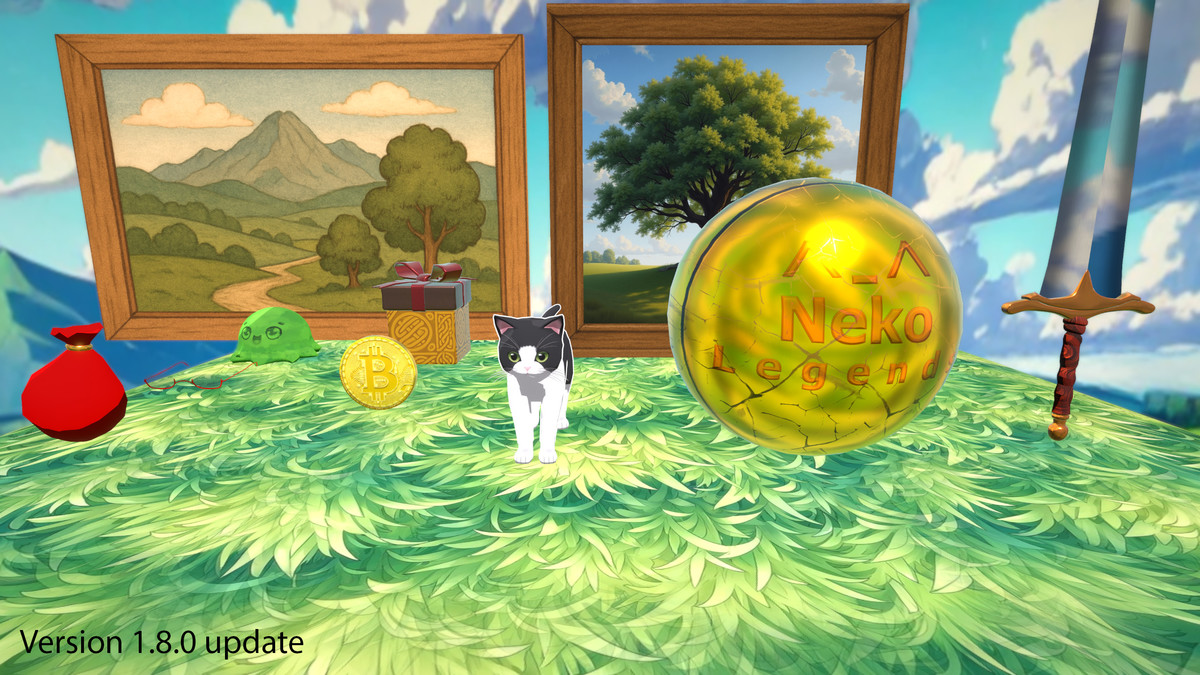
Shared Demo Assets URP screenshot 1


About this asset
*Always enable both in Assets->Settings-> Universal Render Pipeline Asset both Depth Texture and Opaque Texture checkboxes.
📦This package is a core dependency used by most Neko Legends products. It ensures consistency across basic materials, scripts, and demo scenes.
⚠️ Shader Dependency:
✨ Neko Legends – Anime Cel Shader (URP)
Without it, some materials may appear pink due to missing shader references. But don't worry! My Anime Cel Shader is now easily interchangable with my free Cel Shader:
✨ Neko Legends – Cel Shader with Faux Lighting (FREE URP)
🎯 The goal of this package is to provide a centralized, up-to-date library of shared content across all Neko Legends assets which will:
- Dramatically decrease file size for Neko Legends - 3D & VFX Starter Bundle. Imagine each asset being 100MB+ more in size if this was included in each individual asset.
- It prevents issues that arise when users install multiple assets without knowing which version is newer, avoiding errors caused by older files overwriting newer ones.
✨ Even if you don’t own other Neko Legends assets, this free package includes:
- 🧊 3D Models – Great for prototyping, personal projects, or adding flair to your game
- 🧩 Scene & Prefab Examples – Learn how to structure GUI, camera, and effects for your own demos or games
- 🎨 Tileable Textures – A variety of seamless textures ready to drop into your environments
- 🎥 Handy Camera & Animation Scripts – Jumpstart your setup with useful scripts for motion and transitions
🧪 Heads up! These scripts are for fast prototyping in my demo scenes and videos — not fancy, not polished, and definitely not loaded with documentation 😅
From the publisher's Asset Store listing.
Technical details
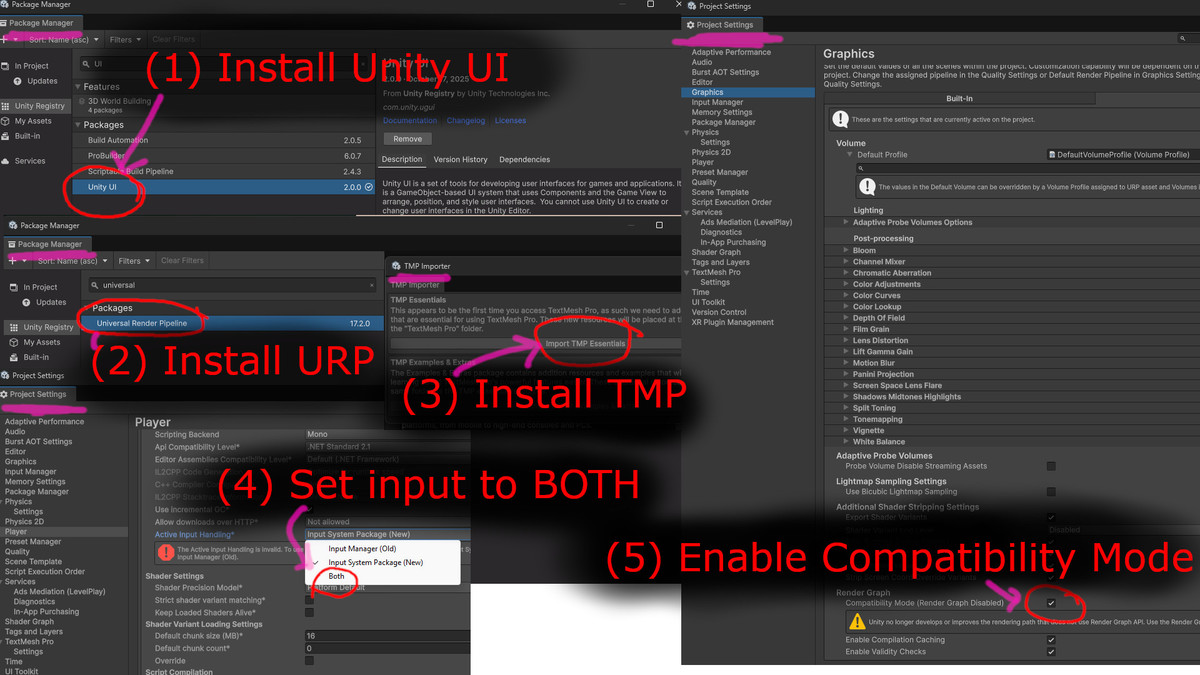
Installation Instructions If you have errors on import on new SRP Universal Render Pipeline for: Unity 6000.2.9f +
1) Install Unity UI (Window-> Package Management ->Package Manager -> Unity Register -> Unity UI)
Fixes example error:
Assets\NekoLegends\SharedAssets\Scripts\BGMManager.cs(3,7): error CS0246: The type or namespace name 'TMPro' could not be found (are you missing a using directive or an assembly reference?)
2) Install URP (Universal Render Pipeline)
Fixes example error:
Assets\NekoLegends\SharedAssets\Scripts\DemoScenes.cs(8,29): error CS0234: The type or namespace name 'Universal' does not exist in the namespace 'UnityEngine.Rendering' (are you missing an assembly reference?)
3) Install TMP. Open SharedAssetsMain and press play, and installation dialog will show up, or Window-> TextMeshPro -> Import
4) Project settings -> Player-> Set Active Input Handling to "Both"
5) Project Settings -> Graphics (URP) -> Render Graph, enable checkbox Compatibility Mode
6) Install Neko Legends – Anime Cel Shader (URP)
Burst, Jobs, Collections packages is required for this package to run as of version 1.2.0 due to the free grass shader.
Compatibility
| Unity version | Built-in | URP | HDRP |
|---|---|---|---|
| 6000.2.9f1 | Not listed | Compatible | Not listed |
Cinemachine version 3.0 package from Unity Registry is now a dependency
This package works out of the box for URP rendering systems in Unity 6 as well as Unity 2022.3.
Make sure to enable Depth and Opaque texture in your render settings!
As listed on the Asset Store.