
 View on Asset Store (opens in new tab)
Package details
- Latest version
- 1.0.0
- Last updated
- First released
- Unity version
- 6000.3.22 or later
- Package size
- 6.4 MB
- Files
- 79
- Views in the past week
- 94
- Requires
Price tracking
- Last checked
- Tracked since
- Lowest recorded
- $21.50 on
Keywords

ActionFlow 2 for Game Creator 2
- Launch discount
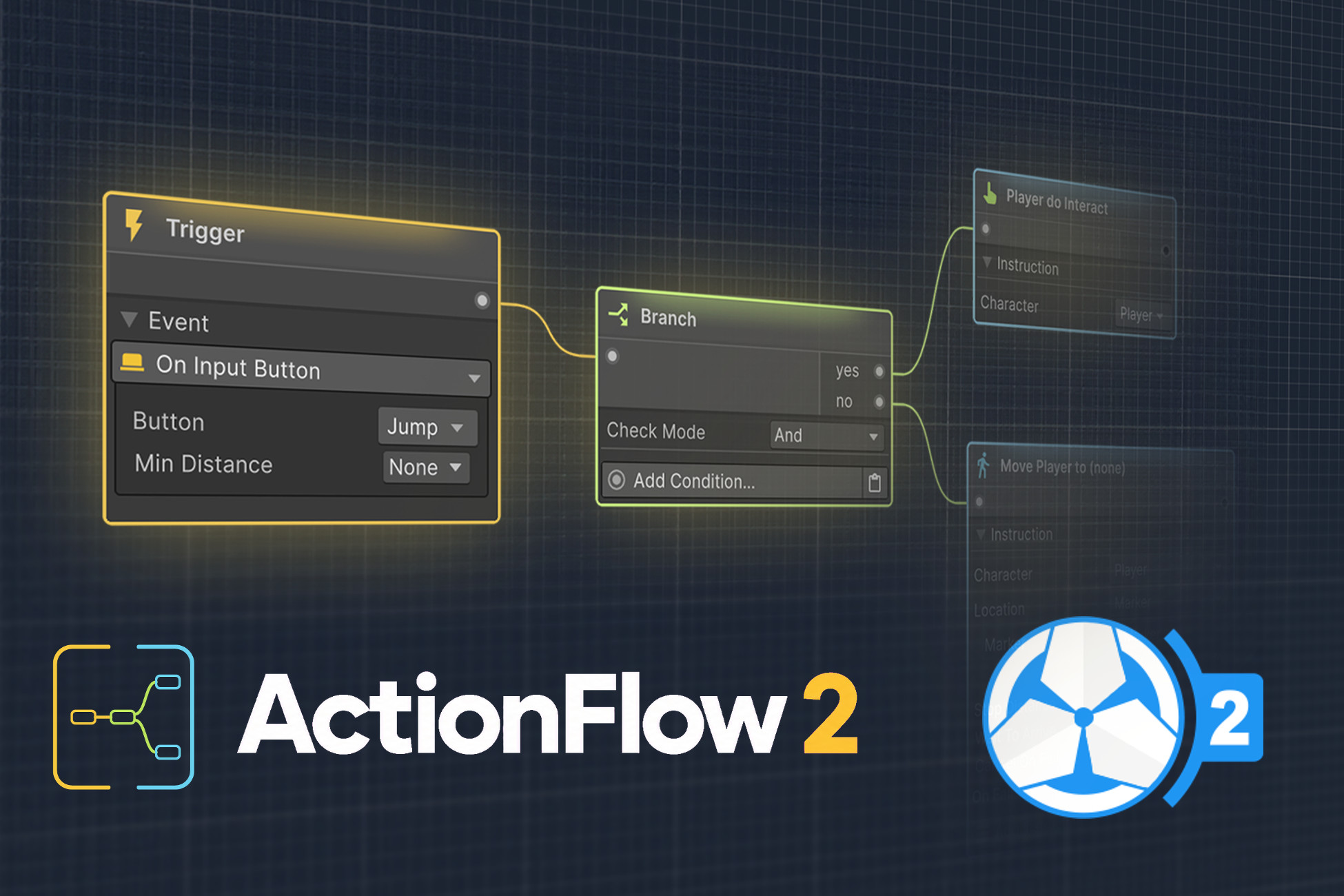
Provides a fully native, node-based workflow for Game Creator 2.
Launch promotion for 267145 ActionFlow 2 for Game Creator 2 Ends (26 Nov)
Get 50% off on Asset Store (opens in new tab)Affiliate link · Purchases support this site
Price history
Last 6 months
USDAsset preview
1 / 11
ActionFlow 2 for Game Creator 2 screenshot 1

About this asset
⚠️ NOTE ⚠️
ActionFlow is an extension for Game Creator 2 and won't work without it!
---
ActionFlow 2 completely revolutionizes the way you work with Game Creator 2.
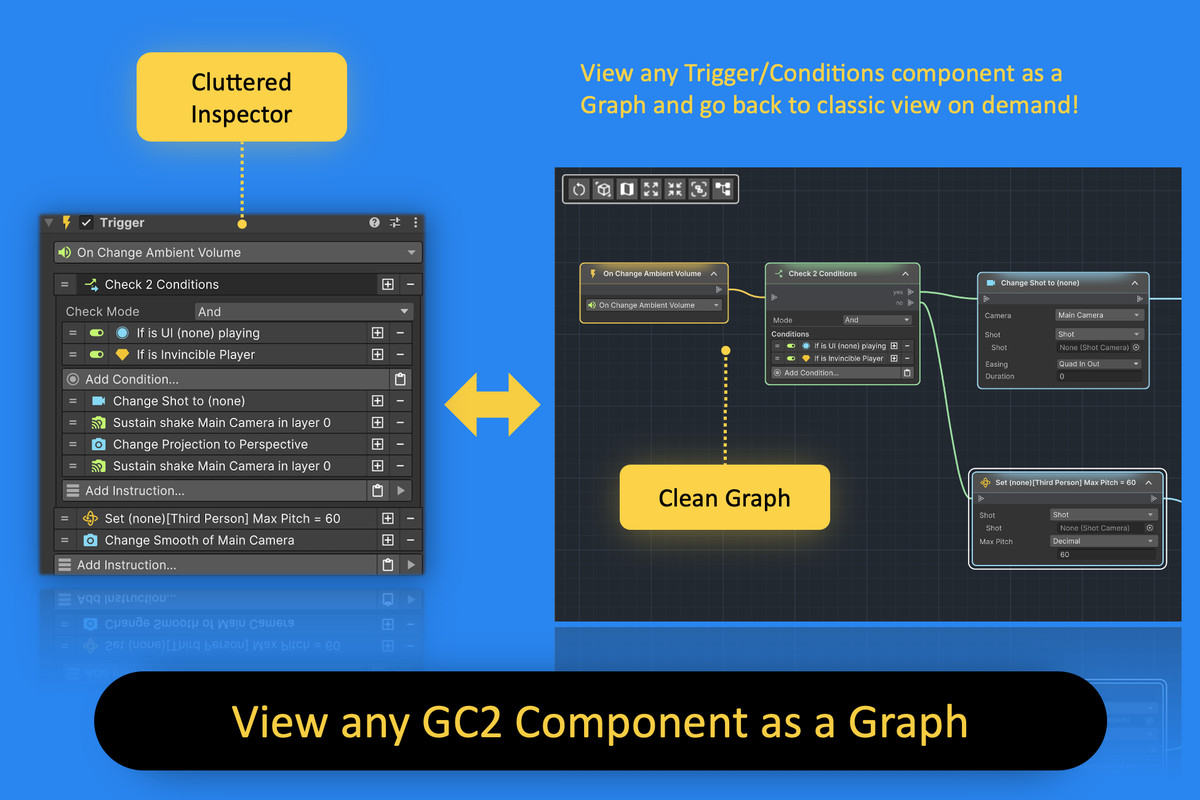
No more cluttering the inspector with endless instructions. Work natively with a clean, node-based view. Just view existing GC2 components on any GameObject as ActionFlow graphs.
Start using Game Creator 2 your way!
Documentation | Website | Discord
---
⭐️ FEATURES ⭐️
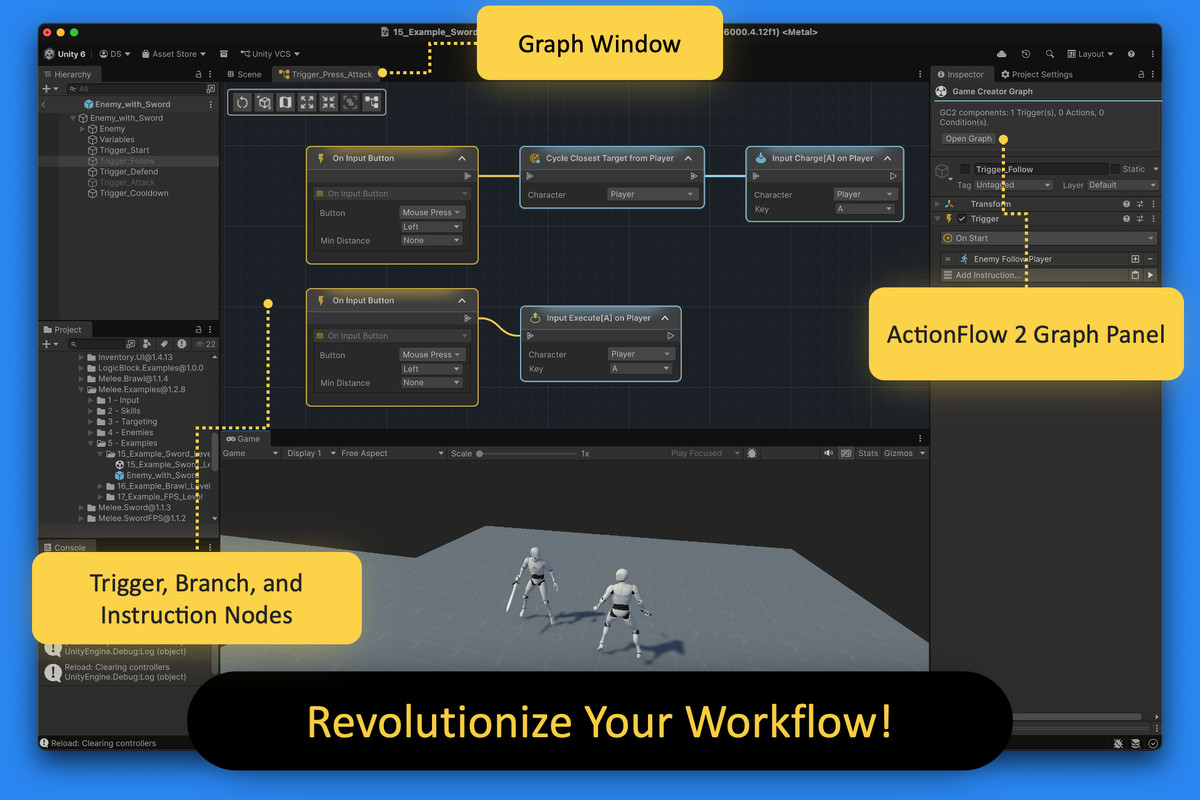
- Open Triggers, Instructions, and Conditions directly in an ActionFlow Graph.
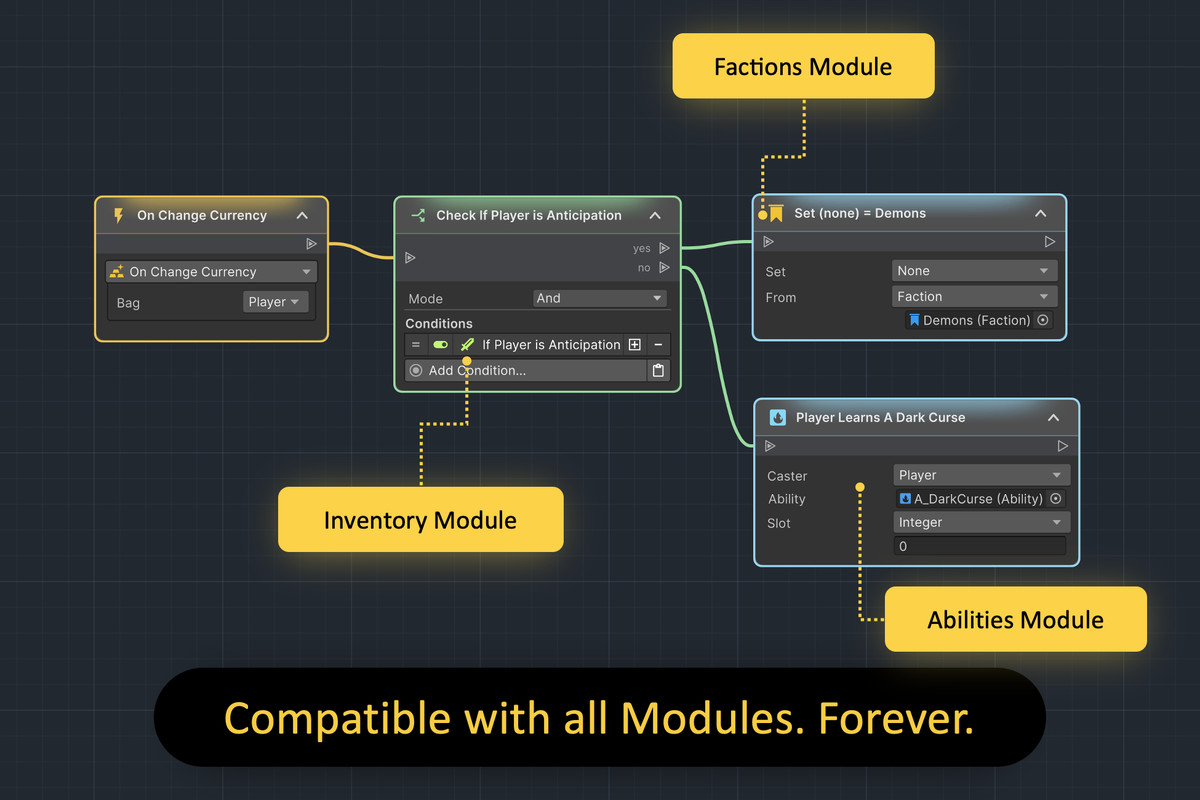
- Works with any current and future module, 3rd party extension, or Hub content.
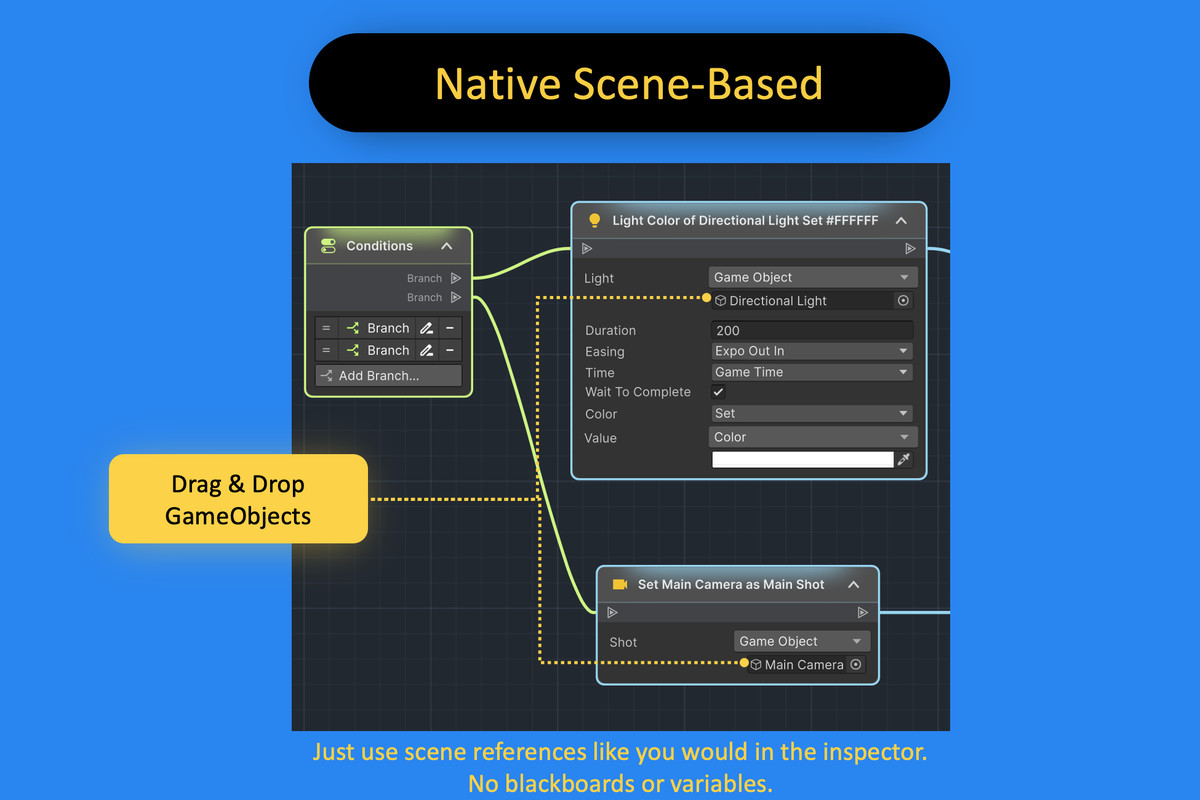
- Fully native workflow. Drag and drop GameObjects and components right into your ActionFlow graph.
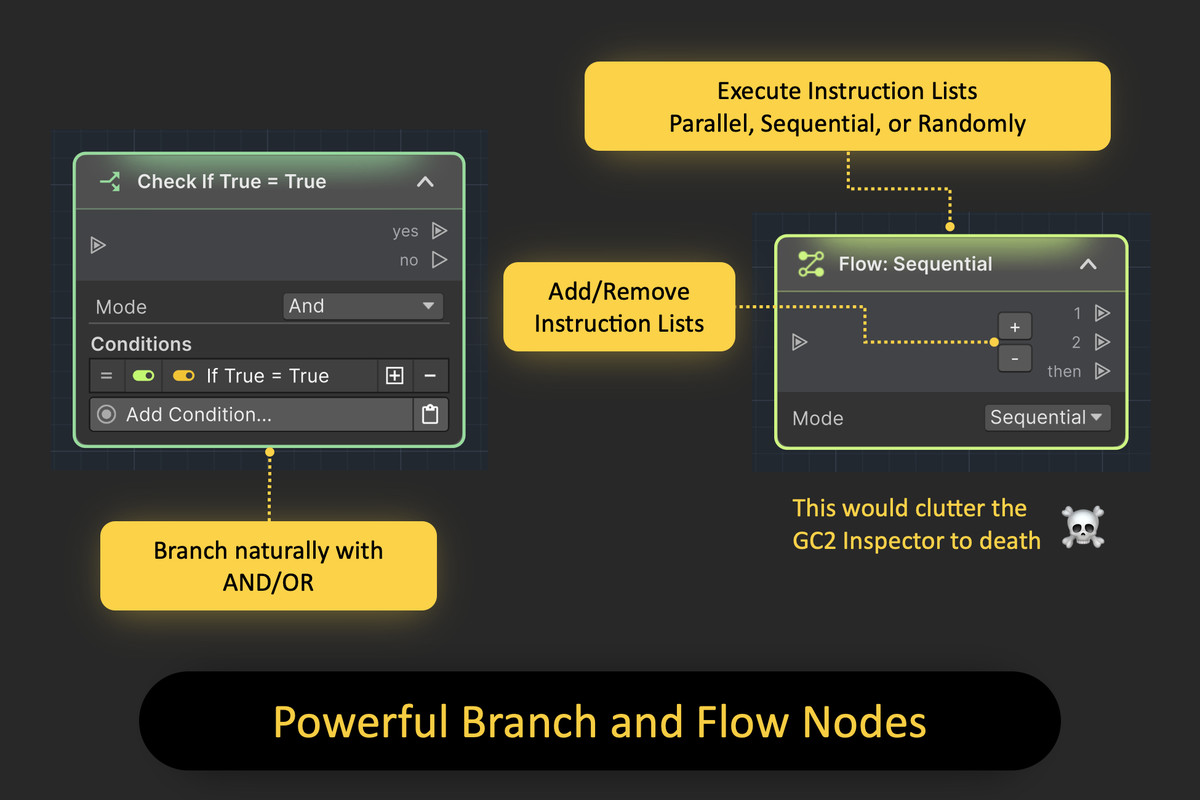
- Powerful Branch and Flow nodes for clean game logic flow in a graph.
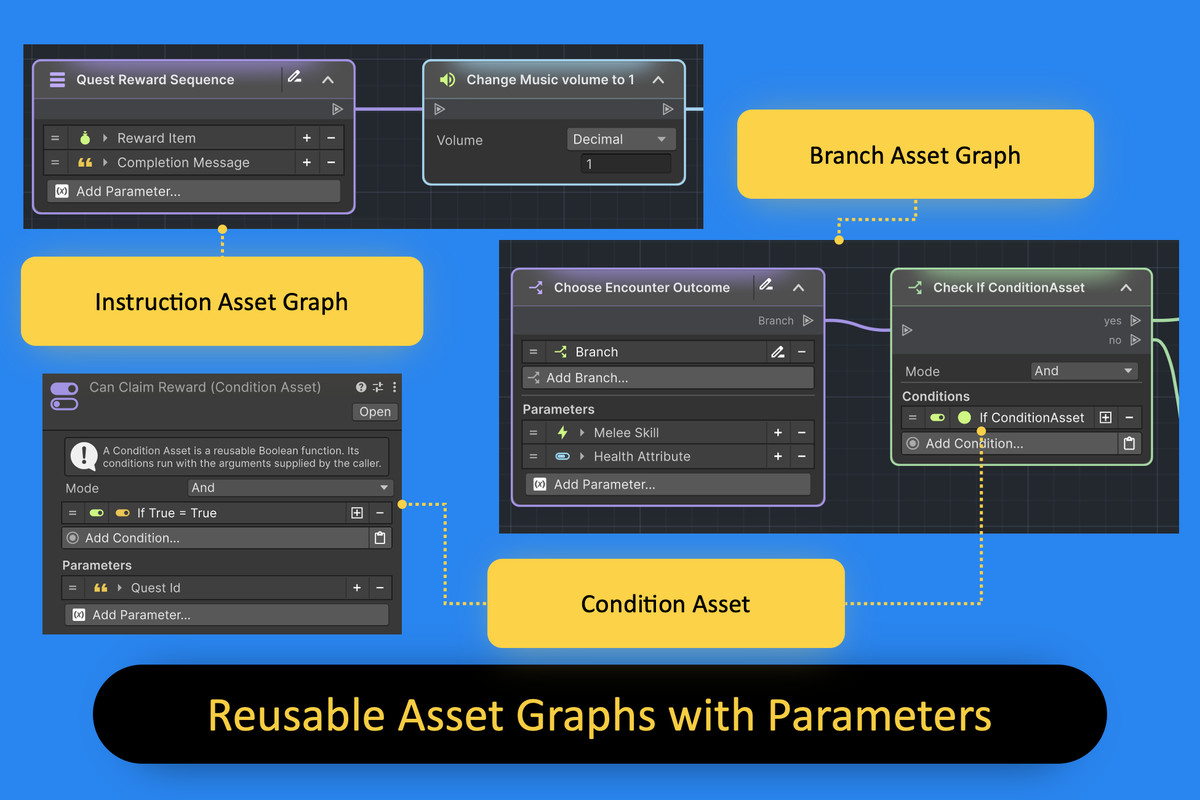
- Asset graphs with parameters for reusable, modular GC2 behaviors.
- Prefab support opens graphs on prefab assets and instances.
- More intuitive than nested branches piling up in the inspector.
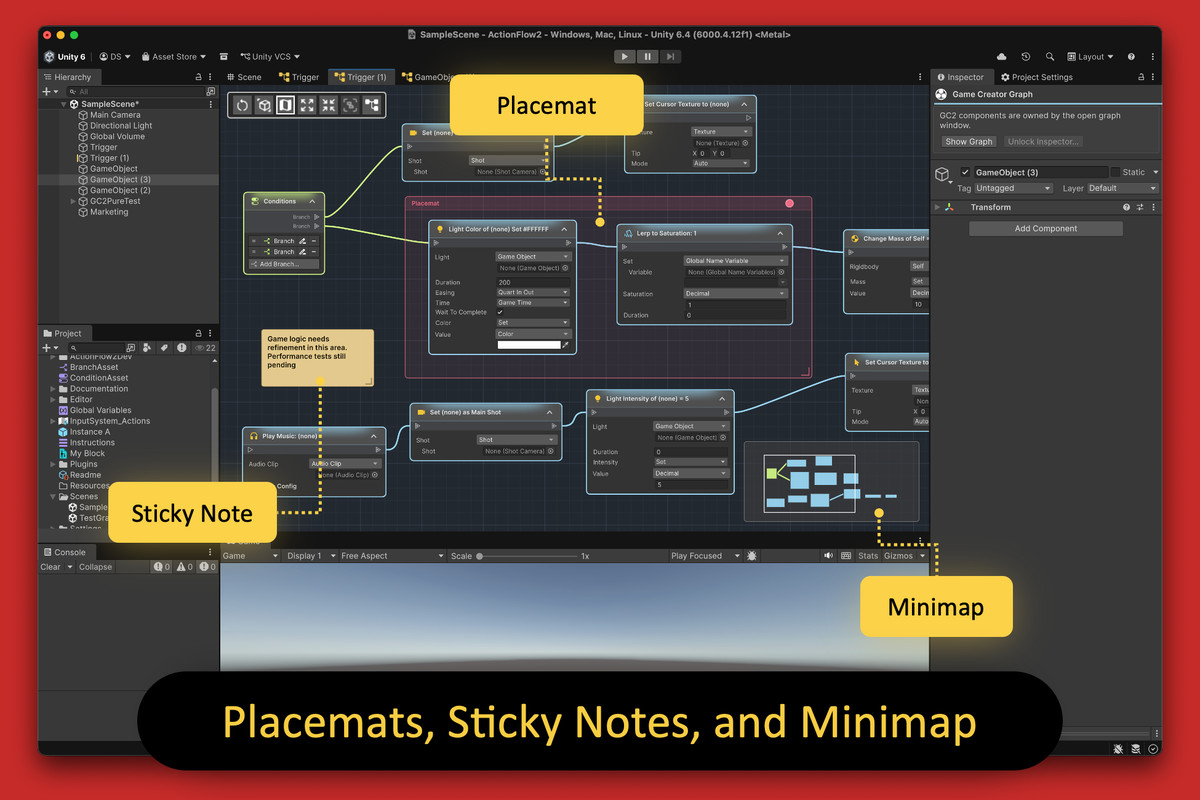
- Keep your graphs organized with placemats and sticky notes.
- Quickly pan and zoom your graph, and use a minimap to navigate.
- Efficiently add nodes by text search, or browse by category.
- No need for extra runner components, blackboards, or embedding (like SM2).
- No added state machine complexity, just plain and native Game Creator 2.
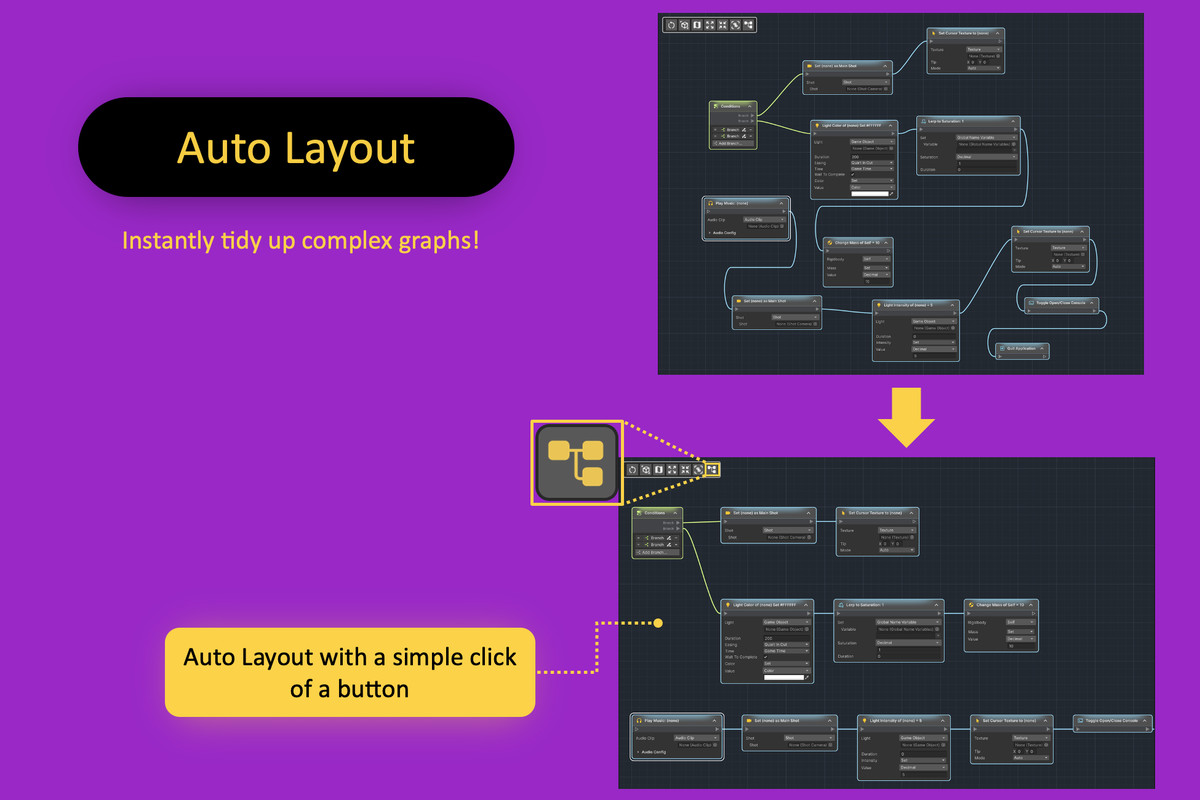
- Auto-layout large graphs for a tidy overview
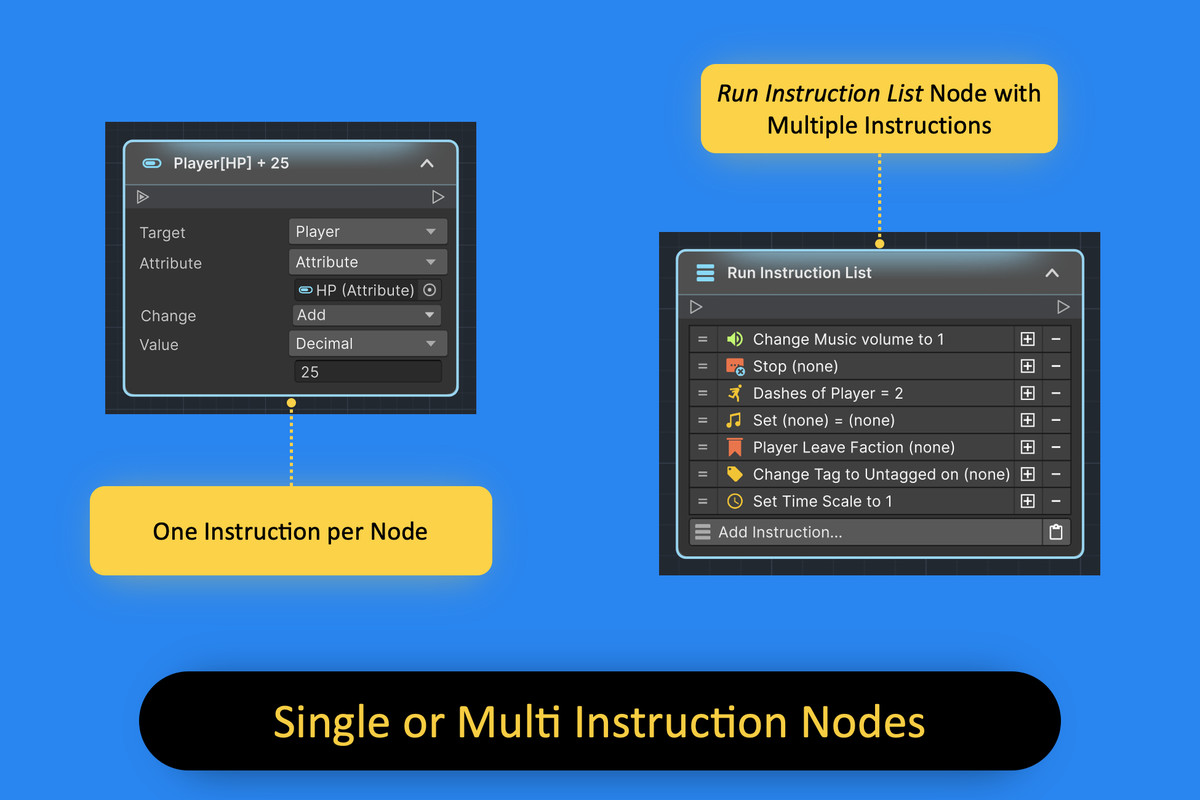
- Work your way: single or multiple instructions in a node.
- Compatible with Unity's latest fast Play Mode options.
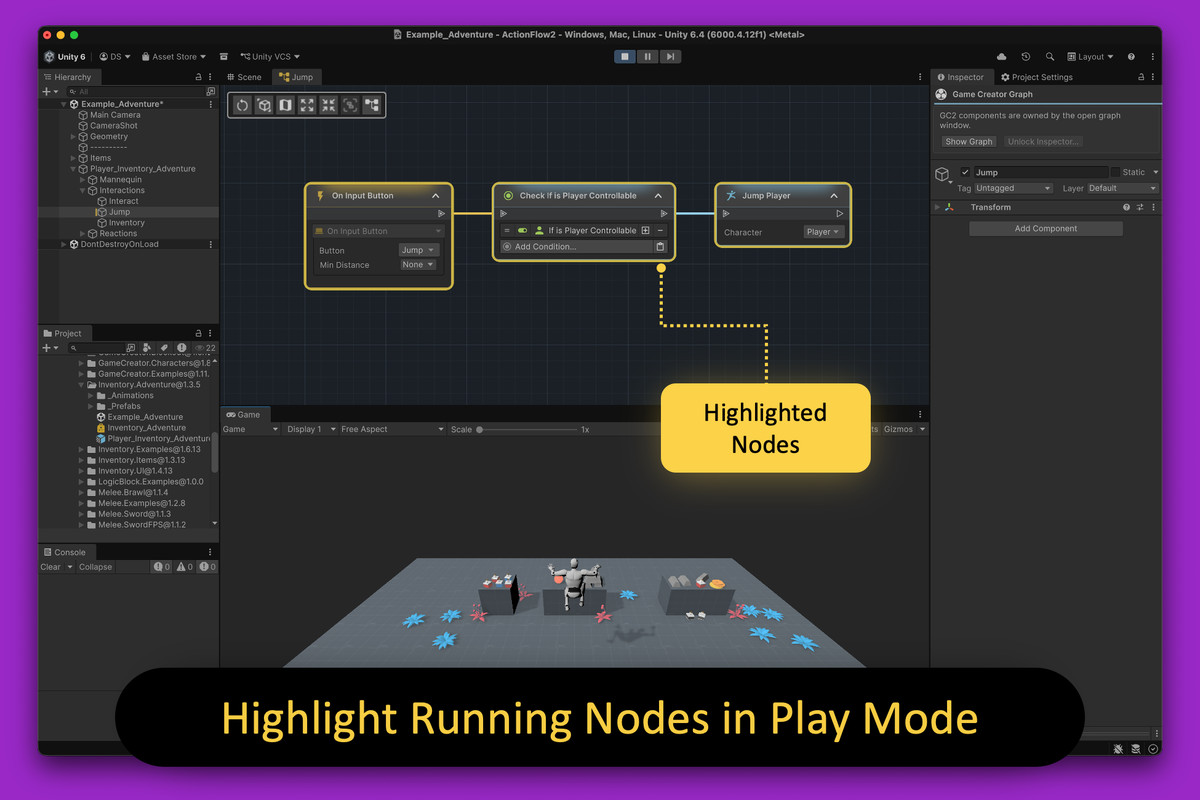
- Node and Branch-path highlighting in Play Mode for live debugging.
- Editor only. Zero performance overhead in your builds.
- Live editing of node values while running.
- Seamlessly switch between (and mix) node-based and inspector-based workflows.
- Copy/paste nodes between graphs.
- Native LogicBlock support. Open your LogicBlock assets as graphs.
- Does not rely on third-party serializers, providing a clean and future-proof solution for your project.
Third-party licensing
This asset uses Tabler Icons and Phosphor Icons under the MIT license. See Third-Party Notices.txt in the package for details.
From the publisher's Asset Store listing.
Technical details
Requirements
- Game Creator 2 is required. Install official Core and module releases compatible with your chosen Unity version and with each other.
- Supports Unity 6.3 LTS and Unity 6.6. Currently validated on Unity 6000.3.22f1 and 6000.6.0f1 with the corresponding compatible Game Creator Core 2.19.61 packages.
- LogicBlock integration is optional. NodeFlow is not required.
Compatibility
- Automatically discovers Events, Instructions, and compatible property providers from installed Game Creator 2 modules after Unity recompiles. No separate ActionFlow integration packages are required.
- Uses version-appropriate Unity object, scene, and serialized-field handling for the supported Unity versions.
- Render-pipeline independent. ActionFlow contains no Built-in, URP, or HDRP-specific content.
- Supports Game Creator Triggers, Actions, and Conditions on scene objects, prefab assets, prefab instances, variants, and nested prefabs.
- Includes reusable ActionFlow Instruction, Branch, and Condition assets with typed parameters.
- Compatible LogicBlock assets can optionally be opened and observed as ActionFlow graphs.
Technical behavior
- ActionFlow 2 edits the original Game Creator components and ScriptableObjects. It does not introduce a separate runtime graph format.
- Supports Unity Undo/Redo, prefab overrides, copy/paste, graph search, minimap navigation, placemats, sticky notes, and Play Mode execution highlighting, including taken and rejected branch paths.
- Includes automatic horizontal layout and Shift-click layout that wraps long instruction chains into multiple rows.
- Structural changes are made in Edit Mode. Graphs remain navigable and observable during Play Mode.
Documentation
- Online documentation
- The package includes the complete offline PDF manual and Unity/Game Creator installation, upgrade, and compatibility guidance.
Compatibility
| Unity version | Built-in | URP | HDRP | Custom |
|---|---|---|---|---|
| 6000.3.22f1 | Compatible | Compatible | Compatible | Compatible |
As listed on the Asset Store.