
 View on Asset Store (opens in new tab)
Package details
- Latest version
- 1.0
- Last updated
- First released
- Unity version
- 2021.3.1 or later
- Package size
- 118 KB
- Files
- 15
- Favorites
- 19
- Views in the past week
- 10
- Requires
Price tracking
- Last checked
- Tracked since
- Lowest recorded
- $7.50 on
Keywords
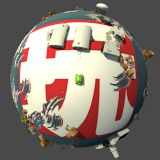
Curved World Playmaker Action Pack
This is a Playmaker Action Pack to be used with 'Curved World (2020)'.
Affiliate link · Purchases support this site
Price history
Last 6 months
USDAsset preview
1 / 2

Curved World Playmaker Action Pack screenshot 1

About this asset
These actions are designed to be used by Playmaker users with 'Curved World (2020)'.
https://assetstore.unity.com/packages/vfx/shaders/curved-world-2020-173251
Installation Instructions:
- Make sure you already have the 'Curved World (2020)' asset installed via Unity Package Manager.
- Make sure you already have 'Playmaker' installed via Unity Package Manager.
- Import the 'Curved World Playmaker Action Pack' package.
Actions Included:
- Curved World Controller Enable Bend
- Curved World Controller Set Bend Angle
- Curved World Controller Set Bend Angle 2
- Curved World Controller Set Bend Curvature Offset
- Curved World Controller Set Bend Curvature Size
- Curved World Controller Set Bend Horizontal Offset
- Curved World Controller Set Bend Minimum Radius
- Curved World Controller Set Bend Minimum Radius 2
- Curved World Controller Set Bend Rolloff
- Curved World Controller Set Bend Vertical Offset
- Curved World Controller Set Bend Vertical Size
Demo Scene:
The demo scene will appear broken if you have not followed the installation instructions.
All the assets are from the 'Curved World (2020)' package, so you MUST have it installed.
In the hierarchy, find the GameObject 'Playmaker Actions'.
Check out the FSM with the single state 'State 1'.
Hit 'Play' in the editor.
In 'State 1', adjust the 'size' float and you'll see the road curve horizontally.
All the other Playmaker Actions are THAT easy!
For support, please reach out on my discord server:
https://discord.gg/fyB9z2EsuJ
From the publisher's Asset Store listing.
Compatibility
| Unity version | Built-in | URP | HDRP | Custom |
|---|---|---|---|---|
| 2021.3.1f1 | Compatible | Compatible | Compatible | Compatible |
As listed on the Asset Store.