
 View on Asset Store (opens in new tab)
Package details
- Latest version
- 1.0
- Last updated
- First released
- Unity version
- 5.5.2 or later
- Package size
- 2.2 MB
- Files
- 94
- Favorites
- 61
- Views in the past week
- 4
Price tracking
- Last checked
- Tracked since
- Lowest recorded
- $9.99 on
Drawing Component For UGUI
Price $40.00
Buy on Asset Store (opens in new tab)
Affiliate link · Purchases support this site
Price history
Last 6 months
USDAsset preview
1 / 6

Drawing Component For UGUI screenshot 1


About this asset
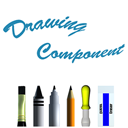
As a drawing component, you can create a program that freely draws all the colors with a brush,a pencil,a marker pan,a crayon,a eraser,a dropper.
Features
1.Including a brush,a markerpen,a crayon,a pencil,a dropper, an eraser 3D models.
2.It is able to adjust linethickness.
3.It is able to draw with all colors.
4.Including a Thumbnail prefab and a ColorPicker prefab.
5.When you click load button, images in the folder you want(set script, not dialog) show in the thumbnail and when you click a image of its then it is loaded.
6.Including a Thumbnail example scene and a ColorPicker example scene.
7.You can see the linethickness preview by PreviewWindow when you adjust linethickness or select other drawing tool.
8.You can move previous or next of the canvas texture2D drawn.
9.You can get a color from the drawing canvas by using the dropper.
10.You can save the canvas drawn as a file.
Features
1.Including a brush,a markerpen,a crayon,a pencil,a dropper, an eraser 3D models.
2.It is able to adjust linethickness.
3.It is able to draw with all colors.
4.Including a Thumbnail prefab and a ColorPicker prefab.
5.When you click load button, images in the folder you want(set script, not dialog) show in the thumbnail and when you click a image of its then it is loaded.
6.Including a Thumbnail example scene and a ColorPicker example scene.
7.You can see the linethickness preview by PreviewWindow when you adjust linethickness or select other drawing tool.
8.You can move previous or next of the canvas texture2D drawn.
9.You can get a color from the drawing canvas by using the dropper.
10.You can save the canvas drawn as a file.
From the publisher's Asset Store listing.