
 View on Asset Store (opens in new tab)
Package details
- Latest version
- 1.04
- Last updated
- First released
- Unity version
- 2022.3.4 or later
- Package size
- 4.9 MB
- Files
- 53
- Favorites
- 86
- Views in the past week
- 12
Price tracking
- Last checked
- Tracked since
- Lowest recorded
- $5.00 on
Keywords
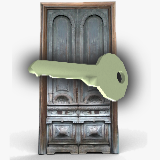
Doors and Keys
Doors And Keys asset is an ultimate tool to add Doors And Keys in your game.
Affiliate link · Purchases support this site
Price history
Last 6 months
USDAsset preview
1 / 3

Doors and Keys screenshot 1


About this asset
===Doors And Keys===
Doors And Keys asset is an ultimate tool to add Doors And Keys in your game.
5 doors, 2 keys, knob and 5 sounds.
Doors have three different modes:
1. Door Mode.
Door works as a regular door. Drag&Drop.
- Configurable speed and angle.
- Door can be locked with a key. (The 'Key item ID' of a door should be equal to the 'Item ID' of a key for this door)
- Door can be closed automaticley.
- Playing sound when locked.
- Playing sound when open/close.
- Playing sound when opening with a key.
2. Door to another location
The door is loading another scene and placing player to a gameObject specified in "Player appears here" field. Don't forget to add all locations in Build Settings.
Set 'Door ID' to connect same doors in different locations.
- Door can be locked with a key.
- Playing sound when locked.
3. Teleport
Moves player to a gameobject specified in "Player appears here" field.
- Door can be locked with a key.
- Playing sound when locked.
Keys are made as takable items. You should only input an Item ID to connect a key to a specific door (with same Key Item ID).
===W13Assets===
PlayerInteractor allows you to interact with doors and take keys from this asset.
- Sending Click(); AND Interact(); message to an object in front of player camera (If PlayerInteractor.cs is added to player camera object).
- EButton mode - doing that on pressing E button, Mouse mode - doing that on pressing left mouse button.
TakeItem allows you to make item takable. 2 modes:
- PlayerLookAndClick. The item is taken when GameObject receive Click (); or Interact(); message.
- PlayerComeClose. The item is taken when Player comes close to it.
===NOW TO===
1.1. Drag and drop Wing13Assets/W13Core prefab to yor scene.
1.2. Place a door on your scene.
2.1. In a first person game Add PlayerInteractor.cs to your Player Camera object. For example, you can use FirstPersonCharacter from Standard Assets. Now you can take the keys and open doors using E button or left mouse button.
2.2. In a third person game Add PlayerInteractor.cs to your Player object. Point you character to the door and press E or left mouse button.
2.3. Or use Wing13Assets/Player .
Please let me know if you need other features.
From the publisher's Asset Store listing.
Compatibility
| Unity version | Built-in | URP | HDRP | Custom |
|---|---|---|---|---|
| 2022.3.4f1 | Compatible | Compatible | Compatible | Compatible |
As listed on the Asset Store.