
 View on Asset Store (opens in new tab)
Package details
- Latest version
- 1.1
- Last updated
- First released
- Unity version
- 5.5.2 or later
- Package size
- 42.1 MB
- Files
- 82
- Favorites
- 32
- Views in the past week
- 7
Price tracking
- Last checked
- Tracked since
- Lowest recorded
- $19.99 on
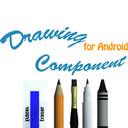
Drawing Component for Android(UGUI)
Price $40.00
Buy on Asset Store (opens in new tab)
Affiliate link · Purchases support this site
Price history
Last 6 months
USDAsset preview
1 / 6

Drawing Component for Android(UGUI) screenshot 1


About this asset
As a drawing component for Android, you can create a program that freely draws all the colors with brushes, pencils, marker pans, crayons, and erasers. There is an Android plugin file that you load an image file from the mobile gallery and draw on it, share it with messages, save it as a file, and launch a toast, as well as documentation on plugin source files and settings.
Features
1.Including 3D models of a brush,a markerpen,a crayon,a pencil, an eraser.
2.It is able to adjust line thickness.
3.It is able to draw with all colors.
4.Including a DC prefab for creating your drawing project.
5.You can save an image drawn to as a file and can see it as soon as in your gallery.
6.Completing android build testing.
7.The resolutions of multiple mobiles tested.
8.Including an Android plugin file for sharing with message apps, toast, loading from gallery.
9.Including Android plugin source files.
10.Including an android plugin setting doc.
11.Including an apk file.
12.There are ColliderAdjustor.cs and ColliderAdjustorEditor.cs file that constrains to match the size an UIRect and a BoxCollider.
13.You can see the preview window when you adjust linethickness or select other drawing tool.
1.Including 3D models of a brush,a markerpen,a crayon,a pencil, an eraser.
2.It is able to adjust line thickness.
3.It is able to draw with all colors.
4.Including a DC prefab for creating your drawing project.
5.You can save an image drawn to as a file and can see it as soon as in your gallery.
6.Completing android build testing.
7.The resolutions of multiple mobiles tested.
8.Including an Android plugin file for sharing with message apps, toast, loading from gallery.
9.Including Android plugin source files.
10.Including an android plugin setting doc.
11.Including an apk file.
12.There are ColliderAdjustor.cs and ColliderAdjustorEditor.cs file that constrains to match the size an UIRect and a BoxCollider.
13.You can see the preview window when you adjust linethickness or select other drawing tool.
From the publisher's Asset Store listing.