
 View on Asset Store (opens in new tab)
Package details
- Latest version
- 1.0
- Last updated
- First released
- Unity version
- 5.6.2 or later
- Package size
- 58.0 MB
- Files
- 176
- Favorites
- 40
- Views in the past week
- 6
Price tracking
- Last checked
- Tracked since
- Lowest recorded
- $2.00 on
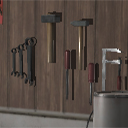
Workshop Interior
Price $4.99
Buy on Asset Store (opens in new tab)
Affiliate link · Purchases support this site
Price history
Last 6 months
USDAsset preview
1 / 7

Workshop Interior screenshot 1


About this asset
This Asset Pack contains assets with textures placed in an example scene.
Each material includes Albedo,Metallic, Normal, Height and Occlusion map in different sizes.
Regarding to the object size in world the texture size is 2048px for large objects and 512px for small objects.
List of Assets:
1 Wall (tileable)
1 Floor (tileable)
1 Ceiling (tileable)
1 Wooden bar
1 Door
------
2 vice
4 screwdriver
2 hammer
1 wrench
1 plier
1 bolt cutter
1 bucket
1 gas bottle
1 large desk
1 tool closet with drawers
1 crate
1 large drill machine
1 lamp
1 chair
2 shelf
1 metal shelf
1 wood closet
You will need the standard assets fps controller to walk around in the example scene.
All prefabs are in the _Prefabs folder
All Meshes are in the Asset_Files folder
You will find the textures and material files for each object within the Material folder
(e.g. For the door -> \Asset_Files\Door1_Files\Material\ )
Each material includes Albedo,Metallic, Normal, Height and Occlusion map in different sizes.
Regarding to the object size in world the texture size is 2048px for large objects and 512px for small objects.
List of Assets:
1 Wall (tileable)
1 Floor (tileable)
1 Ceiling (tileable)
1 Wooden bar
1 Door
------
2 vice
4 screwdriver
2 hammer
1 wrench
1 plier
1 bolt cutter
1 bucket
1 gas bottle
1 large desk
1 tool closet with drawers
1 crate
1 large drill machine
1 lamp
1 chair
2 shelf
1 metal shelf
1 wood closet
You will need the standard assets fps controller to walk around in the example scene.
All prefabs are in the _Prefabs folder
All Meshes are in the Asset_Files folder
You will find the textures and material files for each object within the Material folder
(e.g. For the door -> \Asset_Files\Door1_Files\Material\ )
From the publisher's Asset Store listing.