
 View on Asset Store (opens in new tab)
Package details
- Latest version
- 1.3
- Last updated
- First released
- Unity version
- 5.5.2 or later
- Package size
- 6.3 MB
- Files
- 127
- Favorites
- 241
- Views in the past week
- 5
Price tracking
- Last checked
- Tracked since
- Lowest recorded
- $1.00 on
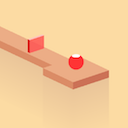
Ball Run
Price $4.99
Buy on Asset Store (opens in new tab)
Affiliate link · Purchases support this site
Price history
Last 6 months
USDAsset preview
1 / 6

Ball Run screenshot 1


About this asset
Ball Run is amazing game , with 3D design.
----Ready for publish----
How to play :
- Touch the screen to rotate the arrows so that the ball color of the same color blocks (stay on road).
Key features:
- Ready to publish, web, desktop and mobile optimized
- Clean and well organized C# code
- Pool gameobject
- 3D view
- Scores, and increasing difficulty
- Easy to change color, audio, difficutly.
- Custom shader, , no using light, very good performance.
- Fix for multiple screen.
NOTICE :
- Fix for new Unity 5.6 or higher: Unity 5.6 or highter please eidt in your code 'Application.bundleIdentifier' to 'Application.identifier'.
- Game have 2 scenes, HomeScene and Main Scene, please add both of them to Build Settings (Open scene you want to add then Open Build Settings, click button Add Open Scene https://docs.unity3d.com/Manual/BuildSettings.html)
CONTACT ME
Facebook
Email
----Ready for publish----
How to play :
- Touch the screen to rotate the arrows so that the ball color of the same color blocks (stay on road).
Key features:
- Ready to publish, web, desktop and mobile optimized
- Clean and well organized C# code
- Pool gameobject
- 3D view
- Scores, and increasing difficulty
- Easy to change color, audio, difficutly.
- Custom shader, , no using light, very good performance.
- Fix for multiple screen.
NOTICE :
- Fix for new Unity 5.6 or higher: Unity 5.6 or highter please eidt in your code 'Application.bundleIdentifier' to 'Application.identifier'.
- Game have 2 scenes, HomeScene and Main Scene, please add both of them to Build Settings (Open scene you want to add then Open Build Settings, click button Add Open Scene https://docs.unity3d.com/Manual/BuildSettings.html)
CONTACT ME
From the publisher's Asset Store listing.