
 View on Asset Store (opens in new tab)
Package details
- Latest version
- 1.3
- Last updated
- First released
- Unity version
- 2021.3.36 or later
- Package size
- 3.1 MB
- Files
- 44
- Favorites
- 377
- Views in the past week
- 14
Price tracking
- Last checked
- Tracked since
- Lowest recorded
- $7.50 on
Keywords
ProtoShape 2D
Price $15.00
Buy on Asset Store (opens in new tab)
Affiliate link · Purchases support this site
Price history
Last 6 months
USDAsset preview
1 / 4

ProtoShape 2D screenshot 1


About this asset
My Twitter | Forum thread | Online manual
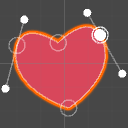
It's an editor extension that adds a simple way to create and edit 2D polygons, fill them with color, gradient or texture and generate colliders for them. Intended for quick prototyping of 2D games it can be used for creating vector-styled terrain, decorations and whole scenes for the final game.
- Easy and intuitive way to create 2D objects by placing and dragging points right in Unity scene view.
- Color your scene without sprites. Fill polygons with color, two-color gradient or texture.
- Generate matching polygon or edge 2D collider. There's an option to create 2D platforms quickly by adding edge collider only for the top part of the object.
- Supports sorting layers and sprite masking same way as sprites.
- Simple keyboard controls: hold CTRL to delete points, hold SHIFT while dragging a point to snap it to other points or to grid.
- Export objects you create to mesh assets or PNG files or use your own material on them.
- A fake anti-aliasing option that smoothes the edges of polygons by adding a thin transparent gradient to them. Useful for mobile games where real anti-aliasing is costly.
My Twitter | Forum thread | Online manual
It's an editor extension that adds a simple way to create and edit 2D polygons, fill them with color, gradient or texture and generate colliders for them. Intended for quick prototyping of 2D games it can be used for creating vector-styled terrain, decorations and whole scenes for the final game.
- Easy and intuitive way to create 2D objects by placing and dragging points right in Unity scene view.
- Color your scene without sprites. Fill polygons with color, two-color gradient or texture.
- Generate matching polygon or edge 2D collider. There's an option to create 2D platforms quickly by adding edge collider only for the top part of the object.
- Supports sorting layers and sprite masking same way as sprites.
- Simple keyboard controls: hold CTRL to delete points, hold SHIFT while dragging a point to snap it to other points or to grid.
- Export objects you create to mesh assets or PNG files or use your own material on them.
- A fake anti-aliasing option that smoothes the edges of polygons by adding a thin transparent gradient to them. Useful for mobile games where real anti-aliasing is costly.
My Twitter | Forum thread | Online manual
From the publisher's Asset Store listing.