
 View on Asset Store (opens in new tab)
Package details
- Latest version
- 1.3.0
- Last updated
- First released
- Unity version
- 5.6.0 or later
- Package size
- 1.2 MB
- Files
- 23
- Favorites
- 231
- Views in the past week
- 13
Price tracking
- Last checked
- Tracked since
- Lowest recorded
- $6.00 on
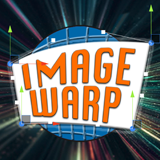
Image Warp
Price $10.00
Buy on Asset Store (opens in new tab)
Affiliate link · Purchases support this site
Price history
Last 6 months
USDAsset preview
1 / 9

Image Warp screenshot 1


About this asset
What is Image Warp?
A collection of extensions to the default UI Image components and 3D scene Texture Renderers, allowing you to easily manipulate the image mesh.
Twist, warp and crop your images however you like!
** FEATURES **
Works with the Unity animation system.
Easily create a cool looking animated texture!
Works with Videos!
Directly manipulate the images within the Editor via intuitive easy-to-use handles. It's like Photoshop in your Unity editor!
Bezier curve your Image edges!
Easily convert existing UI Image components into Warp components using a convenience MenuItem.
Customise the number of mesh subdivisions for the perfect quality/vert-count balance.
Super simple script calls allow runtime manipulation of the image corner positions.
Super simple and intuitive to use. It just works!
Full source code included.
From the publisher's Asset Store listing.