
 View on Asset Store (opens in new tab)
Package details
- Latest version
- 2.4.7
- Last updated
- First released
- Unity version
- 2018.4.30 or later
- Package size
- 23.3 MB
- Files
- 97
- Favorites
- 185
- Views in the past week
- 30
Price tracking
- Last checked
- Tracked since
- Lowest recorded
- $1.39 on
Keywords
MS Move Objects
Price $9.90
Buy on Asset Store (opens in new tab)
Affiliate link · Purchases support this site
Price history
Last 6 months
USDAsset preview
1 / 12

MS Move Objects screenshot 1


About this asset
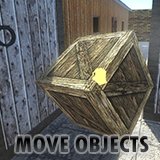
This system aims to move objects with the movement of the mouse, in addition to being able to rotate and launch objects.
The system is developed for first person characters.
GENERAL FEATURES:
• You can choose between various motion types, such as AddForce, Velocity or Position. In this way, the system can easily adapt to all project types.
• The system works well with components like "HingeJoint", "CharacterJoint", "ConfigurableJoint", among others.
• You can choose to detect the objects by tag, name or PhysicsMaterial.
• The system includes several variables allowing to configure the speed of the movement, speed of rotation, distance, force with which the object can be launched, among other options.
• All variables have an explanation through 'Tooltip' to facilitate the use of the script. To view the explanation, just rest your mouse over the desired variable, and the text will appear.
• The script also has a texture system, where a texture appears when the object can be moved, and another texture appears while the player is moving the object. This way, it is easier to use the system when the mouse is not visible.
• The system has an example scene, already configured, where the system is demonstrated in a simple way, to facilitate the understanding of its operation and its use.
Forum: www.schultzgames.com
Email: [email protected]
The system is developed for first person characters.
GENERAL FEATURES:
• You can choose between various motion types, such as AddForce, Velocity or Position. In this way, the system can easily adapt to all project types.
• The system works well with components like "HingeJoint", "CharacterJoint", "ConfigurableJoint", among others.
• You can choose to detect the objects by tag, name or PhysicsMaterial.
• The system includes several variables allowing to configure the speed of the movement, speed of rotation, distance, force with which the object can be launched, among other options.
• All variables have an explanation through 'Tooltip' to facilitate the use of the script. To view the explanation, just rest your mouse over the desired variable, and the text will appear.
• The script also has a texture system, where a texture appears when the object can be moved, and another texture appears while the player is moving the object. This way, it is easier to use the system when the mouse is not visible.
• The system has an example scene, already configured, where the system is demonstrated in a simple way, to facilitate the understanding of its operation and its use.
Forum: www.schultzgames.com
Email: [email protected]
From the publisher's Asset Store listing.