
 View on Asset Store (opens in new tab)
Package details
- Latest version
- 3.0.1
- Last updated
- First released
- Unity version
- 6000.3.10 or later
- Package size
- 1.3 MB
- Files
- 6
- Favorites
- 29
- Views in the past week
- 4
Price tracking
- Last checked
- Tracked since
- Lowest recorded
- $19.99 on
Keywords
Uni Tabs - Dock Any Application
Uni Tabs binds an application to a Unity window allowing the user to dock and manipulate the application as if it were a native Unity tool. Affording the user a seamless multi application workflow.
Affiliate link · Purchases support this site
Price history
Last 6 months
USDAsset preview
1 / 1
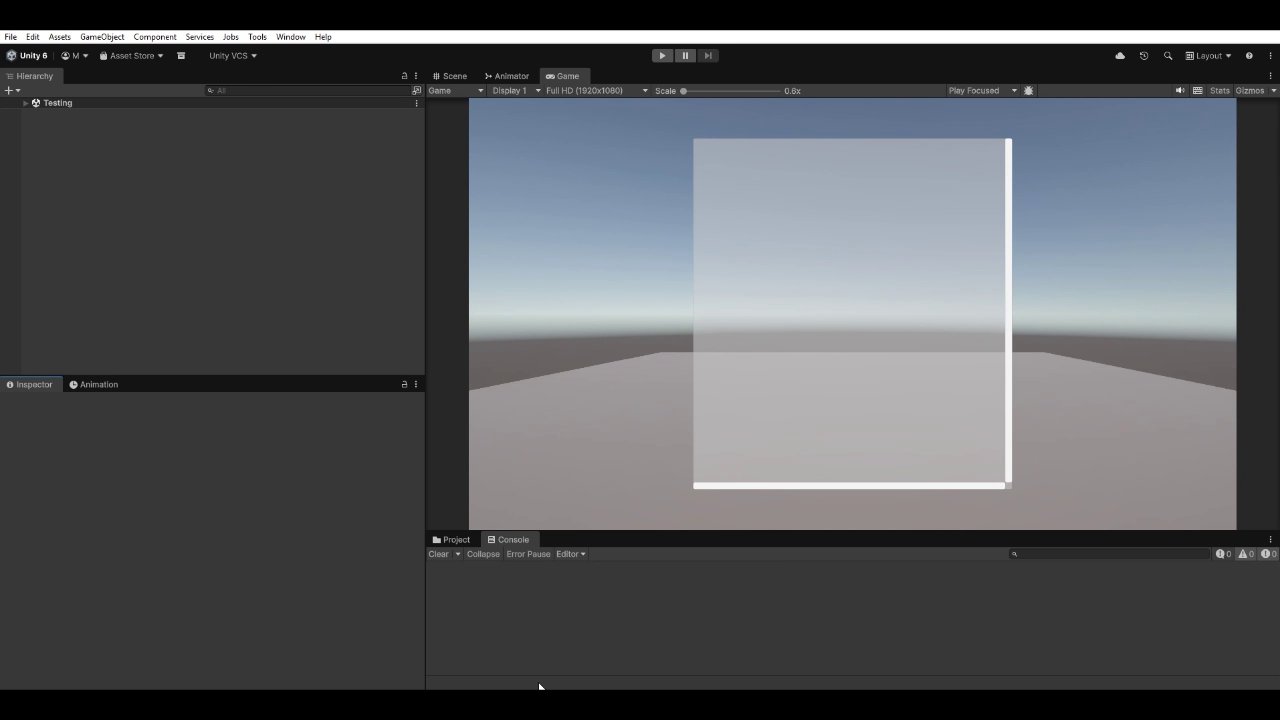
Uni Tabs - Dock Any Application video 1 (plays on the Asset Store)
About this asset
What it does
UniTabs hosts any external Windows application — browser, image editor, music player, terminal, IDE — as a tab inside the Unity Editor. Drag the tab anywhere in your layout. The application follows. Survives Play mode, script recompiles, layout changes, and Unity restarts.
Common use cases
- Watch tutorials or reference videos while you work
- Keep reference images, docs, or Stack Overflow next to your Scene view
- Iterate on textures, lightmaps, and animations in your favorite image editor without alt-tabbing
- Save Unity layouts that auto-launch your full multi-app setup
- Write and debug code in your IDE next to the Game view
- Sculpt or model in external tools while staying in Unity
- Keep Discord, Slack, Spotify, or a terminal one tab away
- Stop alt-tabbing dozens of times an hour
What's new in v3.0
- Updated for Unity 6 LTS
- New Attach Application picker — search running apps by name or window title, recents, taskbar shortcuts, browse, or direct PID entry
- Multi-process apps (Chrome, Edge, Electron, VS Code) now attach to the correct main window
- Persistence is fully automatic — no save file to manage
- Fixed the focus oscillation bug that used to lock up Edge when docked
- Self-healing — transient issues recover on their own
From the publisher's Asset Store listing.
Technical details
- - Docks any external Windows application as a tab inside the Unity Editor
- - Single Attach Application picker with search, recents, taskbar shortcuts, browse, and direct PID entry
- - Multi-process applications (Chrome, Edge, Electron, VS Code) attach to the correct main window
- - Persistence is fully automatic — survives Play mode, script recompile, layout changes, and Unity restart
- - Auto-restores minimized windows; self-heals from transient issues
- - Closing a dock cleanly returns the application to a normal foreground window — not killed
- - Editor only — no runtime component, nothing in your player builds
- - Windows only (Win32 APIs); tested on Unity 6 LTS, 2022.3 LTS, and 2021.3 LTS
Compatibility
| Unity version | Built-in | URP | HDRP | Custom |
|---|---|---|---|---|
| 6000.3.10f1 | Compatible | Compatible | Compatible | Compatible |
This may function with earlier versions but has not been tested
As listed on the Asset Store.