
 View on Asset Store (opens in new tab)
Package details
- Latest version
- 1.5
- Last updated
- First released
- Unity version
- 5.5.0 or later
- Package size
- 8.2 MB
- Files
- 62
- Favorites
- 58
- Views in the past week
- 4
Price tracking
- Last checked
- Tracked since
- Lowest recorded
- $9.99 on
Keywords
VR Ready Controls [Button, Leaver, Knob] v.1.5
Create VR-ready interfaces (button, lever, knob) to control logic in your project. Easily extend and customize for physical interactions, with included features like toggling states and audio.
Affiliate link · Purchases support this site
Price history
Last 6 months
USDAsset preview
1 / 6

VR Ready Controls [Button, Leaver, Knob] v.1.5 screenshot 1


About this asset
Virtual Reality Ready 🎮
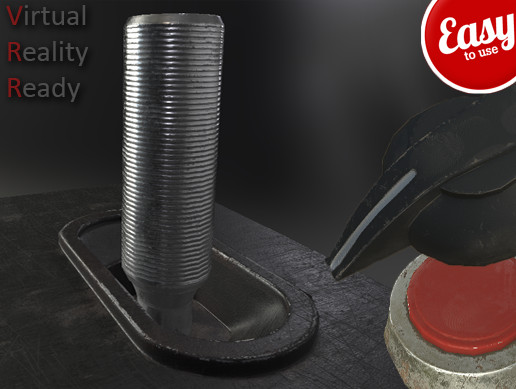
This package allows you to create physics-based controllers to drive logic in controlled objects, while keeping the process easy and open for extension. With both VR and non-VR physical interaction, the controls included in this pack enable you to easily turn any model into a Button 🔘, Switch 🔄, or Knob 🔧 by attaching a Controller script to it and setting a controlled object to call the logic you want.
📦What this pack is for:
- Functionality to extend any game object to drive the logic of user-defined scripts (e.g., open doors 🚪, turn on lights 💡, control a remote 📱, dim lights 🌙, etc.)
- Ability to quickly create new methods to extend current features and set them in a simple Editor dropdown or even at runtime ⚙️
⚡What features the controllers have:
- Buttons have a face that is pushed down 🔘
- Levers have handles that are clamped along their shafts ⬆️
- Knobs rotate along their Y Axis, as well as being clamped to 360 degrees 🔧
- Place in any rotation or position in the scene and they will fully work 🌍
- Full source and fully working models are included in the pack 💻
While this pack is a starter for VR controls, you will need to extend your own functions to meet your needs 🛠️.
🚀Included Functions for Quick Start:
Buttons:
- Toggle Light On/Off 💡
- Toggle GameObject bool On/Off 🔲
- Toggle GameObject active state 🟢
Levers:
- Output value to 3D text 💬
- Scale AudioSource Volume 🔊
- Scale GameObject size 📏
Knobs:
- Output value to 3D text 💬
- Scale AudioSource Volume 🔊
- Scale GameObject size 📏
✨Included Features:
- Plays audio when activated 🔊
- Can clamp positions of handles or button faces for realistic controls or toggle them off when not in use to save calculations ⏸️
- Easy to use code to extend functions 💻
- Easy to use system to quickly use functions ⚙️
- Great support 💬
ℹ️Information:
- The bases should be set to static, as everything is calculated from its parent’s local space. It’s suggested to keep these controls static and not move in the scene 🏠.
- 100% working in Virtual Reality using colliders and rigidbodies 🕶️.
For any further questions or support, please visit the Unity dedicated support thread:
VR-Ready Controls: Button, Lever, Knob (v1.5) 📝
From the publisher's Asset Store listing.
Technical details
Interaction Types:
- Button, Lever, Knob interactions for physical-based control
VR Support:
- Fully compatible with Virtual Reality (uses colliders and rigidbodies)
- Fully compatible with Non-VR
Supported Platforms:
- Windows
- macOS
- Linux (depending on Unity support)
Controller Features:
- Buttons with face interaction (push-down)
- Levers with clamped handles
- Knobs rotate along Y-axis, clamped to 360 degrees
Customization:
- Easily extendable game objects to control custom script logic (e.g., open doors, control lights)
- Methods created via code or adding events
Audio Support:
- Invokes audio when a trigger happens
Positioning:
- Adjustable handle/button positions for realistic controls
- Can toggle handle/button faces on/off to save calculations
Scaling Options:
- Scalable functions for GameObjects and AudioSources
3D Text Output:
- Output values to 3D text for Button/Knob actions
Static Object Support:
- Supports static objects for control bases in scene