
 View on Asset Store (opens in new tab)
Package details
- Latest version
- 1.1
- Last updated
- First released
- Unity version
- 5.3.4 or later
- Package size
- 70.2 MB
- Files
- 258
- Favorites
- 91
- Views in the past week
- 6
Price tracking
- Last checked
- Tracked since
- Lowest recorded
- $4.00 on
Keywords
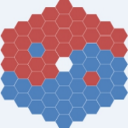
Hexagon Globe
Price $4.99
Buy on Asset Store (opens in new tab)
Affiliate link · Purchases support this site
Price history
Last 6 months
USDAsset preview
1 / 7

Hexagon Globe screenshot 1


About this asset
Hexagon Globe
Complete projects/Templates
Dmytro Varivodin
Hexagon Globe is a scripting framework for procedurally generate tiled sphere composed of hexagons and pentagons allowing you to generate planet.
The package consists of several scripts which perform the task of building tiled sphere with several types of tiles to allow you to build a tile based games.
This package include advanced features, tools that will make it easier and faster than ever your game up and running.
In version 1.1:
- new types of tiles have been added (more than 40 versus 16 in the previous version);
- modified procedural terrain generator.
Custom Editor Interfaces
- custom Inspector buttons and sliders let you generate and adjust the Hexagon Globe in Edit mode with three different methods, save and load generated globe to binary file or clear if you prefer, adjust several generating parameters for polar caps, continents and islands.
Spherical pathfinding:
- find shortest way between any tiles with two available algorithms (simply and A*), if it exists, and highlight path tiles;
- different tile types set as walkable and unwalkable, and assigned different weights in code;
- package contains several tile types of terrain and "mountains" tiles looks like pyramids with height;
Edit sphere:
- function allowing you to select any tiles on globe either individually or from the selection area as you prefer;
- in terrain dropdown menu you can select terrain type for change selected tiles;
Navigation and zoom:
- functionality allows you to review the globe from all directions and zoom the camera to the surface.
Complete projects/Templates
Dmytro Varivodin
Hexagon Globe is a scripting framework for procedurally generate tiled sphere composed of hexagons and pentagons allowing you to generate planet.
The package consists of several scripts which perform the task of building tiled sphere with several types of tiles to allow you to build a tile based games.
This package include advanced features, tools that will make it easier and faster than ever your game up and running.
In version 1.1:
- new types of tiles have been added (more than 40 versus 16 in the previous version);
- modified procedural terrain generator.
Custom Editor Interfaces
- custom Inspector buttons and sliders let you generate and adjust the Hexagon Globe in Edit mode with three different methods, save and load generated globe to binary file or clear if you prefer, adjust several generating parameters for polar caps, continents and islands.
Spherical pathfinding:
- find shortest way between any tiles with two available algorithms (simply and A*), if it exists, and highlight path tiles;
- different tile types set as walkable and unwalkable, and assigned different weights in code;
- package contains several tile types of terrain and "mountains" tiles looks like pyramids with height;
Edit sphere:
- function allowing you to select any tiles on globe either individually or from the selection area as you prefer;
- in terrain dropdown menu you can select terrain type for change selected tiles;
Navigation and zoom:
- functionality allows you to review the globe from all directions and zoom the camera to the surface.
From the publisher's Asset Store listing.