
 View on Asset Store (opens in new tab)
Package details
- Latest version
- 1.1
- Last updated
- First released
- Unity version
- 6000.0.31 or later
- Package size
- 48.9 MB
- Files
- 107
- Favorites
- 48
- Views in the past week
- 12
Price tracking
- Last checked
- Tracked since
- Lowest recorded
- $6.50 on
Keywords
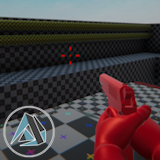
Dynamic Crosshair System
The Dynamic Crosshair System is the ideal solution to implement into your projects for a functional and fluid crosshair interface and experience.
Affiliate link · Purchases support this site
Price history
Last 6 months
USDAsset preview
1 / 18

Dynamic Crosshair System screenshot 1


About this asset
Dynamic Crosshair System is a versatile and lightweight solution for adding a fully dynamic and customizable crosshair to your games and projects!
Whether you're developing a first-person shooter, tactical game, or adventure title, this system gives you the tools to create responsive and interactive crosshairs that adapt to player actions like movement, aiming, and shooting.
Want a crosshair that changes when the player is moving, aiming, or shooting? Looking for an easy way to adjust the crosshair style based on weapon types or state changes? The Dynamic Crosshair System is here to streamline that process!
With minimal setup in the Inspector, you can have a fully customizable crosshair that reacts to your game's specific needs. The system supports both mouse and controller inputs, ensuring an intuitive experience for all players.
Drag-and-drop ready with no coding required unless you'd like to further personalize its behavior, the Dynamic Crosshair System is perfect for developers who want flexibility and ease of implementation.
What you get:
- Full Crosshair Manager System code, designed to dynamically update crosshair visuals based on player input, movement, and state.
- A fully functional demo scene for quick setup and testing.
- Includes a FREE weapon sway system at no cost.
- Includes 13 premade crosshair sprites!
- Customizable crosshair designs, including adjustable size, color, and style.
- Support for movement, aiming, and shooting states with automatic adjustments.
- Mouse and controller support with seamless integration.
- Fully commented code for easy understanding and customization.
- Ready-to-use components for fast implementation and customization.
Includes a FREE weapon sway system at no cost for making your weapons, equipment and other tools, bats or other melee weapons and firearms or guns feel realistic and weighted!
Comes with a large selected of premade and selectable crosshair sprites that can easily be integrated into your projects.
Make your game more responsive and immersive with the Dynamic Crosshair System!
Try the demo: Download Here
For support, email me at: My Email
Visit my studio website: My Website
From the publisher's Asset Store listing.
Technical details
Easy to Use
The Dynamic Crosshair System is designed to be simple to set up and use, with no coding required for basic functionality.
Fully Commented Code
The code is thoroughly commented to ensure easy understanding and modification, even for beginners. Every function and variable is explained clearly, so you can easily tailor the system to your needs.
Drag-and-Drop
Add crosshair functionality to your game instantly with no hassle. Just drag the system into your project, and you're ready to go!
Customizable Inputs
Fully integrated with Unity’s New Input System, the system supports both mouse and controller inputs, ensuring players can customize their experience with their preferred control method.
Dynamic Crosshair Customization
The crosshair adapts based on movement, aiming, and shooting states. You can easily customize the behavior, appearance, and transitions to suit the gameplay and visual style of your project.
State-Based Behavior
Crosshair appearance changes based on different states, like walking, running, aiming, and shooting, to provide a more immersive and responsive experience.
Fully Configured Setup
All default crosshair behaviors and visual styles are pre-configured, allowing you to quickly implement the system without additional setup.
Includes Prefabs and Example Scene
The system comes with ready-to-use prefabs and a demo scene, making it easy to test and integrate into your project.
Great Performance
Optimized for all game types, the Dynamic Crosshair System ensures smooth performance without compromising the quality of your game’s visuals or gameplay.
Documentation Included
A detailed PDF guide is included, walking you through the setup process, usage instructions, and customization tips.
Compatibility
| Unity version | Built-in | URP | HDRP | Custom |
|---|---|---|---|---|
| 6000.0.31f1 | Compatible | Compatible | Compatible | Compatible |
As listed on the Asset Store.