
 View on Asset Store (opens in new tab)
Package details
- Latest version
- 7.0
- Last updated
- First released
- Unity version
- 5.3.5 or later
- Package size
- 82.8 MB
- Files
- 463
- Favorites
- 629
- Views in the past week
- 40
Price tracking
- Last checked
- Tracked since
- Lowest recorded
- $33.00 on
Keywords

Stylized Cliffs
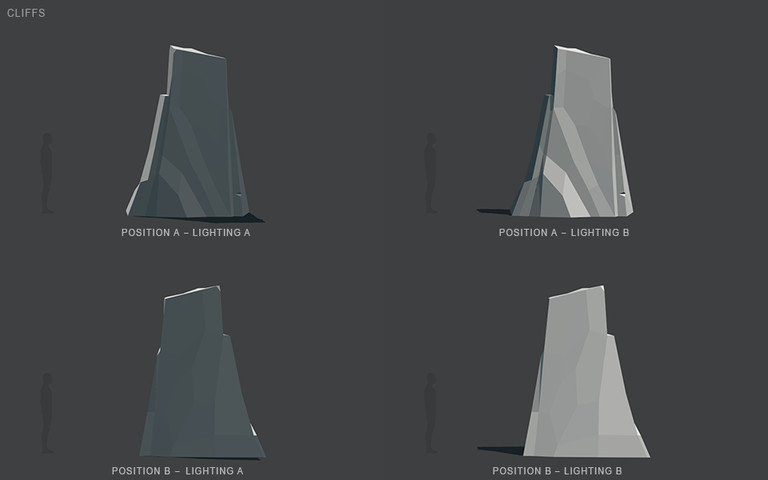
A high quality, modular & versatile family of stylized cliffs. Carefully handcrafted, this pack is a simply a must have toolkit for every game involving any kind of stylized mountains & rock formation
Affiliate link · Purchases support this site
Price history
Last 6 months
USDAsset preview
1 / 164

Stylized Cliffs screenshot 1




About this asset
Stylized Cliffs main features:
• part of the POLYQUEST series
• highly optimized, modular & versatile assets
• each vertex was carefully placed by hand
• more than 50 different high-end models
• more than 35 example scenes included
• more than 170 detailed screenshots
• can achieve all sorts of different looks
• ready for low & high-end mobile devices
• ready for Oculus, GearVR, Vive, Daydream
• great for RPG, FPS & top down games
• great for 3D, 2D, 2.5D & isometric games
• great for cell shade, toon & illustrative look
• great for low poly, flat shaded and 8bit look
• can give realistic results when textured
• assets are carefully unwrapped by hand
• all assets come with 2 different UV sets
• all assets scale very well in every direction
• all assets react elegantly to light
• all lighting setups & materials are included
• a wide range of different lighting setups
• a wide variety of various environments
• works great for different game genres
• includes a 10 page tutorial document
Stylized Cliffs main contents:
• more than 50 different cliffs, arcades,
platforms, gravels, grounds, oceans,
vistas cut-out cards & “god ray” cards
• highly optimized assets running smoothly
even on low-end mobile devices
• more than a 45 different materials
texture simulating real-world surfaces
• 45 different example scenes with lighting
• all assets come in 3 different versions:
“standard”, “multimat” and “layered”
• all assets have their own prefabs
• includes 27 different cliffs
• 14 different gravel pieces
• 5 grounds & oceans
• 4 very versatile vista cut-out cards
• 2 god ray cards
• 1 custom vertical fog shader
• 10 different custom light flares
• 3 different textures
• 8 different “solid color” textures
• 7 different unity procedural skyboxes
• screenshot character not included
• pixelated camera shader not included
but can be downloaded freely
• includes a layout scene with all assets.
laid out in 2 different dispositions
• this individual pack can be seamlessly
complemented with other POLYQUEST
packs
* Post processing effect in the screenshots were achieved with the Unity deprecated "Legacy Image Effects". Similar post processing effects can be easily achieved the Unity Free "Post Processeing Stack" which is available for Free in you project's package manage.
From the publisher's Asset Store listing.
Compatibility
| Unity version | Built-in | URP | HDRP |
|---|---|---|---|
| 6000.3.2f1 | Compatible | Not listed | Not listed |
As listed on the Asset Store.