
 View on Asset Store (opens in new tab)
Package details
- Latest version
- 1.0.1
- Last updated
- First released
- Unity version
- 5.3.4 or later
- Package size
- 77 KB
- Files
- 4
- Favorites
- 113
- Views in the past week
- 4
Price tracking
- Last checked
- Tracked since
- Lowest recorded
- $45.00 on
MeshSkinner
- Price drop
Lowest recorded price
Get 10% off on Asset Store (opens in new tab)Affiliate link · Purchases support this site
Price history
Last 6 months
USDAsset preview
1 / 6

MeshSkinner screenshot 1


About this asset
This is useful if you want to use custom models that wasn't imported in the Unity Editor. It can be used to increase mod support for your game, a modder can change a mesh and you can still apply your skeleton to it.
Working with MeshSkinner is easy, it is done via script:
using Winterdust;
GameObject m = [...] //model container
GameObject s = [...] //skeleton hierarchy
MeshSkinner ms = new MeshSkinner(m, s);
ms.work();
ms.finish();
In this example we prepare a new MeshSkinner instance by giving it our model GameObject (which contains one or more MeshFilter components) and the skeleton GameObject (which is a hierarchy of empty GameObjects representing joints). Then work() is called; the MeshSkinner does all its calculations and prepares to bind any found meshes to the skeleton. Finally finish() is called and when it returns the model and its SkinnedMeshRenderer component(s) are ready to be used.
MeshSkinner is designed to make life as easy as possible for you, it tries its best to put everything together automatically. Most of the time you only need to specify a neck length in the constructor and the results will look good. For more control several methods are available; you can disable unwanted bones, change bone length or even how "bendy" a joint should be (for rubber-like effect).
You can paint weights directly if you want to, either by specifying points or by giving volumes to the MeshSkinner ("everything inside this cube should be affected by joint RightElbow"). This is usually not needed unless you want to really go into details.
You can skin all kinds of mesh, humanoids or animals. Even objects. Why not use a skeleton to open your door in some special kind of way?
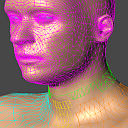
A debug component is included to help you visualize weights, it also works on SkinnedMeshRenderer components not created by MeshSkinner.
MeshSkinner is delivered as a .dll file, everything is well documented with detailed XMLDOC descriptions. A .xml file is included, when placed next to the .dll the documentation can be seen from inside your script editor.
The heavy work() method can be executed from a different thread if you want to make a preloader for your game.
Try before buy - there is a free demo available! Visit the link below to download it.
For more information please check out https://winterdust.itch.io/meshskinner
From the publisher's Asset Store listing.