
 View on Asset Store (opens in new tab)
Package details
- Latest version
- 2.1
- Last updated
- First released
- Unity version
- 5.5.0 or later
- Package size
- 1.1 MB
- Files
- 43
- Favorites
- 142
- Views in the past week
- 11
Price tracking
- Last checked
- Tracked since
- Lowest recorded
- $15.00 on
Keywords
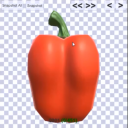
Magic Icon Creator
Affiliate link · Purchases support this site
Price history
Last 6 months
USDAsset preview
1 / 5

Magic Icon Creator screenshot 1


About this asset
Ensure to set a square resolution of Game Window. Recommended: 800x800
Developed in Unity 5.5, tested in Unity 2017.3.0, 2018.2, 2018.3 and 2021.4. Works with old and new Input System.
NOTE: Item creation is not supported anymore from Unity 2018.3 on. Of course Icon creation works as always.
Snapshot anything with Magic Icon Creator! Easy and flexible. Allows bulk creation and fine tuning by hand.
Add background and foreground as you wish.
No size restrictions!
Use it to produce Items from 3D models or quickly view a new art package.
Works with any complex prefab, e.g. animated characters and particles.
Allows to create Items with one click that have Drag&Drop and can instantly be used as physical objects in the game world. Create Items and instantly test them in the included test map. Inventory code included. This feature is only included for Unity versions prior to 2018.3.
Easy to use and well documented!
------------------ Updates ------------------
---- V1.1:
Fixed compile errors when building for a target platform. You should not have to delete MIC anymore before building. Rotation around y-axis was inverted. Fixed. New additional Rotation mode. Hold LeftCtrl+LeftShift to rotate in steps of 15° around the nearest world axis. Scaling is finer now. Hold LeftShift to scale faster. Counting starts at 1 instead of 0 now. MIC should be much more stable for prefabs containing odd scripts and missing references. Manual is updated.
---- V1.2:
work around for a new bug in Unity 5.6
---- V1.3:
Scaling is adjustable now. Manual is updated.
---- V1.4:
Stricter mesh validity checking. Invalid meshes should not show up anymore (less 'where are my meshes?' searching). Big improvement for working with odd art packages.
---- V1.41/V1.42:
Respect transform.localScale for Item placement.
Better support for object collections (think rooms).
---- V1.5:
Code and artwork cleanup Creating Items is not supported anymore in Unity 2018.3 and newer. Icon creation of course is working as always.
---- V1.6:
Code cleanup. Improved documentation.
---- V1.7:
Improved batching. Enable script Transform Override to save placement of Items individually (in scene IconPhoto). Helpful when rendering out many Icons several times, e.g. when experimenting with several backgrounds or post processing options.
---- V1.8
- fixed format bug on 'More Information' HelpBox on newer Unity versions
---- V1.9
- work around for a new bug in Unity's newer versions (probably from 2021 on). DirectoryPicker doesn't work anymore for mysterious reasons. Worked around it using DropZones.
- fixed 'deprecated'-warnings on Prefab functions happening on Unity Versions 2018 and newer.
---- V2.0
- added info about how to work around Unity's new Input System
---- V2.1
- integrated work around for Unity's new Input System (Thanks to Luke)
From the publisher's Asset Store listing.
Compatibility
Ensure to set a square resolution of Game Window. Recommended: 800x800
As listed on the Asset Store.