
 View on Asset Store (opens in new tab)
Package details
- Latest version
- 1.3.2
- Last updated
- First released
- Unity version
- 6000.2.2 or later
- Package size
- 128 KB
- Files
- 19
- Favorites
- 25
- Views in the past week
- 4
Price tracking
- Last checked
- Tracked since
- Lowest recorded
- $4.99 on
Keywords
SceneTab+
- Price drop
Supercharge your productivity with a lightweight, intuitive scene manager. One-click to open, play, ping, and additively load your Unity scenes — all in a single editor tab!
Discount -50%
Previous price
$9.99
Price $4.99
Lowest recorded price
Get 50% off on Asset Store (opens in new tab)Affiliate link · Purchases support this site
Price history
Last 6 months
USDAsset preview
1 / 4
SceneTab+ screenshot 1

About this asset
Boost your productivity with SceneTab+, a simple but powerful scene manager right inside the Unity Editor.
Key Features:
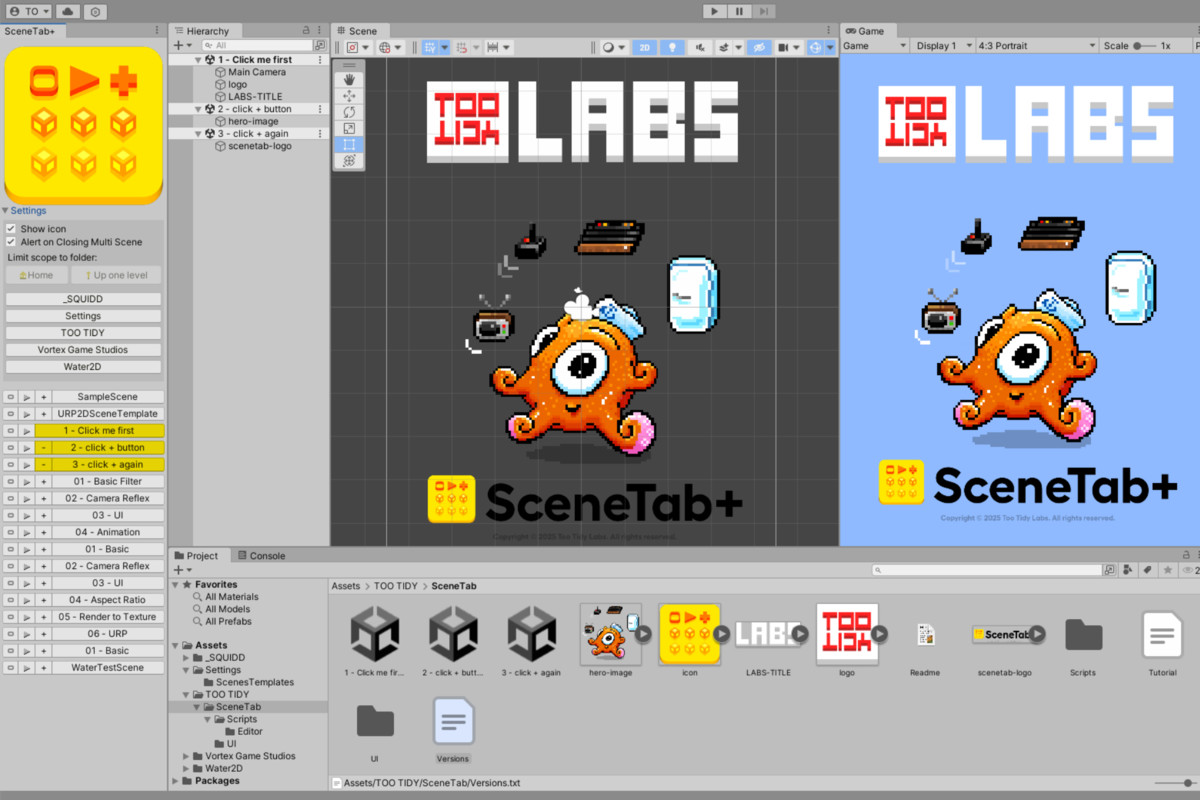
- 🎯 Quick access — open, play, or ping any scene in one click
- 🗂 Scope by folder — filter scenes to only show what you need
- ➕ Multi-Scene Editing — load scenes additively or close them on demand
- 🎨 Custom icon — drop your own PNG into the SceneTab folder to personalize the panel
- ⚡ Fast workflow — dock SceneTab+ next to your Hierarchy for seamless switching
- 💾 Smart prompts — automatically asks you to save changes when closing scenes in Multi-Scene Editing
How It Works
- Open Tools > SceneTab+ and dock it beside the Hierarchy.
- Use the scene list buttons to open, play, or ping scenes instantly.
- Add or remove scenes additively when working with Multi-Scene Editing.
- Optionally limit the scope to a specific folder for a cleaner list.
- Customize the tab icon with your own PNG for a personal touch, or the game logo for the spesific project you work on. Can also be turned off.
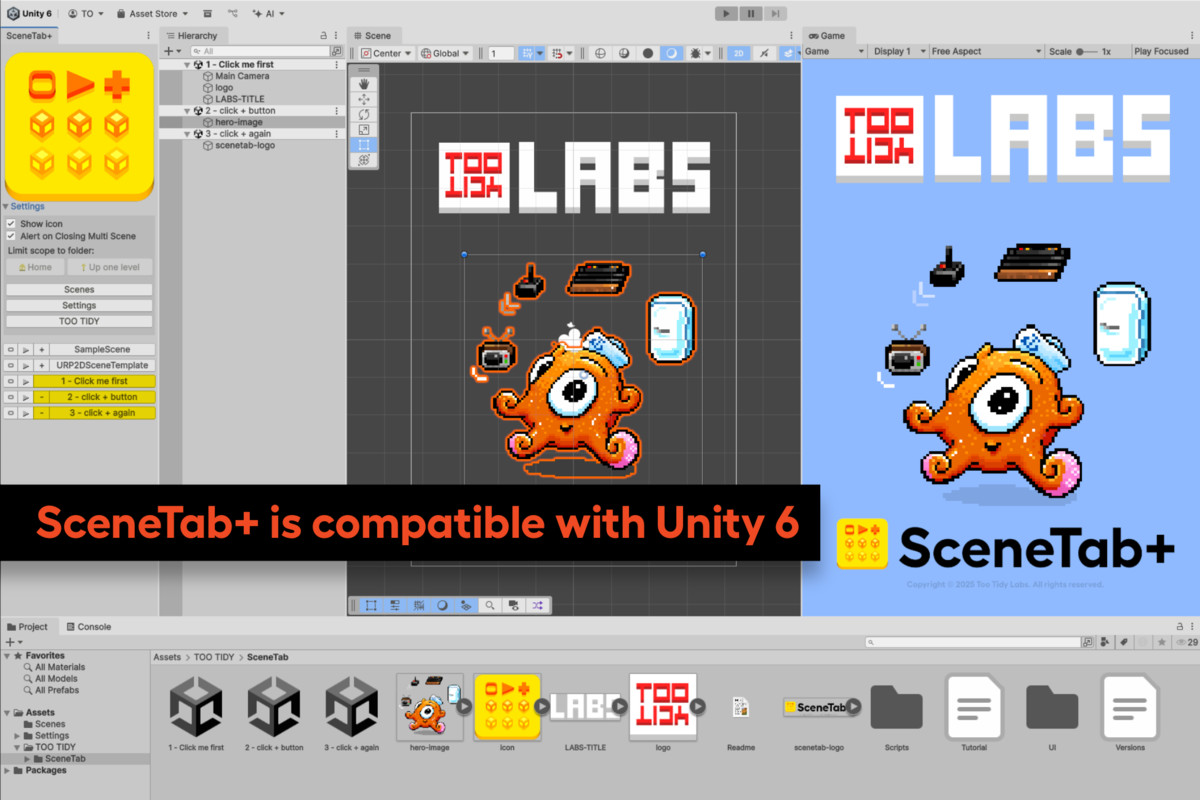
Compatible with Unity 6.
New in SceneTab+ 1.3:
• Updated for Unity 2021.3+
• Icon and UI refinements
• New examples and tutorial
From the publisher's Asset Store listing.
Technical details
- Unity Versions Supported: 2019.4 LTS and newer, including Unity 6
- Editor Only: Works inside the Unity Editor, no runtime code included
- Platform Compatibility: All platforms (tool is editor-side only)
- Dependencies: None (uses built-in Unity APIs)
- Installation: Import into project, open via Tools > SceneTab+
- Scene Management:Open, play, or ping scenes from a dockable editor window
Additive scene loading and closing (Multi-Scene Editing)
Quick-Play mode with automatic return to last active scene(s) - Filtering: Limit scope to specific project folders containing scenes
- Customization: User-defined editor icon (PNG, Truecolor, Editor GUI + Legacy GUI import settings)
- Tested On: Windows 10/11 and macOS Monterey/Ventura
Compatibility
| Unity version | Built-in | URP | HDRP | Custom |
|---|---|---|---|---|
| 6000.2.2f1 | Compatible | Compatible | Compatible | Compatible |
As listed on the Asset Store.