
 View on Asset Store (opens in new tab)
Package details
- Latest version
- 1.0
- Last updated
- First released
- Unity version
- 5.3.4 or later
- Package size
- 26.1 MB
- Files
- 11
- Favorites
- 45
- Views in the past week
- 7
Price tracking
- Last checked
- Tracked since
- Lowest recorded
- $8.49 on
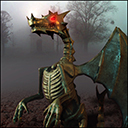
Dracolich - The Bone Dragon Animated Creature
Price $9.99
Buy on Asset Store (opens in new tab)
Affiliate link · Purchases support this site
Price history
Last 6 months
USDAsset preview
1 / 4

Dracolich - The Bone Dragon Animated Creature screenshot 1


About this asset
Introducing Dracolich The Bone Dragon,
We hope you will enjoy our character
and use it in your projects.
BASIC INFORMATION:
Fully animated 3d model of a Bone Dragon
with textures and normal map.
Prefab with Animation controller included
Model info:
22880 Tris
43032 Verts
Here is a list of animations (13):
0) 000-009 - model_pose
1) 010-120 - idle (cycle)
2) 130-155 - fly_up
3) 160-190 - fly (cycle)
4) 200-270 - land
5) 270-310 - defend
6) 320-360 - hurt
7) 370-410 - die
8) 410-420 - dead (cycle)
9) 430-465 - attack_basic (bte)
10) 470-525 - ability_magic (fireball)
11) 535-630 - ability_special (fire breath)
12) 640-735 - win
13) 740-756 - lose
14) 756-800 - lose_idle (cycle)
For questions send an email to:
[email protected]
USAGE:
1) Import package to your unity project
2) Drag Dracolich Prefab into your viewport window
3) Character comes with Animation controller which animates its Idle Animation as a default state
4) You can use your scripts or game logic to animate the character
5) For setting up your animations keep in mind:
* IDLE state is meant to be characters default state before noticing the player
* you can animate all attacks, gethit animation, die animation etc from it...
IDLE is meant to be a default state from which your character will go into other animations
* DIE animation automatically transitions into DEAD animation
* locomotion and idle animations are looped
* Character has a fly cycle which should begin with transition from fly-up and then end with land. (You might need to adjust characters Y position accordingly with your scripts)
If you have any questions email
[email protected]
We hope you will enjoy our character
and use it in your projects.
BASIC INFORMATION:
Fully animated 3d model of a Bone Dragon
with textures and normal map.
Prefab with Animation controller included
Model info:
22880 Tris
43032 Verts
Here is a list of animations (13):
0) 000-009 - model_pose
1) 010-120 - idle (cycle)
2) 130-155 - fly_up
3) 160-190 - fly (cycle)
4) 200-270 - land
5) 270-310 - defend
6) 320-360 - hurt
7) 370-410 - die
8) 410-420 - dead (cycle)
9) 430-465 - attack_basic (bte)
10) 470-525 - ability_magic (fireball)
11) 535-630 - ability_special (fire breath)
12) 640-735 - win
13) 740-756 - lose
14) 756-800 - lose_idle (cycle)
For questions send an email to:
[email protected]
USAGE:
1) Import package to your unity project
2) Drag Dracolich Prefab into your viewport window
3) Character comes with Animation controller which animates its Idle Animation as a default state
4) You can use your scripts or game logic to animate the character
5) For setting up your animations keep in mind:
* IDLE state is meant to be characters default state before noticing the player
* you can animate all attacks, gethit animation, die animation etc from it...
IDLE is meant to be a default state from which your character will go into other animations
* DIE animation automatically transitions into DEAD animation
* locomotion and idle animations are looped
* Character has a fly cycle which should begin with transition from fly-up and then end with land. (You might need to adjust characters Y position accordingly with your scripts)
If you have any questions email
[email protected]
From the publisher's Asset Store listing.