
 View on Asset Store (opens in new tab)
Package details
- Latest version
- 2.0
- Last updated
- First released
- Unity version
- 2018.4.5 or later
- Package size
- 426.2 MB
- Files
- 214
- Favorites
- 94
- Views in the past week
- 10
Price tracking
- Last checked
- Tracked since
- Lowest recorded
- $4.99 on
Keywords
Sci-Fi Building Exterior Pack
- Price drop
Discount -50%
Previous price
$10.00
Price $4.99
Lowest recorded price
Get 50% off on Asset Store (opens in new tab)Affiliate link · Purchases support this site
Price history
Last 6 months
USDAsset preview
1 / 10

Sci-Fi Building Exterior Pack screenshot 1


About this asset
Description
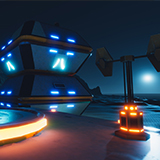
Create a sci-fi scene for your game with a modular set of prefabs that you can easy put together. You can build exterior environments. Demo scene is included with lighting and postprocessing configuration done to reach the quality that you see in screenshots.
Materials
All assets use only PBR materials, almost all assets share one PBR material using a 4K atlas texture, to reduce draw calls.
Scenes
There are two scenes included: prefab scene shows you main prefabs separately demo scene shows you an example sci-fi environment created with this pack.
Main Textures
tga 4096x4096 for atlas textures (1 material) 2 tga 2048x2048 for powerstation and ventilation system 1 tga 512x512 for neon symbols
Maps: Albedo, Normal, Metallic, Ambient Occlusion, Height (when needed), Emissive (when needed)
Models
21 meshes in fbx format
Prefabs
17 generic props (neons, pipes, plank, powerstations, support, teleporter, ventilation system, silos, window) 6 structures for faster level building and connection pieces
TIP: This pack has been created for using Deferred Shading with Linear Color Space. Before import this package, you should install from Package Manager Post processing, used to reach the visual quality of the screenshots. In readme.pdf there are also a few screenshots that show you a few important camera and project settings, in order to enhance visual quality of your game.
Please feel free to contact me at [email protected] if you have any questions.
Create a sci-fi scene for your game with a modular set of prefabs that you can easy put together. You can build exterior environments. Demo scene is included with lighting and postprocessing configuration done to reach the quality that you see in screenshots.
Materials
All assets use only PBR materials, almost all assets share one PBR material using a 4K atlas texture, to reduce draw calls.
Scenes
There are two scenes included: prefab scene shows you main prefabs separately demo scene shows you an example sci-fi environment created with this pack.
Main Textures
tga 4096x4096 for atlas textures (1 material) 2 tga 2048x2048 for powerstation and ventilation system 1 tga 512x512 for neon symbols
Maps: Albedo, Normal, Metallic, Ambient Occlusion, Height (when needed), Emissive (when needed)
Models
21 meshes in fbx format
Prefabs
17 generic props (neons, pipes, plank, powerstations, support, teleporter, ventilation system, silos, window) 6 structures for faster level building and connection pieces
TIP: This pack has been created for using Deferred Shading with Linear Color Space. Before import this package, you should install from Package Manager Post processing, used to reach the visual quality of the screenshots. In readme.pdf there are also a few screenshots that show you a few important camera and project settings, in order to enhance visual quality of your game.
Please feel free to contact me at [email protected] if you have any questions.
From the publisher's Asset Store listing.