
 View on Asset Store (opens in new tab)
Package details
- Latest version
- 2.2.7
- Last updated
- First released
- Unity version
- 2022.3.57 or later
- Package size
- 454 KB
- Files
- 265
- Favorites
- 1,646
- Views in the past week
- 99
Price tracking
- Last checked
- Tracked since
- Lowest recorded
- $22.50 on
Keywords

Slate Cinematic Sequencer
Affiliate link · Purchases support this site
Price history
Last 6 months
USDAsset preview
1 / 17

Slate Cinematic Sequencer screenshot 1




About this asset
[Documentation, Downloads, Support Forums]
SLATE is the most efficient, easy and intuitive sequencer for creating cinematics and gameplay cutscenes in Unity, full of unique features and an artist friendly UI/UX for achieving the best workflow and results possible within a lesser amount of time.
SLATE will help you achieve your creative vision without the hassle, in a familiar linear track-oriented realtime editor inspired by software like Adobe After Effects and Premiere right inside Unity.
Feature Highlights
----------------------
• Take control in a sleek sequencer editor with all expected pro features.
• Unparalleled realtime scrubbing and preview with deterministic sampling.
• Direct and create moving camera shots without the hassle.
• Automatic smooth blend in and out of the gameplay camera.
• Compose shots without keyframes utilizing the Dynamic Shot Controller.
• Play, layer and cross-blend animation clips.
(with support for root motion, avatar masks, and animated IK controls.)
(no need to create an animator controller. Legacy clips are also supported.)
• Animate clip parameters within the clips and achieve much more with far less.
• Animate any property on the actor or within its whole transform hierarchy.
• Vizualize and edit animations with 3D Motion Paths directly in the scene view.
• Playback audio clips and video clips with full editor preview.
• Organize cutscenes with Time Sections and sub-Cutscenes.
• Utilize Virtual Actor References for working with prefab actors with ease.
• Reuse cutscenes at any world position with animation in Cutscene Space.
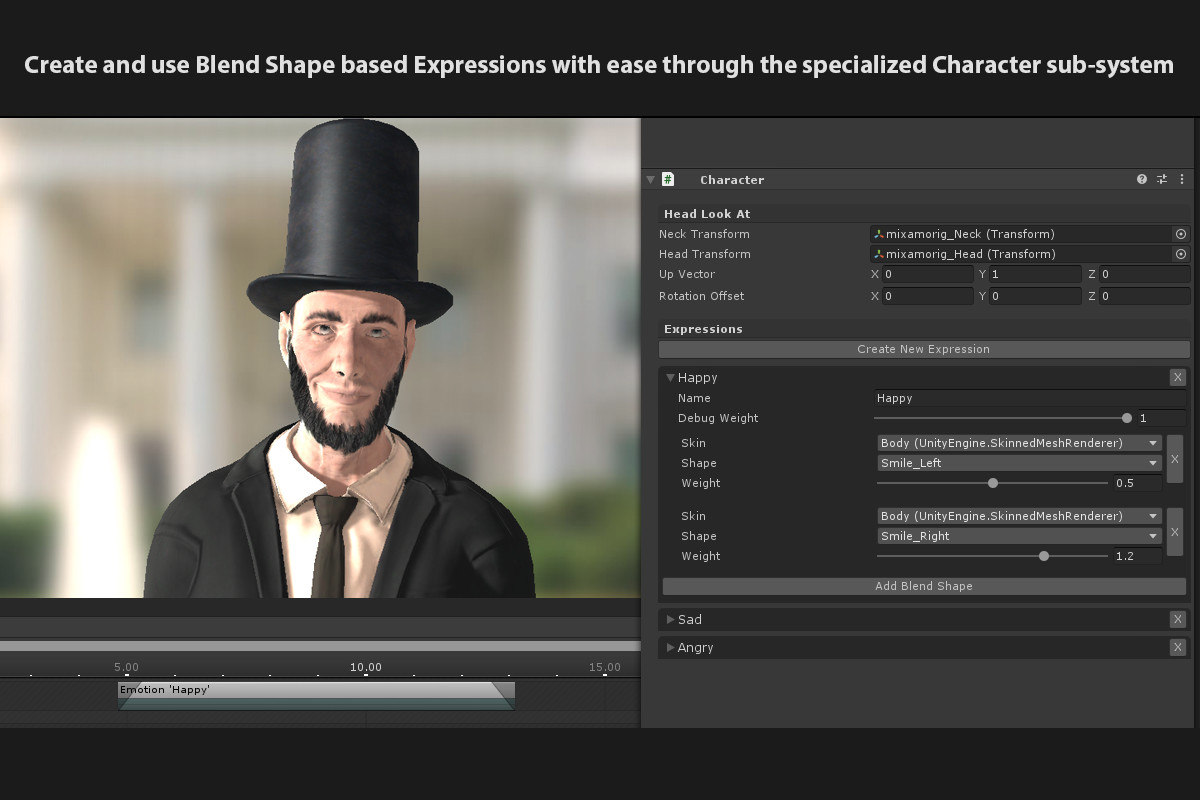
• Lots of premade clips included for animating lighting, time, fog, particles, 2D sprites, material properties, facial expressions, head look-at, IK, subtitles, image overlays, even pathfinding and more with full scrubbing and realtime editor preview.
• No extra components are being added to your gameobjects.
• Animate anything within a familiar curve editor and an intuitive dopesheet.
• Play cutscenes in all ways possible. Once, Loop, Ping Pong, forwards, backwards, a specific section, or any combination within these words.
• Render to PNG, EXR, or MP4 along with render elements.
(Free Extension. This feature only works with the Standard Rendering Pipeline).
• Extend and create custom tracks and clips with ease using a clean API.
• Publish to all platforms.
• Source Code included.
• VR workflow supported.
• And much more...
Currently Available Integrations:
---------------------------
• Dialogue System for Unity
• FlowCanvas
• SALSA
• Master Audio
• Midi Player Tool Kit
• NodeCanvas
• Playmaker
• LipSync (With Realtime Preview Support)
• PuppetFace (With Realtime Preview Support)
• FinalIK (With Realtime Preview Support)
• Spine (With Realtime Preview Support)
• CaronteFX (With Realtime Preview Support)
• Alembic Importer (With Realtime Preview Support)
• Post Processing Stack v2 (Animate Depth of Field)
• Unity HDRP (Animate Depth of Field)
• Unity URP (Animate Depth of Field)
Want to learn more, or have a question?
[Visit the Website]
From the publisher's Asset Store listing.