
 View on Asset Store (opens in new tab)
Package details
- Latest version
- 1.4
- Last updated
- First released
- Unity version
- 5.1.2 or later
- Package size
- 7.9 MB
- Files
- 109
- Favorites
- 1,064
- Views in the past week
- 15
Price tracking
- Last checked
- Tracked since
- Lowest recorded
- Free on
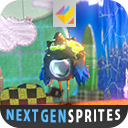
NextGen Sprites
- Price drop
Discount -100%
Previous price
$3.99
Price Free
Get it free on Asset Store (opens in new tab)
Affiliate link · Purchases support this site
Price history
Last 6 months
USDAsset preview
1 / 18

NextGen Sprites screenshot 1


About this asset
NextGenSprites is a modular Shader-Set made for Unity's Sprite System.
Wiki | Demo | ForumOne Standard Shader - Many Features
The Standard Shaders cover:
-Hue Shift with Saturation and Contrast
-Multi Layered Sprites w/ stencil Masking
-Curvature (Normal mapping)
-Reflections (Screenspace Projected)
-Multi Layer Emission
-Tranmission
-Dissolve with Edge Glow
-Shadow casting + receiving
No idea what the features do? Just try the Webplayer Demo!
FX Shaders
Use the included FX Shaders to make your Sprites even more awesome:-Glass
-Lava
-Liquid
-Mega Stack
Full Control
The Material Inspector does not only give you full control over all properties and tinting, but you can also use Photoshop style Masking to occlude areas of your sprite from Emission and Reflection.Lighting
The Standard Shader can operate with either Multiple Lights, only Directional Light or be just Unlit(reduced feature set). NextGenSprites also allows Shadow Casting on all Shaders and Shadow receiving(!) on a special Shader set.À la carte
With its dynamic "Toggle as you need" Workflow, NextGenSprites allows you to only use the Features you need on a per Material basis.Intuitive and well Documented
The Custom Material Inspector is not only easy to use, but each section and feature sports a help button to jump you straight into the corresponding Wiki entry. You can also export and Import properties to materials, perfect for Animations.Scripting and Playmaker
With the included Helper Methods and Playmaker Actions, changing or animating the Sprites Materials at runtime becomes super easy!Note
Needs Shader Model 3.0
From the publisher's Asset Store listing.