
 View on Asset Store (opens in new tab)
Package details
- Latest version
- 1.5.2
- Last updated
- First released
- Unity version
- 6000.0.36 or later
- Package size
- 828 KB
- Files
- 210
- Favorites
- 15
- Views in the past week
- 17
Price tracking
- Last checked
- Tracked since
- Lowest recorded
- $17.50 on
Keywords
- Search for runtime editor
- Search for runtime handles
- Search for world builder
- Search for collider gizmos
- Search for Level Design
- Search for scale gizmo
- Search for transform handles
- Search for light gizmos
- Search for runtime editor camera
- Search for collider handles
- Search for light handles
- Search for move gizmo

Runtime Transform Gizmos (Basic)
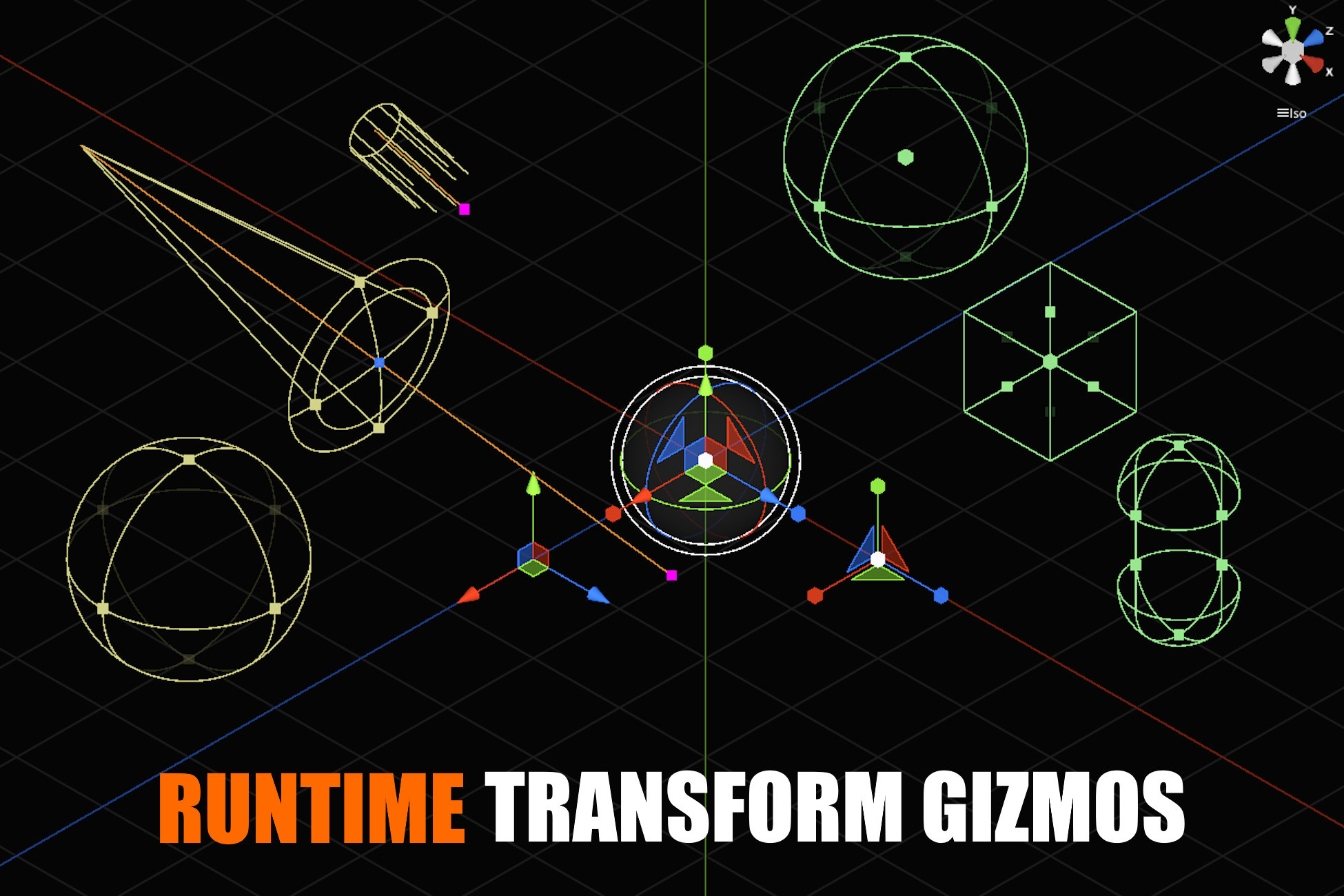
Bring Unity-style gizmos into your runtime scenes. RTG enables intuitive object manipulation during gameplay for level editors, sandbox experiences, and interactive applications.
Affiliate link · Purchases support this site
Price history
Last 6 months
USDAsset preview
1 / 1

Runtime Transform Gizmos (Basic) video 1
About this asset
🎥 Trailer: Watch the RTG Basic Trailer
🕹️ Demo: Download Windows Build
💬 Unity Forum Thread: Join the Discussion
📘 Quickstart Guide: Get Started Here
Overview
RTG Basic is a powerful and flexible runtime gizmo system for Unity, designed for projects that need more than basic transform interaction.
It extends the RTG Lite feature set with advanced gizmos, and component-specific manipulation, while maintaining a clean, predictable runtime workflow without reliance on UnityEditor APIs.
🏗️ Looking for a complete runtime level designer?
Check out RLD - Runtime Level Designer, a complete solution for creating and editing levels directly at runtime.
🧩 RTGUI Compatibility
Runtime Transform Gizmos is compatible with RTGUI - Runtime Tool GUI Framework.
RTGUI can be used together with Runtime Transform Gizmos to build custom runtime editor-style tools that combine object transform manipulation with dockable windows, inspectors, hierarchy views, debug panels, menus, and other runtime UI.
Core Features
Transform Gizmos
- Move, Rotate, Scale, and Universal (TRS) gizmos
- World and Local space support
- Pivot handling and snapping
- Interaction labels for clear feedback during manipulation
Advanced Snapping
- Position, rotation, and scale snapping
- Vertex snapping for precise placement
- Designed for accurate runtime editing workflows
Collider Gizmos
- Box Collider gizmo
- Sphere Collider gizmo
- Capsule Collider gizmo
Character Controller Gizmo
- Visual and interactive Character Controller manipulation
- Adjust size directly in the scene
Light Gizmos
- Directional Light gizmo
- Point Light gizmo
- Spot Light gizmo
Camera Navigation & View Gizmo
- ZoomBuilt-in camera controller with familiar Unity-style controls:
Orbit
Pan
Focus - Scene View Gizmo for quick orientation (Top / Front / Side views)
Undo / Redo
- Native undo / redo support for gizmo interactions
- Safely experiment and revert changes
Visual Feedback
- Real-time visual feedback during drag operations
- Displays position, rotation, and scale deltas clearly
Grid System
- Visual scene grid for alignment and placement
- Integrated snapping support
Customization
- Easily adjust colors, shapes, line thickness, and more
- Match the gizmos to your project’s visual style
Who Is RTG Basic For?
RTG Basic is ideal for:
- Runtime level editors
- In-game building and placement systems
- Modding tools
- Developer and debug tools
- Projects that require precise, component-aware runtime editing
RTG Basic is the sweet spot for most runtime tool development: powerful, flexible, and still clean.
Looking for More?
RTG Basic sits between RTG Lite and RTG Standard in the RTG ecosystem.
🔹 RTG Lite
A streamlined entry point, focused on essential transform gizmos and runtime interaction.
Includes everything in RTG Basic and adds:
- Extrude gizmo
- Box Scale gizmos
- 2D Collider gizmos (Box, Circle, Capsule)
- Audio gizmos
- Camera gizmos
Support
If you have questions, feedback, or need help:
📧 Email: [email protected]
💬 Unity Forum: Join the Discussion
I usually respond within 24–48 hours.
From the publisher's Asset Store listing.
Compatibility
| Unity version | Built-in | URP | HDRP |
|---|---|---|---|
| 6000.0.36f1 | Not listed | Compatible | Not listed |
As listed on the Asset Store.