
 View on Asset Store (opens in new tab)
Package details
- Latest version
- 1.2
- Last updated
- First released
- Unity version
- 5.0.4 or later
- Package size
- 26 KB
- Files
- 6
- Favorites
- 27
- Views in the past week
- 7
Price tracking
- Last checked
- Tracked since
- Lowest recorded
- $6.80 on
Server Environment
Price $8.00
Buy on Asset Store (opens in new tab)
Affiliate link · Purchases support this site
Price history
Last 6 months
USDAsset preview
1 / 3

Server Environment screenshot 1


About this asset
The same Server Environment selector bundled with our Easy Datalink asset
Switch servers safely! Now with an automatic build label prefab!
Managing different server URLs can be confusing and error prone. Constantly typing different IP addresses introduces typos, you'll have to look up the addresses, remember which is which and which is the one you are actually on. This slowly drains your energy as you work.
A small window can make a big difference
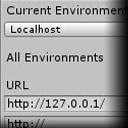
In the window menu you'll find Server Environment, which allows you to choose an URL from a named list you create.
This URL is read-only from code and globally available as Environment.URL
When you build your game, only the currently selected URL goes into the build, so nobody gets the URLs to your internal test environments.
The list, however, is saved as an asset so other people working in the project can also see it.
To prevent people committing environment list and selection changes, you can just set the Assets/ServerEnvironment/Runtime/Resources/Environment.asset and Assets/ServerEnvironment/Editor/Persist/EnvironmentList.asset files in your Version Control system to ignore after they're set.
Switch servers safely! Now with an automatic build label prefab!
Managing different server URLs can be confusing and error prone. Constantly typing different IP addresses introduces typos, you'll have to look up the addresses, remember which is which and which is the one you are actually on. This slowly drains your energy as you work.
A small window can make a big difference
In the window menu you'll find Server Environment, which allows you to choose an URL from a named list you create.
This URL is read-only from code and globally available as Environment.URL
When you build your game, only the currently selected URL goes into the build, so nobody gets the URLs to your internal test environments.
The list, however, is saved as an asset so other people working in the project can also see it.
To prevent people committing environment list and selection changes, you can just set the Assets/ServerEnvironment/Runtime/Resources/Environment.asset and Assets/ServerEnvironment/Editor/Persist/EnvironmentList.asset files in your Version Control system to ignore after they're set.
From the publisher's Asset Store listing.