
 View on Asset Store (opens in new tab)
Package details
- Latest version
- 1.0.0
- Last updated
- First released
- Unity version
- 6000.0.62 or later
- Package size
- 2.9 MB
- Files
- 61
- Views in the past week
- 86
- Requires
Price tracking
- Last checked
- Tracked since
- Lowest recorded
- $7.50 on
Keywords
Map Voting - MFPS Addon
- Launch discount
The Map Voting MFPS addon lets players pick the next map and mode right after matches, keeping lobbies together. Fully configurable, it integrates into MFPS with one click and uses your existing setup
Launch promotion for 427734 Map Voting - MFPS Addon Ends (in 14 hours)
Get 50% off on Asset Store (opens in new tab)Affiliate link · Purchases support this site
Price history
Last 6 months
USDAsset preview
1 / 3
Map Voting - MFPS Addon screenshot 1
About this asset
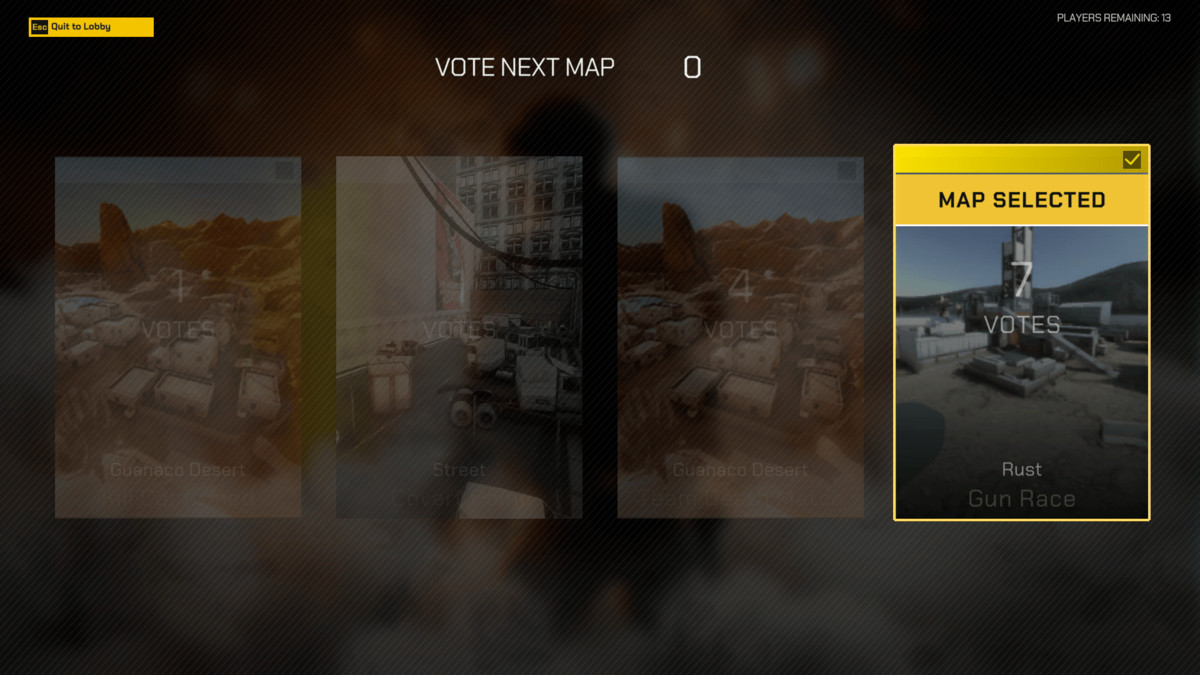
Map Voting addon for MFPS gives players a say in what comes next. Instead of returning to the lobby or waiting room, they vote for the next map and game mode and continue playing together. A close match can lead to a rematch, a change of mode, or another round on a favorite map, all without breaking up the session.
How Map Voting works?
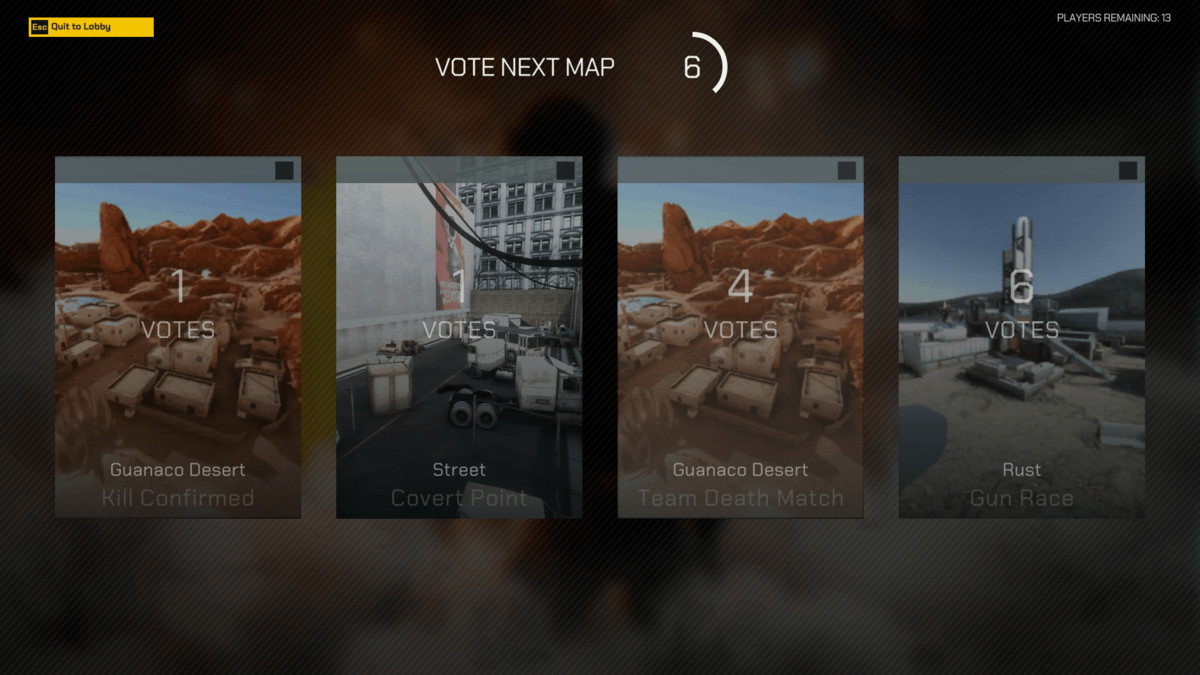
Map and mode options: After the match results screen, players see a selection of map and game-mode combinations, up to four by default. These follow your selection rules and use the maps and enabled game modes already configured in MFPS.
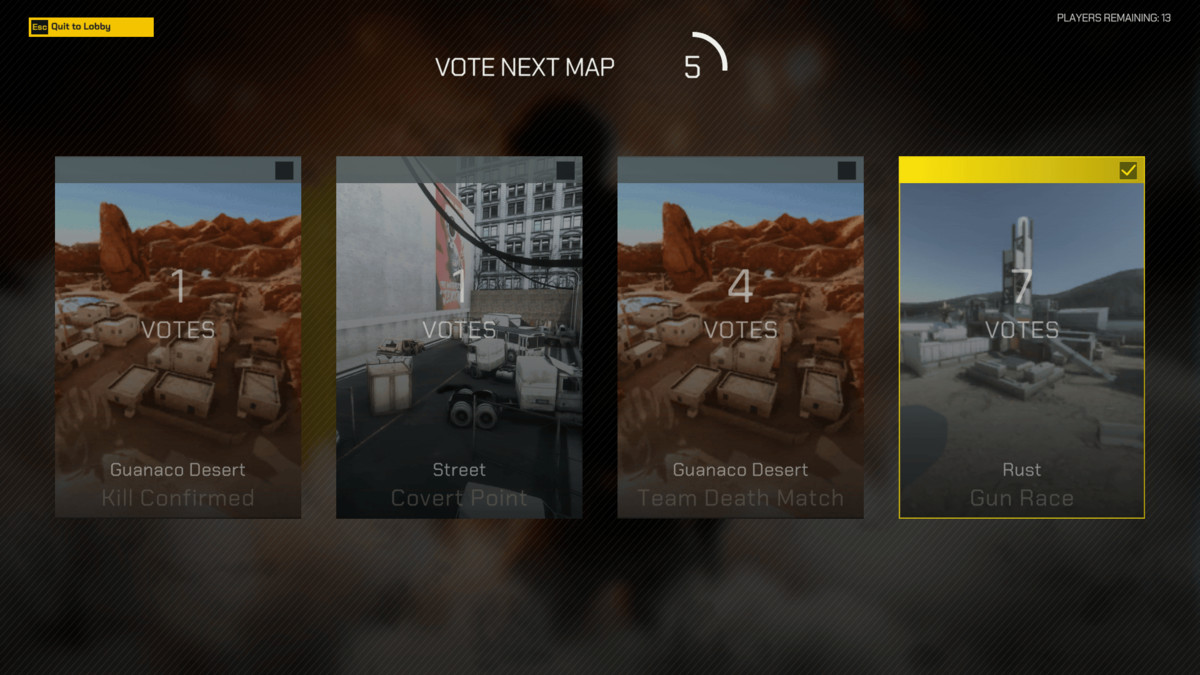
Voting: Players have 15 seconds by default to cast their vote. You can allow them to change their choice before the timer runs out. The option with the most votes wins; ties are resolved by a seeded random pick among the tied options. If nobody votes, the system picks from all available options.
Next match: Once voting ends, the winning option is highlighted and its map and game mode load for everyone in the room.
Configure it for your game
Set the number of options, voting duration, and whether players can change their votes. You can also prioritize different maps, include or exclude the current map, keep the current game mode, randomize modes, or reserve an option to replay the same map and mode.
There's no separate map or mode list to maintain. Map Voting uses your existing MFPS configuration and respects each map’s supported game modes.
Integration takes one click through the included wizard. Save the RoomUI scene, adjust the settings to your liking, and it's ready to use.
From the publisher's Asset Store listing.
Compatibility
| Unity version | Built-in | URP | HDRP |
|---|---|---|---|
| 6000.0.62f1 | Compatible | Compatible | Compatible |
As listed on the Asset Store.