
 View on Asset Store (opens in new tab)
Package details
- Latest version
- 1.1c
- Last updated
- First released
- Unity version
- 4.6.0 or later
- Package size
- 48 KB
- Files
- 14
- Favorites
- 119
- Views in the past week
- 7
Price tracking
- Last checked
- Tracked since
- Lowest recorded
- $10.50 on
Floating Combat Text
Price $15.00
Buy on Asset Store (opens in new tab)
Affiliate link · Purchases support this site
Price history
Last 6 months
USDAsset preview
1 / 3

Floating Combat Text video 1


About this asset
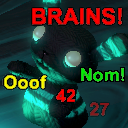
This asset allows you to quickly and easily add floating combat text to your game.
In Game Demo
Demo Scene
Features:
* optionally pool similar text types (Damage/Healing) to display DPS
* uses the Mecanim Animation system to create cool effects
* sample effects for Miss, Hit, Critical Hit, and Heal are provided along with a tutorial on how to create your own effects
* easy to integrate!
* documented source code so you can easily modify it for your exact needs
Instructions:
1. Drag the OverlayCanvas prefab into your scene.
2. Drag your scene's Main Camera into the inspector slot.
3. Call the ShowCombatText function.
4. Enjoy your floating combat text!
FAQ
If you need any help or have an idea for a new feature, don't hesitate to email me:
[email protected]
In Game Demo
Demo Scene
Features:
* optionally pool similar text types (Damage/Healing) to display DPS
* uses the Mecanim Animation system to create cool effects
* sample effects for Miss, Hit, Critical Hit, and Heal are provided along with a tutorial on how to create your own effects
* easy to integrate!
* documented source code so you can easily modify it for your exact needs
Instructions:
1. Drag the OverlayCanvas prefab into your scene.
2. Drag your scene's Main Camera into the inspector slot.
3. Call the ShowCombatText function.
4. Enjoy your floating combat text!
FAQ
If you need any help or have an idea for a new feature, don't hesitate to email me:
[email protected]
From the publisher's Asset Store listing.