
 View on Asset Store (opens in new tab)
Package details
- Latest version
- 1.0
- Last updated
- First released
- Unity version
- 6000.2.14 or later
- Package size
- 8.8 MB
- Files
- 451
- Views in the past week
- 37
Price tracking
- Last checked
- Tracked since
- Lowest recorded
- $9.99 on
Keywords
LootAnvil – Sci-Fi Industrial Environment Props
A stylized low-poly sci-fi asset pack featuring industrial machinery, shipping containers, pipes, control consoles, modular walls, lighting, and futuristic equipment.
Affiliate link · Purchases support this site
Price history
Last 6 months
USDAsset preview
1 / 6
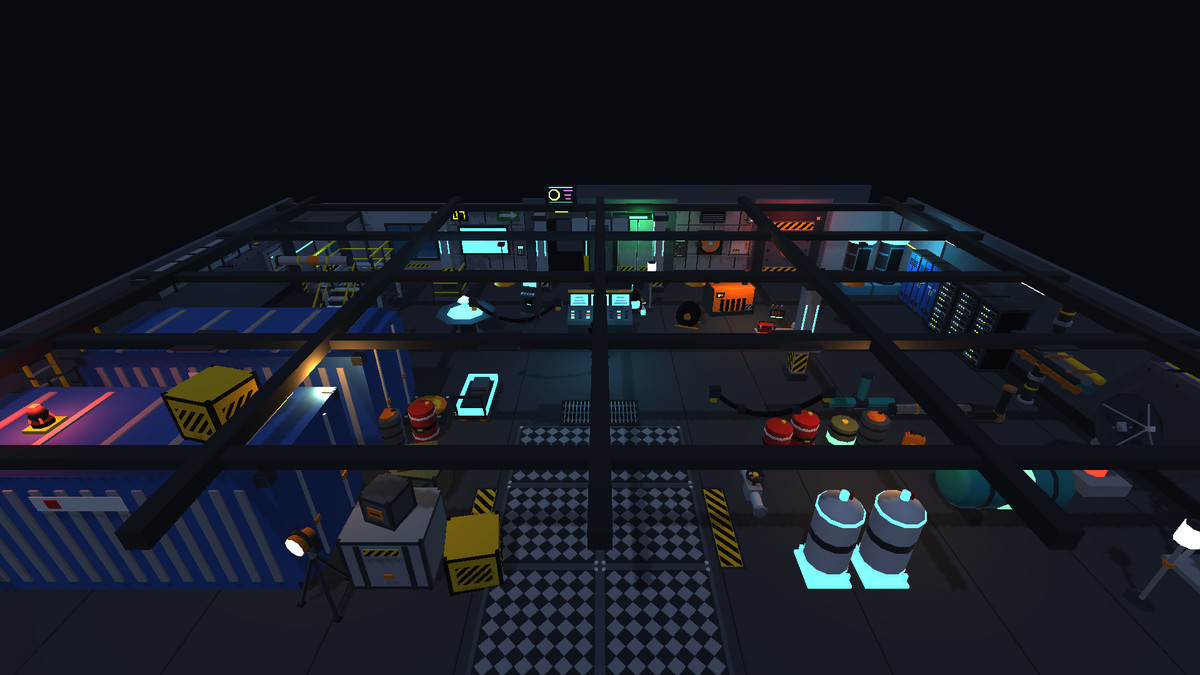
LootAnvil – Sci-Fi Industrial Environment Props screenshot 1
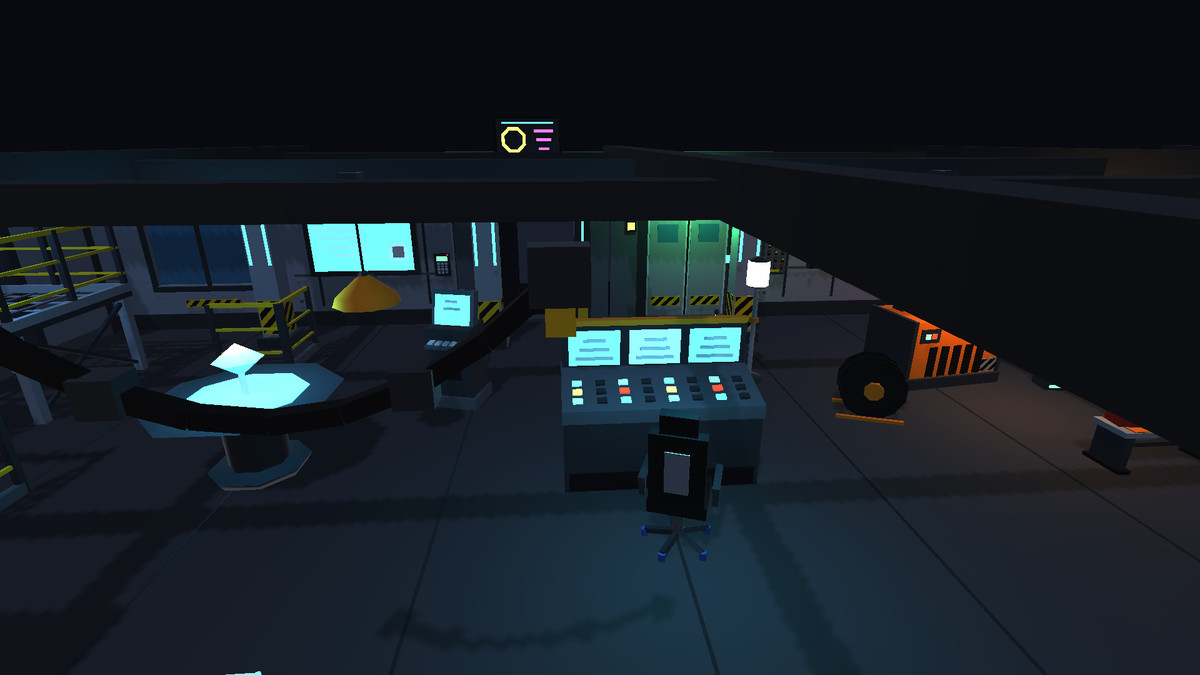
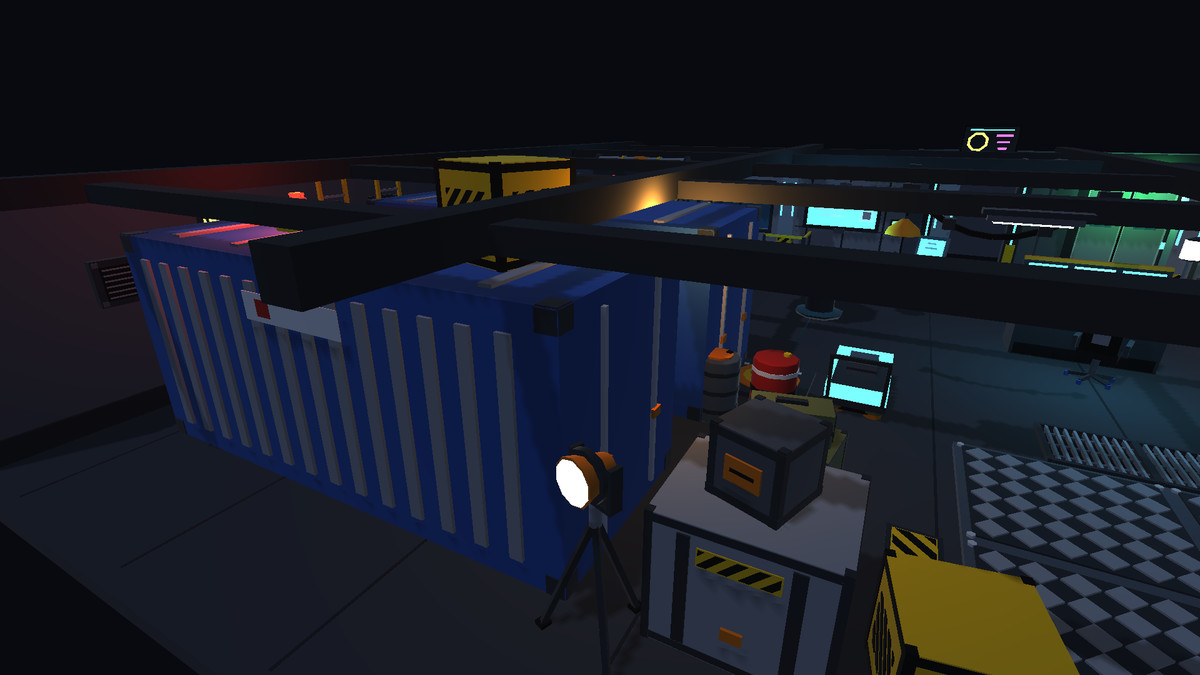
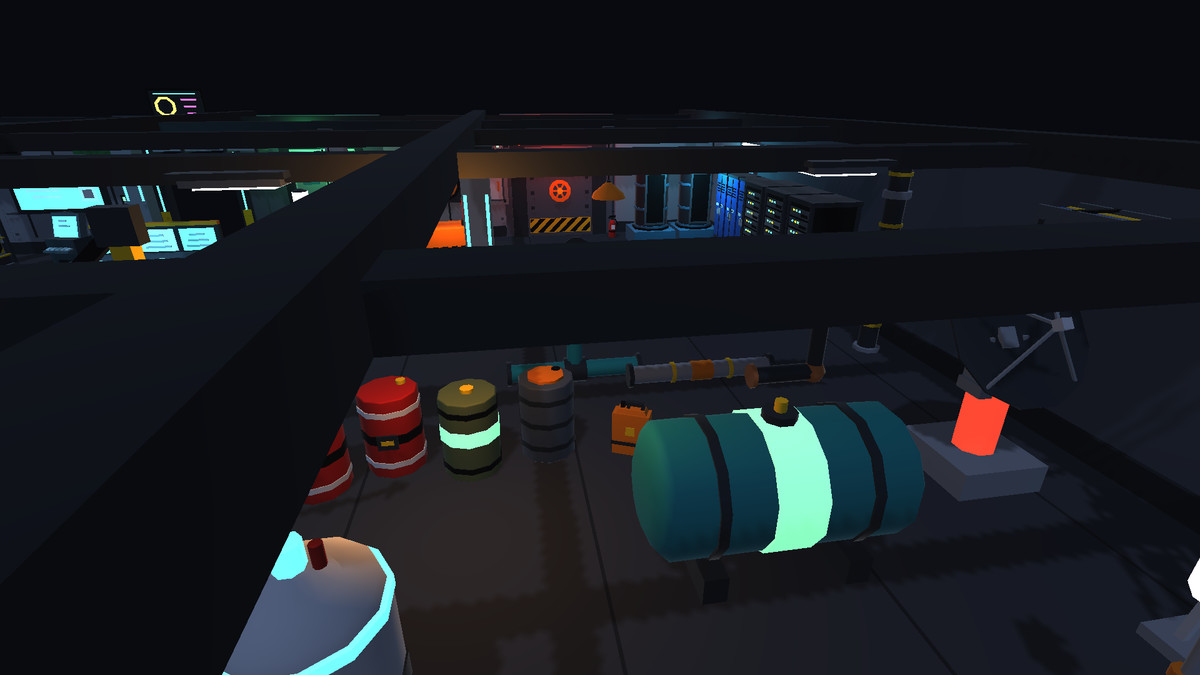
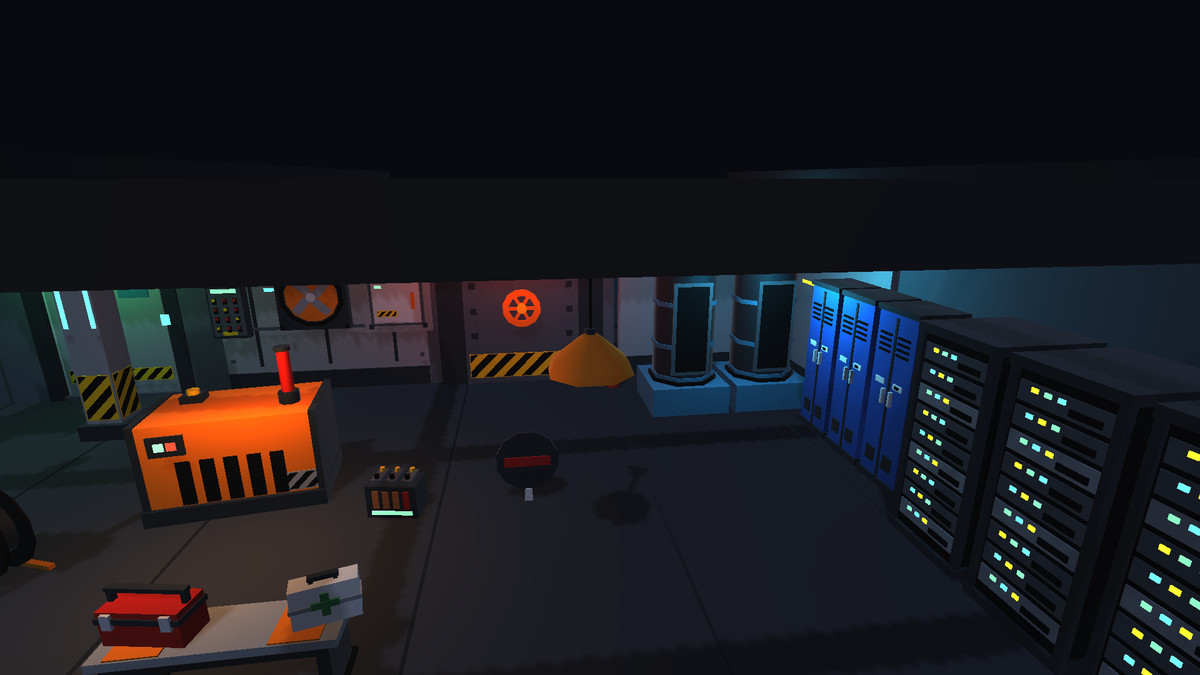
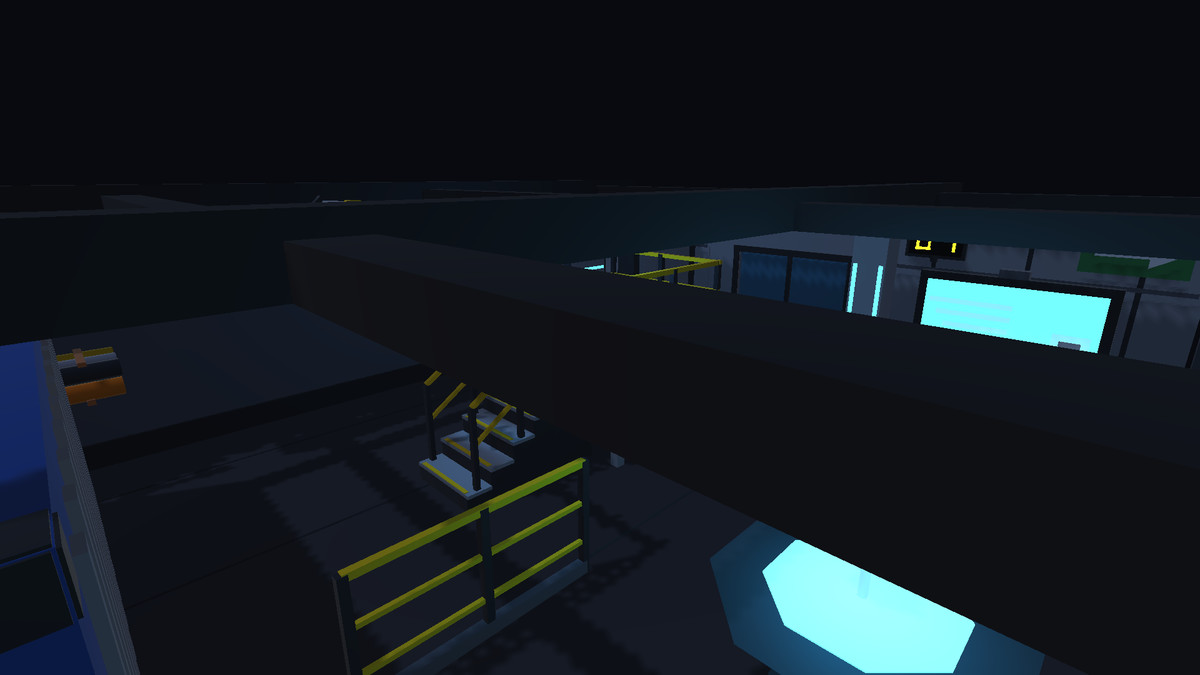
About this asset
Build futuristic industrial environments with the LootAnvil – Stylized Sci-Fi Industrial Props asset pack.
This stylized low-poly collection is designed for creating sci-fi facilities, space stations, research laboratories, industrial complexes, survival game environments, and futuristic bases. It combines industrial structures, machinery, storage containers, control equipment, lighting, and environmental details in a cohesive visual style.
Features
- Storage and cargo: Crates, shipping containers, supply cases, fuel barrels, toxic barrels, tanks, and canisters
- Modular structures: Wall segments, corner modules, window walls, blast doors, sliding doors, airlocks, floor plates, and support columns
- Control equipment: Control consoles, terminals, wall screens, holographic tables, server racks, keypads, and command chairs
- Industrial infrastructure: Pipes, pipe junctions, cable trays, hanging cables, vents, fans, ducts, fuseboxes, and floor hatches
- Lighting and safety: Ceiling lights, strip lights, floor lamps, hazard beacons, warning signs, exit signs, and hazard-stripe decals
- Access and platforms: Ladders, safety railings, stairs, and catwalk platforms
- Machines and equipment: Generators, battery packs, medkits, lockers, cryo pods, hover carts, drone robots, radar dishes, antennas, fire extinguishers, toolboxes, benches, and valve wheels
- Reusable prefabs: Individual assets ready to place and arrange in your own scenes
- Showcase scene: Explore the included SciFi_Showcase scene to preview the assets together
- Collider support: Prefabs include colliders
- URP materials: An optional package provides Universal Render Pipeline-compatible materials
Ideal for
Sci-fi RPGs, survival games, first-person shooters, space exploration games, futuristic simulations, and stylized industrial environments.
Getting started
Import the main package, open Demo/SciFi_Showcase.unity, and drag prefabs from the Prefabs folder into your scene.
For URP projects, import the optional URP materials package after importing the main package. HDRP is not supported.
See the technical details for package contents and render-pipeline compatibility.
From the publisher's Asset Store listing.
Technical details
Technical Details
- Asset type: 3D environment props
- Style: Stylized, low-poly, sci-fi industrial
- FBX models: 77
- Prefabs: 77
- Materials: 23 shared flat-colour materials
- Dimensions: Listed per model in metres (X × Y × Z)
- Colliders: Included on prefabs
- Demo scene: Demo/SciFi_Showcase.unity
- Documentation: PDF manual, License.txt, and Changelog.txt
- Main render pipeline: Built-in Render Pipeline
- URP support: Optional URP-compatible materials included separately
- HDRP support: Not supported
Folder Structure
- Models/ — 77 FBX models
- Prefabs/ — 77 reusable prefabs
- Materials/ — 23 shared flat-colour materials
- Demo/ — SciFi_Showcase.unity and demo materials
- Documentation/ — PDF manual, license, and changelog
- Extras/ — StylizedSciFiProps_URP_Materials.unitypackage
Built-in Render Pipeline Setup
- Import StylizedSciFiProps_v1.0.0.unitypackage.
- Open Demo/SciFi_Showcase.unity to view the assets.
- Drag prefabs from Prefabs/ into your own scene.
URP Setup
- Import the main package.
- Import Extras/StylizedSciFiProps_URP_Materials.unitypackage into a project configured to use URP.
- Check that the materials render correctly and that the demo scene works as expected.
**Crates x4** (816 triangles in total)
- SF_Crate_Hazard (372) - 0.92 x 0.92 x 0.92 m
- SF_Crate_Large (192) - 1.42 x 1.22 x 1.23 m
- SF_Crate_Medium (144) - 1.02 x 0.82 x 0.84 m
- SF_Crate_Small (108) - 0.62 x 0.62 x 0.63 m
**Shipping container**
- SF_Container_Shipping (672) - 6.14 x 2.64 x 2.49 m
**Supply case**
- SF_Case_Supply (168) - 0.85 x 0.41 x 0.44 m
### Barrels and tanks - 6 prefabs, 1,556 triangles
**Barrels x3** (682 triangles in total)
- SF_Barrel_Fuel (236) - 0.59 x 0.94 x 0.63 m
- SF_Barrel_Steel (234) - 0.59 x 0.94 x 0.62 m
- SF_Barrel_Toxic (212) - 0.59 x 0.94 x 0.62 m
**Tanks x2** (778 triangles in total)
- SF_Tank_Gas (426) - 0.76 x 1.90 x 0.76 m
- SF_Tank_Horizontal (352) - 2.20 x 1.46 x 1.10 m
**Canister**
- SF_Canister_Fuel (96) - 0.42 x 0.62 x 0.19 m
### Doors, walls and structure - 9 prefabs, 2,968 triangles
**Wall modules x3** (792 triangles in total)
- SF_Wall_Corner (144) - 3.04 x 3.02 x 3.04 m
- SF_Wall_Segment (276) - 3.00 x 3.00 x 0.24 m
- SF_Wall_Window (372) - 3.00 x 3.00 x 0.26 m
**Doorway frame**
- SF_Doorway_Frame (168) - 2.20 x 2.80 x 0.34 m
**Doors x2** (792 triangles in total)
- SF_Door_Blast (524) - 2.60 x 2.80 x 0.64 m
- SF_Door_Sliding (268) - 2.00 x 2.60 x 0.29 m
**Airlock**
- SF_Airlock (396) - 2.44 x 2.80 x 1.70 m
**Floor plate**
- SF_Floor_Plate (536) - 2.00 x 0.12 x 2.00 m
**Support column**
- SF_Column_Support (284) - 0.55 x 3.00 x 0.55 m
### Consoles and screens - 7 prefabs, 2,036 triangles
**Control console**
- SF_Console_Control (490) - 2.02 x 1.61 x 0.84 m
**Terminal**
- SF_Terminal (180) - 0.68 x 1.56 x 0.68 m
**Wall screen**
- SF_Screen_Wall (120) - 2.00 x 1.40 x 0.18 m
**Holo table**
- SF_Holo_Table (158) - 1.75 x 1.46 x 1.75 m
**Server rack**
- SF_Server_Rack (624) - 0.84 x 2.01 x 0.92 m
**Wall keypad**
- SF_Keypad_Wall (180) - 0.30 x 0.44 x 0.07 m
**Command chair**
- SF_Chair_Command (284) - 0.68 x 1.43 x 0.68 m
### Pipes and cables - 8 prefabs, 1,592 triangles
**Pipes x5** (1,028 triangles in total)
- SF_Pipe_Bundle (212) - 2.00 x 0.51 x 0.79 m
- SF_Pipe_Corner (188) - 1.07 x 1.02 x 0.31 m
- SF_Pipe_Straight (168) - 2.04 x 0.31 x 0.31 m
- SF_Pipe_T (168) - 1.84 x 1.02 x 0.31 m
- SF_Pipe_Vertical (292) - 0.36 x 3.02 x 0.48 m
**Cables x3** (564 triangles in total)
- SF_Cable_Hanging (168) - 2.20 x 0.64 x 0.12 m
- SF_Cable_Reel (228) - 0.80 x 0.79 x 0.53 m
- SF_Cable_Tray (168) - 2.00 x 0.20 x 0.54 m
### Panels and vents - 8 prefabs, 1,540 triangles
**Wall panel**
- SF_Panel_Wall (164) - 1.00 x 1.00 x 0.17 m
**Wall vent**
- SF_Vent_Wall (144) - 1.00 x 0.60 x 0.13 m
**Wall fan**
- SF_Fan_Wall (276) - 1.00 x 1.00 x 0.19 m
**Floor grate**
- SF_Grate_Floor (204) - 1.04 x 0.08 x 1.04 m
**Fusebox**
- SF_Fusebox (336) - 0.50 x 0.80 x 0.18 m
**Conduit box**
- SF_Conduit_Box (192) - 0.54 x 0.60 x 0.19 m
**Duct**
- SF_Duct_Straight (84) - 2.04 x 0.58 x 0.58 m
**Floor hatch**
- SF_Hatch_Floor (140) - 1.30 x 0.15 x 1.30 m
### Lights - 7 prefabs, 1,020 triangles
**Lights x4** (418 triangles in total)
- SF_Light_Cage (120) - 0.22 x 0.36 x 0.26 m
- SF_Light_Ceiling (60) - 0.80 x 0.14 x 0.80 m
- SF_Light_Hanging (190) - 0.63 x 1.35 x 0.63 m
- SF_Light_Strip (48) - 1.46 x 0.14 x 0.14 m
**Floor lamp**
- SF_Lamp_Floor (182) - 0.41 x 1.86 x 0.41 m
**Spotlight stand**
- SF_Spotlight_Stand (244) - 0.88 x 1.75 x 0.78 m
**Hazard beacon**
- SF_Beacon_Hazard (176) - 0.40 x 0.45 x 0.40 m
### Ladders, railings and platforms - 6 prefabs, 1,656 triangles
**Ladders x2** (624 triangles in total)
- SF_Ladder (204) - 0.60 x 3.00 x 0.26 m
- SF_Ladder_Cage (420) - 0.84 x 3.00 x 0.94 m
**Railings x2** (216 triangles in total)
- SF_Railing_Corner (132) - 1.08 x 1.11 x 1.08 m
- SF_Railing_Straight (84) - 2.07 x 1.11 x 0.08 m
**Stair segment**
- SF_Stairs_Segment (336) - 1.04 x 2.15 x 1.80 m
**Catwalk platform**
- SF_Catwalk_Platform (480) - 2.00 x 2.31 x 2.00 m
### Signs and decals - 7 prefabs, 708 triangles
**Signs x6** (576 triangles in total)
- SF_Sign_Arrow (32) - 0.90 x 0.50 x 0.06 m
- SF_Sign_Exit (132) - 1.00 x 0.34 x 0.11 m
- SF_Sign_Neon (148) - 1.20 x 0.80 x 0.10 m
- SF_Sign_NoEntry (68) - 0.62 x 0.76 x 0.06 m
- SF_Sign_Number (144) - 0.70 x 0.55 x 0.08 m
- SF_Sign_Warning (52) - 0.72 x 0.68 x 0.06 m
**Hazard-stripe decal**
- SF_Decal_HazardStripe (132) - 2.00 x 0.02 x 0.50 m
### Machines and equipment - 13 prefabs, 3,184 triangles
**Generator**
- SF_Generator (328) - 1.60 x 1.59 x 1.00 m
**Battery pack**
- SF_Battery_Pack (228) - 0.50 x 0.43 x 0.31 m
**Medkit**
- SF_Medkit (84) - 0.42 x 0.32 x 0.16 m
**Locker**
- SF_Locker (228) - 0.64 x 1.95 x 0.56 m
**Cryo pod**
- SF_Cryo_Pod (232) - 1.10 x 2.14 x 1.10 m
**Hover cart**
- SF_Cart_Hover (356) - 1.77 x 0.94 x 0.80 m
**Drone robot**
- SF_Drone_Robot (400) - 0.94 x 1.23 x 0.62 m
**Radar dish**
- SF_Radar_Dish (340) - 1.35 x 2.16 x 1.00 m
**Antenna mast**
- SF_Antenna_Mast (352) - 1.00 x 4.99 x 0.90 m
**Fire extinguisher**
- SF_Extinguisher (184) - 0.28 x 0.60 x 0.21 m
**Toolbox**
- SF_Toolbox (84) - 0.52 x 0.34 x 0.25 m
**Bench**
- SF_Bench_Metal (96) - 1.40 x 0.50 x 0.44 m
**Valve wheel**
- SF_Valve_Wheel (272) - 1.24 x 0.59 x 0.39 m
## Folder structure of the package
```
Assets/StylizedSciFiProps/
Models/ the 77 FBX files
Prefabs/ the 77 prefabs (drag these into your scene)
Materials/ 23 shared flat-colour materials
Demo/ SciFi_Showcase.unity and its materials
Documentation/ PDF manual, License.txt, Changelog.txt
Extras/ StylizedSciFiProps_URP_Materials.unitypackage
```
## How to use (instructions for buyers)
**Built-in Render Pipeline project**
1. Import `StylizedSciFiProps_v1.0.0.unitypackage` (Assets > Import Package > Custom Package, or double-click the file). Import everything.
2. Open `Demo/SciFi_Showcase.unity` to see every prefab placed in a scene.
3. Drag prefabs from `Prefabs/` into your own scene. All prefabs have colliders.
**URP (Universal Render Pipeline) project**
1. Import `StylizedSciFiProps_v1.0.0.unitypackage` as above.
2. Then import `Extras/StylizedSciFiProps_URP_Materials.unitypackage` (Assets > Import Package > Custom Package). This replaces the Built-in materials with URP/Lit versions. Import it before you use the prefabs, and import it into a project that really uses URP.
3. If objects look pink/purple, the materials do not match your render pipeline: Built-in materials in a URP project, or the reverse.
4. The demo scene uses default lighting. In URP you may want to raise the URP asset's shadow distance.
Compatibility
| Unity version | Built-in | URP | HDRP |
|---|---|---|---|
| 6000.2.14f1 | Compatible | Compatible | Not listed |
As listed on the Asset Store.