
 View on Asset Store (opens in new tab)
Package details
- Latest version
- 0.2.0
- Last updated
- First released
- Unity version
- 6000.0.74 or later
- Package size
- 129 KB
- Files
- 67
Price tracking
- Last checked
- Tracked since
- Lowest recorded
- Free on
Keywords

Vetka - Git for Unity
Git client in the style of JetBrains IDEs. Update and commit from inside Unity.
Affiliate link · Purchases support this site
Price history
Last 6 months
USDAsset preview
1 / 5
Vetka - Git for Unity screenshot 1
About this asset
Brings everyday Git work into Unity Editor:
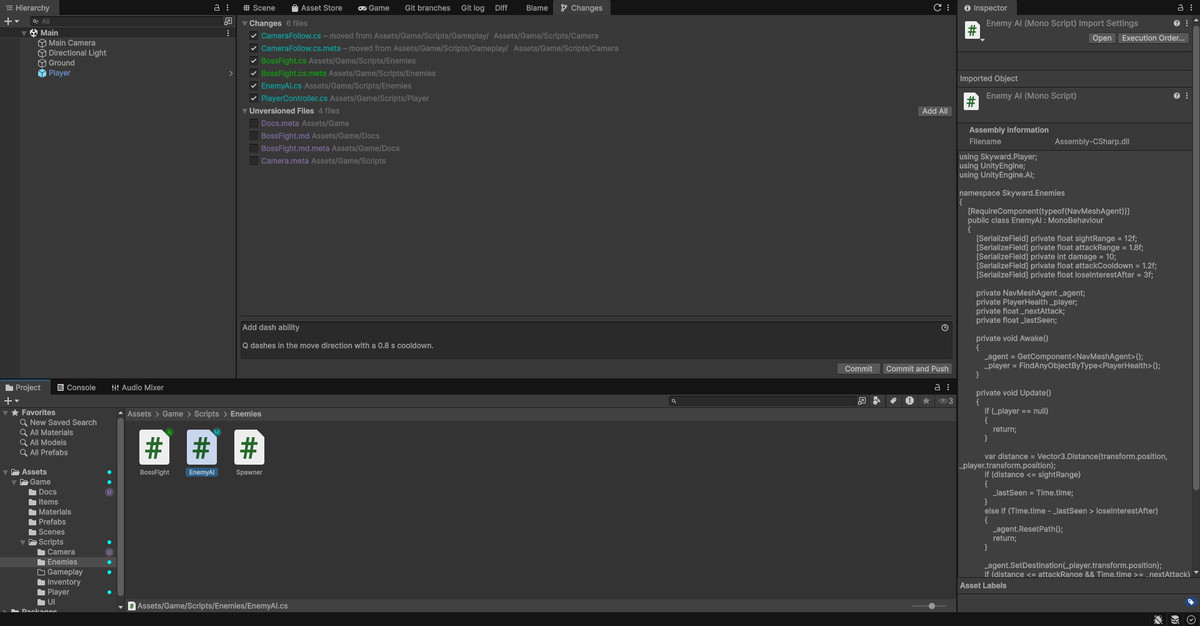
- Changes tab
- one-click Update Project
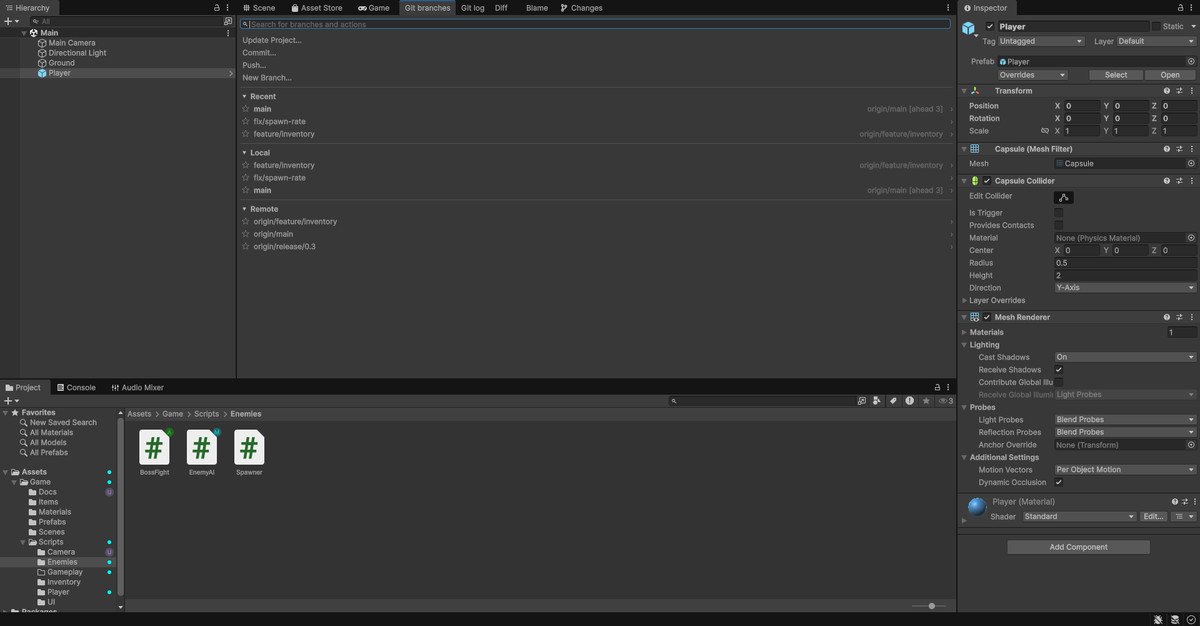
- searchable branch list
- Git actions in the Project window
Update Project, merge, rebase, checkout and applying a stash either finish or are rolled back completely, with your local changes put back.
Vetka runs the Git already installed on your machine and uses Git credentials.
The code and the documentation were written with the help of an AI coding assistant (Claude) under the author's direction and review. The images are rendered from the author's own HTML templates and editor screenshots; there are no generated pictures.
From the publisher's Asset Store listing.
Technical details
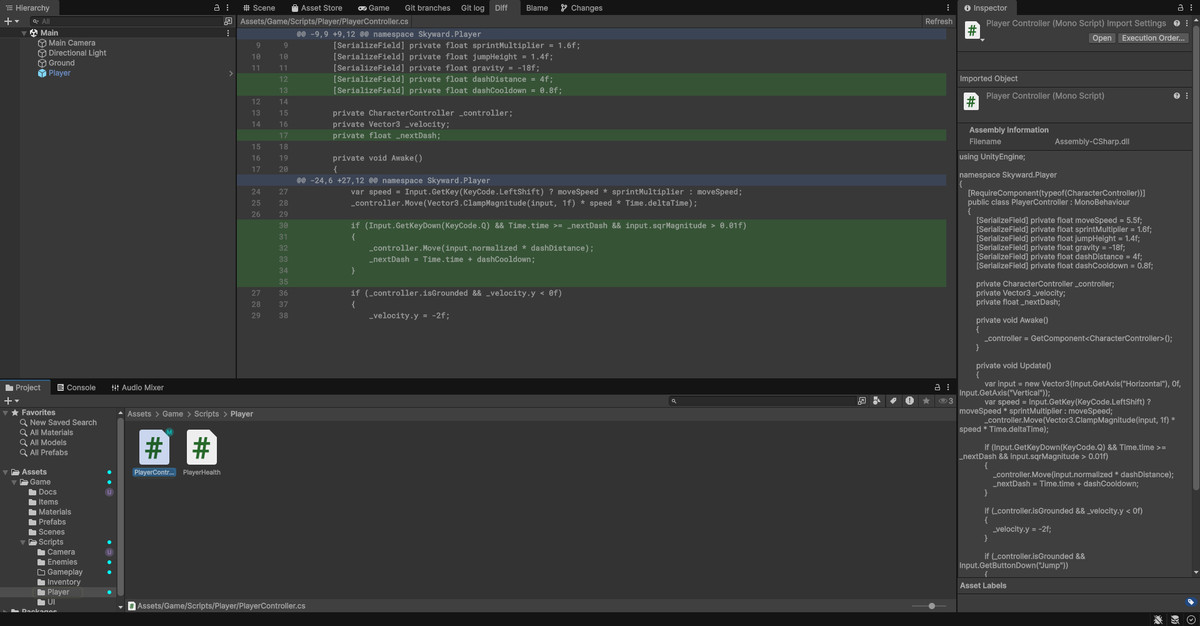
- Changes tab: tick files, write a message, Commit or Commit and Push. Moves and renames show as one row. Commit message history.
- Update Project: fetch, then merge or rebase, with local changes stashed and restored automatically.
- Branches: local, remote and recent branches with search and favourites. Checkout carries local changes over.
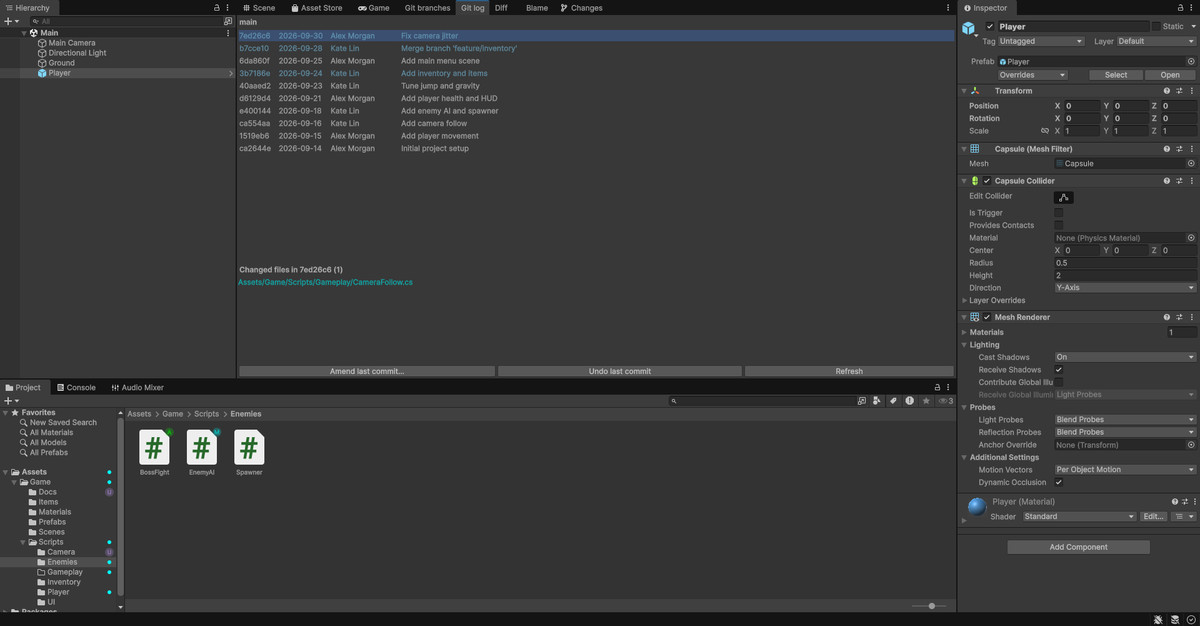
- Log: commits with their files and diffs, amend the last commit message, undo the last commit.
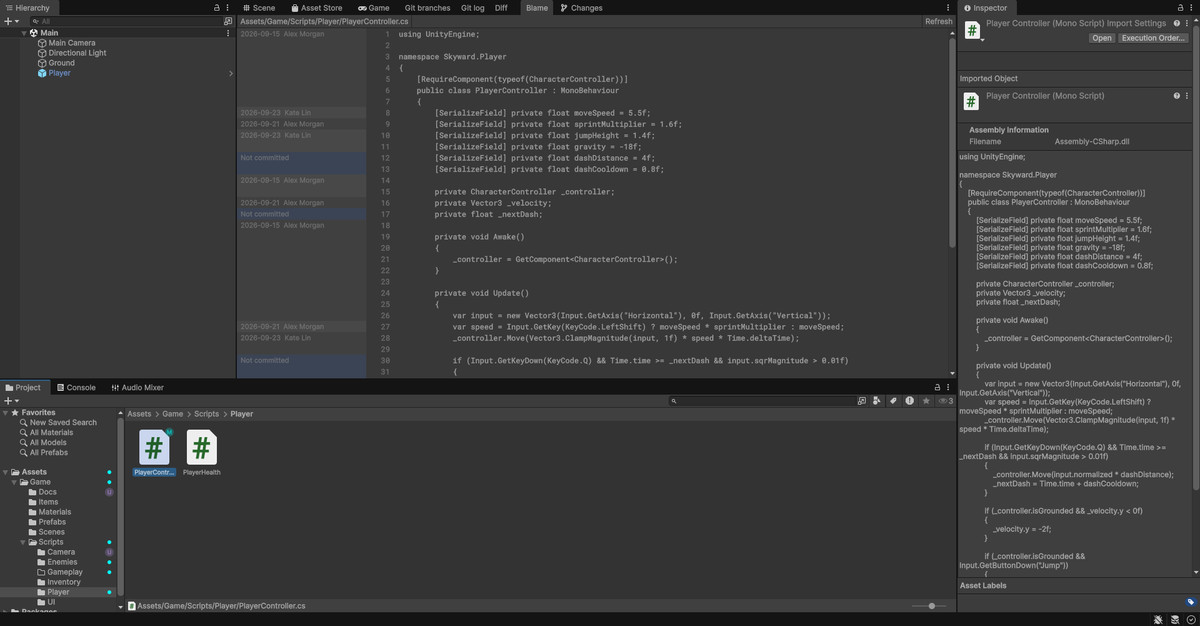
- Diff and Blame windows.
- Stash: stash, apply, pop and drop.
- Patches: create a patch from selected files, apply a patch file.
- Project window: Git status badges on files and folders; Show Diff, Blame, Add, Rollback and Create Patch in the context menu.
- Current branch in the editor title, fetch and push progress in the status bar.
Compatibility
| Unity version | Built-in | URP | HDRP | Custom |
|---|---|---|---|---|
| 6000.0.74f1 | Compatible | Compatible | Compatible | Compatible |
Editor-only tool, independent of the render pipeline.
As listed on the Asset Store.