
 View on Asset Store (opens in new tab)
Package details
- Latest version
- 1.0.1
- Last updated
- First released
- Unity version
- 6000.3.25 or later
- Package size
- 98 KB
- Files
- 101
- Favorites
- 7
- Views in the past week
- 140
Price tracking
- Last checked
- Tracked since
- Lowest recorded
- Free on
Keywords
Pixel UI Free - GUI Kit Sampler
A free pixel-art GUI theme for Unity UI. A set of UGUI prefabs: put a Button, Window or Slider on a Canvas and it comes skinned and padded. No 9-slice setup and no styling by hand.
Affiliate link · Purchases support this site
Price history
Last 6 months
USDAsset preview
1 / 2
Pixel UI Free - GUI Kit Sampler screenshot 1
About this asset
A free pixel-art GUI theme for Unity UI. A set of UGUI prefabs: put a Button, Window or Slider on a Canvas and it comes skinned and padded. No 9-slice setup and no styling by hand.
What's inside
- The wood theme as 21 UGUI prefabs: buttons (normal, hover, pressed, disabled), checkboxes and radio buttons, a slider, progress bars (health, mana, stamina and XP), a scrollbar and scroll view, an input field, a dropdown, tabs, a tooltip, panels, windows with title bars, sunken item slots, labels, titles and a separator; and a PixelTheme asset that names them.
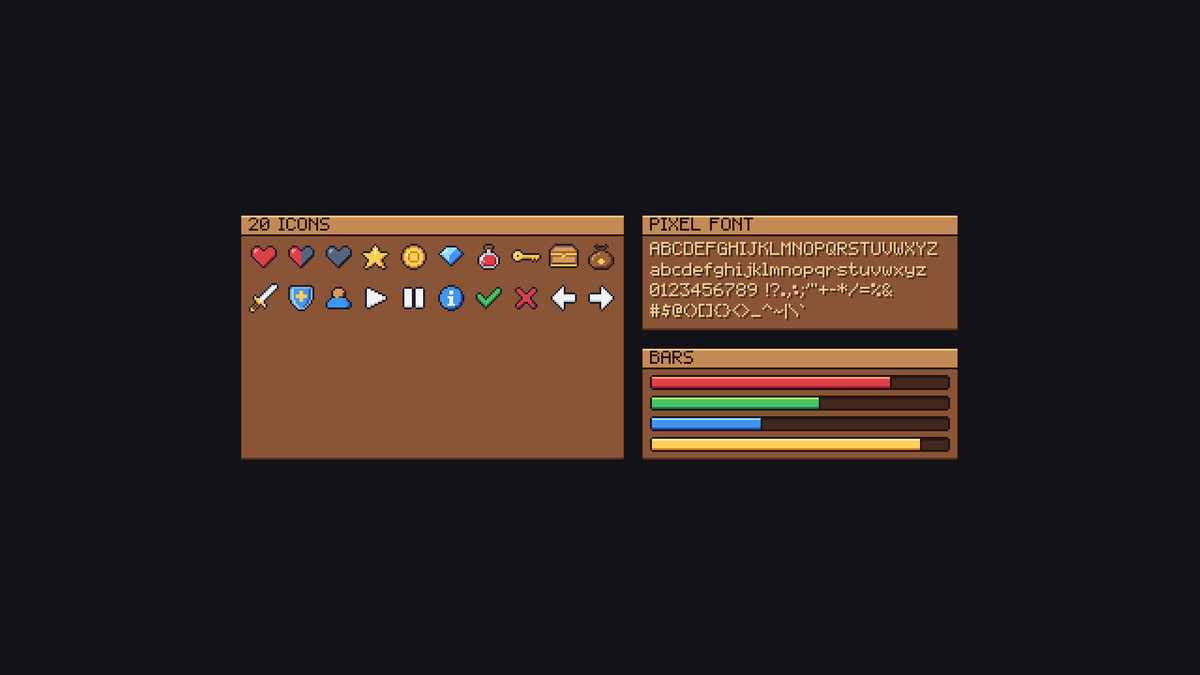
- 20 icons, 16x16 and outlined: hearts (full, half, empty), coin, gem, key, potion, sword, shield, chest, star, bag, check, cross, arrows, info, user, play and pause.
- A pixel font with all of printable ASCII as a TextMesh Pro font asset, crisp at 8 px and its multiples, and a mouse cursor at 1x to 4x.
- Every piece is a 9-sliced, point-filtered sprite; PixelCanvas scales the canvas by whole numbers.
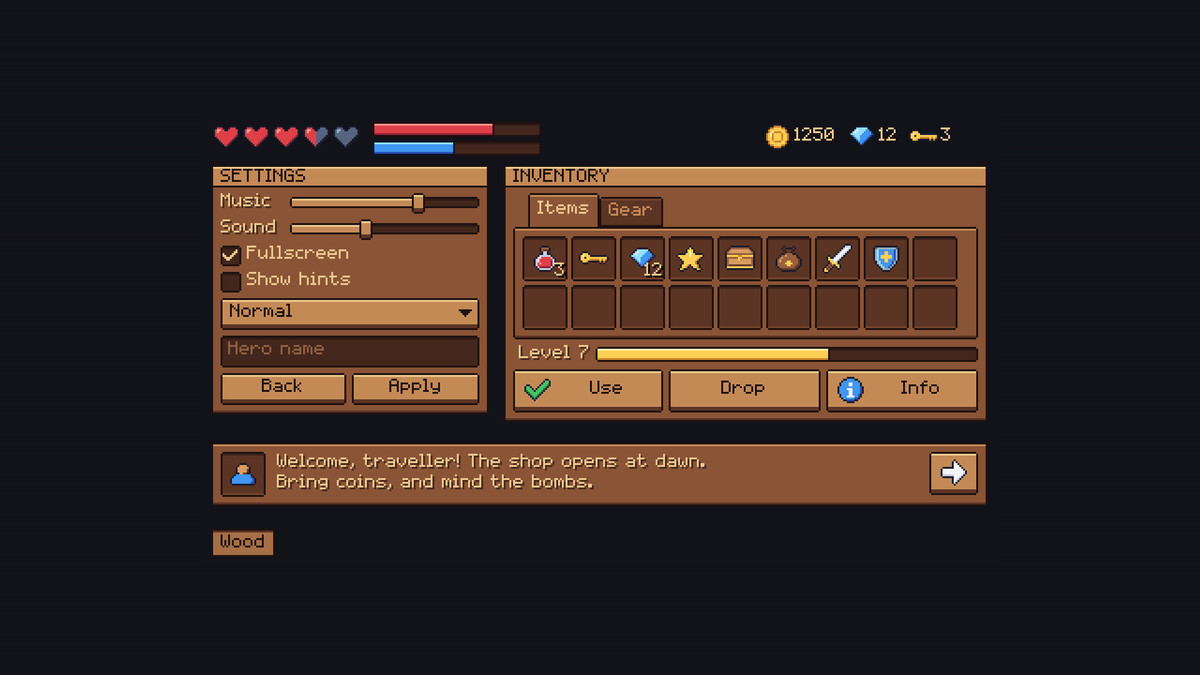
- Demo scene: a settings window, an inventory, a HUD and a dialogue box, built from the prefabs.
Pixel UI has six colour themes (stone, wood, sky, forest, royal and ember) and 50 icons, with the same prefab names: import it over this one.
Compatibility
- Unity 6.3 or later, with UGUI and TextMesh Pro (both built in).
- Either input handler: the Input Manager or the Input System.
The Python code that draws every piece, icon and glyph pixel by pixel and the package's C# scripts were written with the help of AI (Anthropic's Claude); no generative image model.
From the publisher's Asset Store listing.
Technical details
- Unity 6.3 or later with UGUI and TextMesh Pro; import TMP Essential Resources when Unity offers it.
- A Documentation.txt in the package's folder says what is where and how to use it.
- Try the demo scene in your browser: https://heyheythere.com/demos/pixel-ui-free/
Compatibility
| Unity version | Built-in | URP | HDRP |
|---|---|---|---|
| 6000.3.25f1 | Compatible | Compatible | Compatible |
Works in any pipeline: the kit is UGUI and TextMesh Pro, which draw the same in each. Tested in Built-in, URP (2D and Universal Renderer) and HDRP. In HDRP the demo scene's background colour comes from HDRP's camera settings instead; the UI looks the same.
As listed on the Asset Store.