
 View on Asset Store (opens in new tab)
Package details
- Latest version
- 1.2.0
- Last updated
- First released
- Unity version
- 6000.3.25 or later
- Package size
- 533 KB
- Files
- 705
- Favorites
- 2
- Views in the past week
- 40
Price tracking
- Last checked
- Tracked since
- Lowest recorded
- $4.99 on
Keywords
Pixel UI Sci-Fi - HUD Kit & 120 Icons
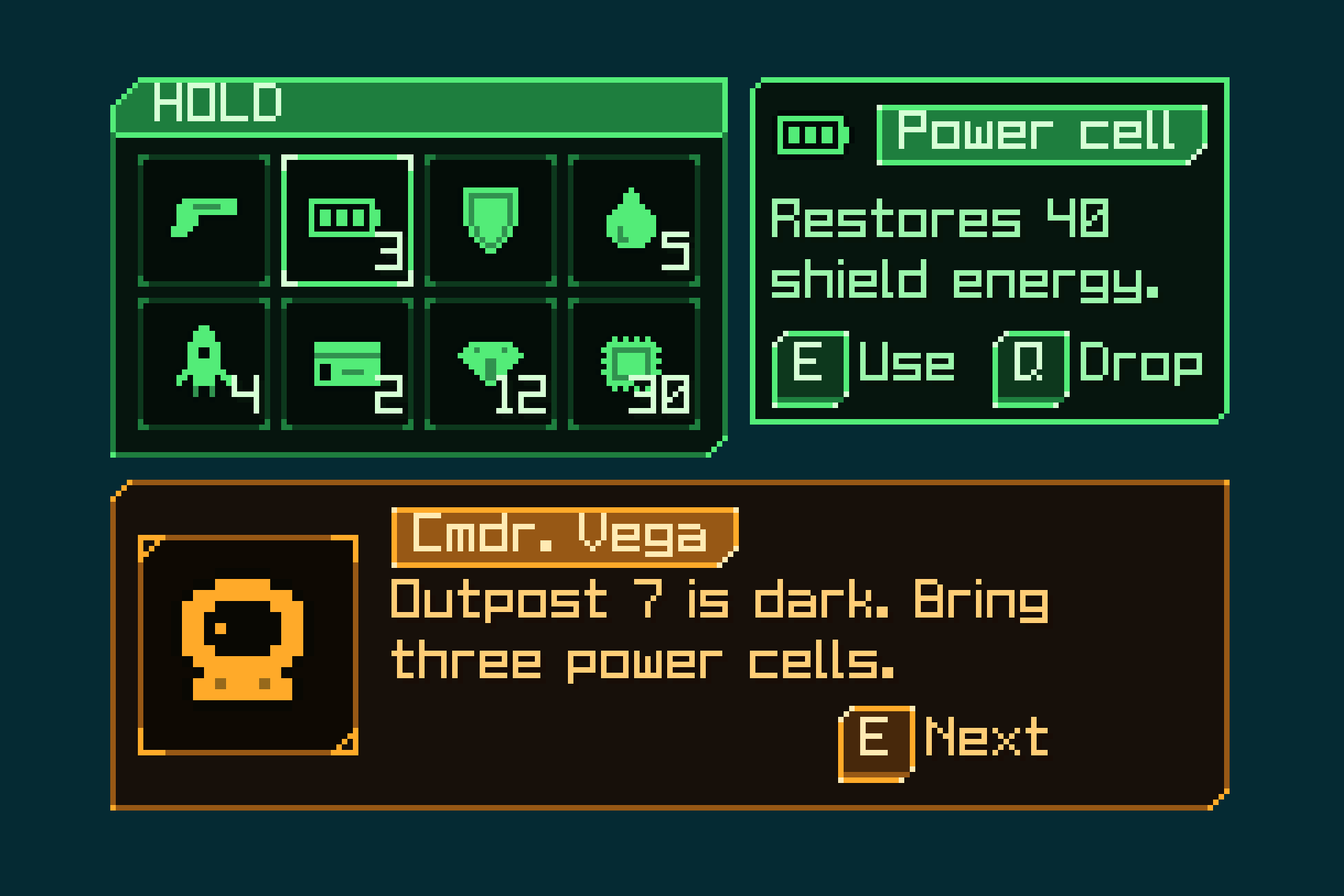
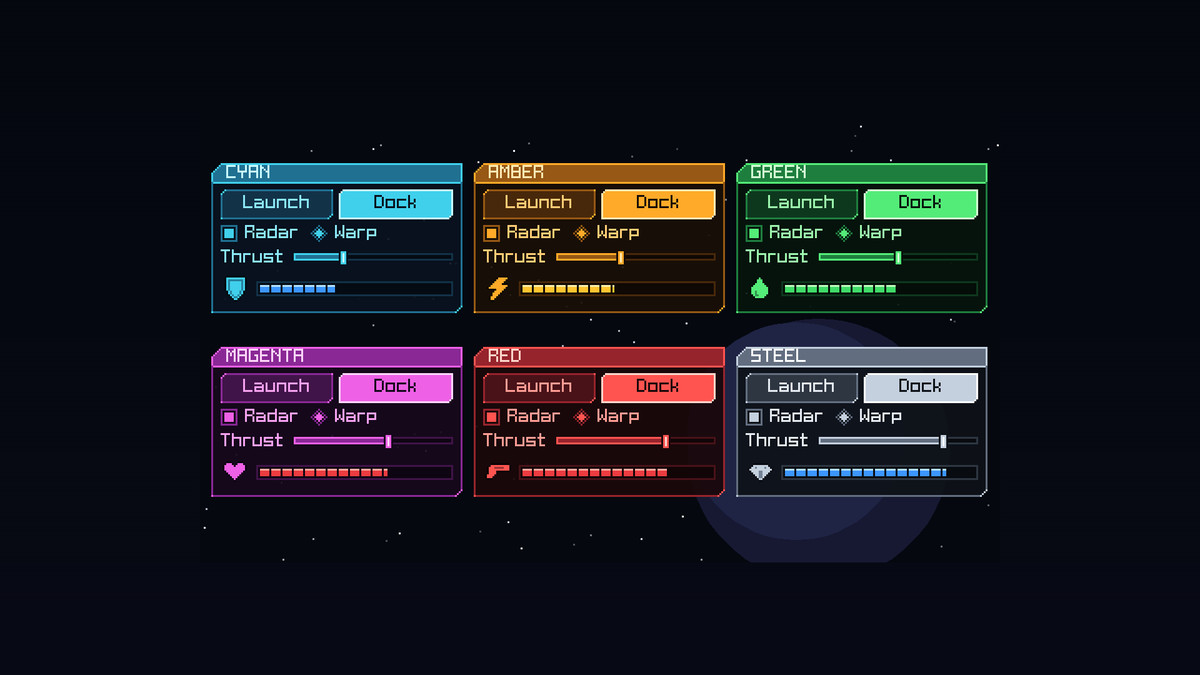
A complete sci-fi pixel-art GUI and HUD for Unity UI, skinned and ready. Six neon themes, each a set of UGUI prefabs: put a Button, Window or Slider on a Canvas and it comes skinned and padded.
Affiliate link · Purchases support this site
Price history
Last 6 months
USDAsset preview
1 / 6
Pixel UI Sci-Fi - HUD Kit & 120 Icons screenshot 1
About this asset
A complete sci-fi pixel-art GUI and HUD for Unity UI, skinned and ready. Six neon themes, each a set of UGUI prefabs: put a Button, Window or Slider on a Canvas and it comes skinned and padded. No 9-slice setup and no styling by hand.
What's inside
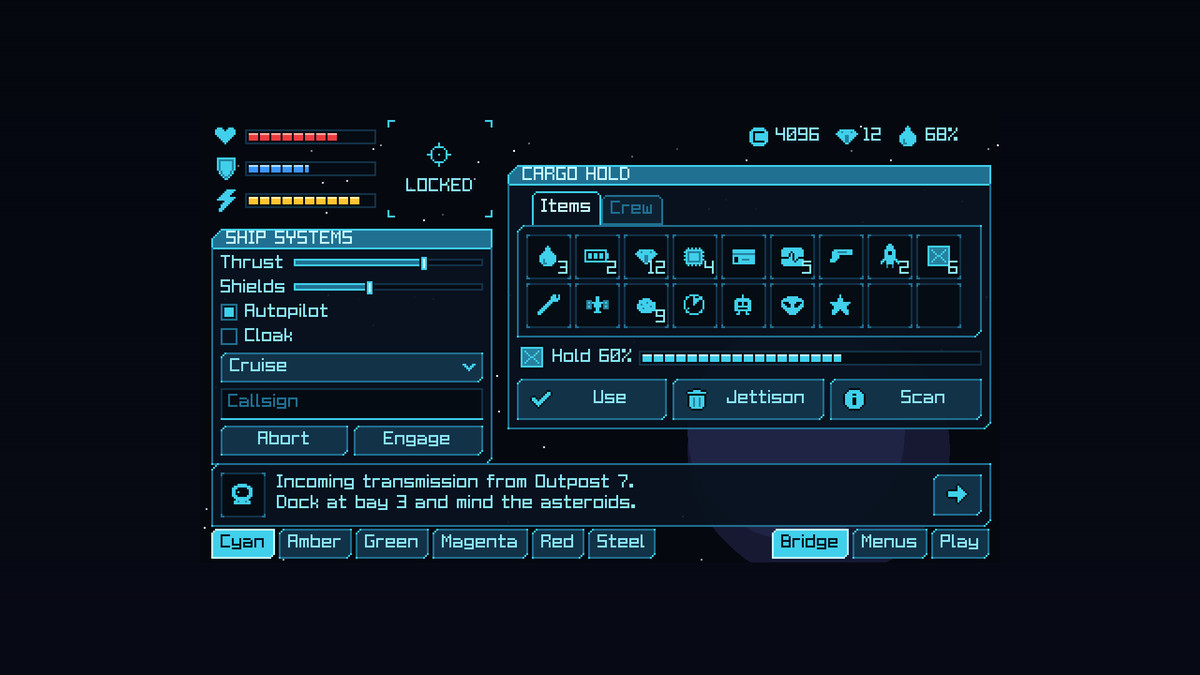
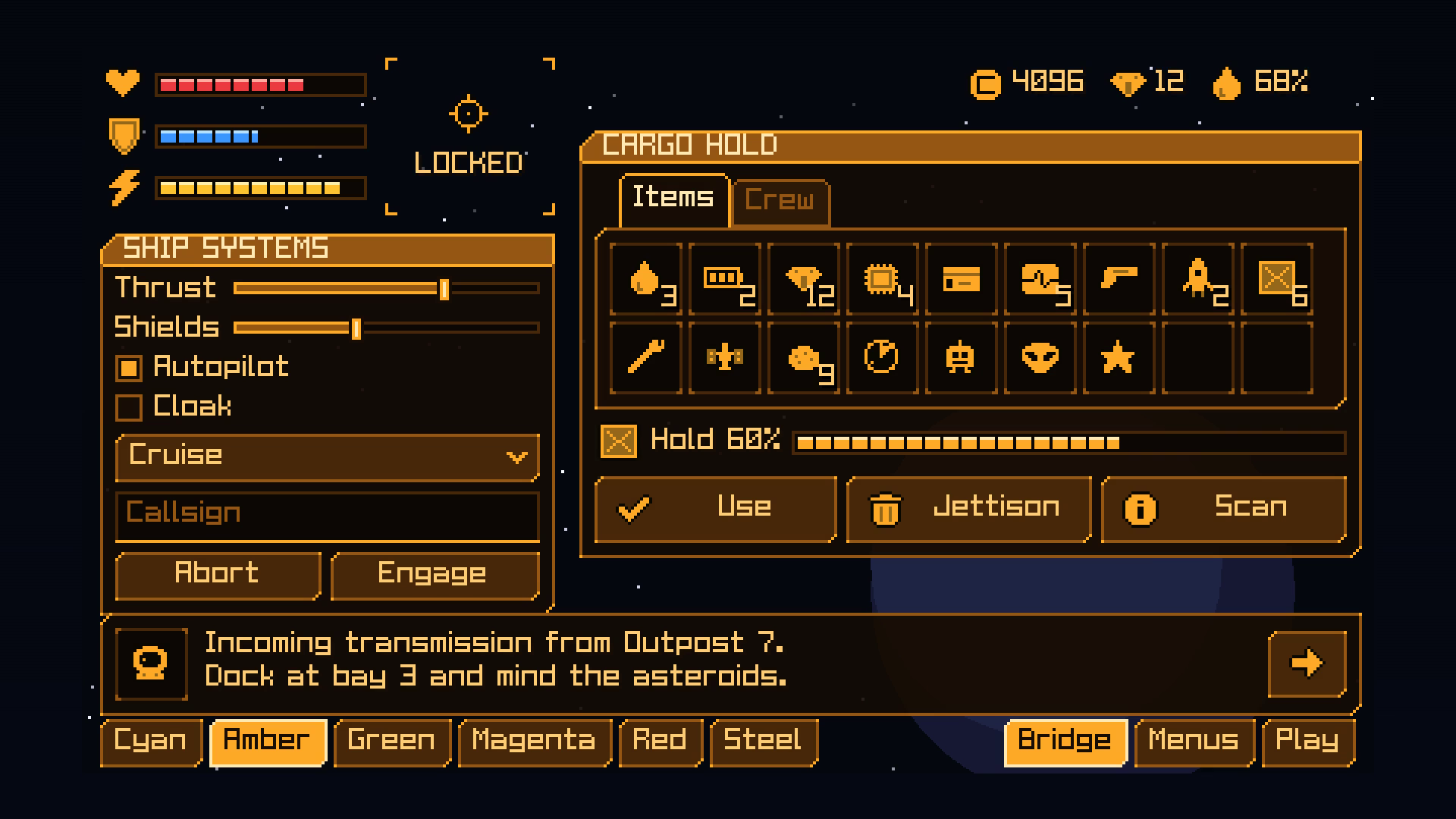
6 colour themes: cyan, amber, green, magenta, red and steel. Each is 41 UGUI prefabs: buttons (normal, hover, pressed, disabled), checkboxes and radio buttons, a slider, segmented progress bars (hull, shield, energy and stamina), a scrollbar and scroll view, an input field, a dropdown, tabs, a tooltip, panels with cut corners, windows with title bars, sunken cargo slots, corner-bracket HUD frames, labels, titles and a separator, ability frames with a lit active one, item slots rimmed by rarity (common to legendary), and the game's pieces: menu lines with a pointer, save slots, item slots with a picked one and stack counts, key caps for button prompts, toggle switches, steppers, toasts, portrait frames and nameplates. The panels let a little of the game show through. Each theme also comes as a PixelTheme asset that names its prefabs, so code can build a screen and switch its theme.
64 ability icons, 16x16 framed chips, each system in its own colours: beam, burst, barrier, repair, boost, drone, mine and scan, in eight systems (laser, plasma, ion, cryo, nano, cyber, gravity and psi). New in 1.2.
Gauges and cooldowns: each theme's hexagonal gauge frame, red, blue and gold fills and a glass, and a cooldown shadow, as sprites for UI Image's Filled mode (vertical for a gauge, radial for a cooldown).
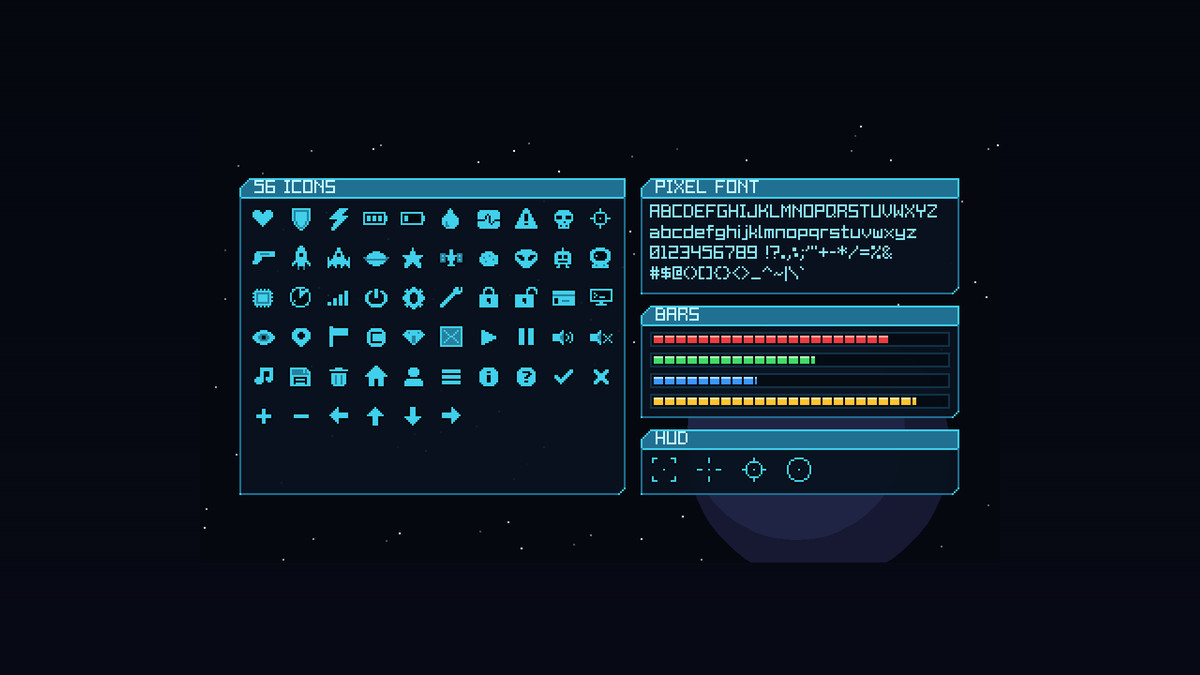
56 item icons, 16x16, white with a dark outline so they take any colour: hull, shields, energy, batteries, fuel, vitals, ships, rockets, planets, satellites, asteroids, aliens, robots, an astronaut, chips, radar, keycards, terminals, credits, crystals, cargo, and the menu set (play, pause, sound, music, settings, save, delete, info, arrows, check, cross...). Buttons tint them to the theme.
A square pixel font with all of printable ASCII as a TextMesh Pro font asset, crisp at 8 px and its multiples, 4 HUD reticles, and a mouse cursor at 1x to 4x.
- Every piece is a 9-sliced, point-filtered sprite, so it also works with your own UI.
- PixelCanvas scales the canvas by whole numbers, so the pixels stay square at any resolution.
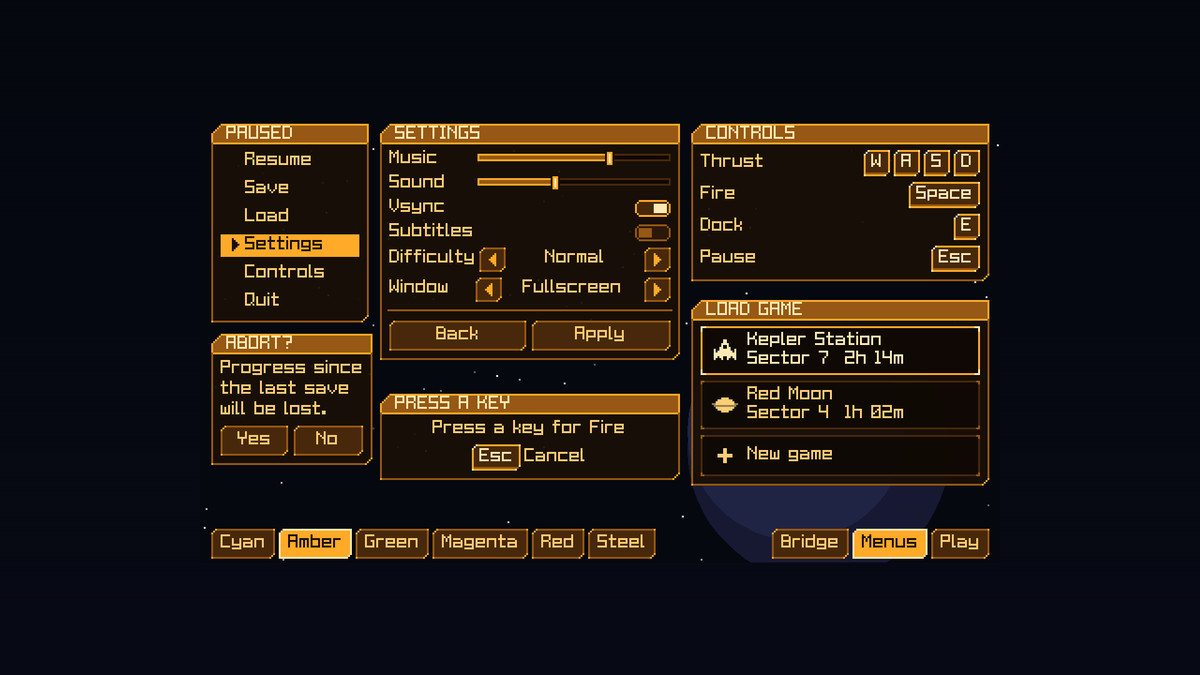
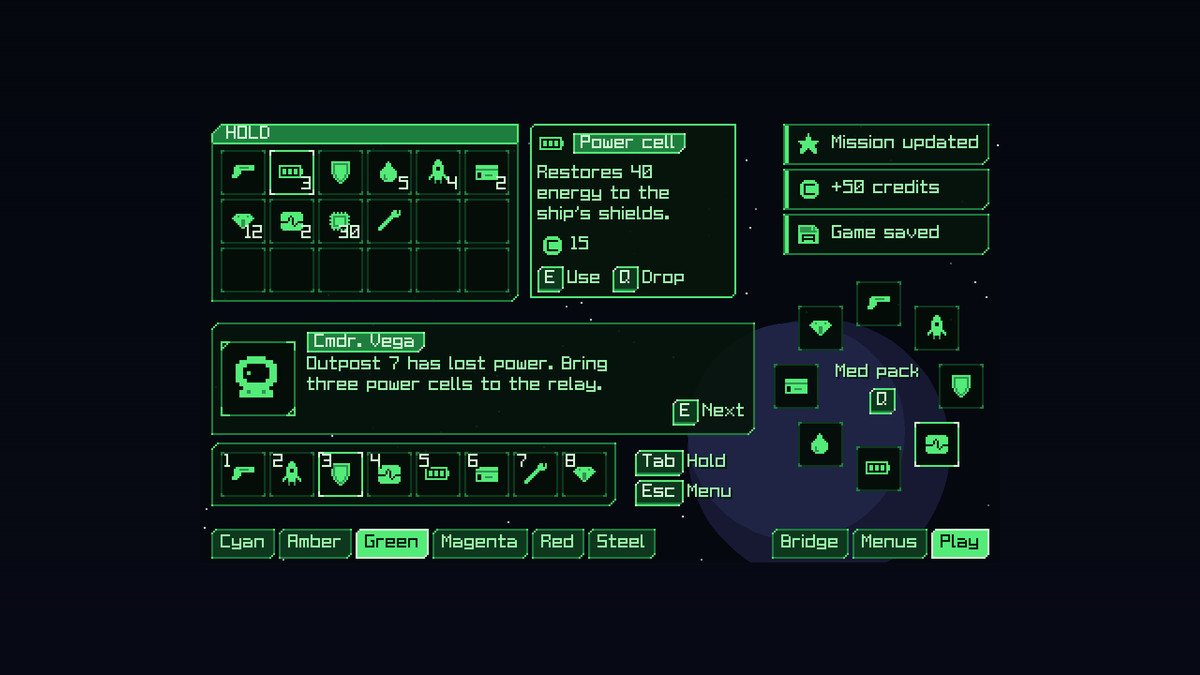
- Demo scene, three screens over a starfield built from the prefabs: the bridge (a ship's HUD, a systems window, a cargo hold with tabs, a target lock and a comms line), the menus (pause, settings, key bindings, save slots) and play (a hold, toasts, a quick-pick wheel, a hotbar, comms), with buttons to switch between them and the six themes.
- The same prefab names as Pixel UI, our fantasy kit, so a game can switch between the two.
Compatibility
- Unity 6.3 or later, with UGUI and TextMesh Pro (both built in).
- Either input handler: the Input Manager or the Input System.
From the publisher's Asset Store listing.
Technical details
- Unity 6.3 or later with UGUI and TextMesh Pro; import TMP Essential Resources when Unity offers it.
- A Documentation.txt in the package's folder says what is where and how to use it.
- Try the demo scene in your browser: https://heyheythere.com/demos/pixel-ui-scifi/
Compatibility
| Unity version | Built-in | URP | HDRP |
|---|---|---|---|
| 6000.3.25f1 | Compatible | Compatible | Compatible |
Works in any pipeline: the kit is UGUI and TextMesh Pro, which draw the same in each. Tested in Built-in, URP (2D and Universal Renderer) and HDRP. In HDRP the demo scene's background colour comes from HDRP's camera settings instead; the UI looks the same.
As listed on the Asset Store.