
 View on Asset Store (opens in new tab)
Package details
- Latest version
- 1.3.0
- Last updated
- First released
- Unity version
- 6000.3.25 or later
- Package size
- 147.8 MB
- Files
- 1,855
- Views in the past week
- 13
Price tracking
- Last checked
- Tracked since
- Lowest recorded
- $4.99 on
Keywords
Spell FX - 22 Spell VFX in 7 Elements
22 animated spells in 7 elements as PNG sprite sheets, for any engine.
Affiliate link · Purchases support this site
Price history
Last 6 months
USDAsset preview
1 / 5
Spell FX - 22 Spell VFX in 7 Elements screenshot 1
About this asset
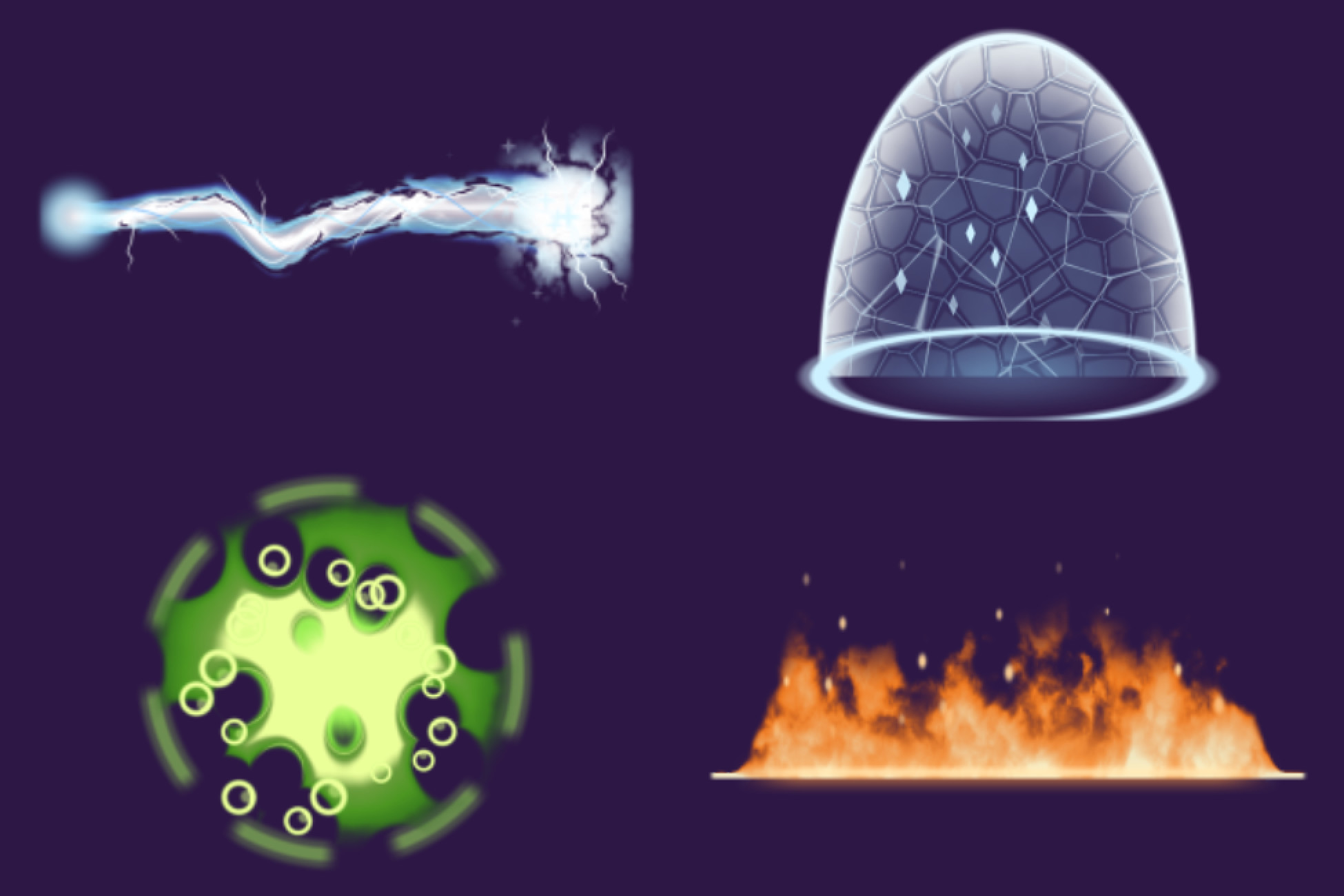
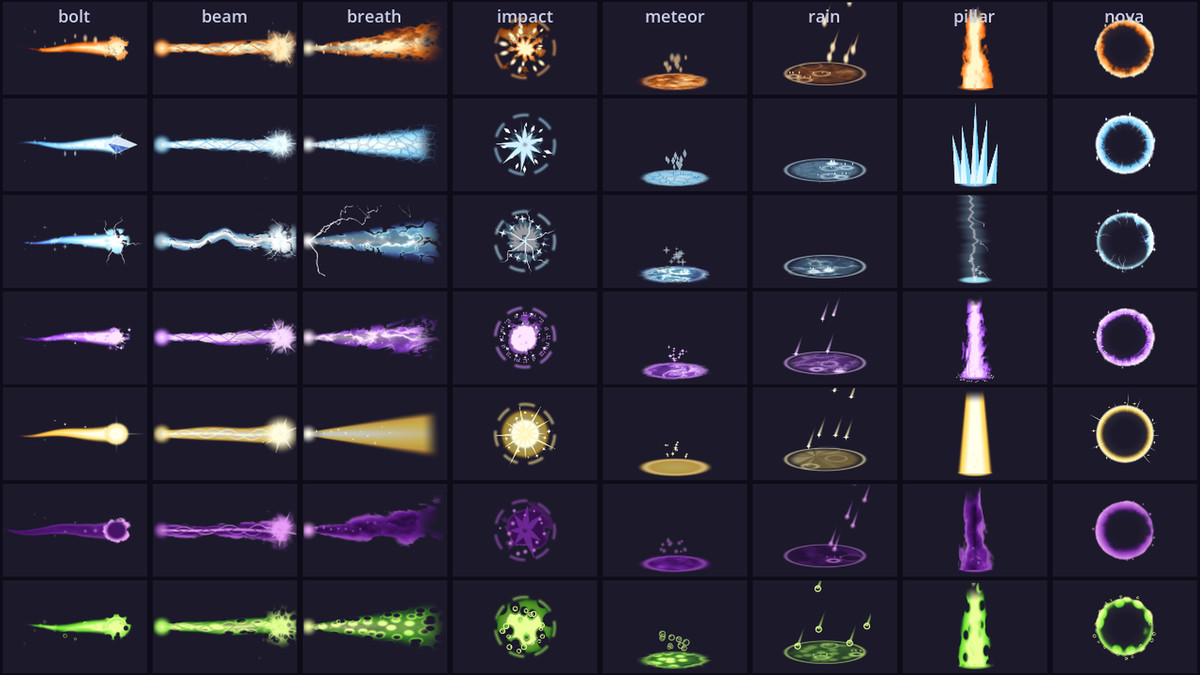
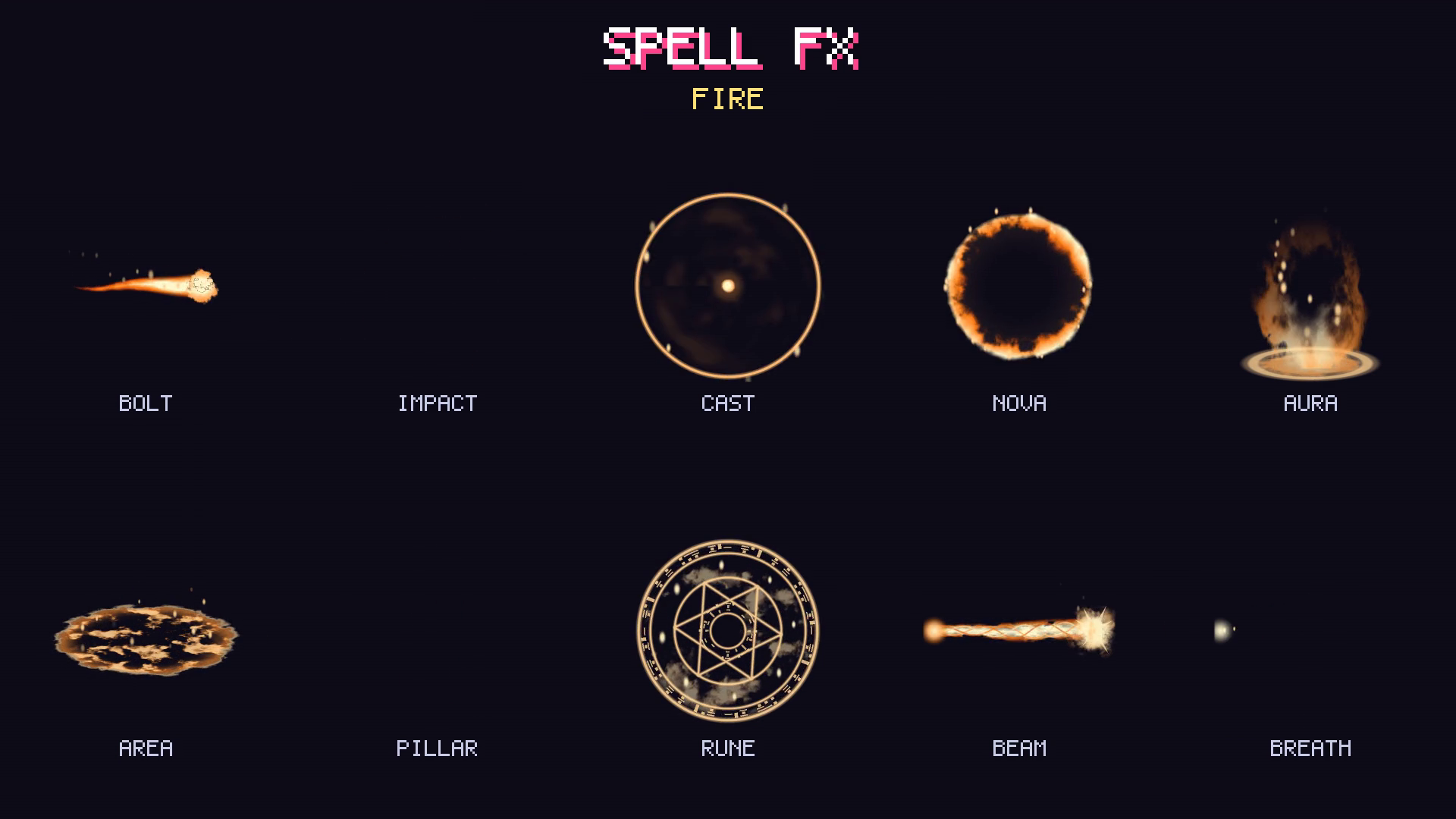
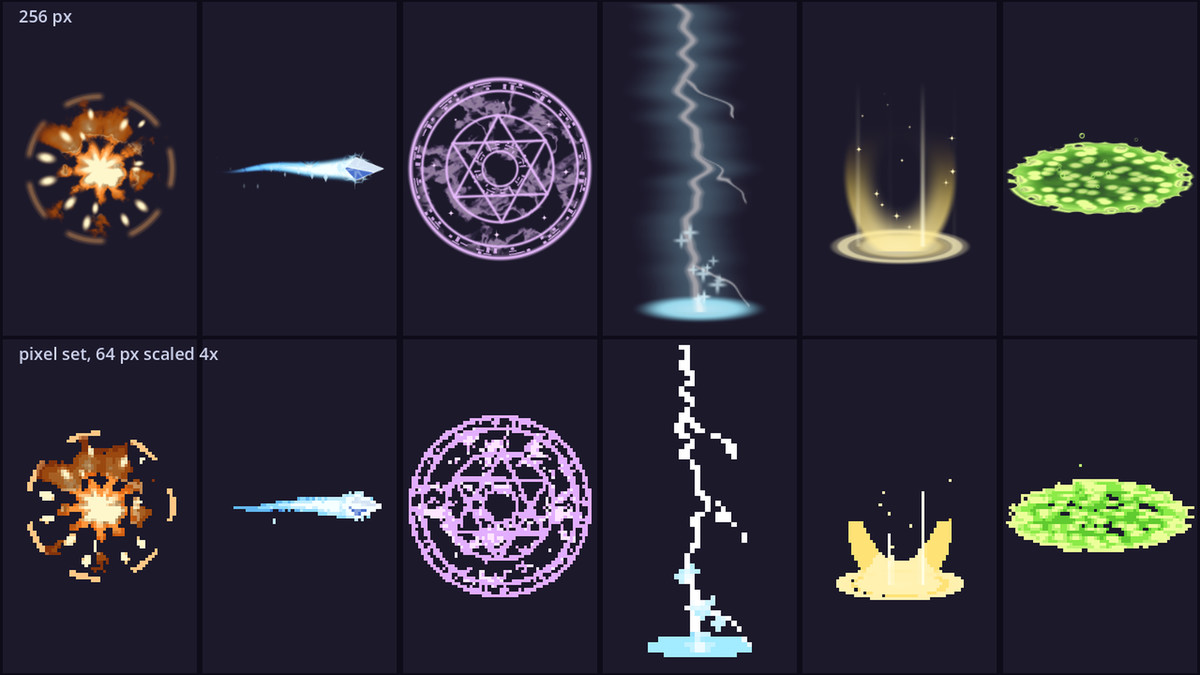
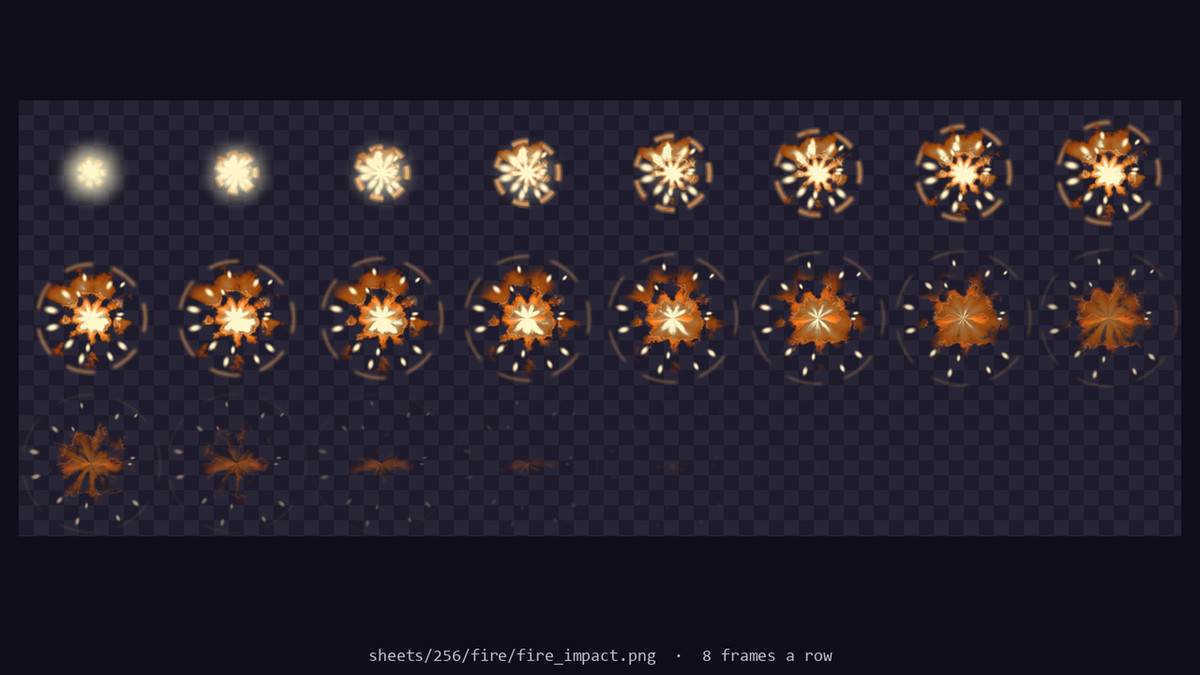
22 animated spells in 7 elements as PNG sprite sheets, for any engine. Each element has its own texture, silhouette and particles: fractured ice bolts and pillars, branching lightning, turbulent fire, bubbling venom and torn shadow. Impacts break into filaments, shards, sparks or droplets; beams carry layered moving strands. That's 154 sheets, each in three sets: 256 px and 128 px HD, and pixel art made at 64 px, not shrunk.
Every one plays in the preview video.
What's inside
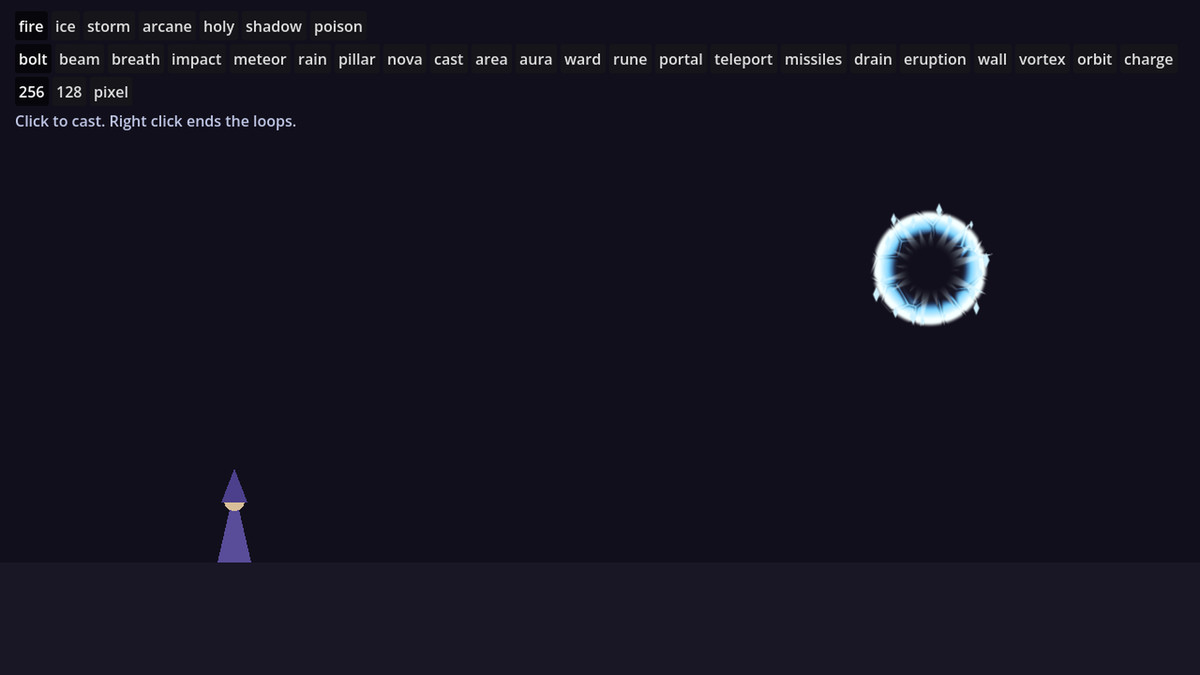
7 elements: fire, ice, storm, arcane, holy, shadow, poison
22 spells in each:
- bolt: a projectile to fly at the target (loops)
- beam: a channelled ray from the hand into the target, splashing where it lands (loops)
- breath: a cone gushing out of a mouth, churning, then thinning away
- missiles: a volley of five small missiles curving from the hand into the target, each bursting where it lands
- drain: two strands twisting from the target into the hand, carrying bits of it along (loops)
- eruption: a crack racing along the ground from the caster's feet, the element bursting up out of it in six spouts
- impact: where it hits
- meteor: a ball streaking down from the sky, a crash, a patch left burning out
- rain: the element falling on an area, each bit splashing where it lands (loops)
- cast: power gathering into an orb, then a release
- nova: a ring bursting outward
- pillar: an eruption from the ground, or a strike from the sky
- area: a pool on the ground, seen at an angle (loops)
- wall: a wall of the element standing along the ground, shards for ice, bolts for storm (loops)
- vortex: a whirlwind on the spot, swaying, carrying bits round and up (loops)
- aura: wrapped around a character's feet and body (loops)
- ward: a dome over a character, bright toward its edge like glass (loops)
- orbit: four orbs circling a character on a tilted ring (loops)
- charge: the element made in to a growing, throbbing orb, to hold while charging (loops)
- rune: a magic circle seen from above (loops)
- portal: an upright oval swirling round a deep middle (loops)
- teleport: a column closing on a character to a line, a flash, gone
- 16 to 32 frames each, made for their fps, and the loops loop seamlessly.
- Transparent PNG sheets, 8 frames a row, plus an effects.json with every frame size, frame count, fps and anchor, and a GIF preview of each.
- Import steps for Unity and GameMaker in the README.
In 3D: Magic Circles 3D puts magic circles, portals, auras, rings of runes, pillars of light and wards in a 3D scene, in eight elements (16 free).
What the spells leave on their target: Status FX has 16 statuses that sit on a character, burning, poisoned, frozen or chained among them, each with a start, a loop and an end, in the same format (3 free).
When a fireball lands: Explosion FX has explosions, fire and smoke in 6 colours in the same format (6 free).
Compatibility
- Any engine that plays sprite sheets: Unity, GameMaker, Defold, Construct, Phaser, LÖVE, MonoGame.
Unity: download spell-fx-1.3.0.unitypackage, import it through Assets > Import Package > Custom Package, and open Assets/SpellFX/Demo/L_SpellFXDemo.unity.
Want to try it first? Spell FX Free has the fire, ice and arcane bolts and impacts.
From the publisher's Asset Store listing.
Technical details
- Every effect as a prefab with its animation clip, on sprites sliced from the sheets with the pivot on the effect's anchor, and a demo scene; the pixel set point filtered. Unity 6.3+ with URP.
- Unity 6.3 or later with URP (the prefabs use URP's Sprite-Unlit-Default material).
- A Documentation.txt in the package's folder says what is where and how to use it.
Compatibility
| Unity version | Built-in | URP | HDRP |
|---|---|---|---|
| 6000.3.25f1 | Not listed | Compatible | Not listed |
Made for URP (2D Renderer or Universal Renderer), where the prefabs and the demo scene render as they are with URP's Sprite-Unlit-Default material. In the Built-in pipeline and HDRP they show magenta until each SpriteRenderer's material is set to Sprites-Default; after that one change they render the same (tested in both).
As listed on the Asset Store.