
 View on Asset Store (opens in new tab)
Package details
- Latest version
- 1.0
- Last updated
- First released
- Unity version
- 6000.3.13 or later
- Package size
- 413 KB
- Files
- 40
- Views in the past week
- 45
Price tracking
- Last checked
- Tracked since
- Lowest recorded
- Free on
Keywords
- Search for 2D Destruction Lite
- Search for destructible sprite
- Search for 2D destruction
- Search for Mobile 2D
- Search for Auto Grid
- Search for 2D effects
- Search for Sprite Break
- Search for sprite destruction
- Search for 2D Game Tool
- Search for Grid Destruction
- Search for Fragment Pool
- Search for physics2d

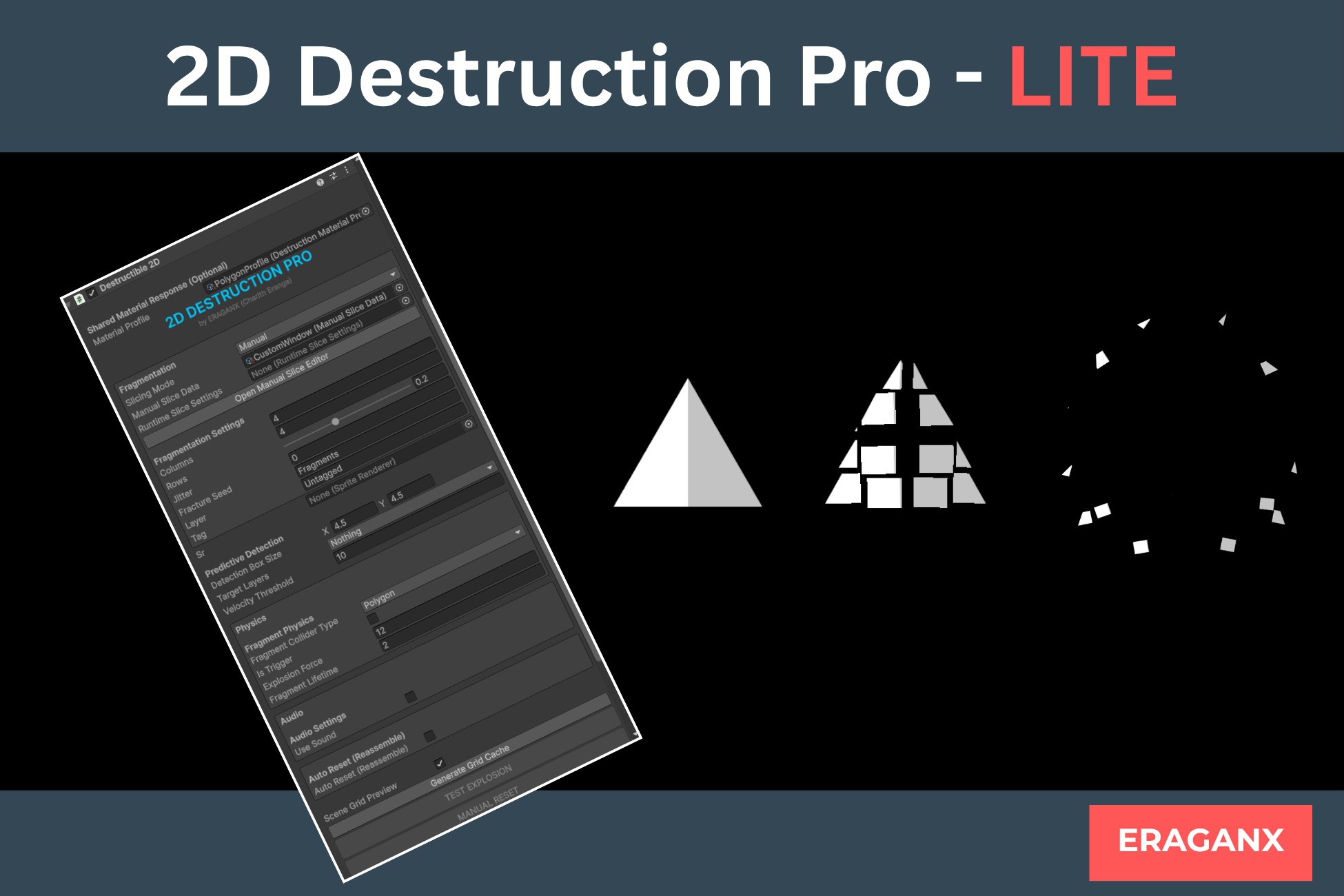
2D Destruction Pro - Lite
Turn ordinary 2D sprites into breakable objects using a fast, reusable Auto Grid workflow with fragment pooling, customizable 2D physics, lifetime control, and automatic object reassembly.
Affiliate link · Purchases support this site
Price history
Last 6 months
USDAsset preview
1 / 3
2D Destruction Pro - Lite screenshot 1
About this asset
2D Destruction Pro Lite is a free Unity tool for developers who want to quickly add breakable sprites to their 2D games. Configure a grid, generate fragments, customize physics, control fragment lifetimes, and automatically reassemble objects — all through a straightforward workflow.
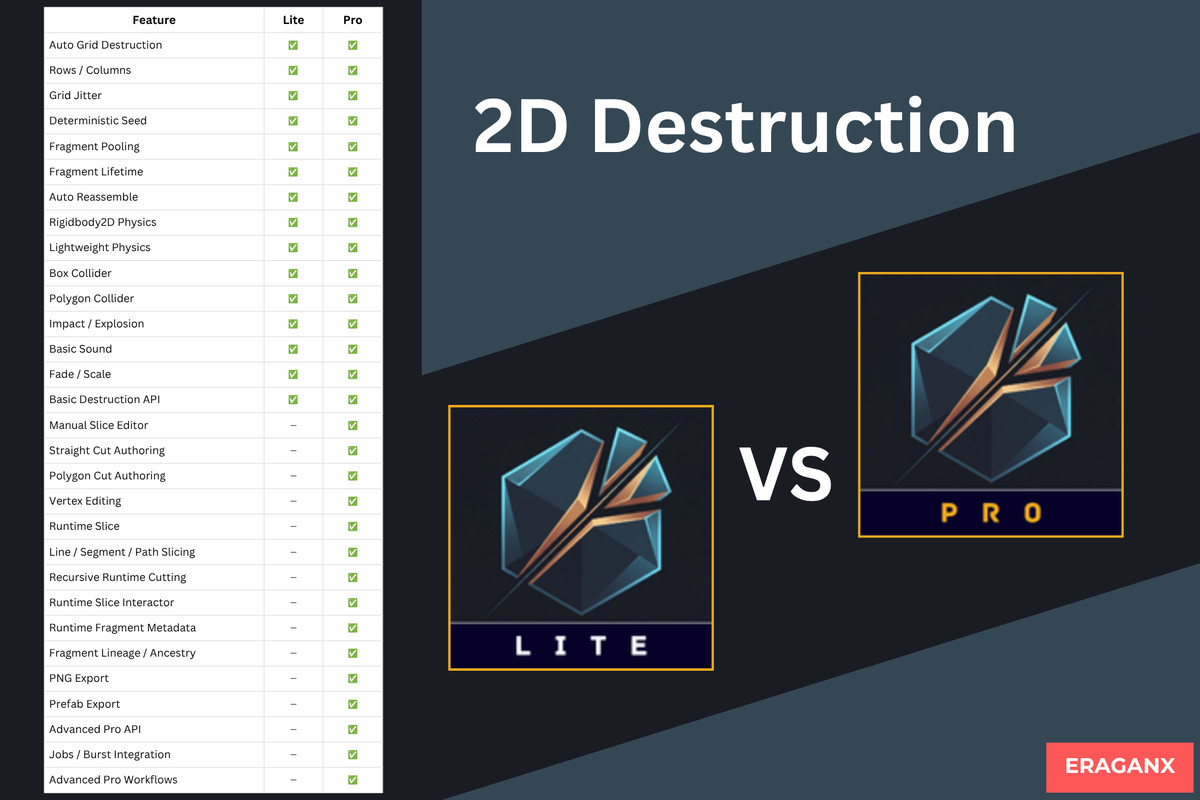
Need more control over how sprites break? 2D Destruction Pro expands on the Lite workflow with manual slice editing, custom cut shapes, real-time runtime slicing, fragment export tools, and advanced destruction capabilities.
Features
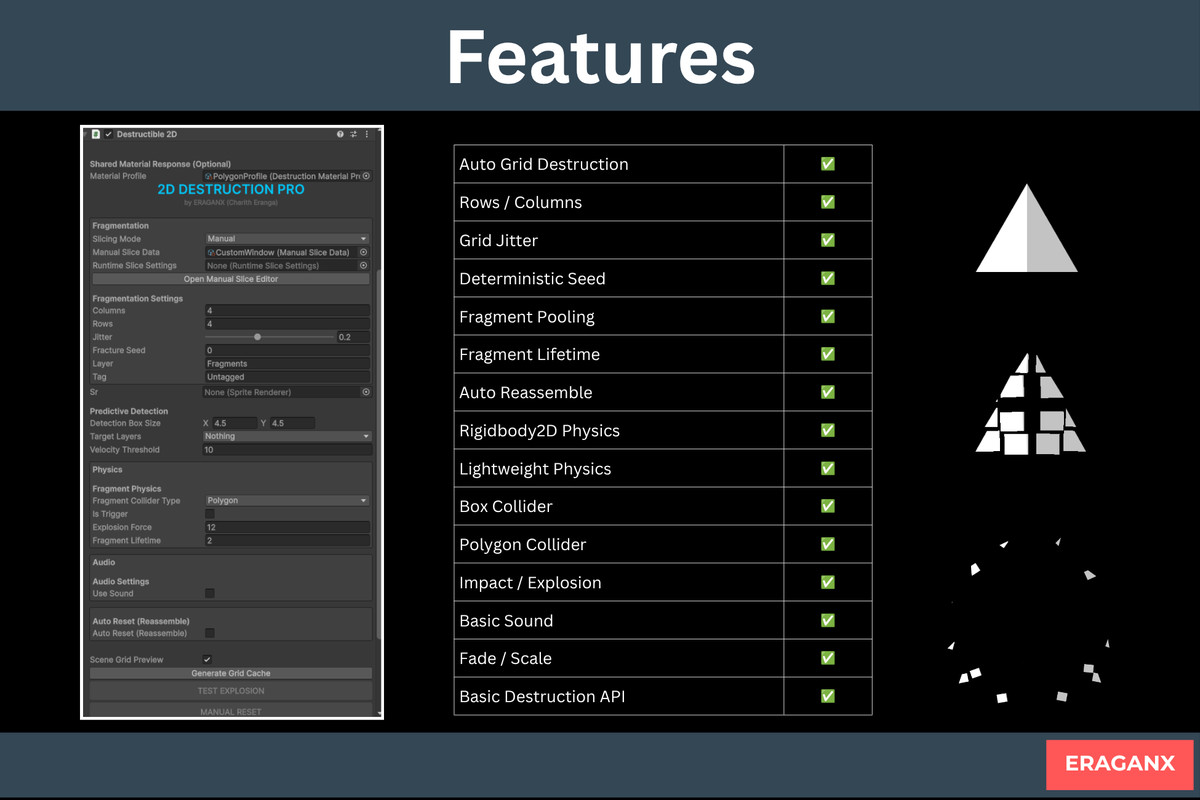
- Auto Grid Destruction — Generate fragments from a source sprite.
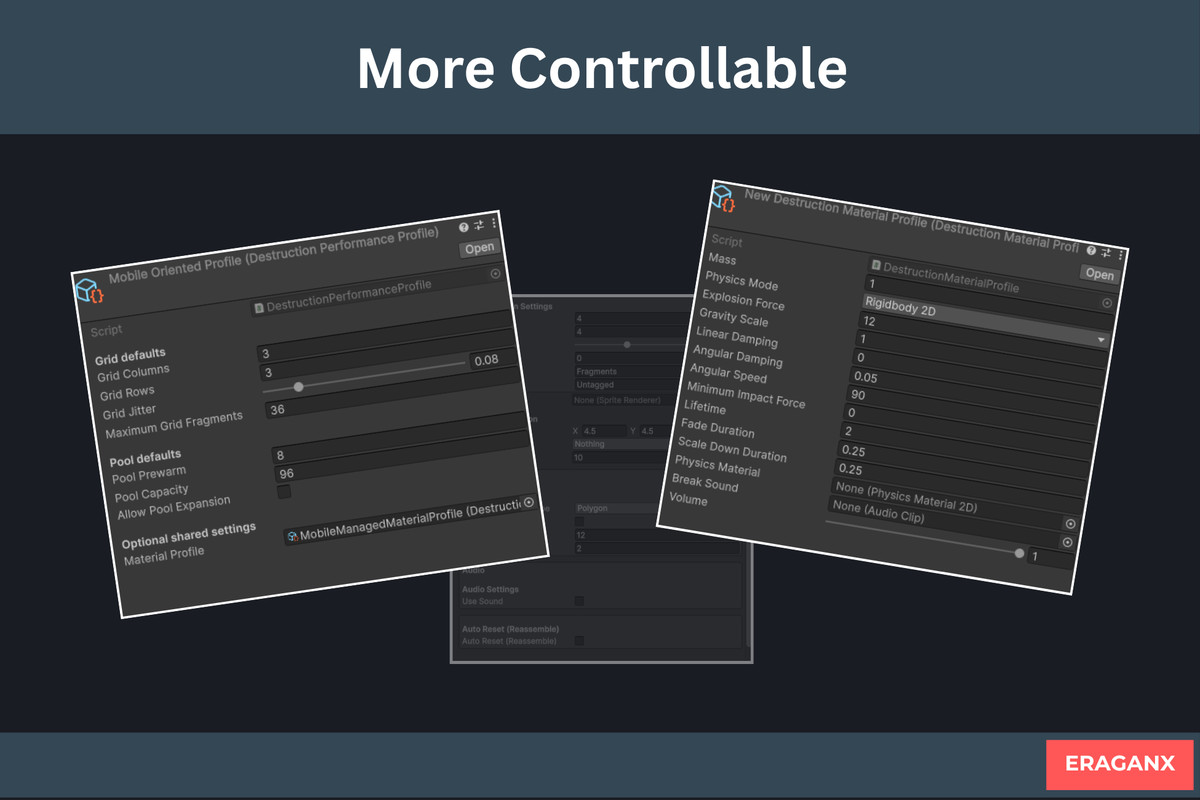
- Configurable Grid — Adjust rows, columns, jitter, and deterministic seeds.
- Fragment Pooling — Reuse fragment objects.
- Flexible Physics — Choose Rigidbody2D physics or lightweight simulation.
- Collider Options — Use Box Collider or Polygon Collider.
- Impact & Explosion Effects — Add basic destruction effects.
- Fragment Effects — Customize fade, scale, and lifetime.
- Automatic Reassembly — Restore the original object when needed.
- Basic Destruction API — Integrate destruction into your gameplay.
- Sample Scene — Explore the basic Auto Grid workflow.
Simple Workflow
Source Sprite → Auto Grid → Fragments → Physics → Reassemble
Want More Advanced Destruction?
Upgrade to 2D Destruction Pro when your project needs more than grid-based fragmentation.
The Pro edition includes:
- Manual Slice Editor — Create custom fragment layouts.
- Straight Cut & Polygon/Region Cut — Design more controlled cuts.
- Runtime Slicing — Slice sprites dynamically during gameplay.
- Line, Segment & Path Cutting — Support different runtime cutting workflows.
- Fragment Export — Export fragments as PNG sprites or combined prefabs.
- Advanced Fragment Data — Access fragment IDs, ancestry, and additional runtime metadata.
- Advanced Runtime Controls — Configure safeguards and destruction behavior.
Whether you're building simple breakable props or more interactive destruction mechanics, choose the edition that fits your project.
Start free with 2D Destruction Pro Lite. Upgrade to 2D Destruction Pro when you need more creative control.
Performance
Fragment pooling and configurable grid settings help you manage the destruction workflow. Actual performance depends on fragment count, physics configuration, rendering setup, target hardware, and project complexity.
No universal FPS or device-performance guarantee is implied.
Explore the full version:
2D Destruction Pro — Unity Asset Store
🌟 More Tools by ERAGANX
From the publisher's Asset Store listing.
Technical details
Product Type: Unity 2D Runtime / Destruction Tool
Edition: Lite — Free
Primary Workflow: Auto Grid 2D Sprite Destruction
Supported Unity Version: Unity 2022.3+
Development / Validation Version: Unity 6000.3.13f1
Included
- Auto Grid fragment generation
- Configurable rows and columns
- Grid jitter
- Deterministic seed
- Fragment pooling
- Fragment lifetime
- Automatic reassembly
- Rigidbody2D physics
- Lightweight physics
- Box Collider
- Polygon Collider
- Impact / explosion
- Basic audio
- Fade / scale effects
- Basic destruction API
- Sample scene
- Documentation
Not Included in Lite
- Manual Slice Editor
- Manual Straight Cut
- Manual Polygon Cut
- Runtime Slice
- Runtime line/segment/path cutting
- Runtime slicing metadata
- Runtime lineage/ancestry
- PNG fragment export
- Prefab fragment export
- Jobs/Burst integration
- Advanced Pro workflows
Dependencies
The package uses standard Unity functionality required by the retained 2D destruction workflow.
Optional Pro-only Jobs/Burst integration is not included in Lite.
Performance Note
Lite does not impose an artificial fragment-count or grid-size restriction.
Performance remains dependent on the developer's chosen configuration and target hardware.
Compatibility
| Unity version | Built-in | URP | HDRP |
|---|---|---|---|
| 6000.3.13f1 | Compatible | Compatible | Compatible |
Compatible with Unity 6000.3.13 and higher. Works seamlessly with both the New Input System and the Legacy Input Manager.
As listed on the Asset Store.