
 View on Asset Store (opens in new tab)
Package details
- Latest version
- 1.0
- Last updated
- First released
- Unity version
- 6000.5.9 or later
- Package size
- 455 KB
- Files
- 40
- Views in the past week
- 22
Price tracking
- Last checked
- Tracked since
- Lowest recorded
- $7.99 on
Keywords
Smart Audio Manager
Runtime audio framework with Editor tooling that plays SFX, BGM, UI, and voice through pooled AudioSources. Crossfading BGM, voice-stealing limits, cooldowns, and an event-authoring window.
Affiliate link · Purchases support this site
Price history
Last 6 months
USDAsset preview
1 / 2
Smart Audio Manager screenshot 1
About this asset
Wiring up audio in Unity often means scattered AudioSource references, manual pooling, and one-off scripts for every music transition. Ultimate Audio Manager replaces that with a single event-driven system: describe each sound as reusable ScriptableObject data, then trigger it from anywhere with one line of code. Pooled sources, four dedicated channels, and a built-in Editor window keep both design-time authoring and runtime playback under control.
🎯 Event-Driven Audio Data
- Define ID, channel, clip pool, volume/pitch variance, mixer group, and loop behavior per AudioEventData asset
- Random clip, volume, and pitch selection on every playback for natural variation
- AudioBank gives fast ID lookup and flags duplicate IDs before they cause bugs
🎚️ Four Dedicated Channels
- Route every sound through SFX, BGM, UI, or Voice
- Convenience methods (PlaySFX, PlayUI, PlayVoice, PlayBGM) validate the event's channel automatically
- Per-channel volume, mute, pause/resume, and fade controls exposed through the Audio Mixer
⚡ Pooled, Overflow-Safe Playback
- AudioSource instances are pooled and only expand when the configured pool is exhausted
- Sources return to the pool automatically once playback or a fade finishes
- Optional global pooled-voice cap keeps total active sources under control across every event
🎯 Playback Handles for Individual Control
- TryPlay... methods return a handle that pauses, resumes, fades, or stops one specific sound
- Handles auto-invalidate when their source is recycled, so a stale handle can never touch a new sound
- Detailed AudioPlayResult overloads report exactly why a play call was rejected (cooldown, concurrency, mismatch, etc.)
🔒 Voice Management & Stealing Policies
- Per-event cooldowns reject repeat triggers before they overlap
- Max concurrent voice limits with Reject, Stop Oldest, Stop Quietest, or Stop Lowest Priority policies
- Deterministic tie-breaking by playback ID keeps stealing behavior predictable every run
🎶 BGM Crossfades
- Two dedicated BGM sources swap smoothly with PlayBGM, using default or custom fade durations
- StopBGM fades the current track out; StopAllBGM or StopChannel(BGM) cut both sources instantly
- BgmChanged and EventPlayed events let UI and gameplay systems react to music transitions
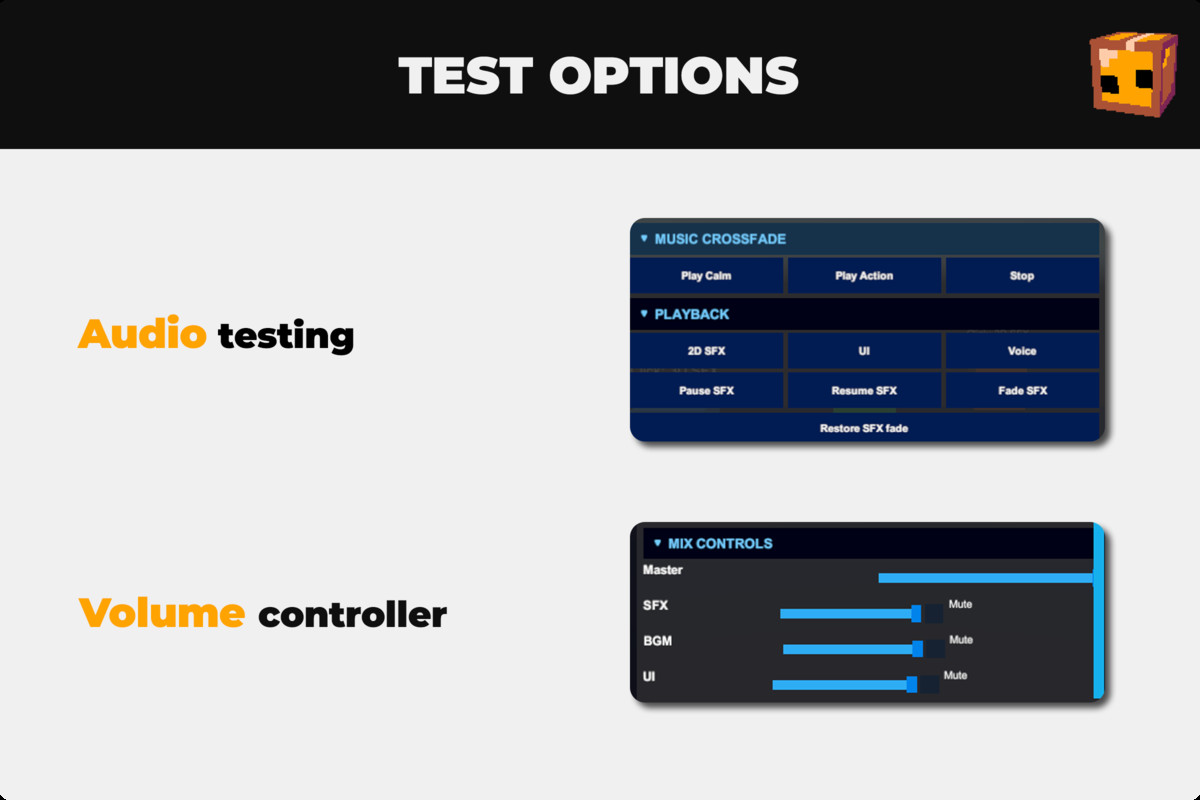
🔧 Mixer & Channel Controls
- Normalized 0–1 volume, mute, pause/resume, and fade-in/fade-out per channel
- Master and per-channel exposed parameter names are configurable for custom Audio Mixers
- Channel pausing respects individually-paused handles and resumes them correctly
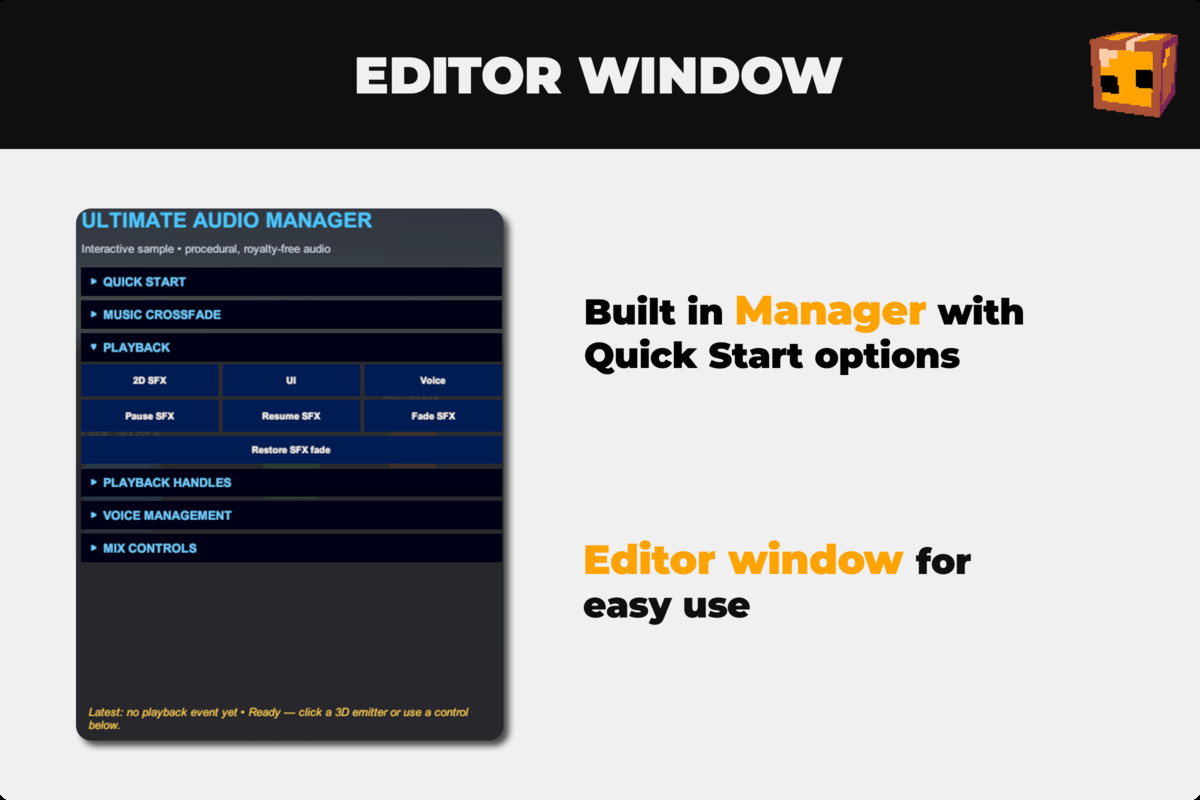
🔍 Audio Manager Studio (Editor Window)
- Searchable, color-coded sidebar lists every AudioEventData asset grouped by channel
- Create new events, add/remove/preview clips, and edit every property without leaving the window
- One-click event preview using Unity's built-in audio preview pipeline
📦 Ready-to-Run Demo
- Demo scene and Audio Bank included with original procedural tones — no third-party recordings
- Regenerate the demo anytime from Tools > Tboxfinn > Ultimate Audio Manager > Create or Refresh Demo
- Runtime-built, scrollable UI demonstrates crossfades, spatial SFX, concurrency limits, and channel controls
From the publisher's Asset Store listing.
Technical details
- Unity 2020.3 LTS or higher (UI Toolkit-based Editor window — verify against your minimum supported version)
- Editor + Runtime — runtime has no project-specific dependencies; Editor tooling is isolated in its own folder
- Core files: AudioManager.cs (runtime), AudioManagerStudioWindow.cs (Editor window), plus AudioEventData/AudioBank ScriptableObject types
- No external dependencies for the core runtime; demo UI needs com.unity.ugui and com.unity.inputsystem
- Editor clip preview uses reflection into UnityEditor.AudioUtil
Compatibility
| Unity version | Built-in | URP | HDRP | Custom |
|---|---|---|---|---|
| 6000.5.9f1 | Compatible | Compatible | Compatible | Compatible |
As listed on the Asset Store.