
 View on Asset Store (opens in new tab)
Package details
- Latest version
- 1.0.5
- Last updated
- First released
- Unity version
- 2022.3.62 or later
- Package size
- 65 KB
- Files
- 17
- Views in the past week
- 161
Price tracking
- Last checked
- Tracked since
- Lowest recorded
- Free on
Keywords

Scene Hub
Scene Hub is an editor tool that helps browsing, managing and opening scenes in your project.
Affiliate link · Purchases support this site
Price history
Last 6 months
USDAsset preview
1 / 3
Scene Hub screenshot 1
About this asset
Scene Hub was created to beat the frustrations that are familiar to any unity developer:
- Searching for a specific scene in the project, browsing folders for minutes.
- Switching scenes each time you need to go to playmode (opening that bootstrap\loader scene).
- The process of adding a new scene to build settings via multiple clicks.
- Organizing specific scenes in your project for quick access.
Scene Hub solves all of the above and more.
- It saves your time ⏰
- Requires no setup ✅
- Has no Editor or Runtime performance footprint ✅
- Occupies only 15Kb of space 📂
- Does not ship dozens of samples, prefabs & folders 📂
- It's free and you can also install it from GitHub at any time ✅
In a nutshell - gives what you need and nothing more. Efficient, simple & useful.
---------------------------------------------------------------------------------
📃 DOCS
🌐 WEBSITE
If you have any questions or suggestions, we are reachable via [email protected]
From the publisher's Asset Store listing.
Technical details
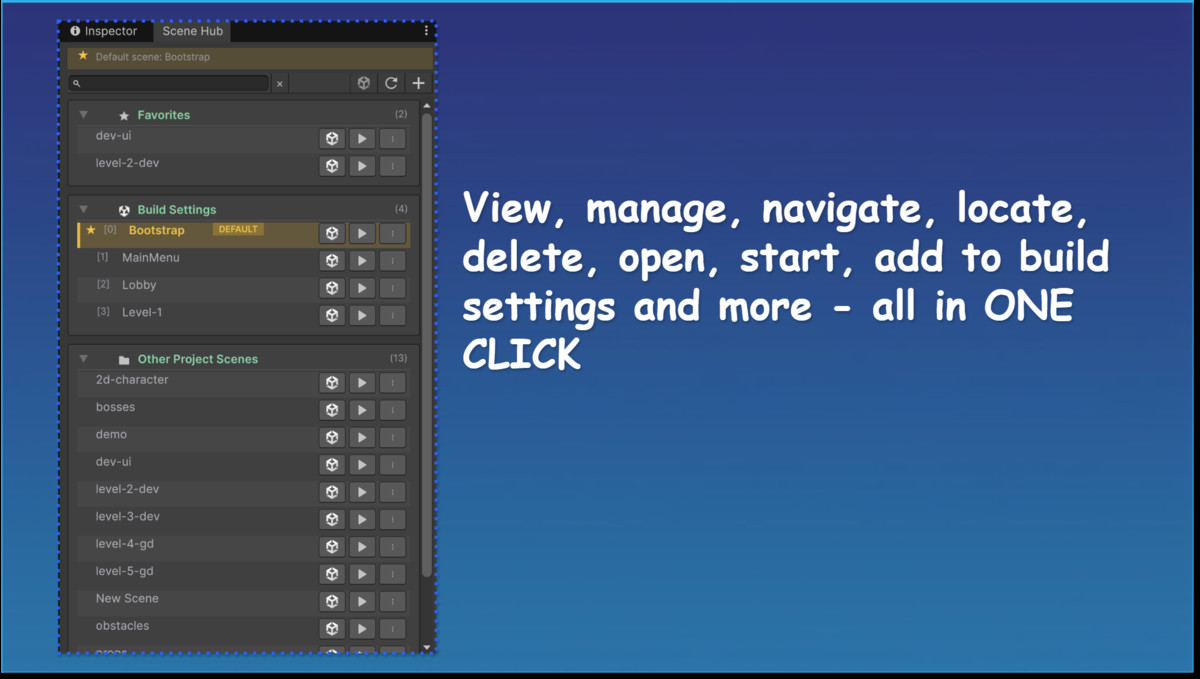
Scenes are grouped into sections:
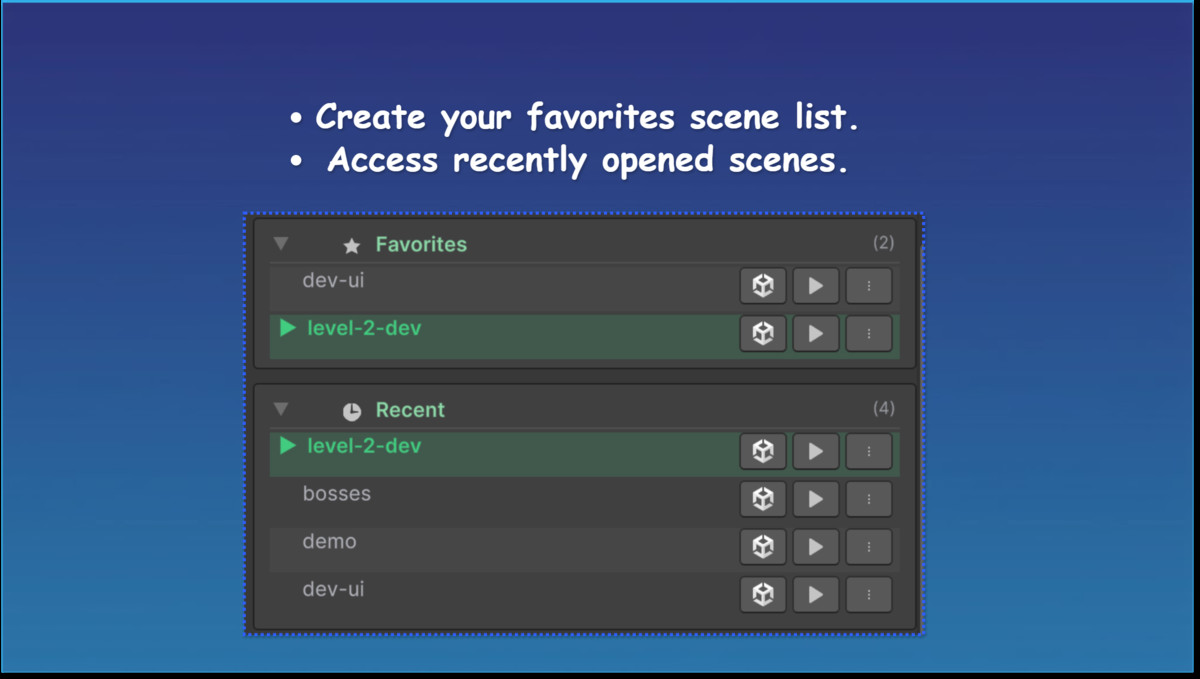
- Favorites — scenes you marked as favorites
- Recent — scenes you opened recently (up to 5 shown)
- Build Settings — scenes enabled in Build Settings (with build index)
- Other Project Scenes — all other scenes in the project
Use the search bar at the top to filter scenes by name or path. Press Esc to clear the search. Press F5 to refresh the lists.
Collapse or expand a section with the foldout arrow next to its title.
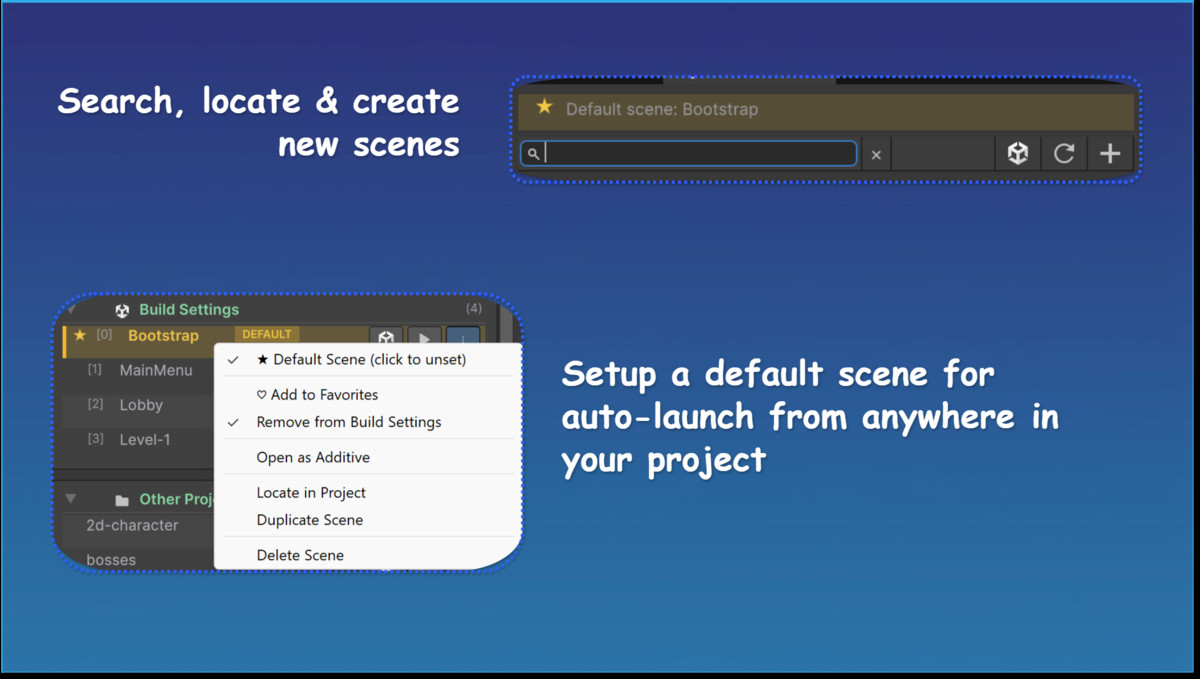
Right-click actions are available from the ⋮ button on each row:
- Set as Default Scene / Default Scene (click to unset) — only for scenes in Build Settings
- Add to Favorites / Remove from Favorites
- Add to Build Settings / Remove from Build Settings
- Open as Additive
- Locate in Project — pings the scene in the Project window
- Duplicate Scene
- Delete Scene — cannot delete the currently open scene
Default scene
Set a default scene from the row menu of any scene in Build Settings. When you press the editor Play button, Scene Hub switches to the default scene first (even if another scene is open). When Play Mode ends, the editor returns to the scene that was open before.
The default scene is shown in the bar at the top of the window.
Compatibility
| Unity version | Built-in | URP | HDRP | Custom |
|---|---|---|---|---|
| 6000.3.15f1 | Compatible | Compatible | Compatible | Compatible |
| 2022.3.62f2 | Compatible | Compatible | Compatible | Compatible |
As listed on the Asset Store.