
 View on Asset Store (opens in new tab)
Package details
- Latest version
- 1.0
- Last updated
- First released
- Unity version
- 6000.3.9 or later
- Package size
- 12 KB
- Files
- 11
- Views in the past week
- 28
Price tracking
- Last checked
- Tracked since
- Lowest recorded
- Free on
Keywords
Time Tracker Lite - Work Diary
A simple stopwatch with laps, a countdown alarm and a log of everything you timed, right inside the Unity Editor. Keeps running through recompiles and restarts.
Affiliate link · Purchases support this site
Price history
Last 6 months
USDAsset preview
1 / 4
Time Tracker Lite - Work Diary screenshot 1
About this asset
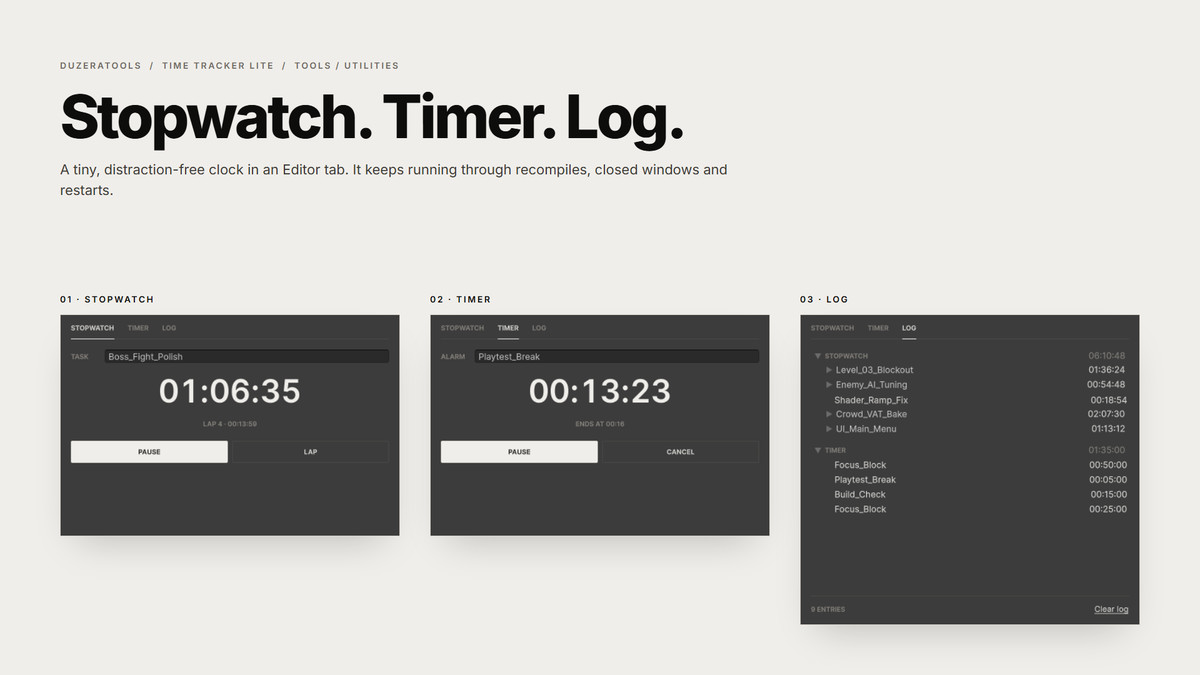
Time Tracker Lite is a tiny, distraction-free timer that lives in a Unity Editor tab. Time a task, split it into laps, set an alarm, and keep a log of what you timed without leaving Unity.
Stopwatch
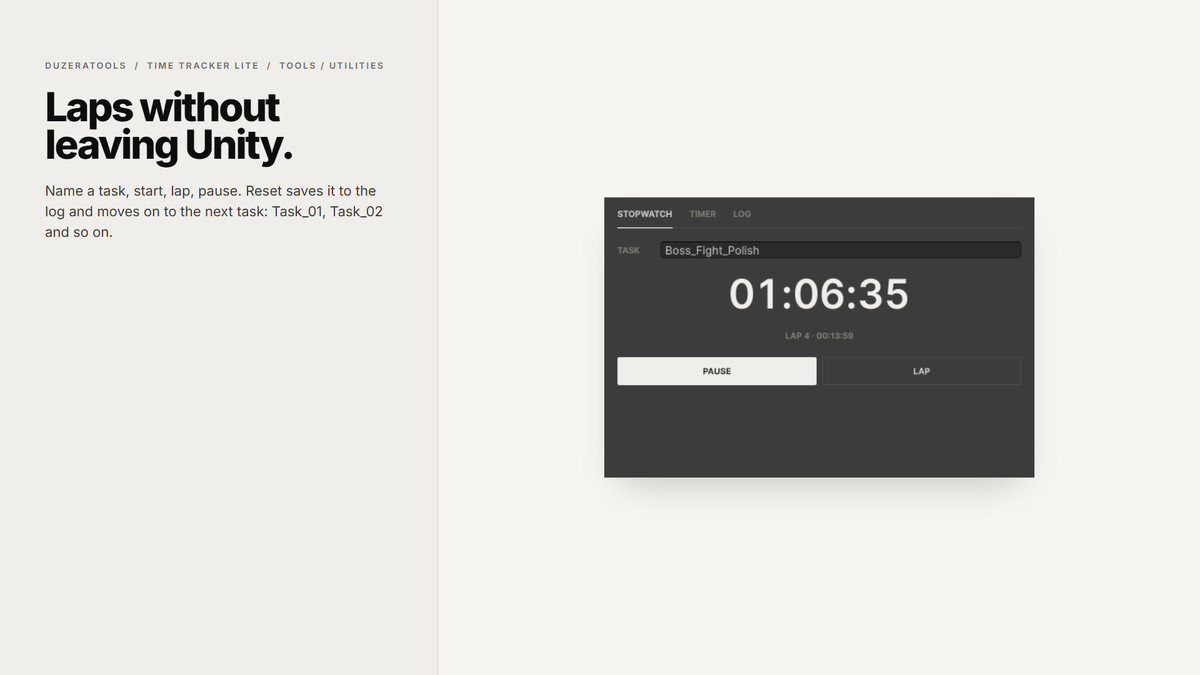
Name a task and press Start. Press Lap to split the time, Pause to stop, and Reset to save it to the log. Task names count up automatically (Task_01, Task_02, and so on), so back-to-back sessions stay organised.
Timer
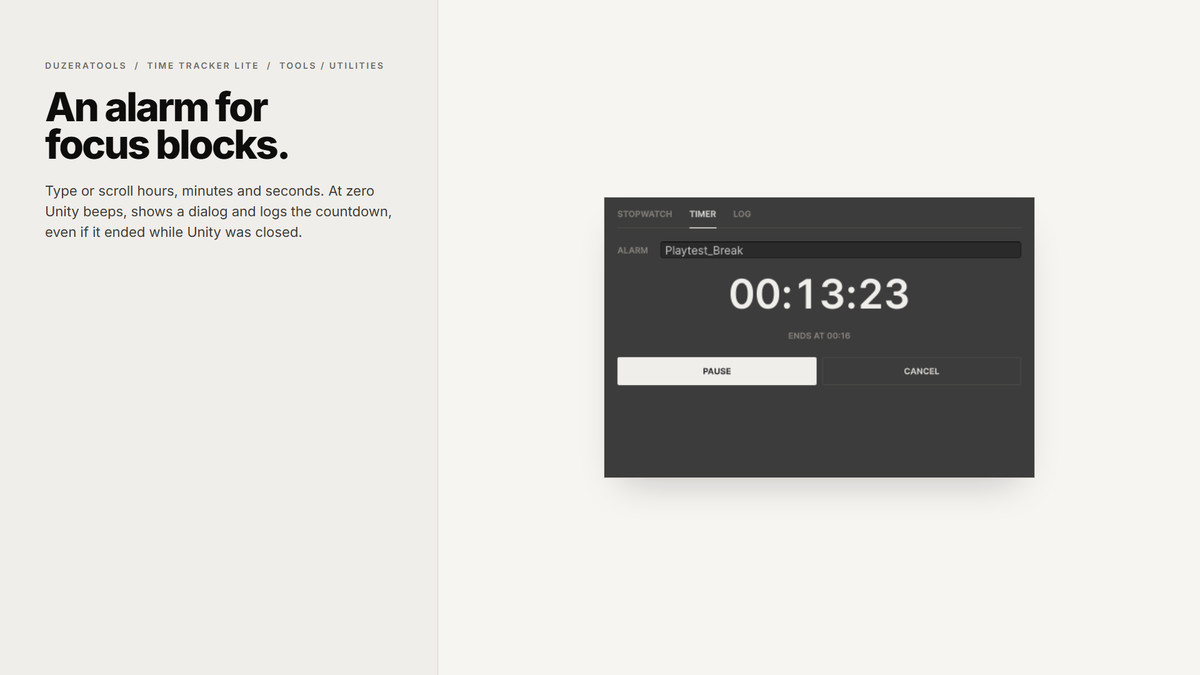
Type or scroll hours, minutes and seconds, then press Start. When it reaches zero Unity beeps, shows a dialog and saves the countdown to the log. It's handy for focus blocks, playtest breaks or "check the build in 15 minutes".
Log
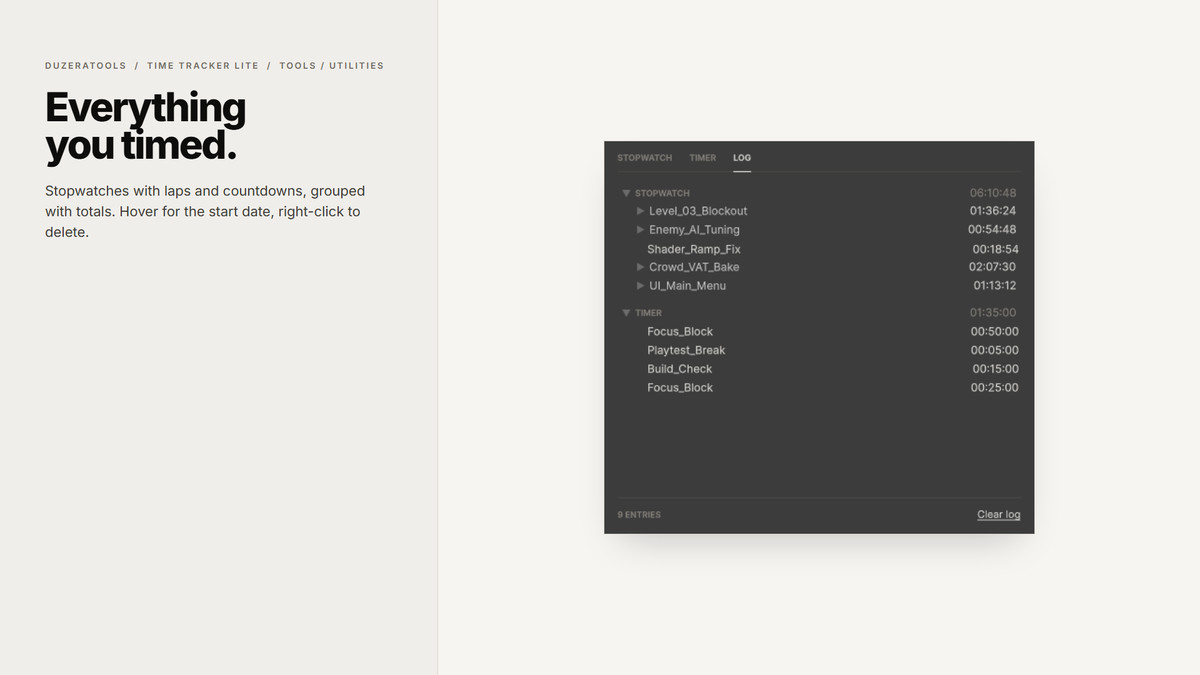
Every finished stopwatch and countdown, grouped with totals. Hover an entry to see when it started, expand it to see its laps, and right-click to delete.
It just keeps going: both clocks survive script recompiles, closing the window and even restarting Unity, because time is measured from real timestamps. A countdown that ended while Unity was closed finishes as soon as you reopen it. The window tab shows the running time, so you can see it while the tab is docked in the background.
No setup, no screenshots, no tracking of other apps. Data is saved in the project's UserSettings folder, which Unity's default .gitignore already excludes.
Need activity levels, screenshots, a work diary and client-ready invoicing reports? Check out the full Time Tracker.
From the publisher's Asset Store listing.
Technical details
Features
• Stopwatch with named tasks, pause/resume and laps
• Countdown timer with typed or scroll-wheel input, sound and dialog alert
• Log of stopwatches (with laps) and countdowns, with totals, tooltips, per-entry delete and Clear log
• Auto-incrementing task and alarm names
• Live time in the window tab
• Survives domain reloads, window close and editor restarts (timestamp based)
• UI Toolkit interface styled for light and dark editor skins
Compatibility
• Unity 6000.0 or newer (tested on 6000.3)
• Editor-only assembly, nothing is included in player builds
• Any render pipeline, any platform the Editor runs on (Windows, macOS, Linux)
• No package dependencies
Included
• Full C# source
• README.md, Documentation.txt, CHANGELOG.md
• Namespace: DuzeraTools.TimeTrackerLite
Compatibility
| Unity version | Built-in | URP | HDRP | Custom |
|---|---|---|---|---|
| 6000.3.9f1 | Compatible | Compatible | Compatible | Compatible |
As listed on the Asset Store.