
 View on Asset Store (opens in new tab)
Package details
- Latest version
- 1.0
- Last updated
- First released
- Unity version
- 6000.6.0 or later
- Package size
- 163 KB
- Files
- 47
- Views in the past week
- 136
Price tracking
- Last checked
- Tracked since
- Lowest recorded
- Free on
Keywords
- Search for editor tool
- Search for Batch Rename
- Search for asset management
- Search for file naming
- Search for Editor
- Search for duplicate assets
- Search for Rename Assets
- Search for Editor Extension
- Search for naming rules
- Search for Project Organization
- Search for asset naming
- Search for Naming Convention

Asset Naming Manager
Find every badly named asset in your project and fix it in one click, without breaking a single prefab, scene, or script reference.
Affiliate link · Purchases support this site
Price history
Last 6 months
USDAsset preview
1 / 4
Asset Naming Manager screenshot 1
About this asset
Six months in, every project has three spellings of the same thing. player_run.png, PlayerIdle.PNG, Player Attack 02.png. Searching takes three tries. A new hire spends their first week asking where things go. The same texture ships twice under two names.
None of it is hard to fix. It is just that nobody has a list of what is broken, and renaming a hundred files by hand is a good way to break a hundred references.
Asset Naming Manager gives you that list, then fixes it.
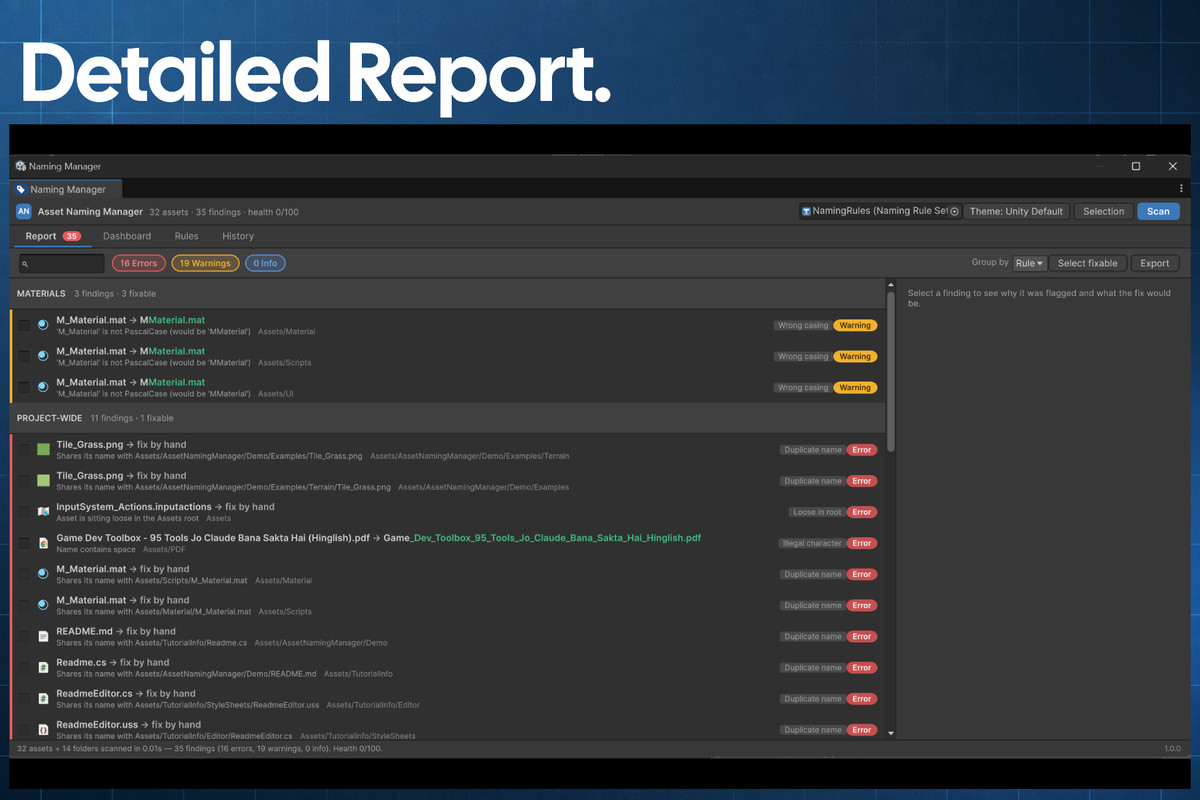
It scans your project and tells you exactly which file breaks which rule, and what the name should be. You tick the rows you trust, preview every change before it happens, and apply. Renames and moves go through Unity's asset database, so GUIDs survive — every prefab, scene, and script keeps pointing at the right thing.
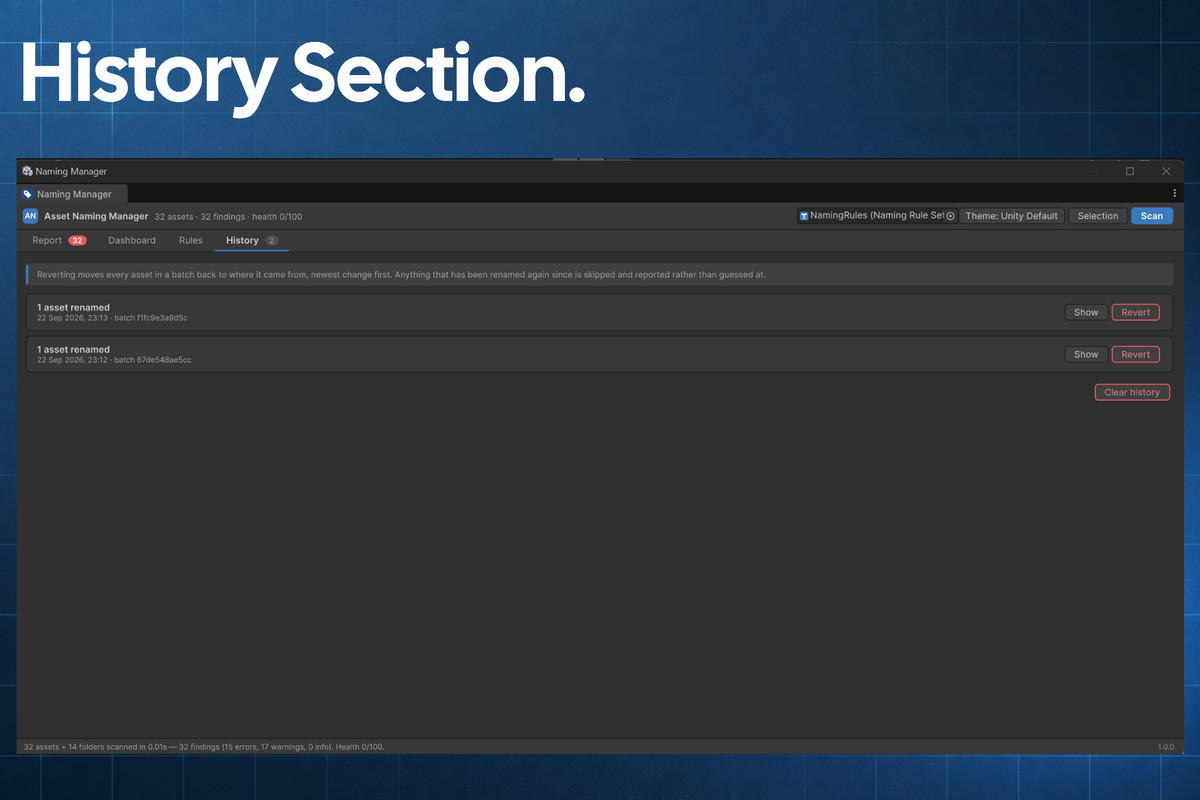
Changed your mind? Every batch is written to a journal. One click in the History tab puts all of it back, which normal Unity undo cannot do for file renames.
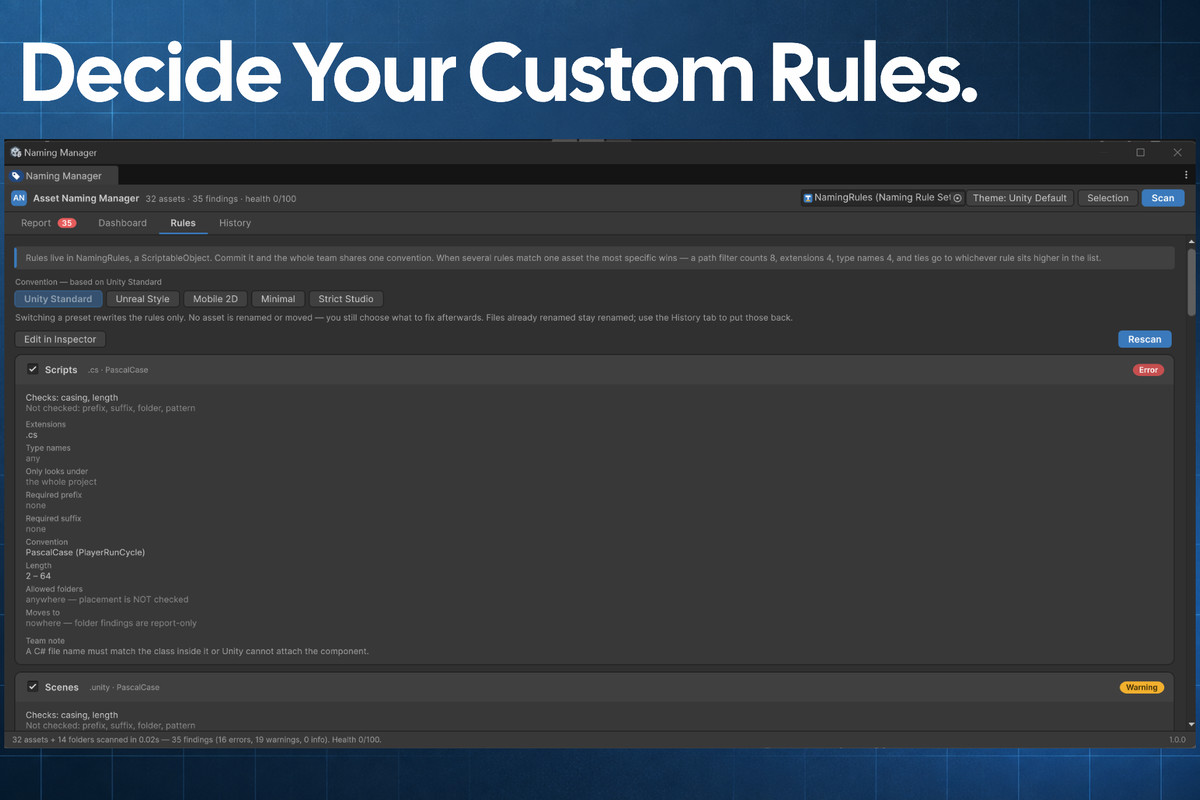
Your convention lives in a ScriptableObject you commit to version control. It stops being something one person remembers and becomes something the project enforces — the same rules for everyone who pulls.
Start small. Run a scan, look at the count. If it says 400, narrow the rules to the folders where new work happens and tighten later. A report with 400 red rows gets the tool switched off by Friday. A report with 12 rows gets fixed.
Editor-only, with full C# source. No dependencies, no DLLs, no account, no network calls, and nothing added to your build.
From the publisher's Asset Store listing.
Technical details
Features
- Project-wide scan, or just the assets you select in the Project window
- Checks prefix, suffix, casing convention, illegal characters, ASCII-only, duplicate names, loose assets in the Assets root, redundant tokens (copy, final, old), empty folders, folder naming, number padding, and path length
- Reference-safe fixes through AssetDatabase.MoveAsset — GUIDs are preserved
- Revertable: every fix batch is journaled and can be undone in one click
- Five presets: Unity Standard, Unreal Style, Mobile 2D, Minimal, Strict Studio
- Rules live in a ScriptableObject you commit, so the whole team shares one convention
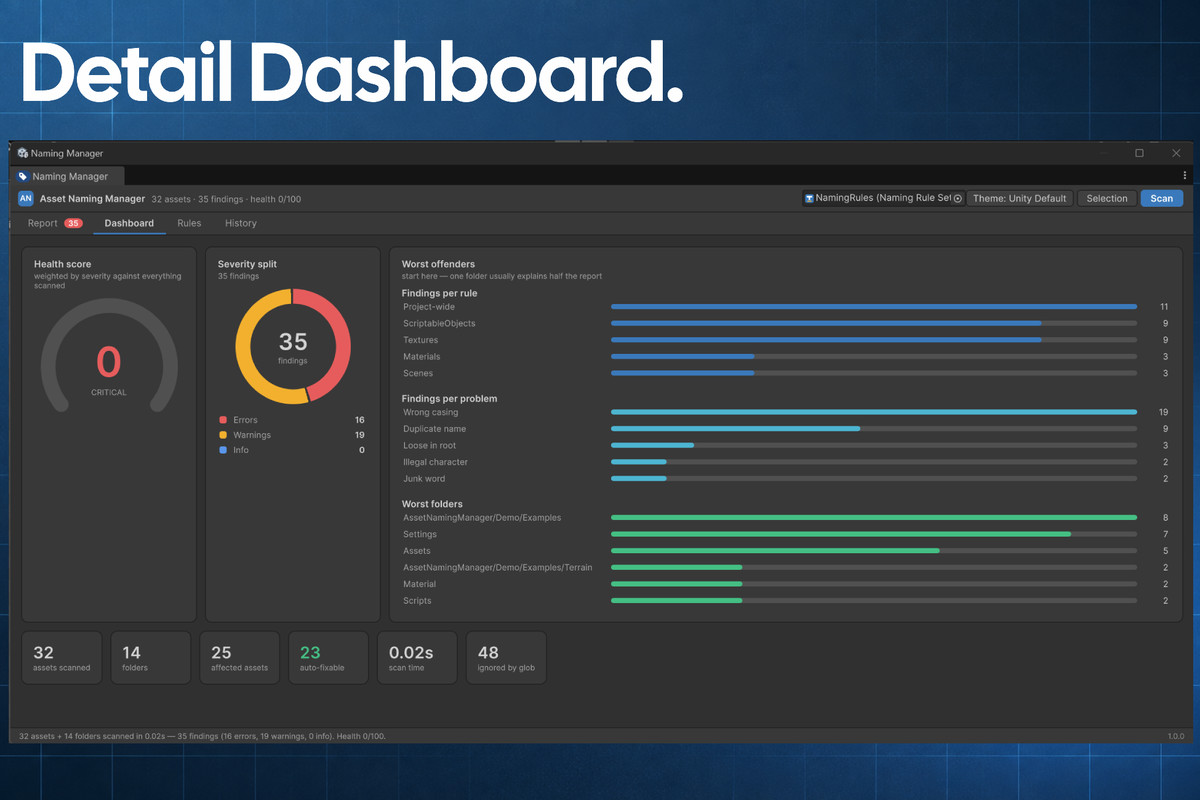
- Dashboard with a 0–100 health score, severity breakdown, and worst-offending rules
- Coloured dot overlay on offending assets in the Project window
- Right-click entries under Assets ▸ Asset Naming Manager for Check Selected and Fix Selected
- Edit ▸ Project Settings ▸ Asset Naming Manager for the active rule set and toggles
- Optional import hook that warns the moment a badly named asset is imported
- CI entry point via -executeMethod, with HTML, JSON, CSV, and Markdown reports and a configurable failure gate
- Editor-only assembly. No dependencies, no DLLs, no network calls. Full C# source included.
Supported OS
Windows, macOS, and Linux. The tool is pure editor C# with no platform-specific code.
Documentation
Included in the package under Documentation/ — README, QuickStart, RuleCookbook, CI-Integration, and CHANGELOG.
Compatibility
| Unity version | Built-in | URP | HDRP |
|---|---|---|---|
| 6000.6.0f1 | Compatible | Compatible | Compatible |
Editor-only and render pipeline independent: it behaves identically on Built-in, URP, HDRP and custom SRPs. The package ships no materials, shaders or shader graphs, and its assembly definition references no render pipeline assembly. It works on file names and asset paths only, and adds nothing to a player build.
As listed on the Asset Store.