
 View on Asset Store (opens in new tab)
Package details
- Latest version
- 1.1.0
- Last updated
- First released
- Unity version
- 6000.6.2 or later
- Package size
- 284 KB
- Files
- 20
- Views in the past week
- 15
Price tracking
- Last checked
- Tracked since
- Lowest recorded
- $9.99 on
Keywords
Advanced Outline Shader 2D - Shader by Roam Moon
Make any sprite impossible to ignore. 24 animated outline styles. Drop on one component, pick a style, done.
Affiliate link · Purchases support this site
Price history
Last 6 months
USDAsset preview
1 / 4
Advanced Outline Shader 2D - Shader by Roam Moon screenshot 1
About this asset
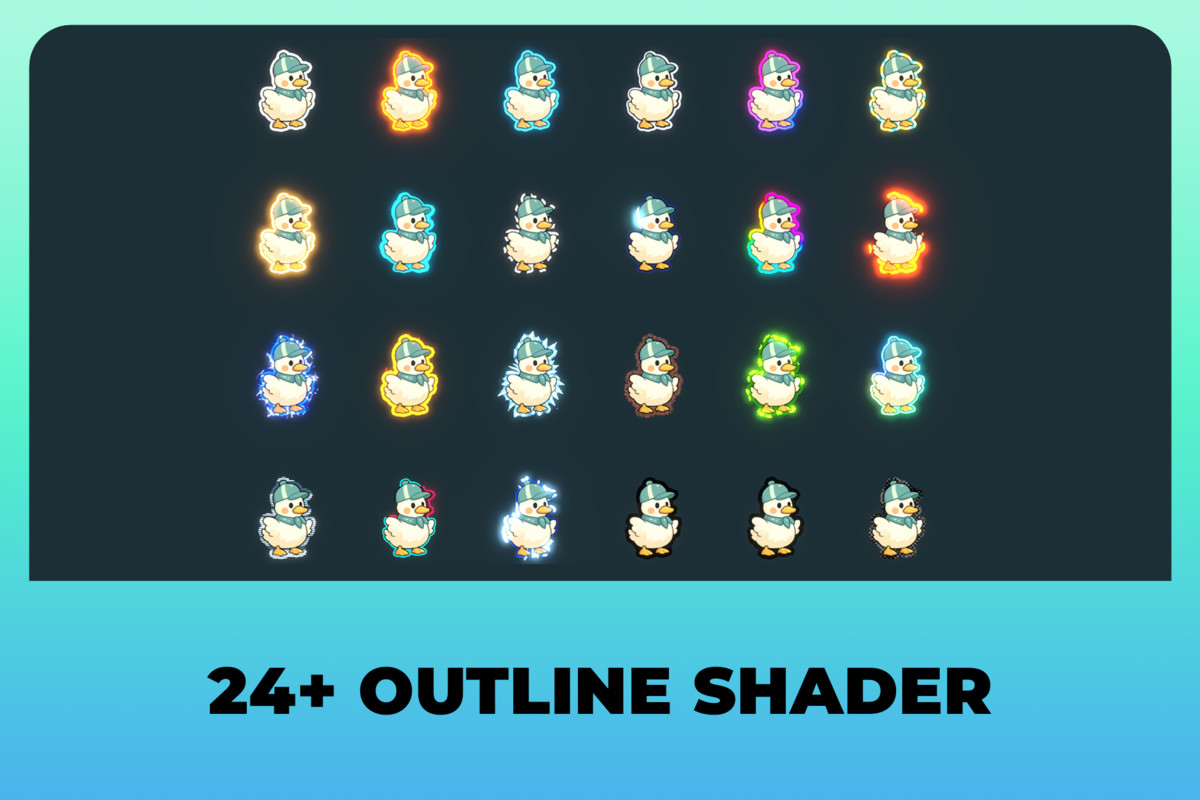
ONE COMPONENT. 24 WAYS TO MAKE A SPRITE POP.
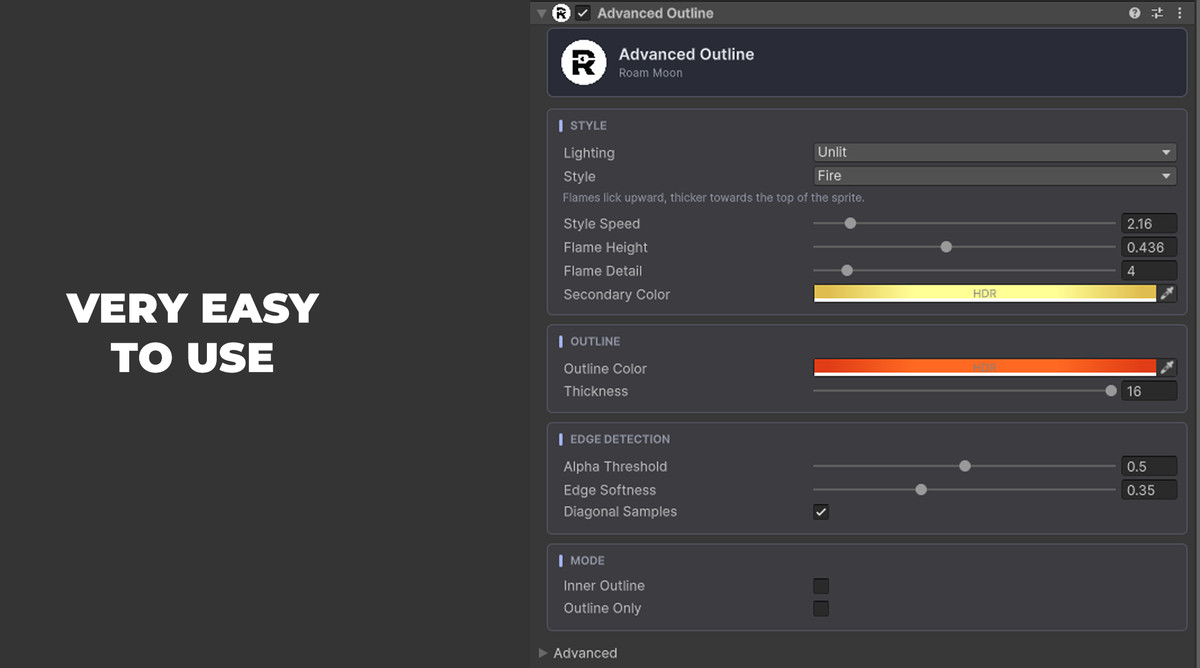
Drop Advanced Outline on any sprite. Pick a style. That is the whole workflow.
No material to create. No shader to assign. No setup screen.
PICK A STYLE, GET THE STYLE
Choose Fire and you get fire. The right orange. The right thickness.
The right speed. Not a white line you spend twenty minutes colour-matching.
Every style ships pre-tuned and every value stays editable.
The Inspector even renames its sliders to match, so on Fire you are adjusting
Flame Height, not Style Amount.
IT FITS YOUR ART, NOT THE OTHER WAY AROUND
Not everything glows. Cartoon, Ink and Comic are dark hand-drawn outlines.
Others keep a dim body so only the hot spots burn through your bloom.
Want your own flames? Every mask texture is a slot.
Drop in your hand-painted sheet and the effect follows your art.
WHERE YOU WILL USE IT
Selection and hover states. Enemy telegraphs. Status effects.
Pickups begging to be picked up. Ability charge-ups. Stealth cues.
The card in your hand that you can actually play.
Pixel art, hand-drawn, vector. It reads on all of them.
ONE LINE FROM CODE
outline.Style = OutlineStyle.Electric;
That is it. Every setting is a property.
Built-in Render Pipeline and URP. Full source included.
HDRP is not supported.
From the publisher's Asset Store listing.
Technical details
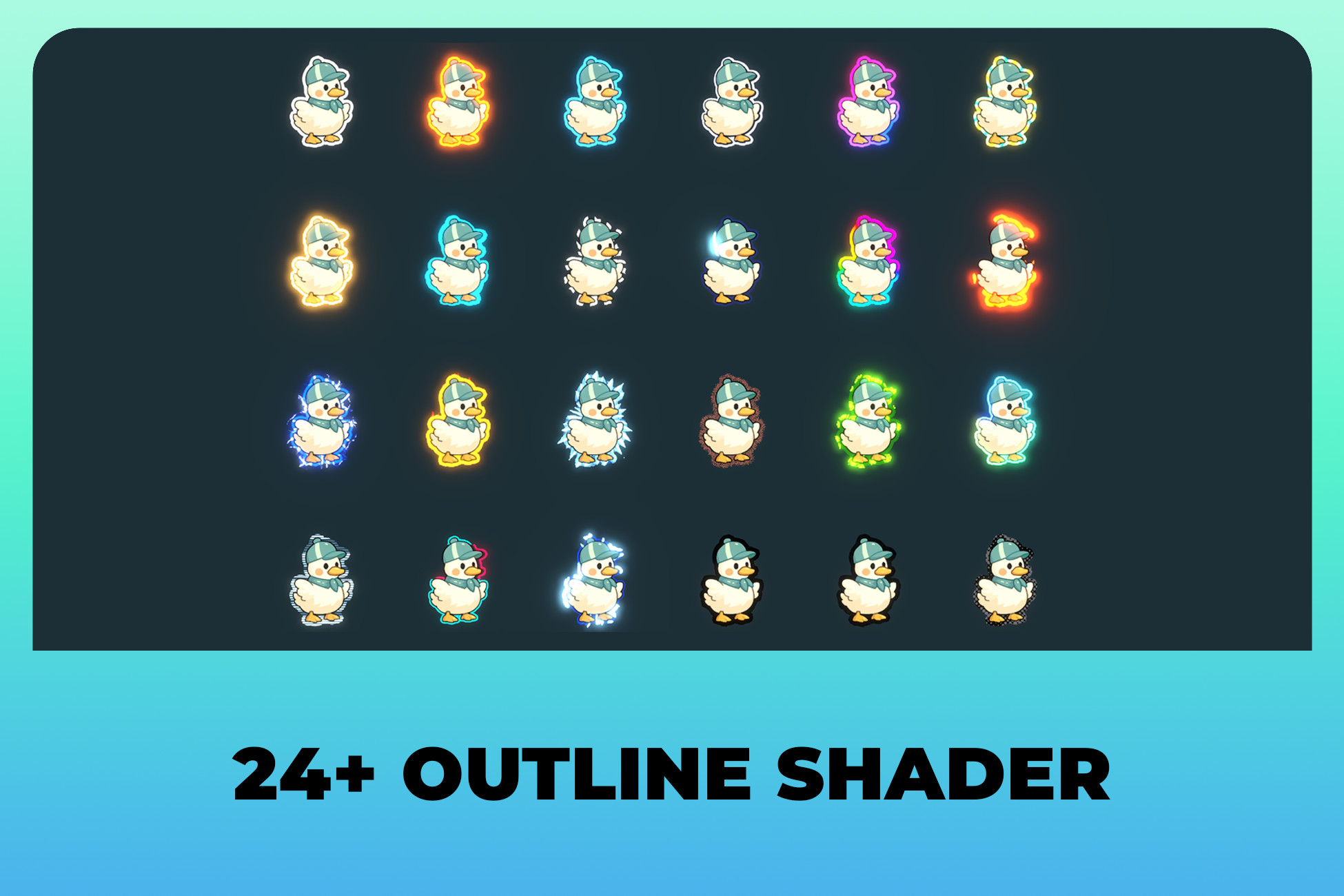
- 24 outline styles: Solid, Pulsing, Breathing, Moving, Rotating, Scrolling, Flickering, Wave, Dashed, Traveling, Rainbow, Burning, Electric, Fire, Ice, Noise, Toxic, Magic, Hologram, Glitch, Energy, Cartoon, Ink, Comic
- One component, zero material setup. Nothing is created in your project at edit time or runtime
- A tuned preset behind every style: colour, thickness, softness, speed and shape, applied the moment you pick it. Undo supported
- 12 hand-drawn tileable mask textures, all swappable for your own art
- HDR outline colour plus a separate hot-spot colour, ready for Bloom
- Outer, inner and outline-only modes. 4 or 8 direction sampling
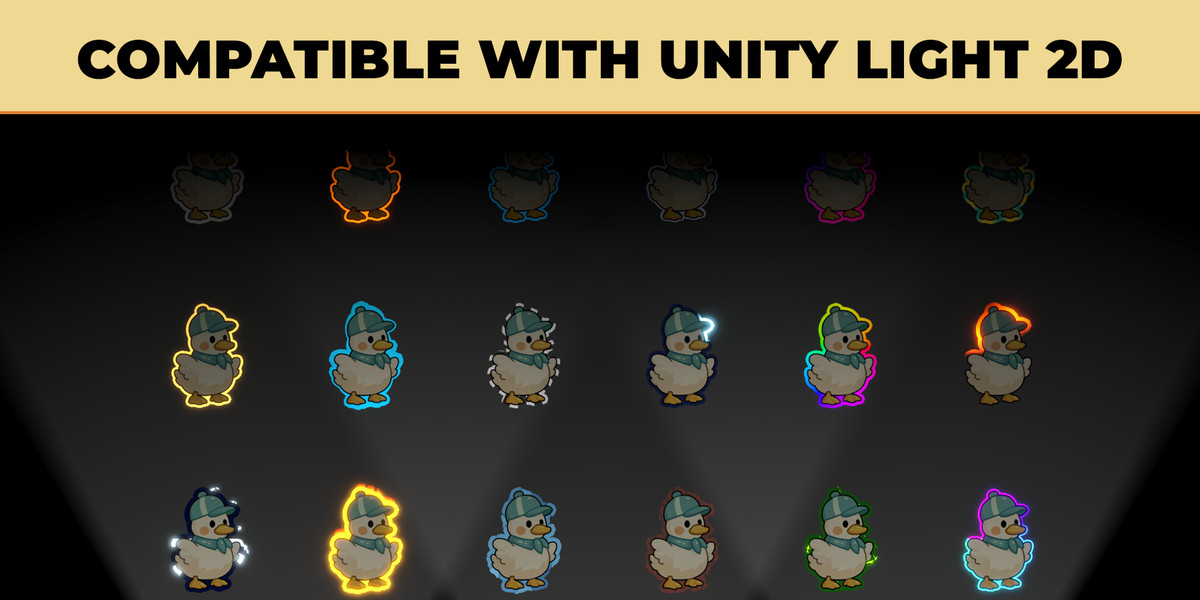
- Unlit and Lit. Lit puts your outline under URP 2D Lights
- Custom Inspector that adapts to the selected style
- Full C# API, one property per setting
- 2 demo scenes, all 24 styles side by side
- Full source for shaders and C#, behind assembly definitions and its own namespace
- Unity 6000.0+. No package dependencies
- Sprites need transparent padding around the artwork and Mesh Type set to Full Rect, since outlines grow outward. The demo art ships ready to go
- HDRP is not supported
Compatibility
| Unity version | Built-in | URP | HDRP |
|---|---|---|---|
| 6000.6.2f1 | Not listed | Compatible | Not listed |
As listed on the Asset Store.