
 View on Asset Store (opens in new tab)
Package details
- Latest version
- 1.0
- Last updated
- First released
- Unity version
- 6000.6.0 or later
- Package size
- 1.2 MB
- Files
- 23
- Views in the past week
- 13
Price tracking
- Last checked
- Tracked since
- Lowest recorded
- $9.80 on
Keywords

Phantom UI: Game Intro - Video, GIF & Image Intro Tool
Create a polished in-game intro using video, image, animated GIF, or Unity Animation - without adding a dedicated scene or changing your Build Settings.
Affiliate link · Purchases support this site
Price history
Last 6 months
USDAsset preview
1 / 2
Phantom UI: Game Intro - Video, GIF & Image Intro Tool screenshot 1
About this asset
Phantom UI: Game Intro is a lightweight Unity tool for creating a polished media-driven intro inside your game.
Play a video, still image, animated GIF, or Unity Animation immediately after Unity’s native splash screen - without adding a dedicated intro scene or restructuring your existing Build Settings.
Features
- Video intro support
- Still image support using Sprite or regular Texture2D assets
- Animated GIF import and playback
- Unity Animation prefab and AnimationClip playback
- No dedicated intro scene required
- Designed to complement Unity’s native splash screen
- Automatic startup playback
- Optional scene rendering behind video
- Automatic media-end or manual-duration completion
- Separate audio support for image and other intro types
- Preserve-aspect presentation
- Any-key skipping through Unity’s New Input System
- Optional hold-to-skip behavior
- First-launch, session, once-ever, and version-based policies
- Deterministic completion and cancellation
- Existing startup behaviour gating
- Coroutine and event-based integrations
- Lightweight runtime-generated Canvas
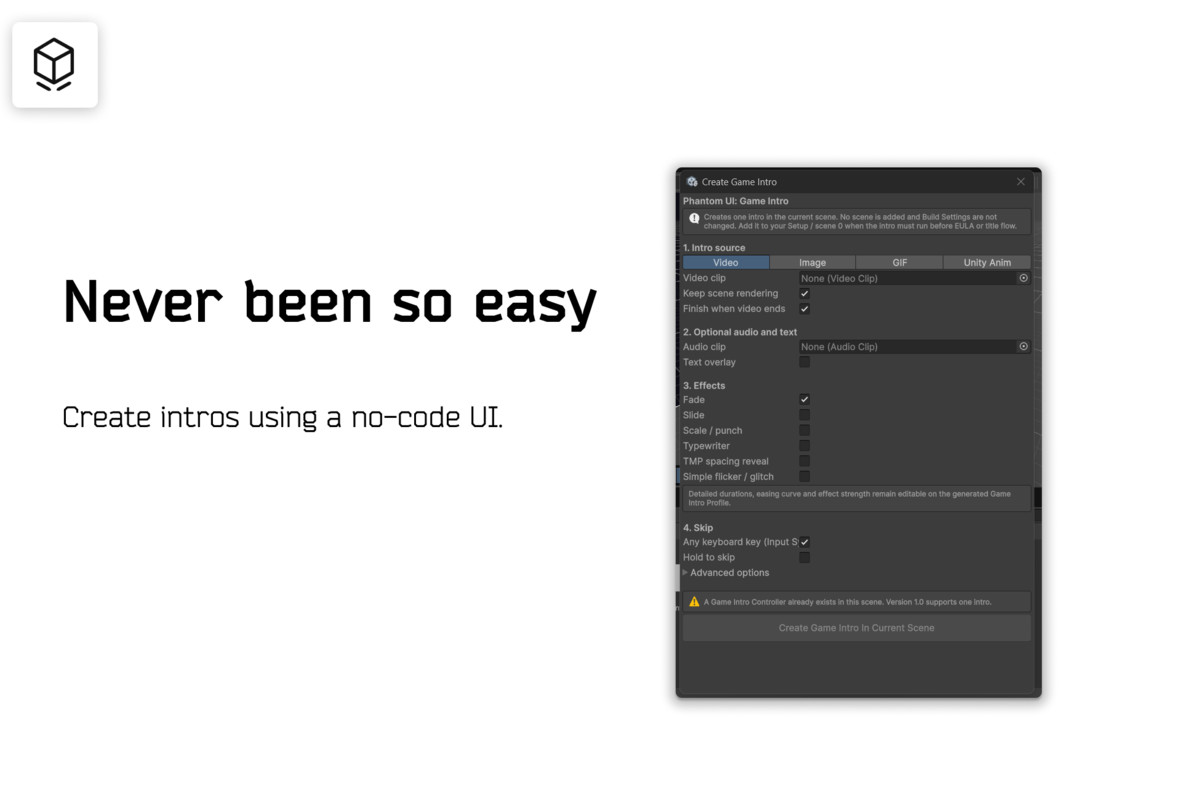
- Editor setup wizard via Tools → Phantom UI → Create Game Intro
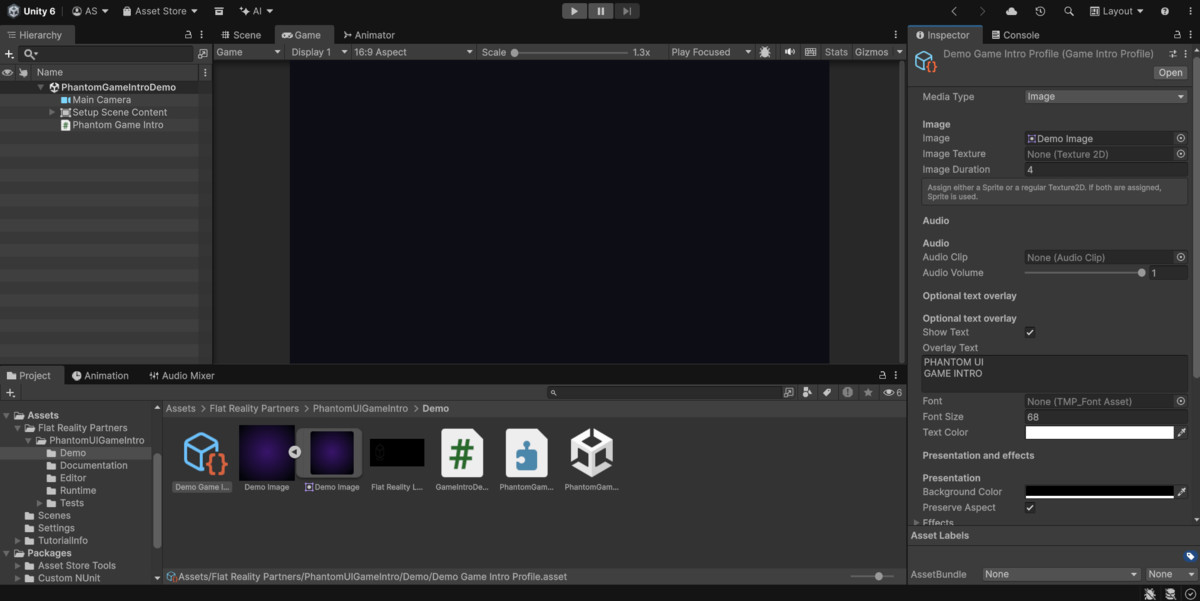
- Custom inspector and validation
- Demo scene included
- Full user manual included
Built-in Effects
- Fade in and fade out
- Slide
- Scale punch
- Typewriter
- TMP character-spacing reveal
- Shader-free flicker and glitch
- Custom easing curve
Ideal For
- Indie games
- Atmospheric games
- Horror games
- Narrative games
- Branded startup videos
- Publisher or studio introductions
- Animated title reveals
- Projects with an existing Setup or EULA scene
- Developers who want more control than Unity’s native splash screen provides
Phantom UI: Game Intro avoids complicated timelines, additional scenes, and oversized frameworks. It provides a focused startup tool for developers who value clarity, speed, and creative control.
This package does not contain third-party runtime dependencies.
From the publisher's Asset Store listing.
Technical details
- Unity version: Developed and validated with Unity 6000.6.0f1 and newer
- Media types: VideoClip, Sprite, Texture2D, animated GIF, prefab with AnimationClip
- Video playback: Unity VideoPlayer with an internally managed RenderTexture
- Animation playback: Unity Playables API; no Animator Controller required
- UI: Runtime-generated Screen Space Overlay Canvas
- Text: TextMeshPro
- Input: Unity Input System
- Audio: Unity Audio
- Timing: Unscaled-time playback and effects
- Startup integration: Existing first scene; no Build Settings changes required
- Execution order: Early startup controller execution
- Completion: Completed, Skipped, and Cancelled result states
- Persistence: Every Launch, Once Per Session, Once Ever, and Once Per Version
- Integration: UnityEvents, static C# events, public API, and coroutine gate
- Render pipelines: Built-in, URP, and HDRP
- Third-party runtime code: None
- Demo scene: Included
- Documentation: Full user manual included
- Source code: Included
- Assembly definitions: Included
Required Unity packages/modules
- New Input System
- Unity UI
- TextMeshPro
Compatibility
| Unity version | Built-in | URP | HDRP | Custom |
|---|---|---|---|---|
| 6000.6.0f1 | Compatible | Compatible | Compatible | Compatible |
As listed on the Asset Store.