
 View on Asset Store (opens in new tab)
Package details
- Latest version
- 1.0.0
- Last updated
- First released
- Unity version
- 6000.4.6 or later
- Package size
- 169 KB
- Files
- 35
- Views in the past week
- 7
Price tracking
- Last checked
- Tracked since
- Lowest recorded
- $15.00 on
Keywords

Clean Slate - Play Mode State Leak Detector
The second time you press Play, your game starts wrong. Clean Slate shows you which static fields kept their old values, and puts them back.
Affiliate link · Purchases support this site
Price history
Last 6 months
USDAsset preview
1 / 6
Clean Slate - Play Mode State Leak Detector screenshot 1
About this asset
THE SECOND TIME YOU PRESS PLAY, THINGS BREAK
The score starts at 40 instead of 0. A sound plays twice. Setup code that should
run once does not run at all. Restarting the Editor fixes it, for a while.
Unity used to reset every static field each time you pressed Play. Fast Enter Play
Mode skips that step, so nothing gets reset, and from Unity 6.6 it is the default.
WHAT CLEAN SLATE DOES
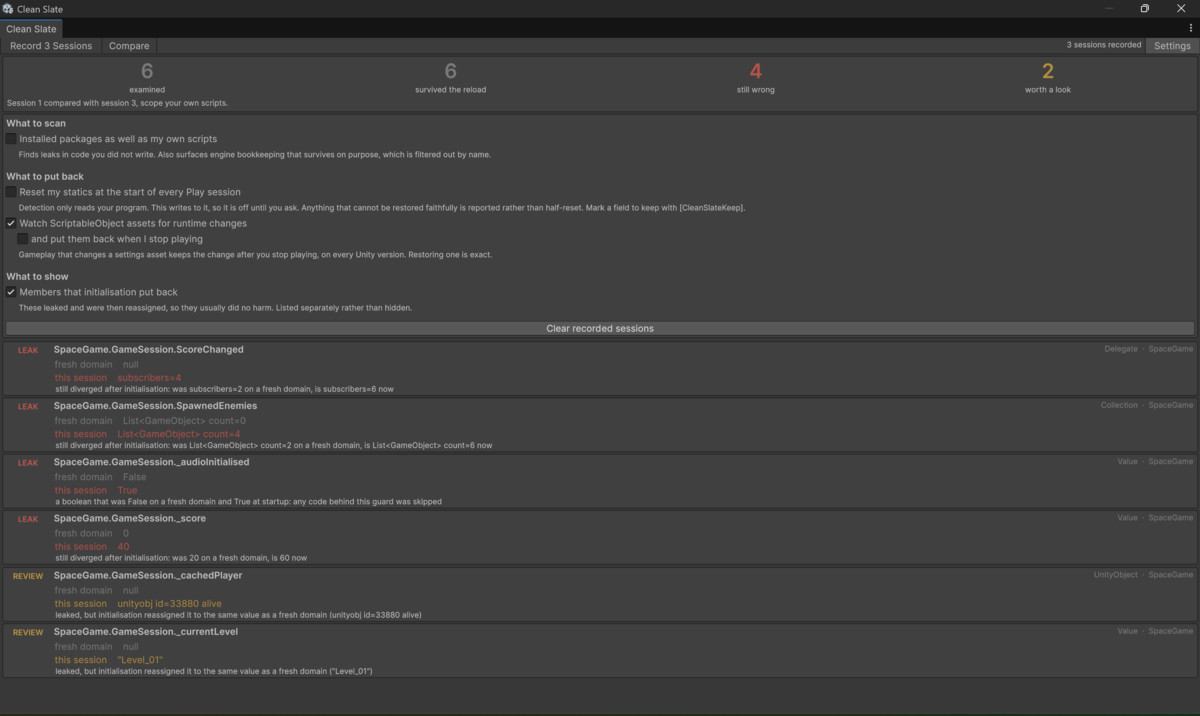
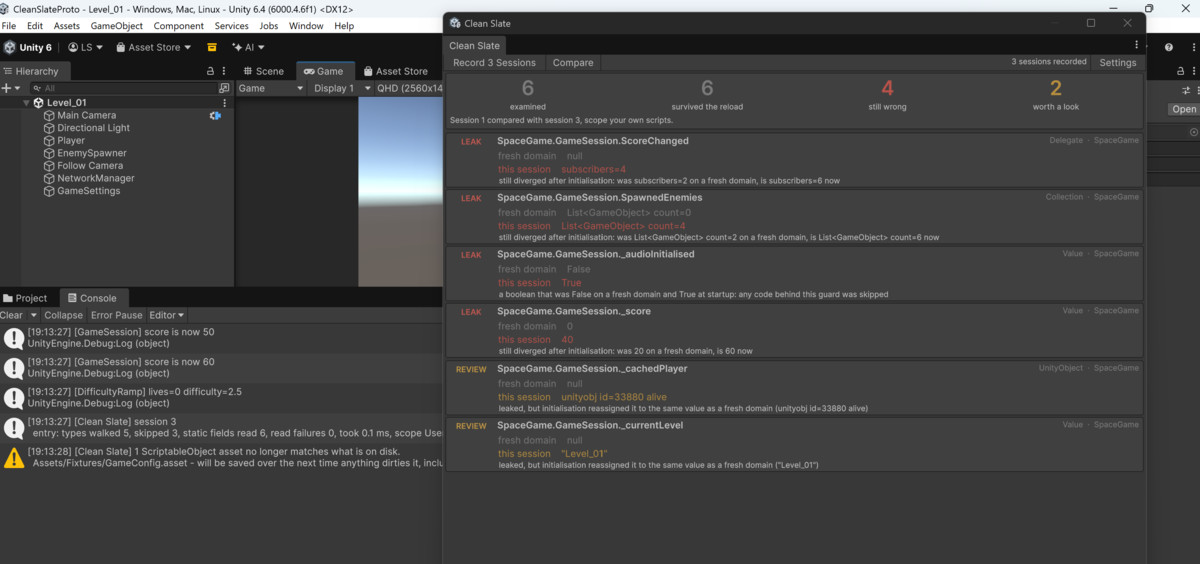
It records two Play sessions, compares them, and lists every static field that kept
its old value:
LEAK GameSession._audioInitialised
fresh domain False
this session True
any code behind this guard was skipped
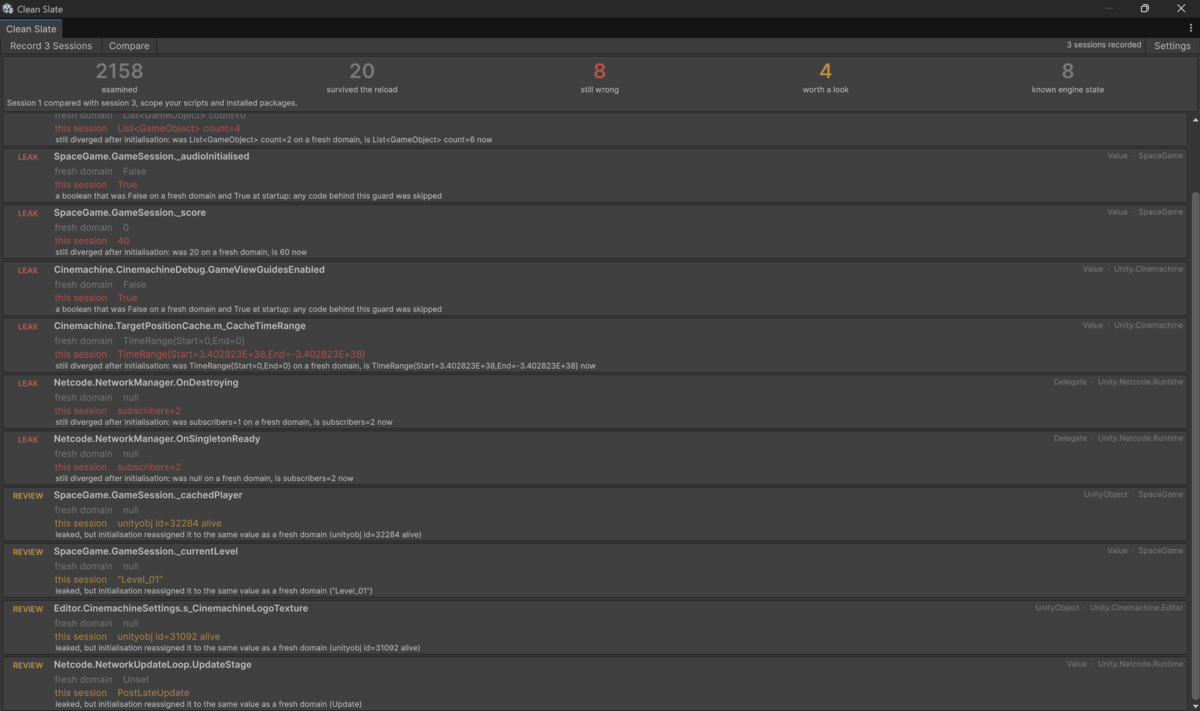
Fields your startup code fixes on its own move down the list, so what stays at the
top is what is actually broken. Turn cleanup on and Clean Slate resets them for you
at the start of every Play session.
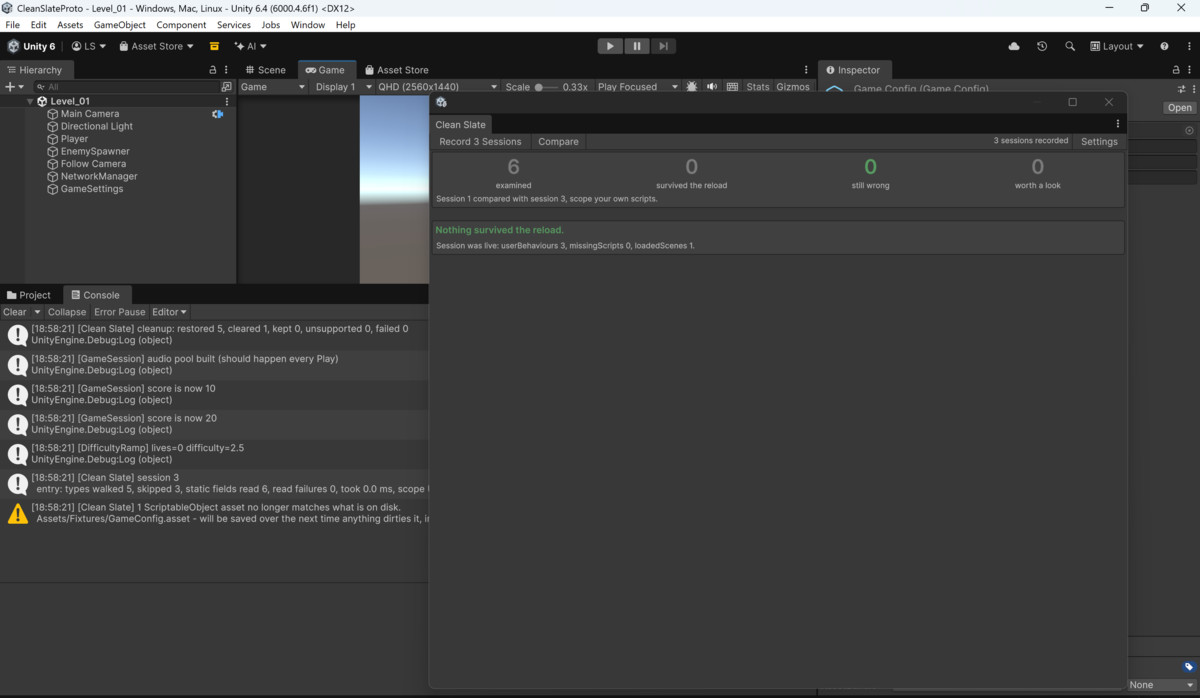
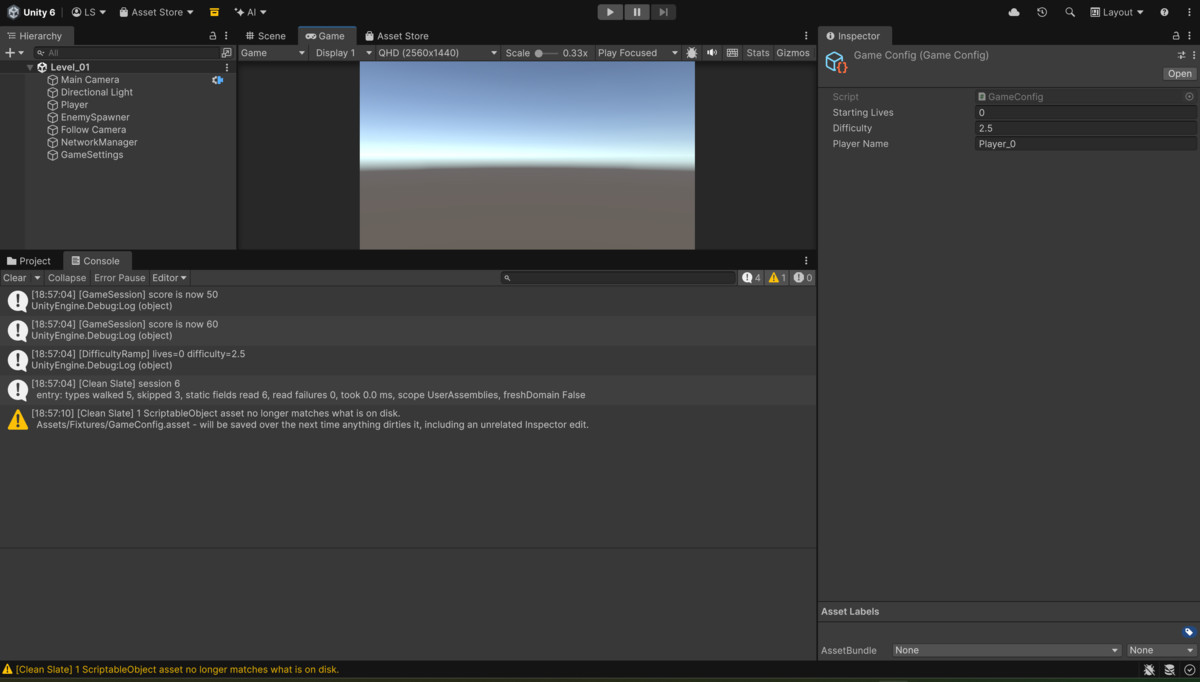
It catches ScriptableObject assets too. If your game changes one while playing, the
change stays after you stop, in every Unity version, and the next unrelated edit
writes it to disk. Clean Slate warns you and can restore the asset exactly.
Nothing ships in your game: everything except the [CleanSlateKeep] attribute is
removed from player builds. No dependencies. A sample game with six deliberate
leaks is included.
From the publisher's Asset Store listing.
Technical details
FEATURES
- Records two Play sessions and compares them, so it reports what actually leaked
on this run rather than what could leak in theory
- Separates fields your startup code fixes on its own from the ones still wrong
after initialisation
- Optional cleanup resets statics to their fresh-domain values at the start of every
Play session, with a per-field opt-out attribute, [CleanSlateKeep]
- Fields that cannot be reset safely are reported, never half-reset
- ScriptableObject asset guard: detects, and optionally restores, changes a Play
session made to an asset. Applies on every Unity version
- Package auditing mode, scanning installed packages alongside your own scripts
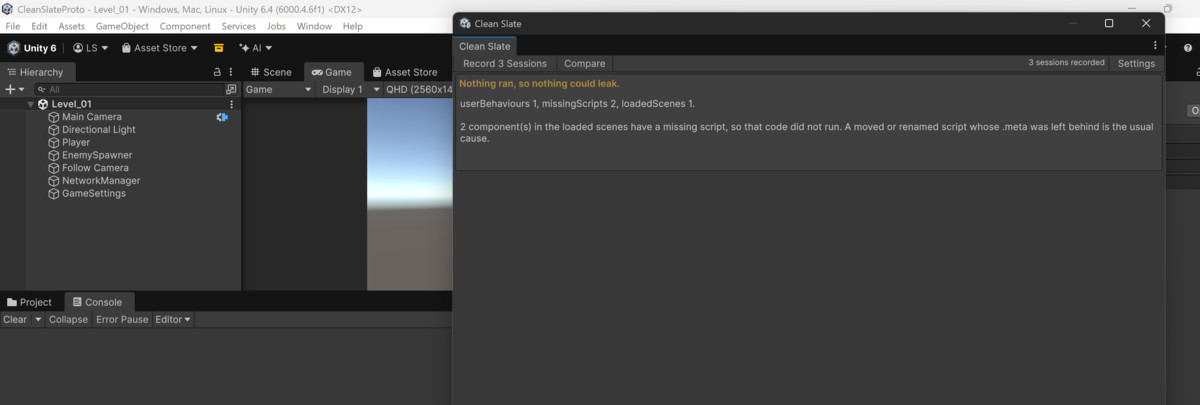
- Reports a session as unusable instead of as a pass when the comparison would be
unreliable
- Sample game included, with six deliberate leaks
- 38 automated tests
- Editor only: everything except the [CleanSlateKeep] attribute is removed from
player builds
- No dependencies, no third-party code, works with every render pipeline
SUPPORTED OS
Windows, macOS and Linux Editors. The package contains no platform-specific code:
all file access goes through Path.Combine and Application.dataPath. Developed and
tested on Windows.
LINK TO DOCUMENTATION
https://yelyzavetadrevel.github.io/pluginsmith/cleanslate.html
Compatibility
| Unity version | Built-in | URP | HDRP | Custom |
|---|---|---|---|---|
| 6000.4.6f1 | Compatible | Compatible | Compatible | Compatible |
As listed on the Asset Store.