
 View on Asset Store (opens in new tab)
Package details
- Latest version
- 1.1.0
- Last updated
- First released
- Unity version
- 2022.3.62 or later
- Package size
- 191 KB
- Files
- 50
- Favorites
- 1
- Views in the past week
- 11
Price tracking
- Last checked
- Tracked since
- Lowest recorded
- $24.99 on
Keywords
Hex Toolkit - Grid Math, Board, Overlays & Tactics Demo
Unity's Tilemap lays out hexagons and stops. This is the rest: distance, ranges, A* paths, field of view - plus, new in 1.1, a hex board, range/path/fog overlays and a tactics demo.
Affiliate link · Purchases support this site
Price history
Last 6 months
USDAsset preview
1 / 9
Hex Toolkit - Grid Math, Board, Overlays & Tactics Demo screenshot 1

About this asset
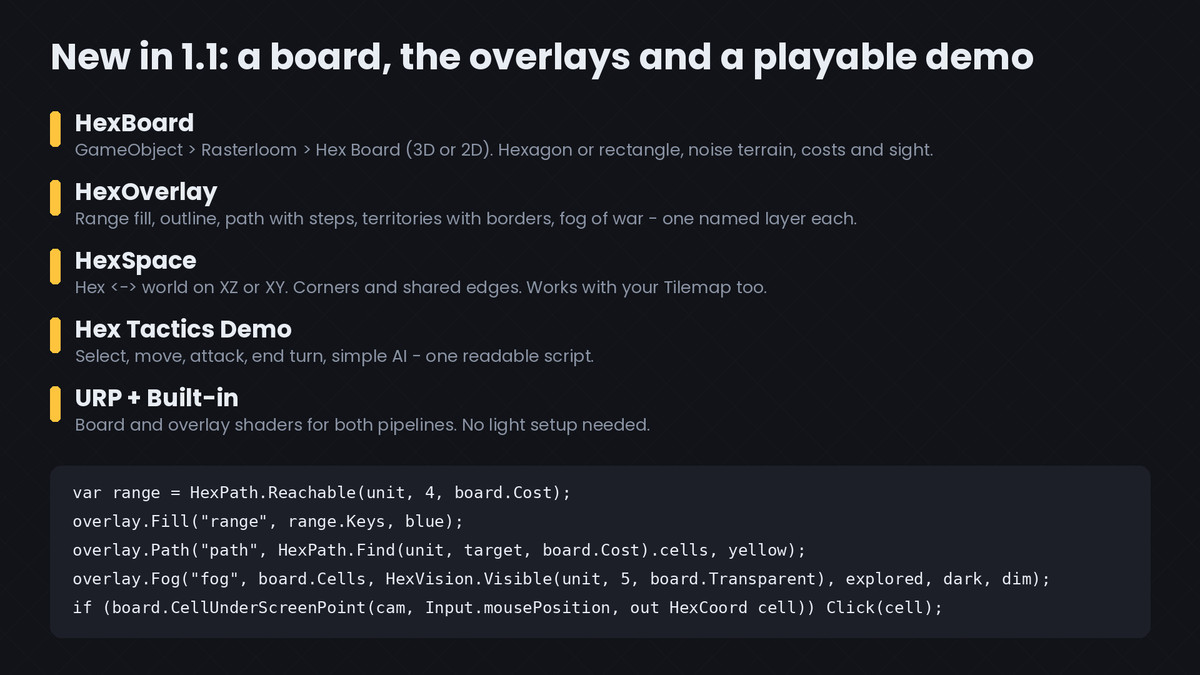
NEW IN 1.1 - BOARDS, OVERLAYS AND A PLAYABLE DEMO
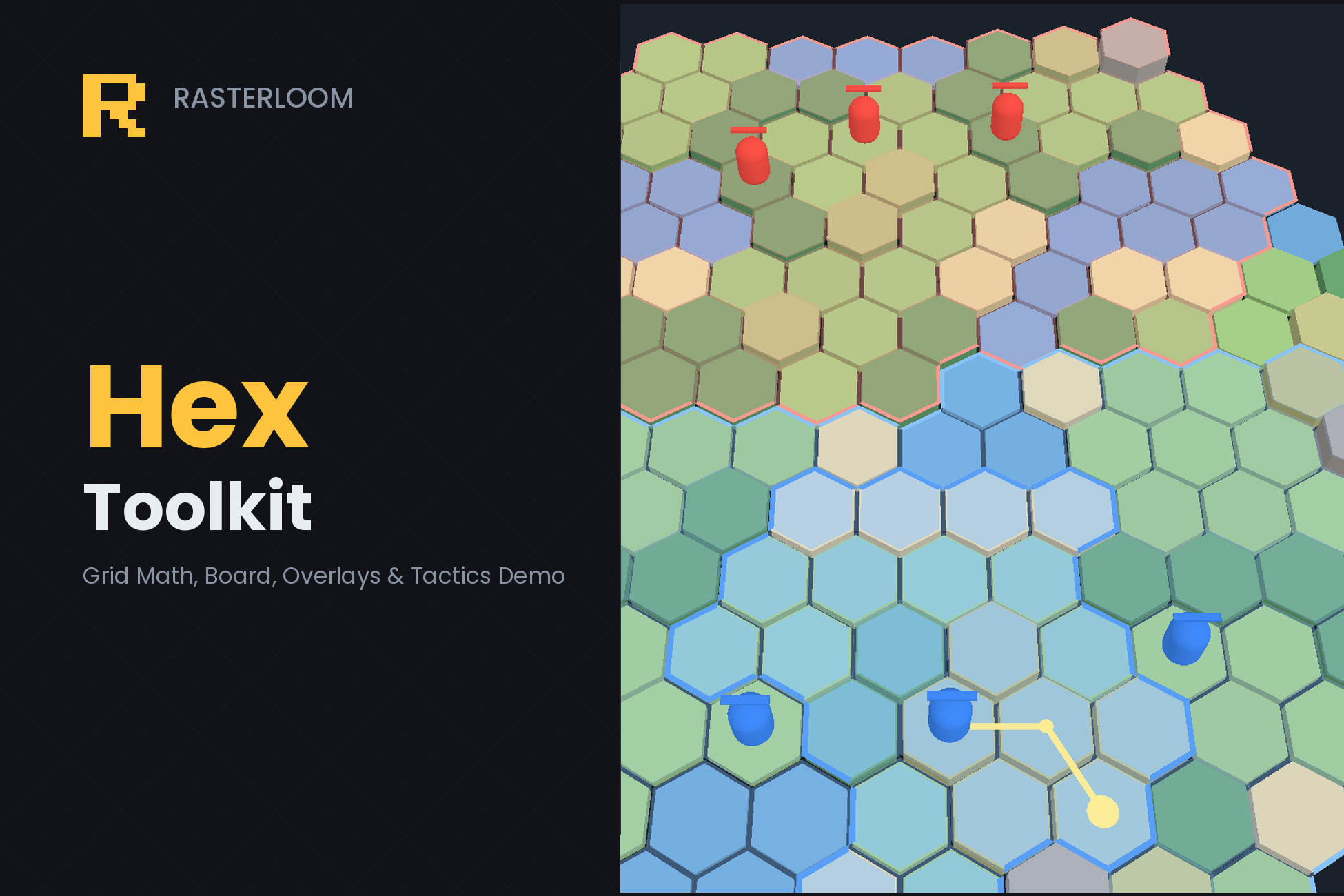
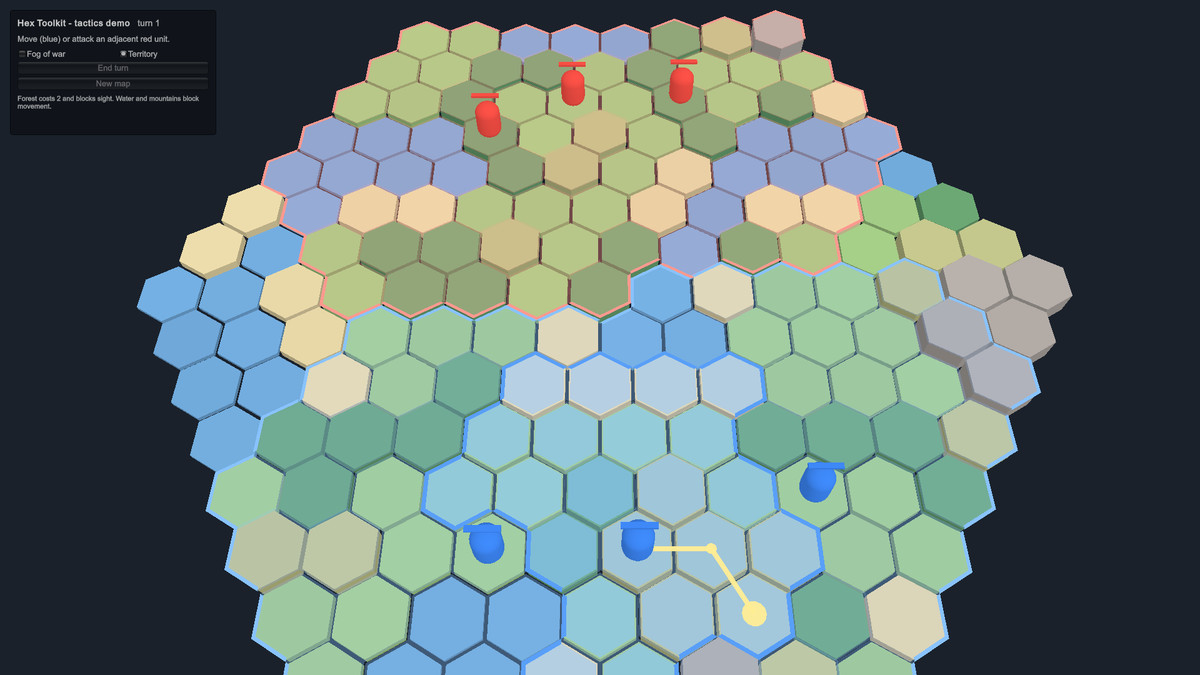
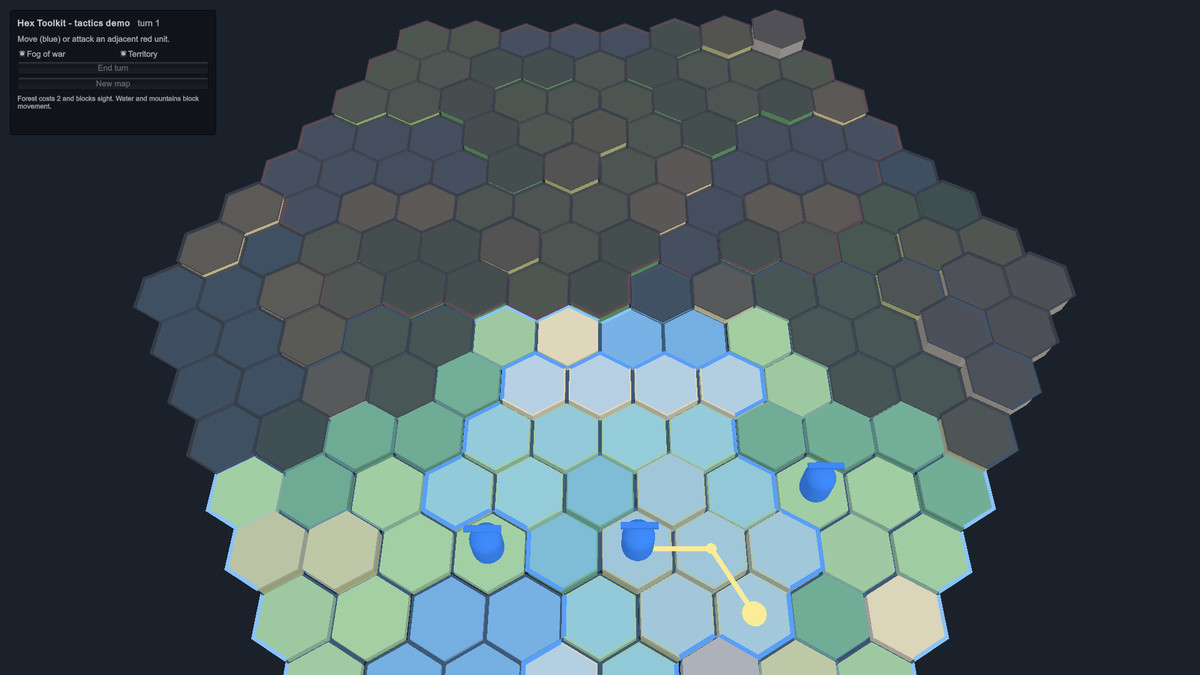
Hex Tactics Demo: open the scene, press Play. Select a unit, see where it can go, the path under the mouse, enemies in range, fog of war and territory borders; move, attack, end turn and watch the AI answer. The whole demo is one readable script, so it doubles as a worked example of a turn-based game on this toolkit.
HexBoard: GameObject > Rasterloom > Hex Board (3D on the ground, or 2D on XY) builds a hex board without a Tilemap - hexagon or rectangle, point-top or flat-top, gaps, tile thickness, terrain from noise (grass, forest, water, mountain, sand, hills) with move costs and sight blocking that plug straight into HexPath and HexVision. It rebuilds as you change the inspector; CellUnderScreenPoint picks the cell under the mouse.
HexOverlay draws what tactics games show, each on its own layer: movement range, range outline, a path with steps and an end marker, territories with borders where owners meet, and fog of war (unexplored / remembered / visible). Works on a HexBoard or, with HexSpace, on your Tilemap.
Shaders for URP and the Built-in pipeline, no light setup needed. START HERE file and a 1.1 guide PDF. Everything from 1.0 is unchanged.
The hex maths Unity's Tilemap does not give you.
Unity's Tilemap can lay out hexagons. That is all it does with them. It hands you a Vector3Int per cell and stops: no neighbours, no distance, no range, no line, no rotation, no pathfinding, no field of view. Every hex game on Unity writes that layer itself, and most of them get the same two things wrong.
- - -
TRY IT BEFORE YOU READ ANYTHING
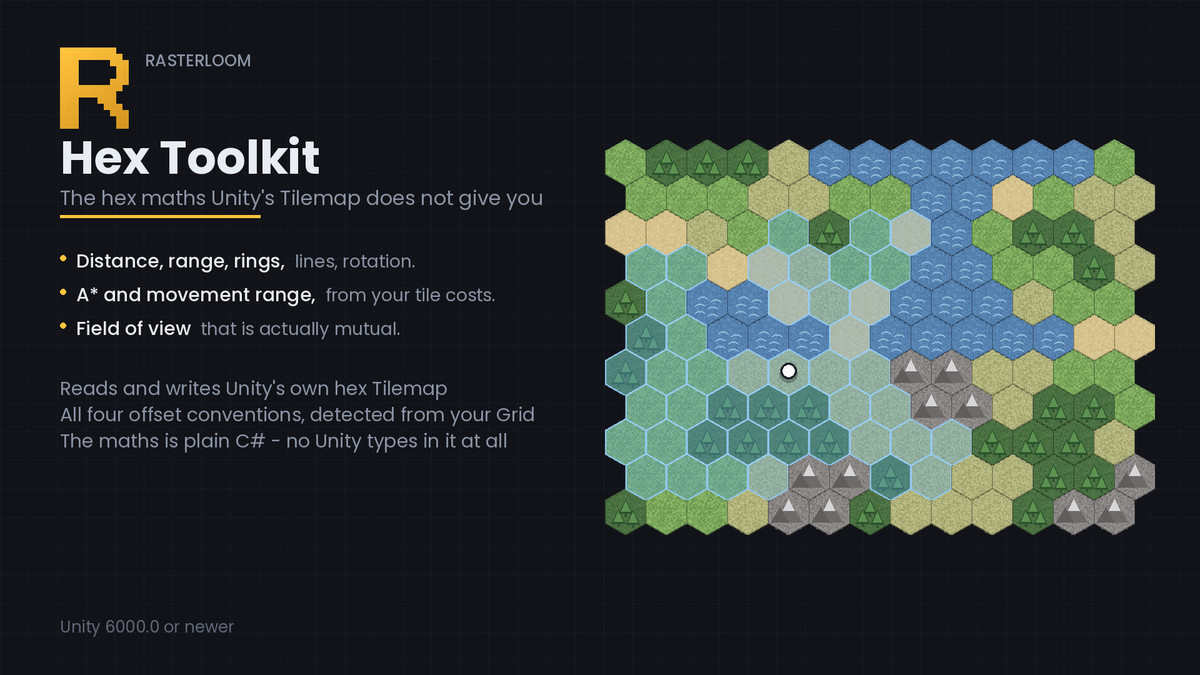
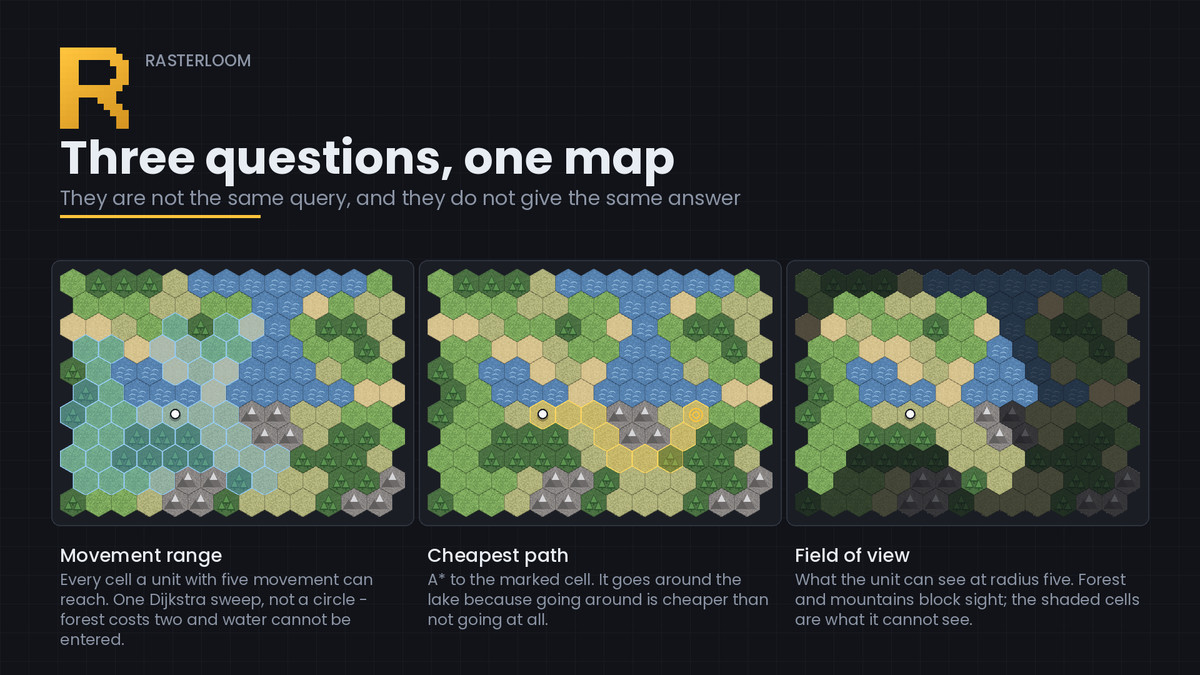
Window > Rasterloom > Build Hex Demo builds three working hex maps in your open scene, on the same terrain, so the only thing that differs between them is the question being asked: where a unit with five movement can go, the cheapest path between two cells, and what the unit can see. Nothing is placed by hand.
The same three boards are also saved as a scene, in Demo/Hex Toolkit Demo.unity, framed and ready to open. The scene exists so there is something to open; the generator exists so you can see the scene was not hand-made.
- - -
THE FIRST THING THAT GOES WRONG: OFFSET COORDINATES
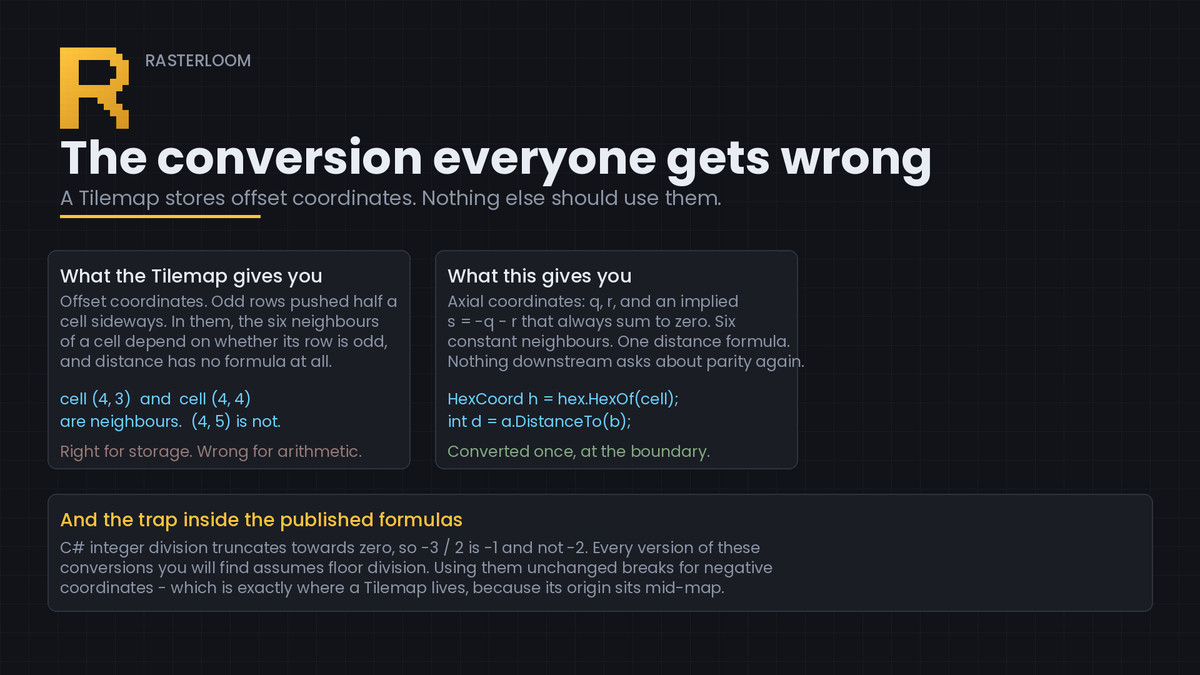
A Tilemap stores cells as offset coordinates - odd rows pushed half a cell sideways for point-top hexes, odd columns pushed half a cell up for flat-top. That is the right way to store a hex map and the wrong way to do arithmetic on one. In offset coordinates the six neighbours of a cell depend on whether its row is odd, and distance has no closed form at all.
So this converts, at the boundary, to axial coordinates: two numbers q and r with an implied third s = -q - r that always sum to zero. Neighbours become six constants. Distance becomes one expression. Nothing downstream ever asks about parity again.
All four conventions in common use are supported - odd-r, even-r, odd-q, even-q - and the layout is read off your actual Grid rather than assumed. It is detected geometrically, by asking the Grid where cells sit in world space, so it stays correct under a cell swizzle, a non-default cell size, or a future change in how Unity lays hexes out.
There is a trap even in the published formulas: C# integer division truncates towards zero, so -3 / 2 is -1 and not -2. Every version of these conversions you will find assumes floor division. Using them unchanged breaks for negative coordinates - which is exactly where a Tilemap lives, because its origin sits in the middle of the map.
- - -
THE SECOND THING: VISION THAT IS NOT MUTUAL
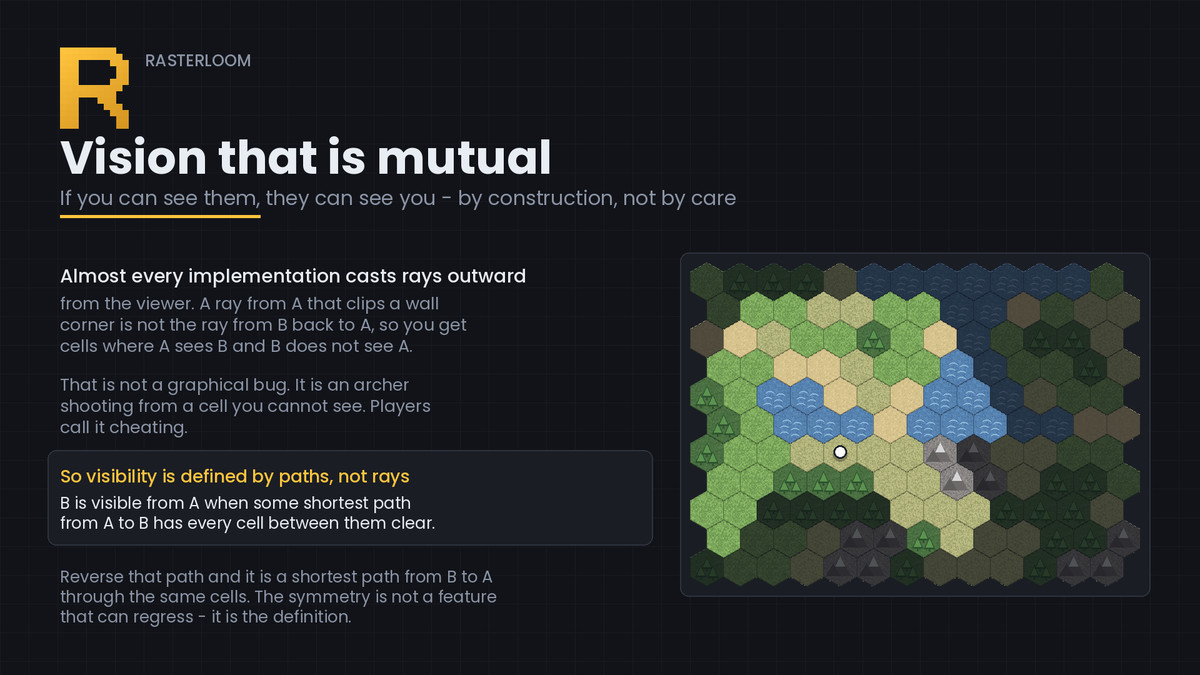
Almost every field-of-view implementation casts rays outward from the viewer. A ray from A that clips a wall corner is not the same ray as the one from B back to A, so you end up with cells where A can see B but B cannot see A.
That is not a graphical bug. It is an archer shooting you from a cell you cannot see, and a scout standing in the open that the enemy AI never reacts to. Players call it cheating.
This does not define visibility by ray casting. It defines it by paths: B is visible from A when some shortest path from A to B has every cell between them transparent.
Reverse such a path and it is a shortest path from B to A through the same cells, so the symmetry is not a feature that can regress - it is the definition. It computes in one outward sweep, with nothing to tune.
Vision cones are applied on top rather than baked in: a sentry facing away from you genuinely should not see you, and that is a rule about facing, not about geometry.
- - -
MOVEMENT RANGE IS NOT PATHFINDING
A path answers "how do I get there". A movement range answers "where can I go at all", and that is one Dijkstra sweep, not one path search per cell. Doing the second with the first is the usual performance mistake. Both are here, and both take their cost from your tiles.
- - -
CHECKABLE, NOT MERELY CLAIMED
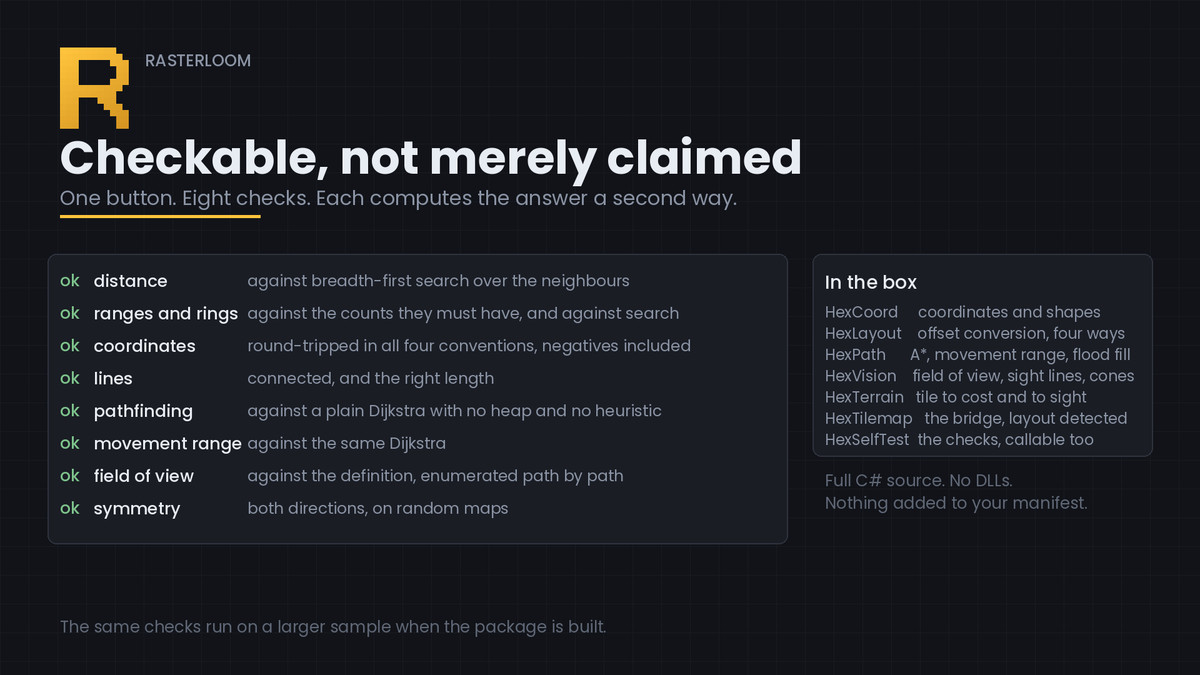
Window > Rasterloom > Hex Toolkit has a "Run the checks" button. Eight checks, in your project, on your Unity version. None of them calls the same code twice and compares it with itself - each computes the answer a second way: distance against breadth-first search; ranges and rings against the counts they must have; coordinates round-tripped in all four conventions, negatives included; lines connected and the right length; pathfinding against a plain Dijkstra with no heap and no heuristic; movement range against the same Dijkstra; field of view against the definition, enumerated path by path; and symmetry, both directions, on random maps.
The same checks run on a larger sample when the package is built, together with ones that do not fit in a button: rotation closing after six steps, reflection being its own inverse, every line step moving one closer to the far end, and the heap popping in order.
- - -
WHAT THIS DOES NOT DO
It does not draw anything, place units, or run a turn loop. It does not generate maps. It is not a strategy game template - it is the layer underneath one, and it stops where your game design starts. It also does not replace Unity's Tilemap: it reads from it and writes to it, so your Tile Palette, tile assets and tilemap collider keep working.
Eleven demo tiles are included so the demo has something to stand on. They are a demo, not a tileset - the product is the code.
From the publisher's Asset Store listing.
Technical details
New in 1.1: HexBoard (3D / 2D, noise terrain, holes, cell under mouse), HexOverlay (range, outline, path, territories, fog), HexSpace (hex <-> world on XZ or XY), board and overlay shaders for URP and Built-in, Hex Tactics Demo scene, START HERE and a 1.1 guide PDF.
Seven runtime scripts, two editor tools, eleven demo tiles, a demo scene, three documents. Full C# source, nothing obfuscated, no DLLs.
The maths touches no Unity type at all. HexCoord, HexLayout, HexPath, HexVision and HexSelfTest are plain C#, so they also run in a server build, a unit test, or a console tool. The package build verifies this rather than claiming it.
No package dependencies. Nothing is added to your manifest; the runtime uses only the built-in tilemap module and the editor tools only UnityEditor.
Cost and transparency come from delegates, so they can read your Tilemap, your array or your unit list without an adapter class.
HexTerrain is a ScriptableObject mapping tiles to movement cost and to whether they block sight - kept separate, because a river stops you without hiding anything.
A* uses the hex distance scaled by the cheapest step as its heuristic, so it stays admissible on weighted terrain. The priority queue is written out because Unity's C# has none before .NET Standard 2.1.
The demo uses its own integer-hash noise rather than Mathf.PerlinNoise, which is not promised to be stable across Unity versions.
Documentation includes the axial and cube layout, the six directions, all four offset formulas, the shape counts, and why the field of view is defined the way it is.
Unity 6000.0 or newer, built and tested on 6000.6.
Compatibility
| Unity version | Built-in | URP | HDRP |
|---|---|---|---|
| 6000.6.0f1 | Compatible | Compatible | Not listed |
| 2022.3.62f3 | Compatible | Compatible | Not listed |
As listed on the Asset Store.