
 View on Asset Store (opens in new tab)
Package details
- Latest version
- 1.0
- Last updated
- First released
- Unity version
- 6000.4.12 or later
- Package size
- 421 KB
- Files
- 26
- Views in the past week
- 15
Price tracking
- Last checked
- Tracked since
- Lowest recorded
- $4.99 on
Keywords
Easy Voice Spellcasting / Voice Commands
Add voice-controlled spells and commands to any Unity project with a simple, flexible, fully offline API.
Affiliate link · Purchases support this site
Price history
Last 6 months
USDAsset preview
1 / 5
Easy Voice Spellcasting / Voice Commands screenshot 1
About this asset
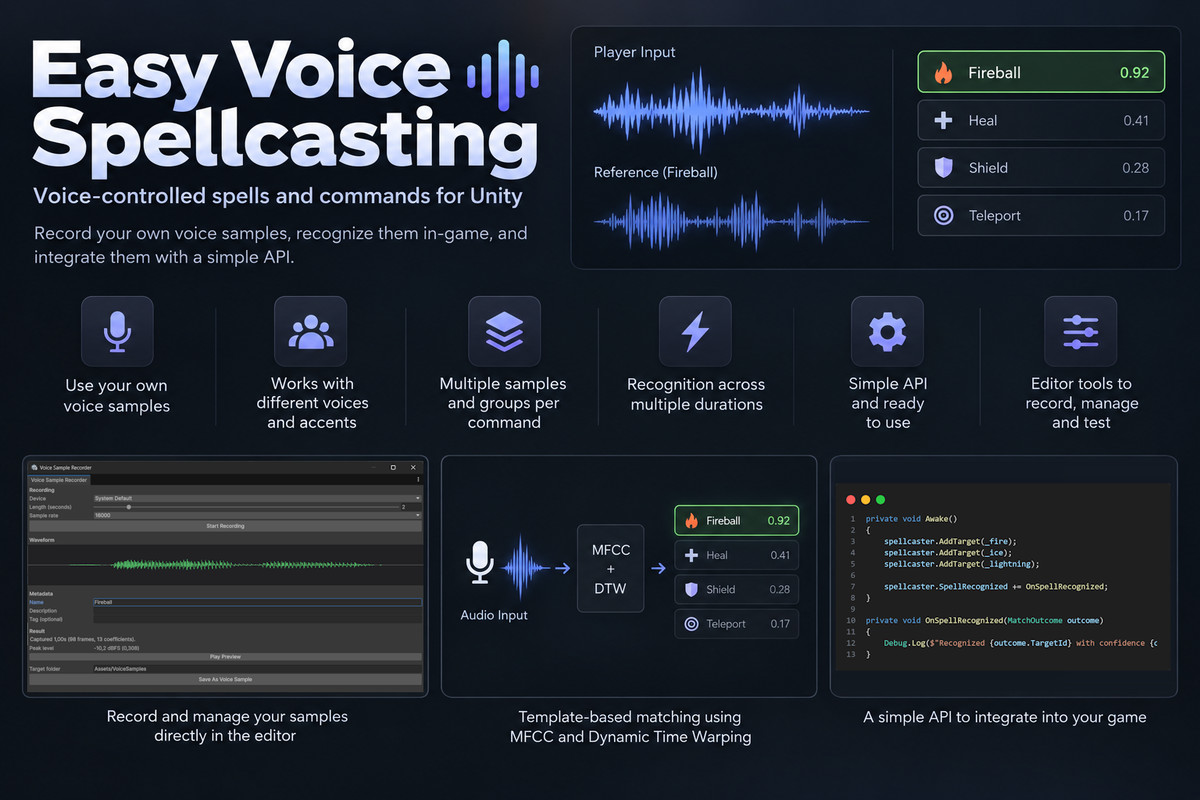
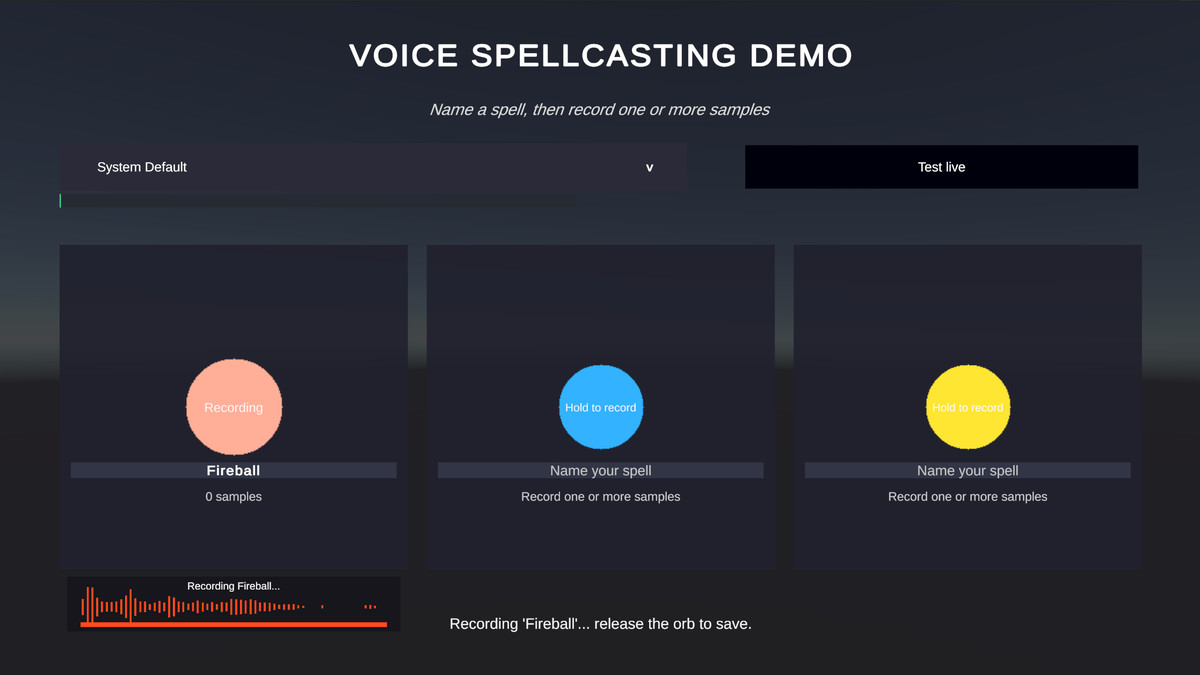
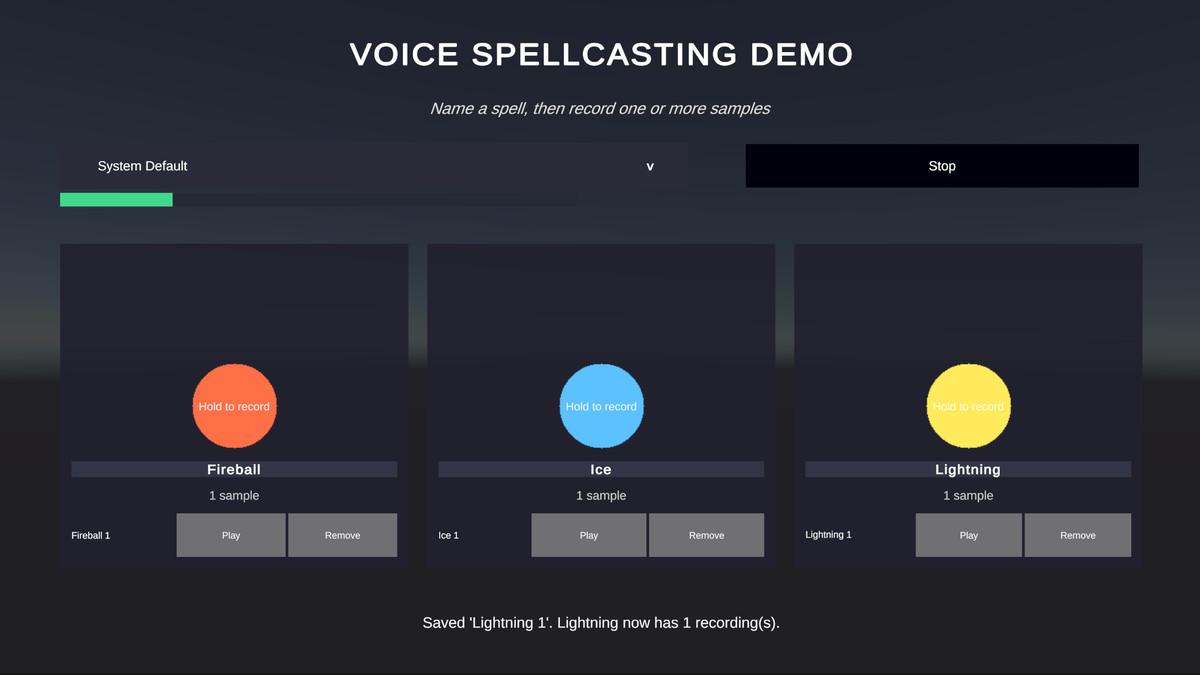
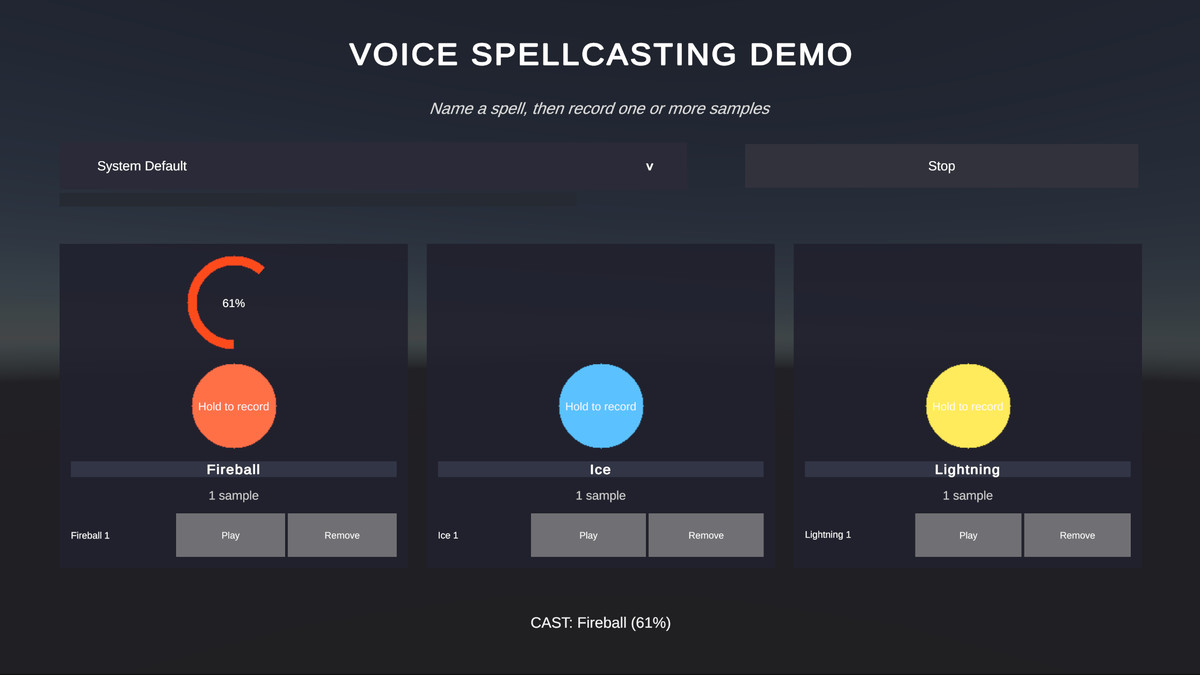
Easy Voice Spellcasting recognizes spoken spells or commands directly in-game. Record one or several reference samples and have them matched against captured microphone audio at runtime - no speech-to-text, no language model, and no cloud service.
The comparison uses MFCC-DTW with additional tuning so commands are recognized with minimal impact from accent, tonality, articulation, and speaking speed. It handles near-silent consonants and scores vowel shifts. Groups let you record several variants of the same command to better support regional pronunciations.
Each capture checks several audio durations split by measured energy, so players can cast spells with little interruption while talking.
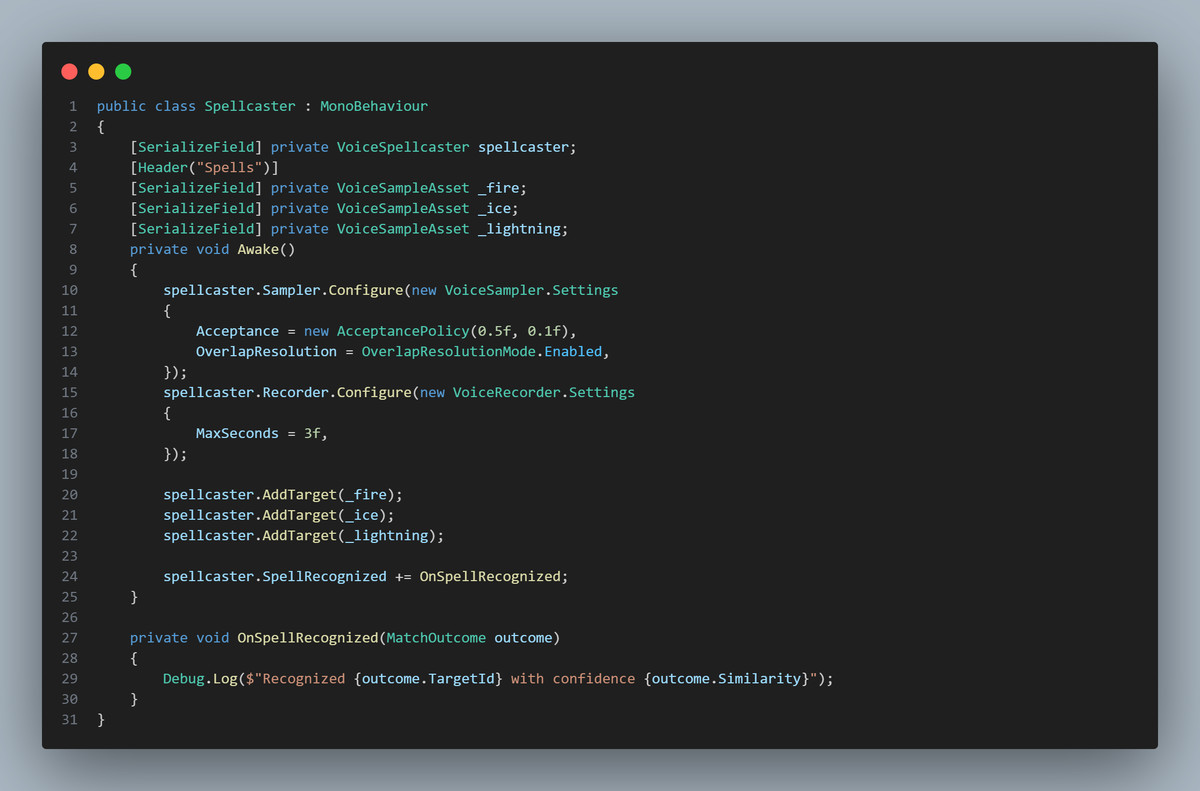
The package ships with a ready-to-run demo scene, editor authoring windows, and a small runtime API you can drop into your gameplay with no setup work.
Key features
- Sample-guided recognition — recordings guide the match.
- Multiple samples per command — group recordings to represent different valid pronunciations.
- Accent & voice variation — tolerates differences in voice, accent, articulation, and speed.
- Local MFCC-DTW comparison — acoustic only; no speech-to-text, language model, or cloud service.
- Push & pull — check on demand or keep detection on, and change targets on the fly.
- Overlapping detection — players don't have to stop speaking to be heard.
- Editor tools — record, organize, rename, group, preview, and test samples inside Unity.
- Simple API — add samples/groups as targets and receive ranked or accepted matches.
- Offline & deterministic — no network, transcription service, or trained model.
- Runtime-friendly — precomputed templates, cached data, banded DTW, allocation-conscious processing.
How recognition works
Audio is converted to Mel-frequency cepstral coefficient (MFCC) sequences, and Dynamic Time Warping (DTW) aligns sequences spoken at different speeds. A target only wins when it passes the configured distance threshold and is sufficiently separated from the runner-up, which reduces near-homophone false positives. Silence trimming, temporal smoothing, cepstral normalization, and vowel/consonant cues further reduce sensitivity to timing, level, and microphone differences.
Requirements & dependencies
Runtime (core system)
- Unity 6 or newer, older version may work but are untested.
- A recording microphone available to the application. Uses Unity's built-in Microphone API.
- No internet connection, account, API key, or external service required.
- Render-pipeline agnostic (Built-in, URP, HDRP): the runtime is DSP-only and does not depend on any pipeline.
Included demo scene / sample scripts additionally use these standard Unity packages:
- TextMeshPro — used by the demo UI.
- Input System (com.unity.inputsystem) — used by the demo's EventSystem.
The core recognition system works without them if you build your own UI.
Platform compatibility
- Works on platforms where Unity's Microphone class is supported: Windows, macOS, Linux, Android, iOS.
- Not usable on platforms without microphone support (e.g. WebGL).
- On iOS, a microphone usage description is required; on Android, the RECORD_AUDIO permission is required.
Limitations & best practices
- This is acoustic template matching, not speech-to-text. Similar-sounding words, high noise ratio, and poor reference recordings can produce false matches.
- It does not identify speakers, transcribe language, measure pitch, or score cadence. It is specifically pitch- and cadence-agnostic, with some measures taken for accents.
- Noise impacts accuracy most in low signal-to-noise conditions (quiet speech, loud environments). Constant noise (fans, AC) is less harmful than intermittent noise (doors, other people talking, music).
- Keep command words distinct, record several references across representative speakers, microphones, and rooms, and tune your thresholds on the devices/environments you support. A good reference sample and adequate speaking volume mitigate noise significantly. Noisy reference recordings are to be avoided.
Included content
- Runtime scripts, editor authoring tools (Sample Recorder, Sample Groups, Comparison Tester, Recompute Features), a demo scene, and sample recordings.
Documentation & support
- Local README covering setup, the push/pull API, editor tools, and tuning. Additional runtime reference in the public API types.
- Email: [email protected]
From the publisher's Asset Store listing.
Technical details
Recognition: MFCC + Dynamic Time Warping (DTW)
Audio: Mono, 16 kHz
Input: Microphone recordings / audio samples
Processing: Offline, deterministic, no cloud services or speech-to-text
References: One or multiple samples per spell, with support for grouped variants
Runtime: Precomputed templates, cached feature data, banded DTW, allocation-conscious processing
Editor: Recording, sample management, grouping, playback, and comparison tools
The system also uses silence trimming, temporal smoothing, and additional vowel and consonant cues to improve matching across differences in voice, accent, and speaking speed.
Compatibility
| Unity version | Built-in | URP | HDRP | Custom |
|---|---|---|---|---|
| 6000.4.12f1 | Compatible | Compatible | Compatible | Compatible |
The package does not require any specific render pipeline.
Supported on Windows, macOS, Linux, Android and iOS; not supported on WebGL or any platform without microphone access.
The bundled demo scene additionally requires TextMeshPro and the Input System package.
As listed on the Asset Store.