
 View on Asset Store (opens in new tab)
Package details
- Latest version
- 2.0.0
- Last updated
- First released
- Unity version
- 2022.3.62 or later
- Package size
- 19.4 MB
- Files
- 5,525
- Favorites
- 2
- Views in the past week
- 59
Price tracking
- Last checked
- Tracked since
- Lowest recorded
- $13.99 on
Keywords
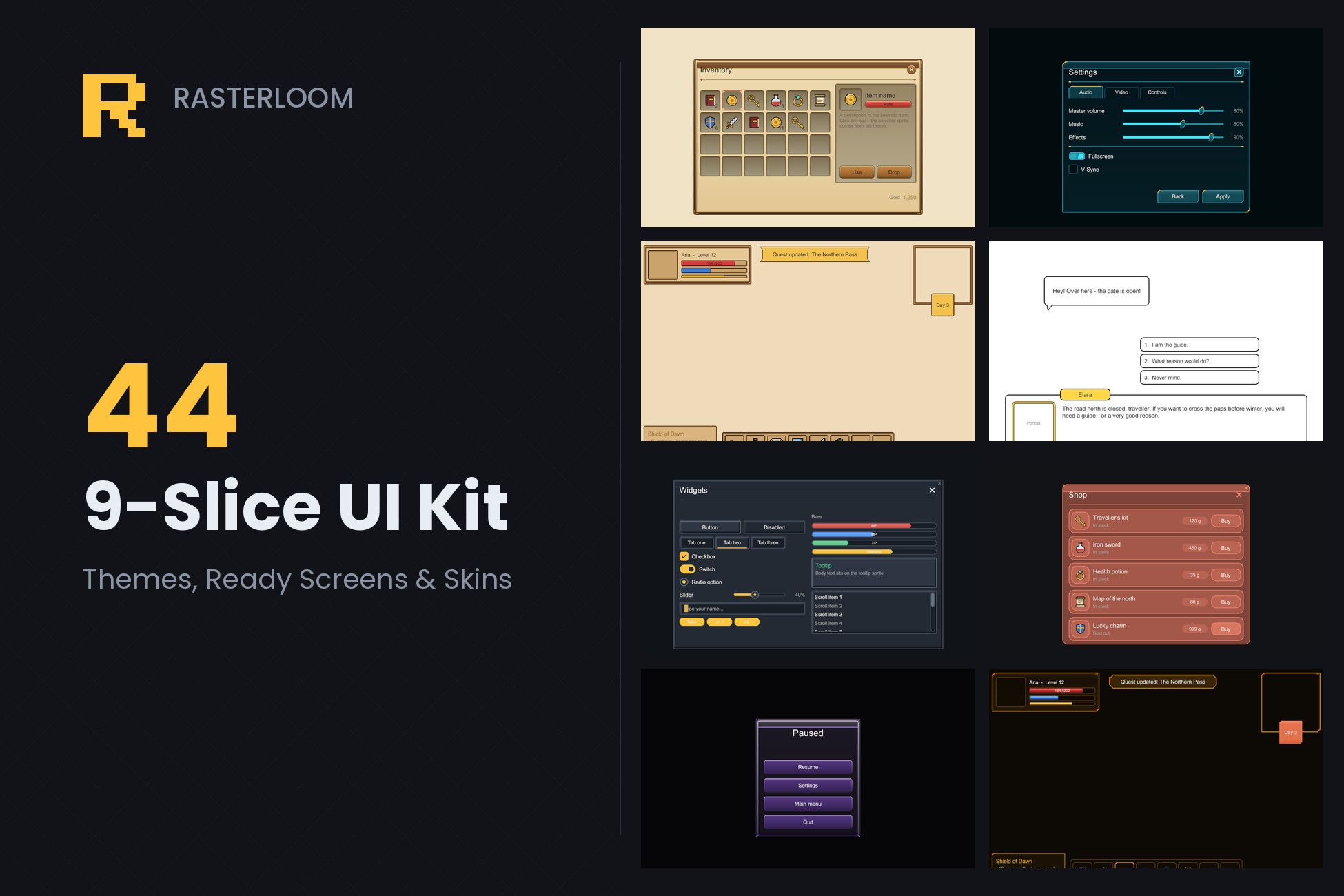
9-Slice UI Kit - 44 Themes, Ready Screens & Skins
44 UI themes (Fantasy, Sci-Fi, Pixel, Classic, Tintable, Dialogue) and 8 ready screens. Pick a theme and the whole UI re-skins, in the editor and at runtime. Borders already set.
Affiliate link · Purchases support this site
Price history
Last 6 months
USDAsset preview
1 / 15
9-Slice UI Kit - 44 Themes, Ready Screens & Skins screenshot 1
About this asset
NEW IN 2.0 - THEMES: BUILD A UI IN MINUTES, CHANGE ITS WHOLE LOOK IN ONE CLICK
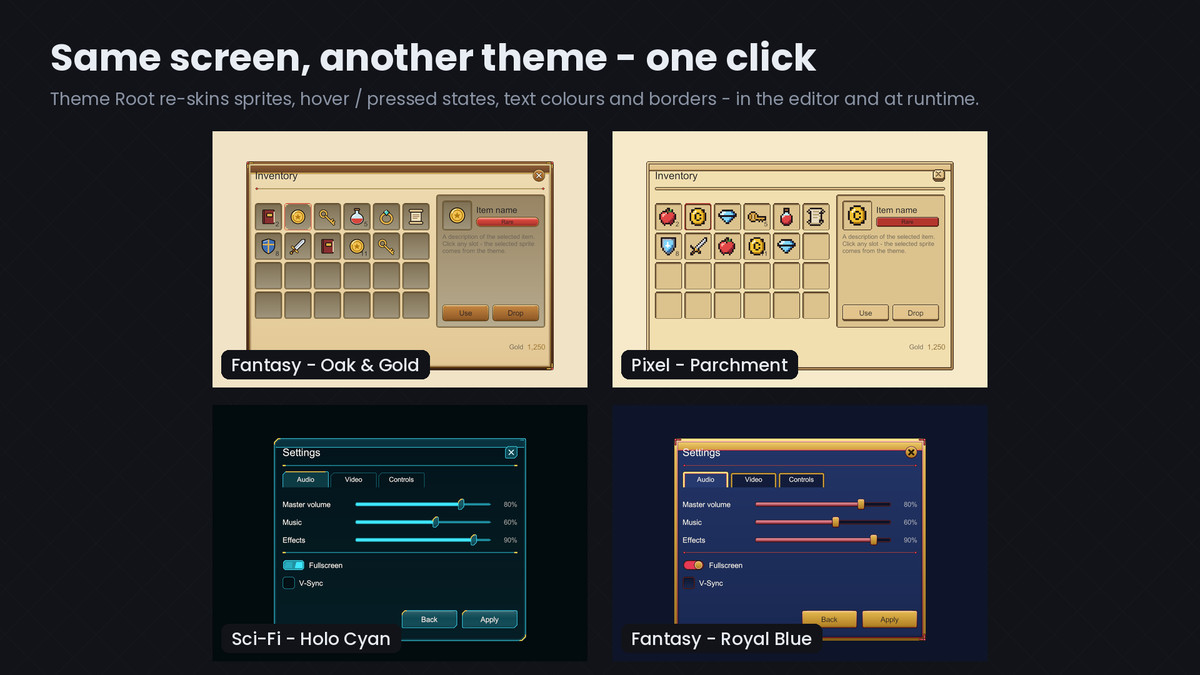
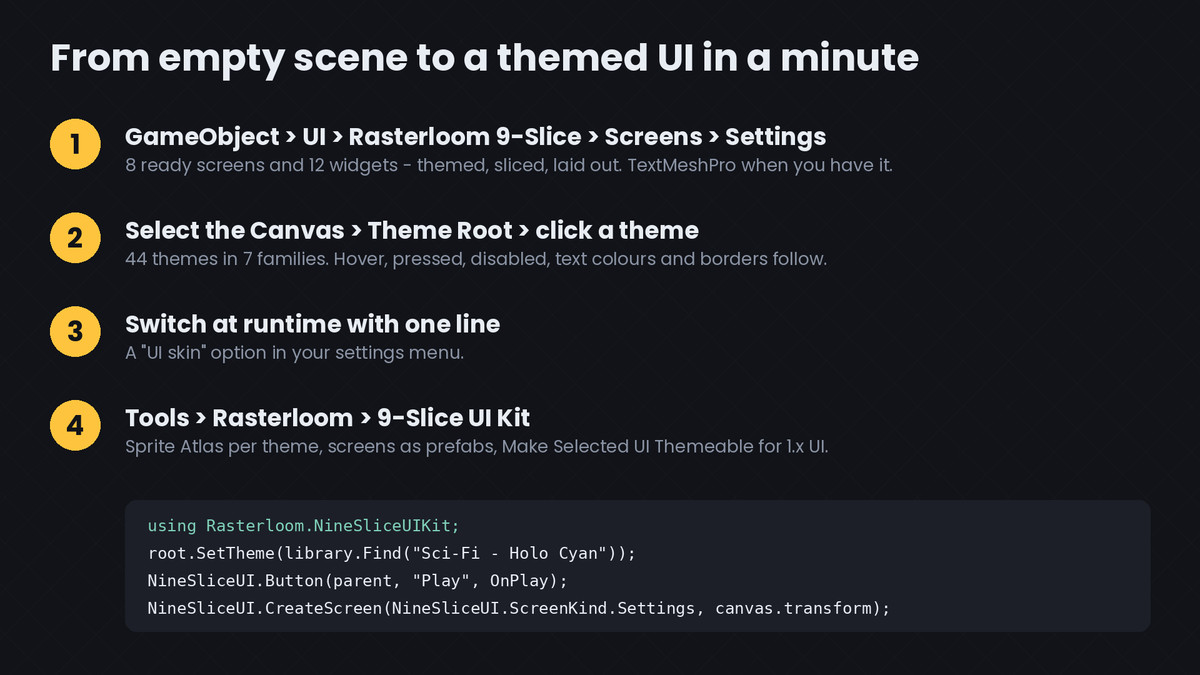
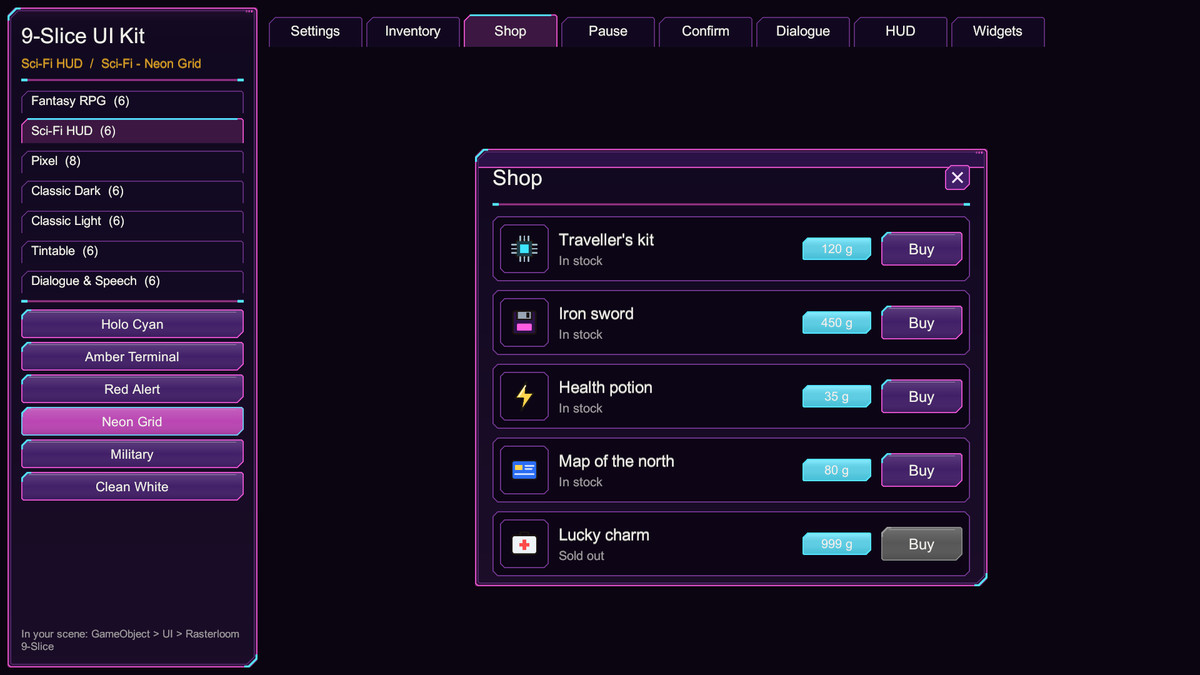
Add a Theme Root to your Canvas and click a theme in the inspector: every themed panel, button, slot, bar, tab and text below it re-skins - sprites, hover / pressed / disabled states, text colours and border thickness. The same works at runtime with root.SetTheme(theme), so a "UI skin" option in your settings menu is one line.
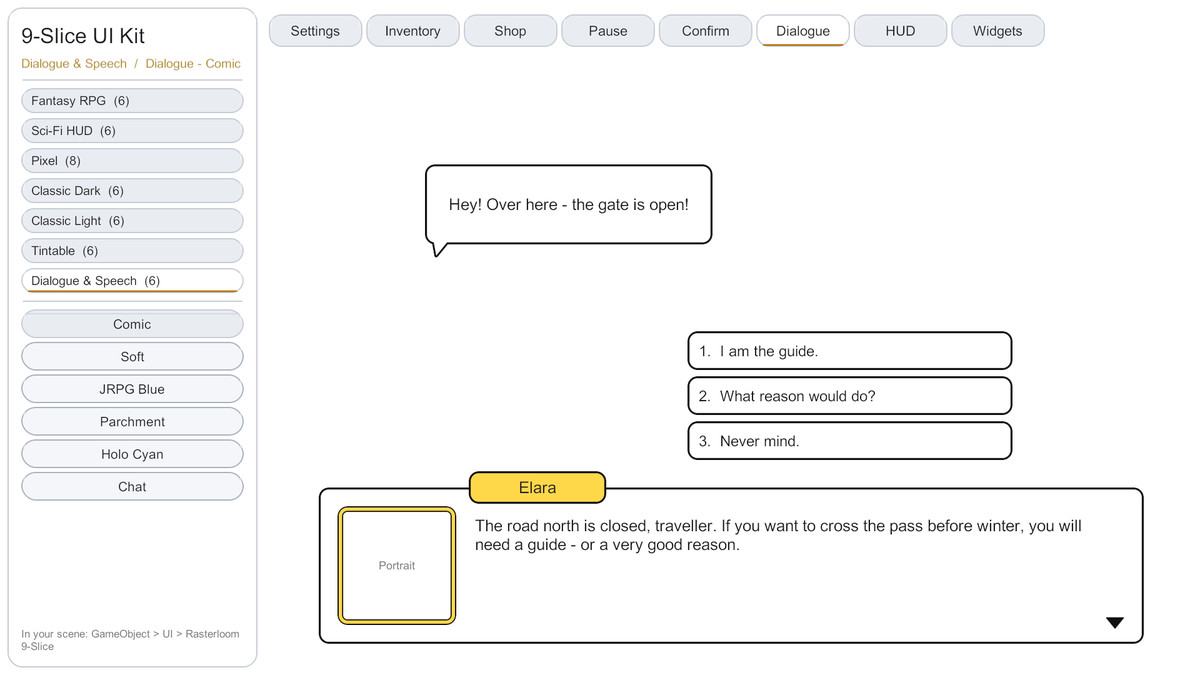
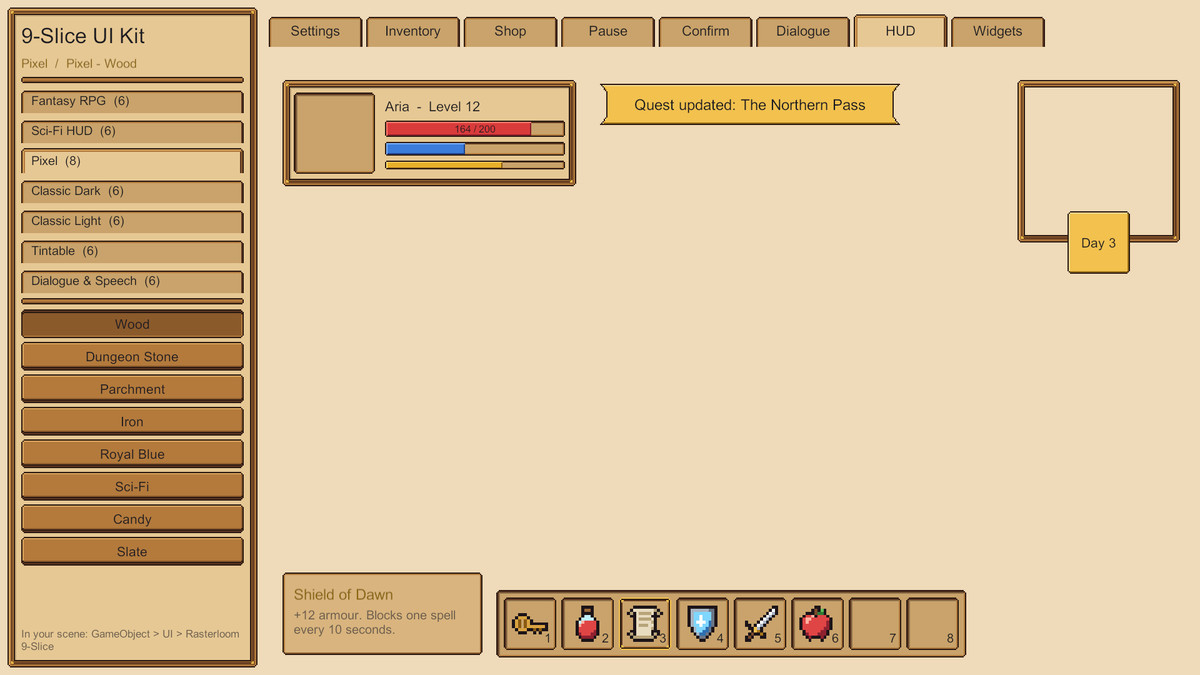
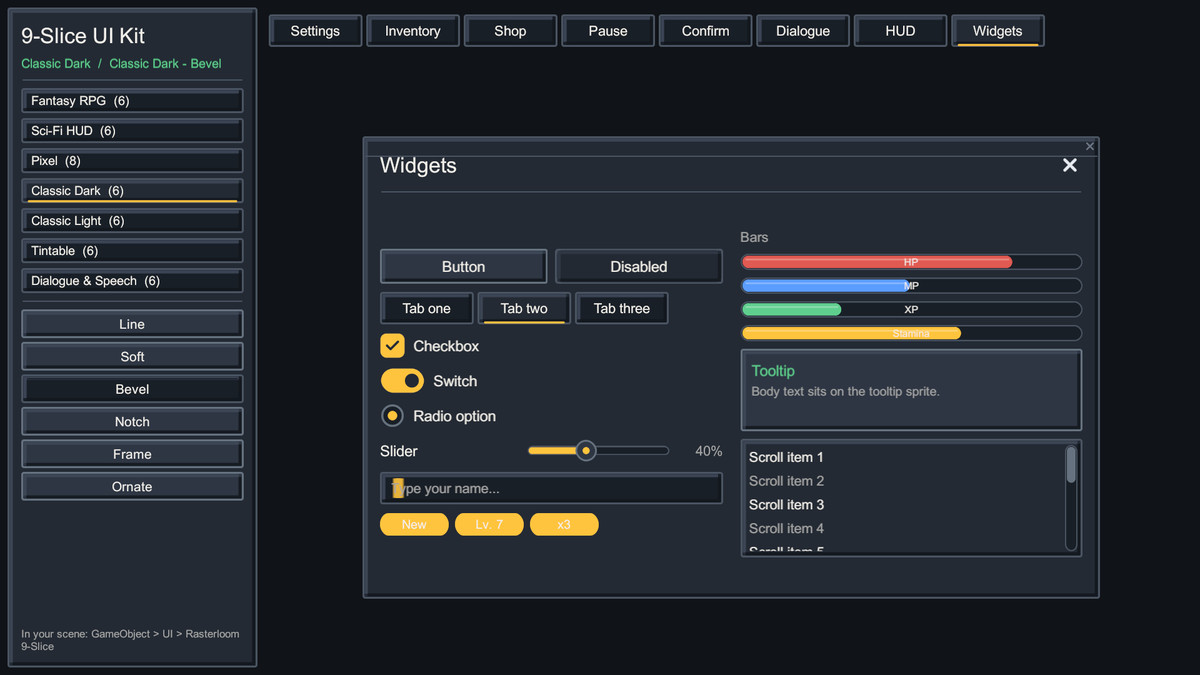
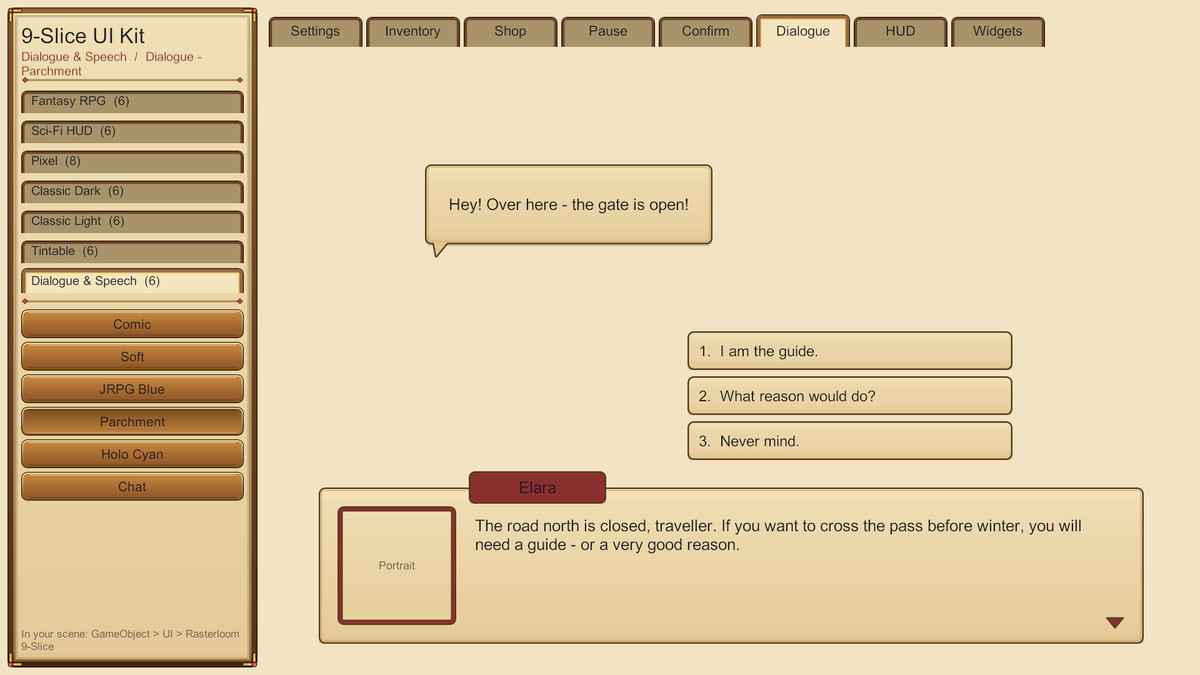
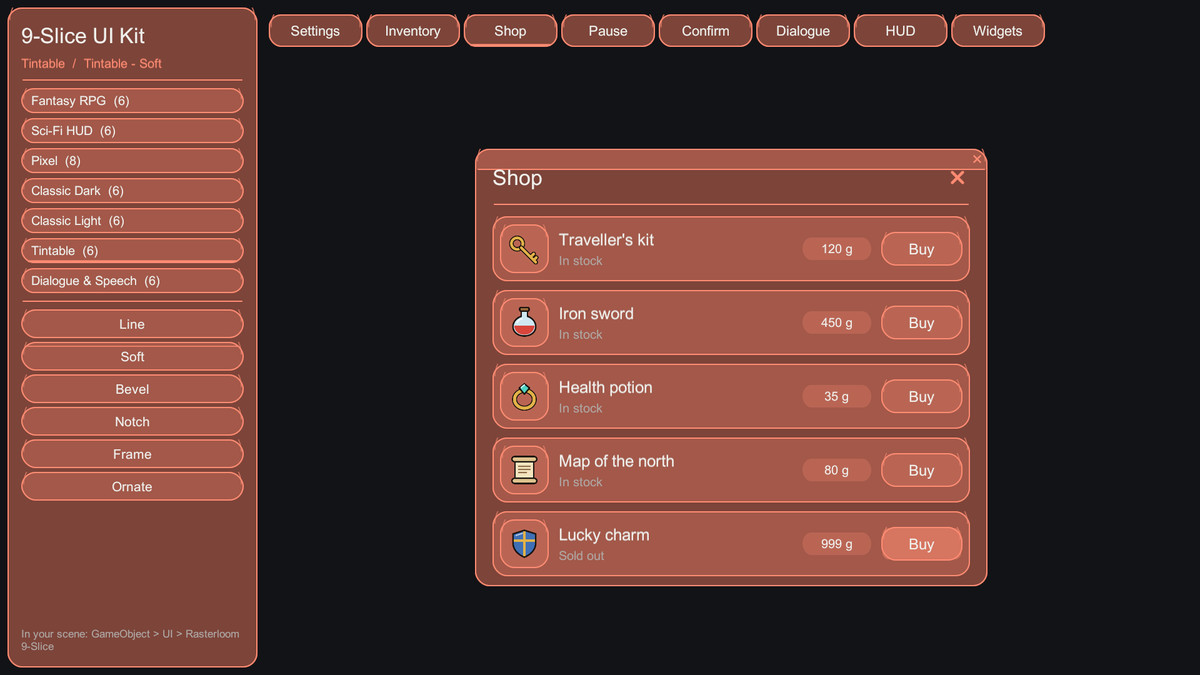
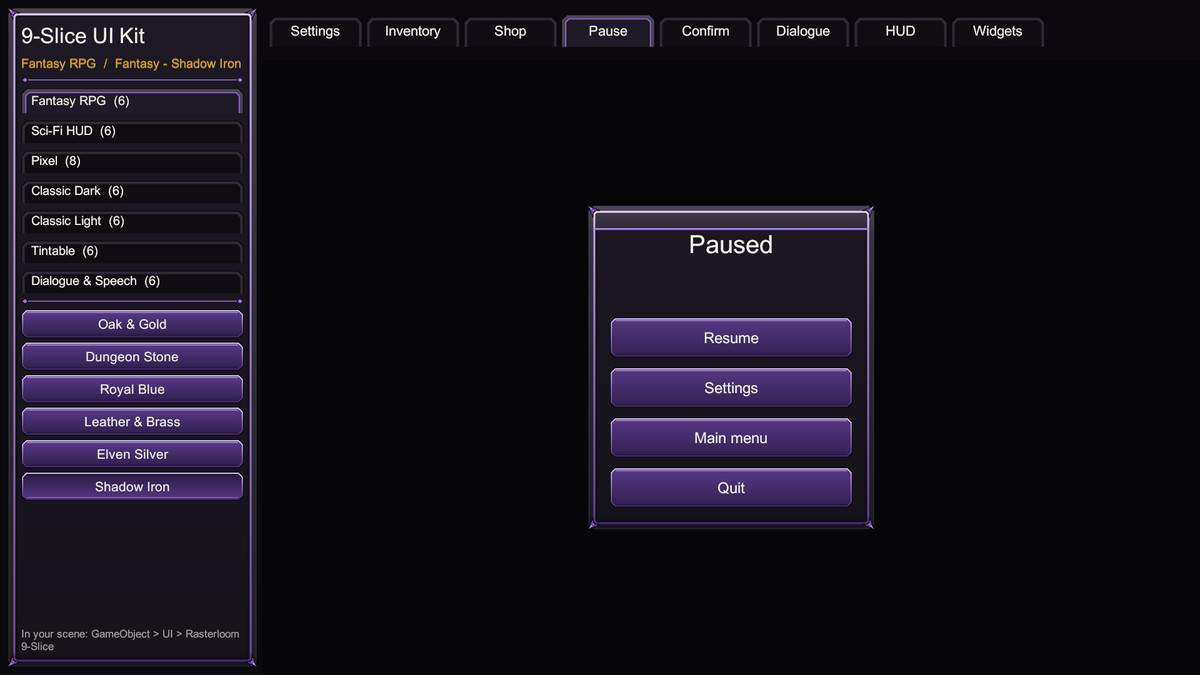
44 themes in 7 families: Fantasy RPG (6), Sci-Fi HUD (6), Pixel (8), Classic Dark (6), Classic Light (6), Tintable (6, any colour) and Dialogue & Speech (6: bubbles with tails, text boxes, name plates, choices, portrait frames, emotes).
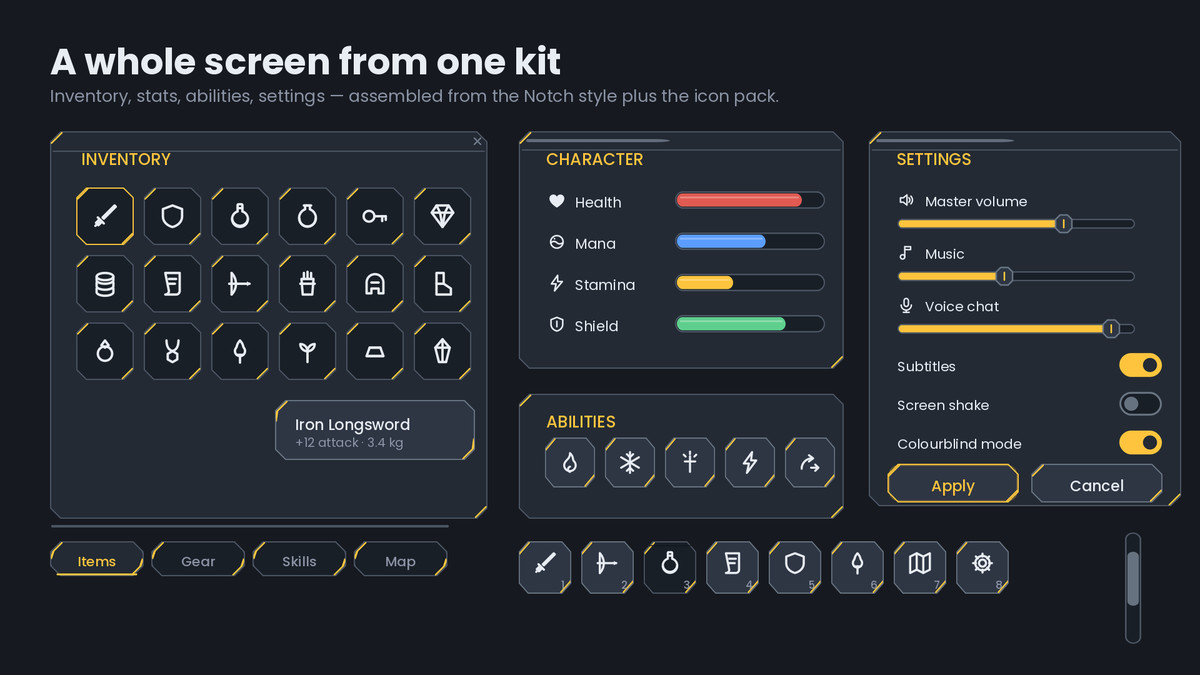
No layout work: GameObject > UI > Rasterloom 9-Slice creates 12 widgets and 8 complete screens - Settings, Inventory, Shop, Pause, Confirm, Dialogue, HUD and All Widgets - themed, sliced and laid out, with TextMeshPro when your project has it.
Open the Themes demo scene and press Play to try every theme on every screen. Six matching cursor sets, bars that stretch the fill instead of cropping it, a Sprite Atlas per theme and screens saved as prefabs in one click. START HERE file and a PDF manual.
Already using 1.x? All files, GUIDs and borders are unchanged, and Tools > Rasterloom > 9-Slice UI Kit > Make Selected UI Themeable upgrades UI you built with the 1.x sprites.
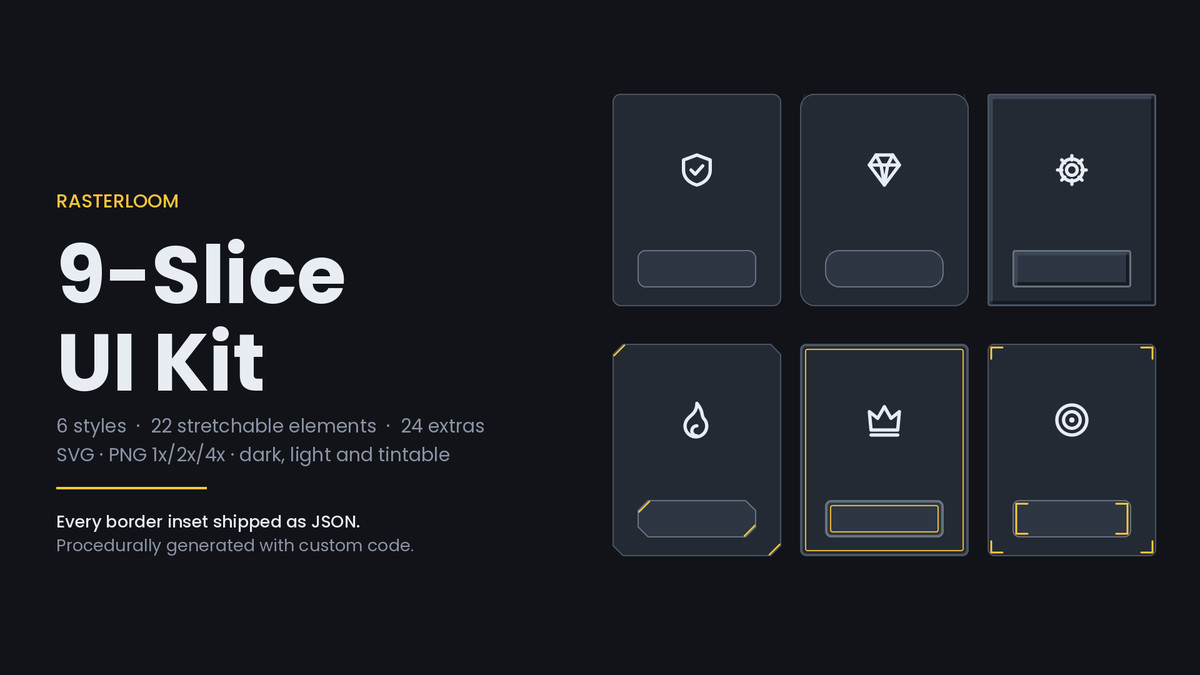
Panels, windows, inventory slots, buttons in four states, inputs, tabs, tooltips, bars, sliders, scrollbars, dividers and badges - in six visual styles, three colourways and three scales.
THE BORDERS ARE ALREADY SET
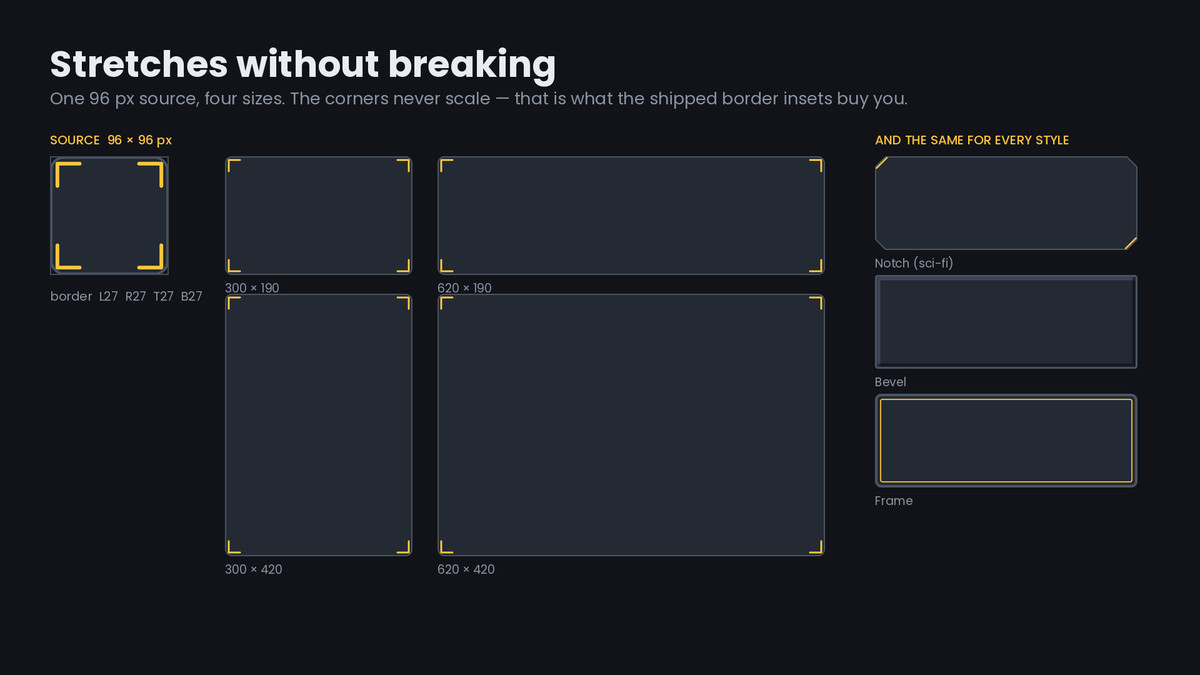
This is the reason to buy the Unity edition rather than the raw PNGs. Every stretchable sprite ships with its Border values written into the .meta file. You do not open the Sprite Editor, and you do not copy numbers out of a table: drop a panel onto an Image, set Image Type to Sliced, and the corners hold their exact pixel size while the middle stretches to any dialog you need.
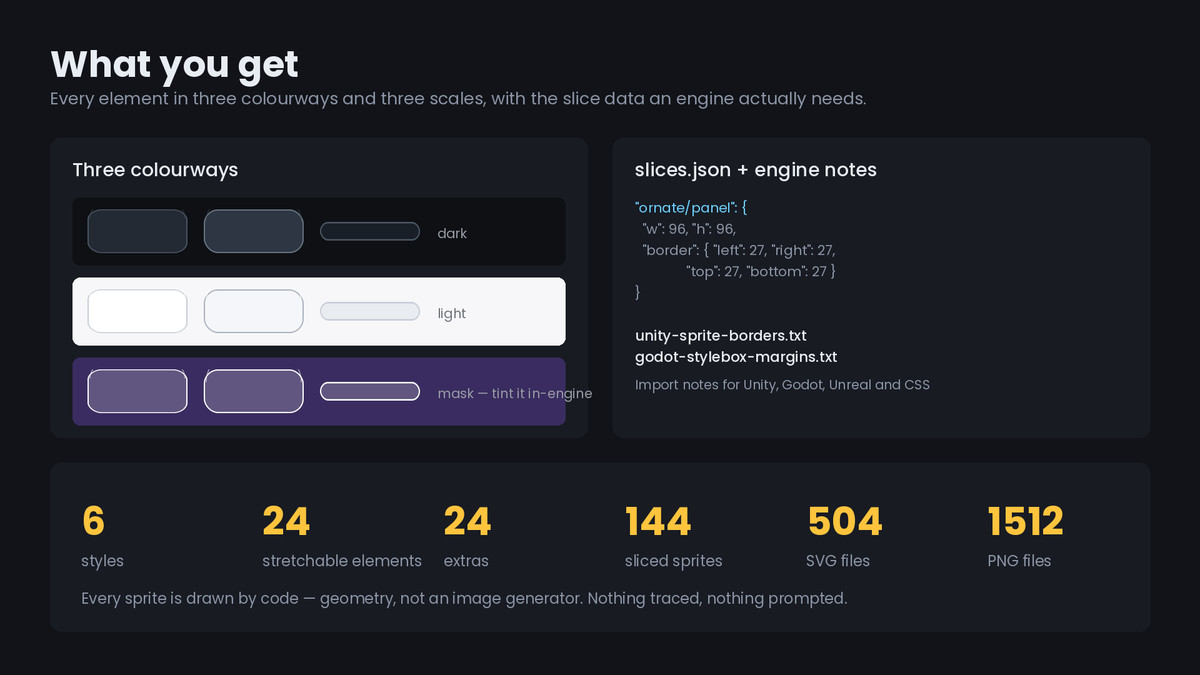
That is 1296 sprites - 144 elements across three colourways and three scales - of Sprite Editor work that has already been done.
WHAT YOU GET
- 1512 sprites: 144 stretchable elements and 24 fixed-size extras, each in dark, light and mask, at 1x, 2x and 4x
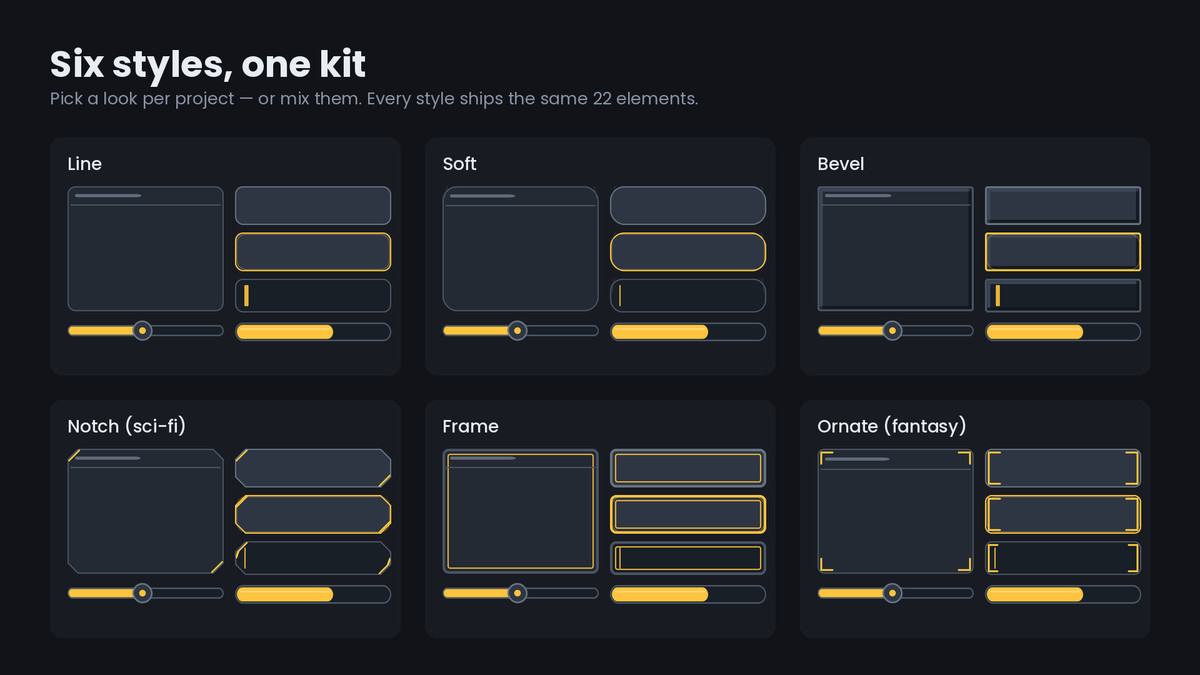
- Six styles: Line (hairline outlines), Soft (rounded and filled), Bevel (raised edge, classic game UI), Notch (chamfered, sci-fi), Frame (heavy double border), Ornate (fantasy, corner flourishes)
- 24 elements per style: panel, panel header, window, slot, active slot, button in four states, input, two tabs, tooltip, bar track, three bar fills, slider track and fill, scroll track and thumb, divider, badge
- 24 extras: carets, checkboxes, radios, toggles, handles, grips, close and minimize glyphs, tooltip tips, corner brackets, studs
- A showcase scene where all six styles stretch on Play, so you can watch the corners hold
- Documentation listing every element with its border insets
THREE COLOURWAYS
Dark and light are finished art for dark and light interfaces. Mask is the same geometry in white with a translucent body, so a tint gives you the whole kit in your game's colour - faction blue, danger red, the gold of a reward dialog - from textures you already imported, with no third set to ship and no material to write. The demo scene tints it live.
IMPORT SETTINGS ALREADY APPLIED
Sprite (2D and UI), Mesh Type Full Rect, borders from the source geometry scaled per set, Bilinear filter, Compression None, mip maps off, Wrap Clamp.
Mesh Type is the one people get wrong. Unity refuses to draw a Tight-mesh sprite in Sliced or Tiled mode and logs a warning instead, which is a confusing five minutes the first time it happens to you.
DRAWN WITH CODE, NOT GENERATED
Every shape is defined as geometry - rounded rectangles, chamfers, bevel edges, corner brackets - and rendered by a generator written for this kit. The border insets are measured from that geometry, not eyeballed.
LICENCE
Royalty-free, unlimited commercial and personal projects, no attribution required. You may not resell or redistribute the sprite files themselves as an asset pack.
From the publisher's Asset Store listing.
Technical details
- NEW: 44 themes in 7 families (Fantasy RPG, Sci-Fi HUD, Pixel, Classic Dark, Classic Light, Tintable, Dialogue & Speech)
- NEW: one-click theme switching in the editor and at runtime (SetTheme), visual theme picker in the inspector
- NEW: 8 ready screens + 12 widgets from GameObject > UI > Rasterloom 9-Slice, TextMeshPro or UI Text
- NEW: themes demo scene, 6 cursor sets with hotspots, stretching bars, Sprite Atlas and prefab tools
- NEW: Make Selected UI Themeable converts UI built with 1.x sprites
- 1512 sprites: 144 stretchable elements + 24 extras, in dark, light and mask, at 1x (96 px), 2x and 4x
- 1296 of them carry Border values in their import settings, ready for Image Type = Sliced
- Six styles: Line, Soft, Bevel, Notch, Frame, Ornate
- Import settings baked in: Sprite (2D and UI), Full Rect mesh, Bilinear, Compression None, mip maps off, Wrap Clamp, Pixels Per Unit 100
- Demo scene: NineSliceShowcase.unity, all six styles stretching on Play plus a tinted mask row
- Scripts: SlicedPanelBreather.cs and UiTint.cs, plain UnityEngine only, no render pipeline dependency
- Works with Built-in, URP and HDRP, in UGUI and in 2D scenes
- Documentation: readme, per-element border table, licence
- Unity 2022.3 or newer
Compatibility
| Unity version | Built-in | URP | HDRP |
|---|---|---|---|
| 6000.6.0f1 | Compatible | Compatible | Compatible |
| 2022.3.62f3 | Compatible | Compatible | Compatible |
As listed on the Asset Store.