
 View on Asset Store (opens in new tab)
Package details
- Latest version
- 1.0
- Last updated
- First released
- Unity version
- 6000.5.6 or later
- Package size
- 330 KB
- Files
- 3
- Favorites
- 4
- Views in the past week
- 6
Price tracking
- Last checked
- Tracked since
- Lowest recorded
- $13.65 on
Keywords
Image Levels Editor
Edit, optimize, and preview textures directly in Unity with powerful controls for levels, color, curves, channels, masks, alpha, blur, and more.
Affiliate link · Purchases support this site
Price history
Last 6 months
USDAsset preview
1 / 5
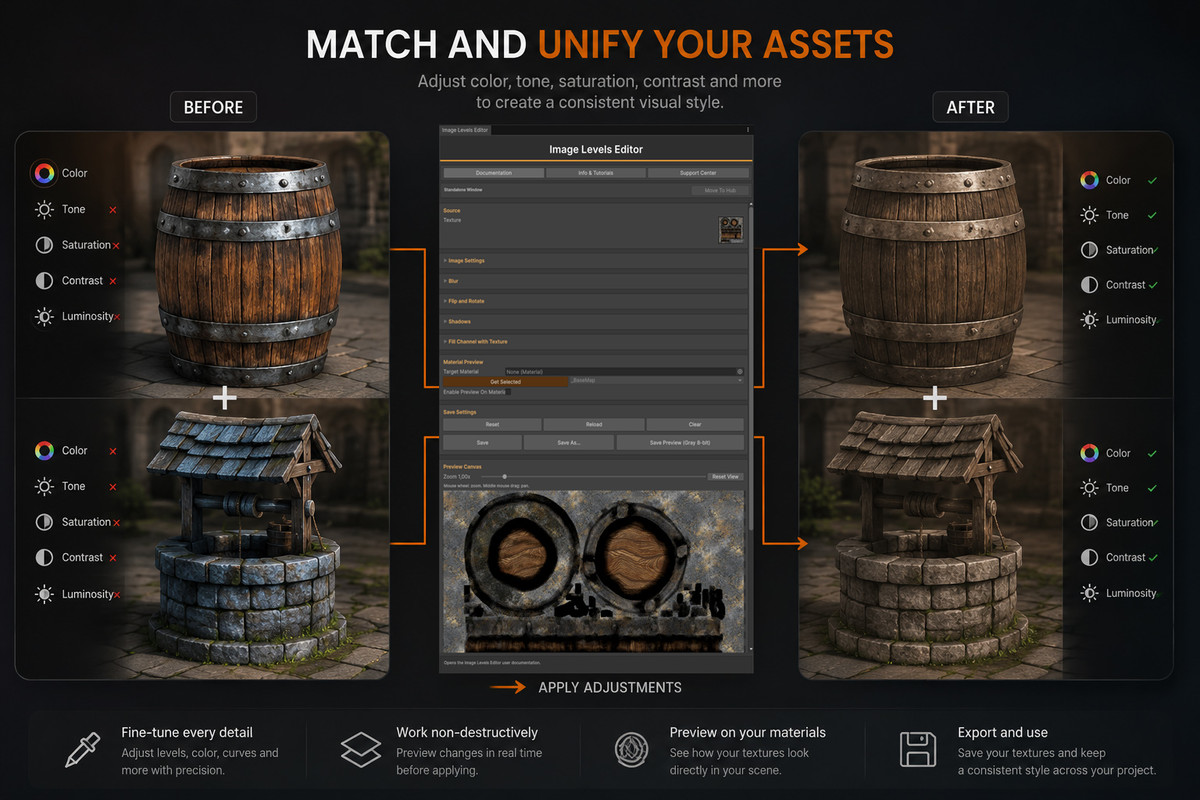
Image Levels Editor screenshot 1

About this asset
[ASSET INFO] [Website] [Support]
[ASSET HIGHTLIGHTS]
- Edit textures directly inside Unity — no need to switch to external image-editing software.
- Quicky modify textures to make assets look consistent among them.
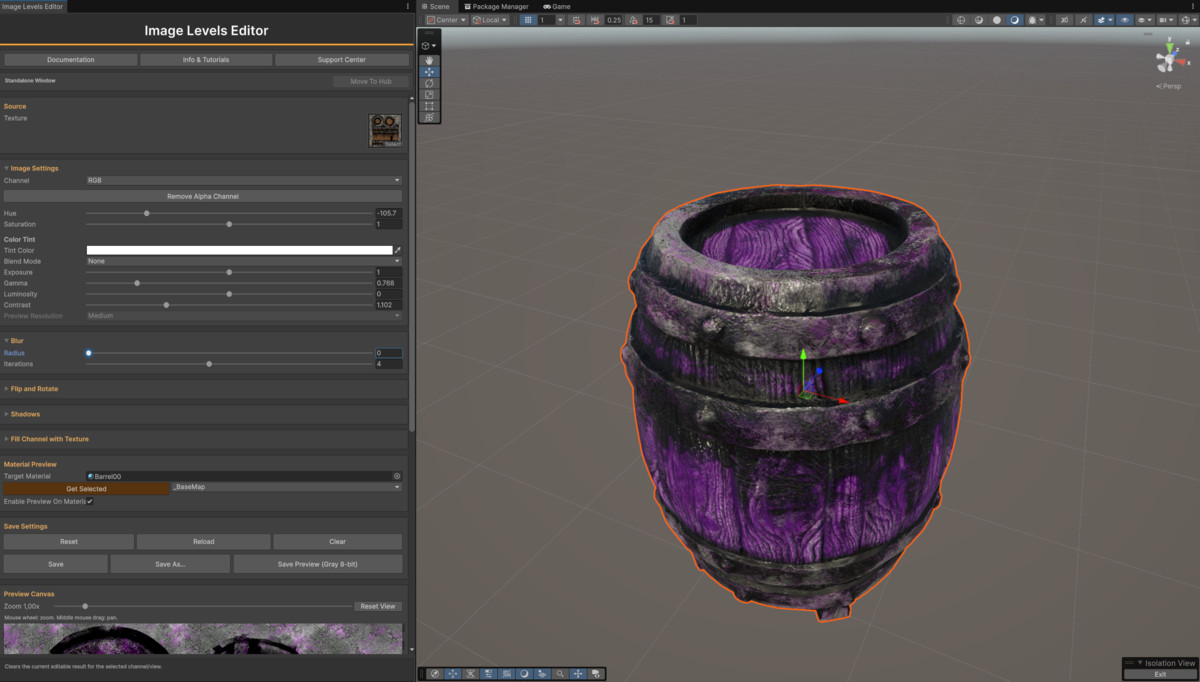
- Complete tonal control — adjust Exposure, Gamma, Luminosity, Contrast, Tone Range, and Curves.
- Color adjustments — fine-tune Hue, Saturation, Tint with Blend Modes.
- Per-channel editing — independently process R, G, B, and Alpha, or work with RGB/RGBA.
- Packed texture workflow — ideal for Roughness, Metallic, AO, Height, Thickness, and custom masks.
- Alpha channel management — easily add, remove, edit, or fill Alpha channels.
- Copy channels between textures — transfer data from another texture directly into a selected channel.
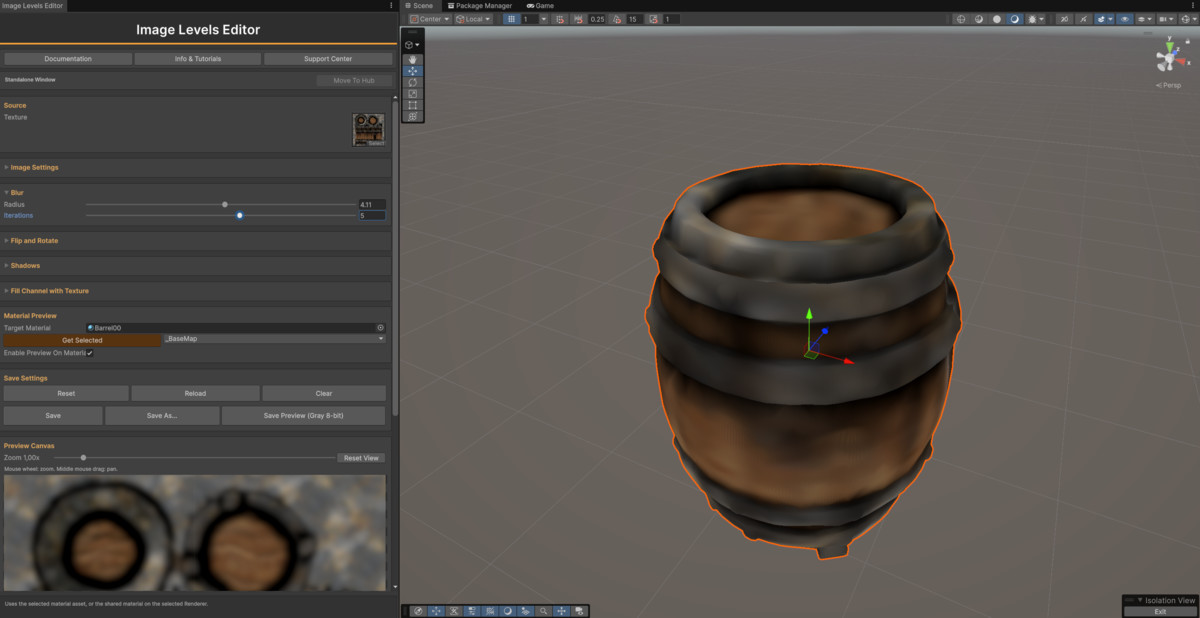
- Mask cleanup tools — use Gamma, Contrast, Tone Range, Curves, Invert, and Gaussian Blur to refine masks.
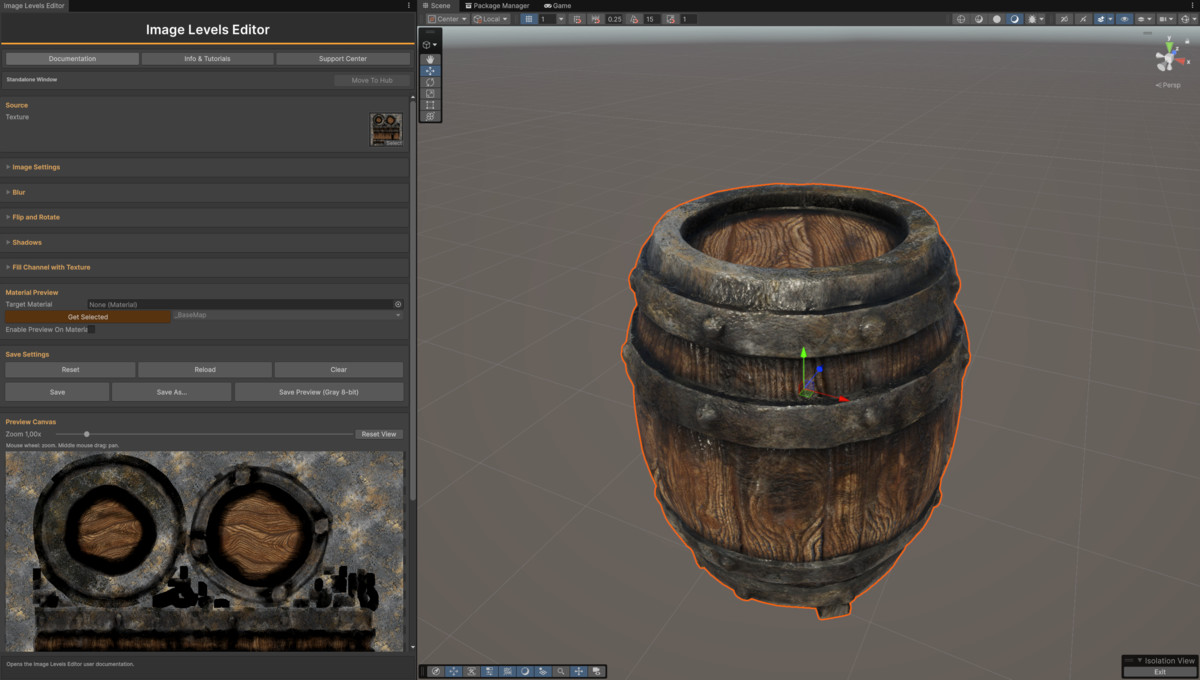
- Material Preview — preview the processed texture directly on a Unity material before saving.
- Texture transformations — quickly invert, flip, and rotate textures or individual channels.
- Non-destructive editing workflow — changes remain in a working copy until you choose to save.
- PNG export — save complete processed textures or export individual channels as 8-bit grayscale masks.
[DESCRIPTION]
Image Levels Editor is a powerful and intuitive Unity Editor tool designed to quickly edit, clean, and optimize textures without leaving Unity. Fine-tune exposure, gamma, contrast, colors, curves, and blur, edit individual RGB and alpha channels, work efficiently with packed textures and masks, preview changes directly on materials, and export your processed textures as PNG—all through a fast, visual workflow built for artists and developers.
More art tools:
Check out our art packs:
If you liked the package please review! I'ts very appreciated!
If you need more info click on the "Asset info" link above.
If you have any trouble and need for support check out the "Support" link above.
From the publisher's Asset Store listing.
Compatibility
| Unity version | Built-in | URP | HDRP |
|---|---|---|---|
| 6000.5.6f1 | Compatible | Compatible | Compatible |
As listed on the Asset Store.