
 View on Asset Store (opens in new tab)
Package details
- Latest version
- 1.1
- Last updated
- First released
- Unity version
- 2022.3.62 or later
- Package size
- 89 KB
- Files
- 3
- Favorites
- 1
- Views in the past week
- 5
Price tracking
- Last checked
- Tracked since
- Lowest recorded
- Free on
Keywords

Hierarchy Tags
Transform chaotic Unity scenes into clean, organised workspaces with instant colour-coded tags, smart auto-categorisation rules, and one-click hierarchy sorting.
Affiliate link · Purchases support this site
Price history
Last 6 months
USDAsset preview
1 / 4
Hierarchy Tags screenshot 1
About this asset
Is your Unity scene hierarchy a messy graveyard of empty transforms and unorganised GameObjects? Bring absolute visual clarity and structural order to your development workflow with the Hierarchy Tag & Sort System.
This tool injects colour, smart automation, and instant categorisation straight into your Unity Editor.
Supports Light & Dark editor modes.
Key Features
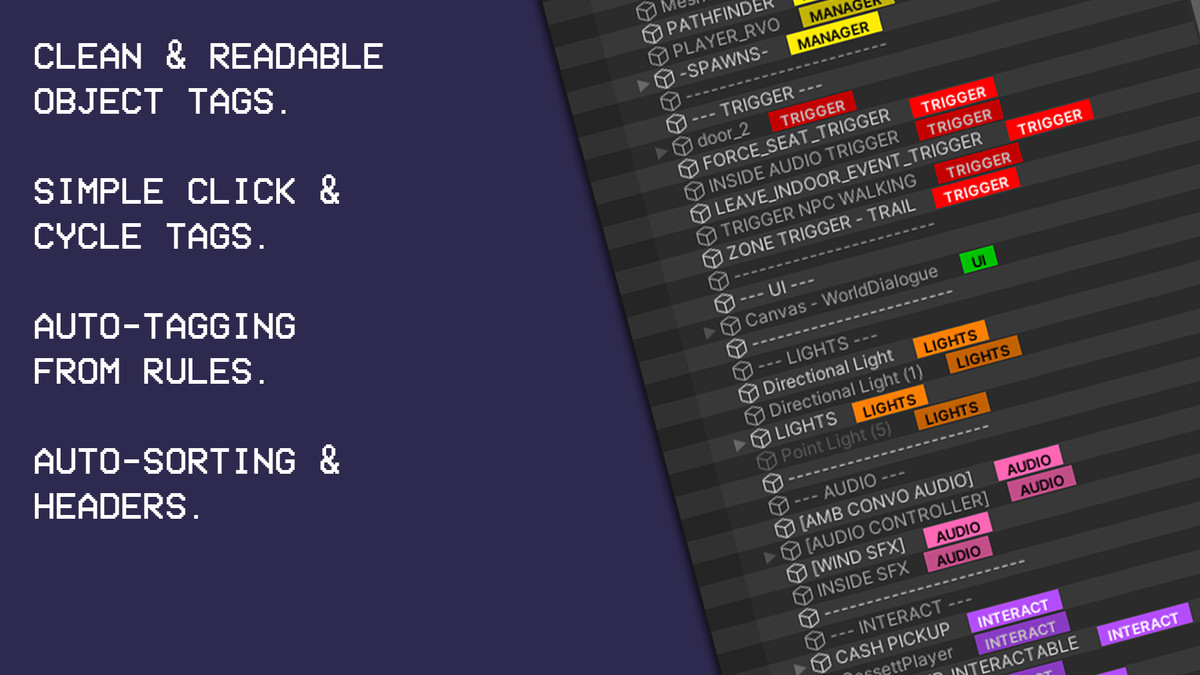
Live Hierarchy Badges: Instantly spot what's what. The plugin renders a clean, customizable colored badge directly next to GameObject names in the Hierarchy window. Easily identify Managers, UI, Triggers, Player, and World objects at a glance.
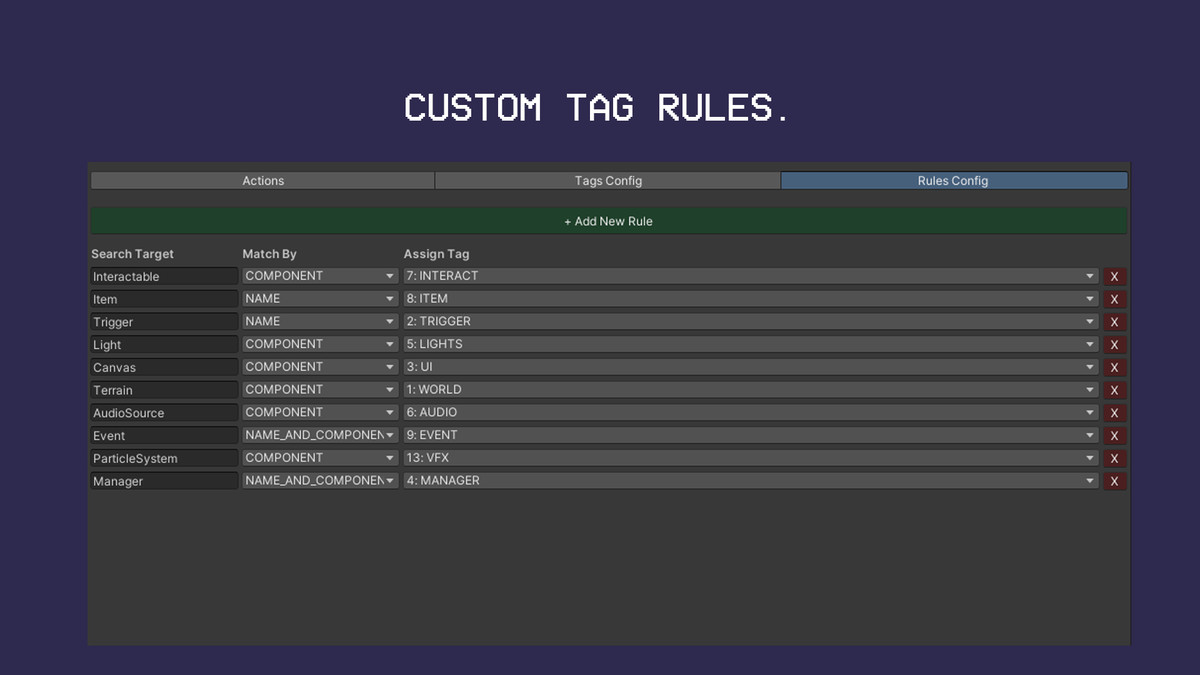
Intelligent Auto-Badging Rules: Automate your visual organisation. Set up powerful matching rules to automatically display specific badges based on Component names, GameObject names, or both. Instantly highlight lights, canvases, or audio sources without any manual setup.
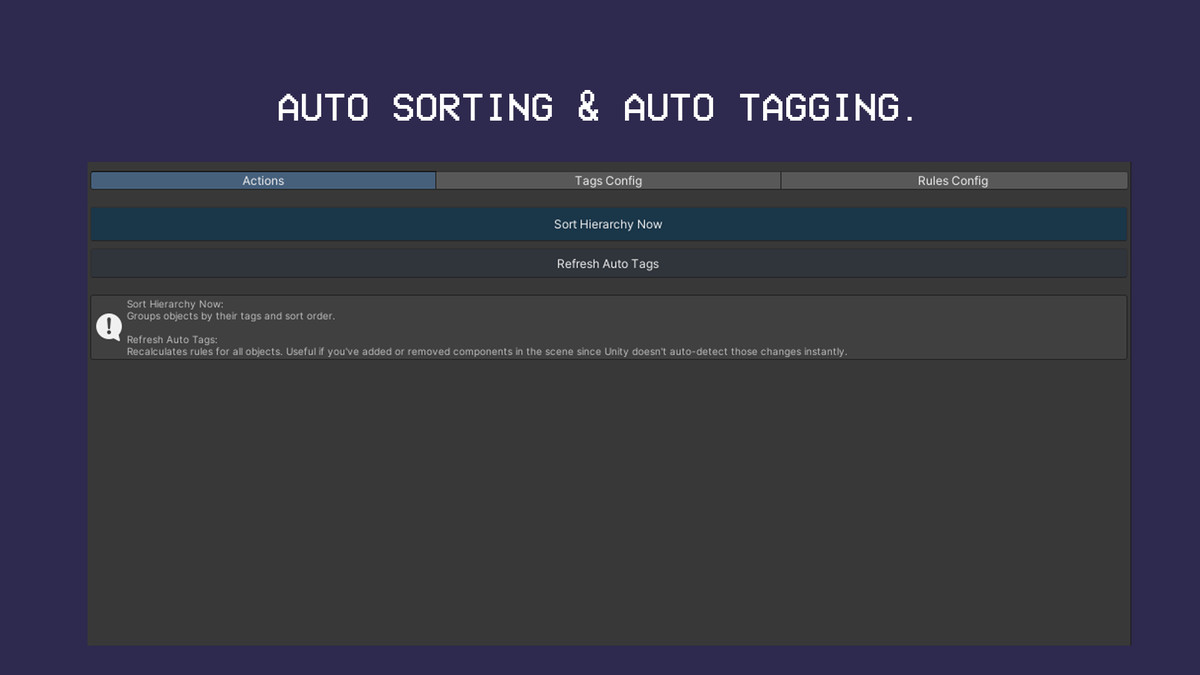
One-Click Hierarchy Sorting: Clean up sprawling scenes instantly. Group and sort root objects automatically by category and priority order, neatly bookended with clean separator dividers, all without affecting your child objects.
Interactive Quick-Selection: Left-click any badge directly inside the hierarchy to open a sleek dropdown popup. Select and apply your visual tags on the fly, bypassing the need to open a separate Editor window.
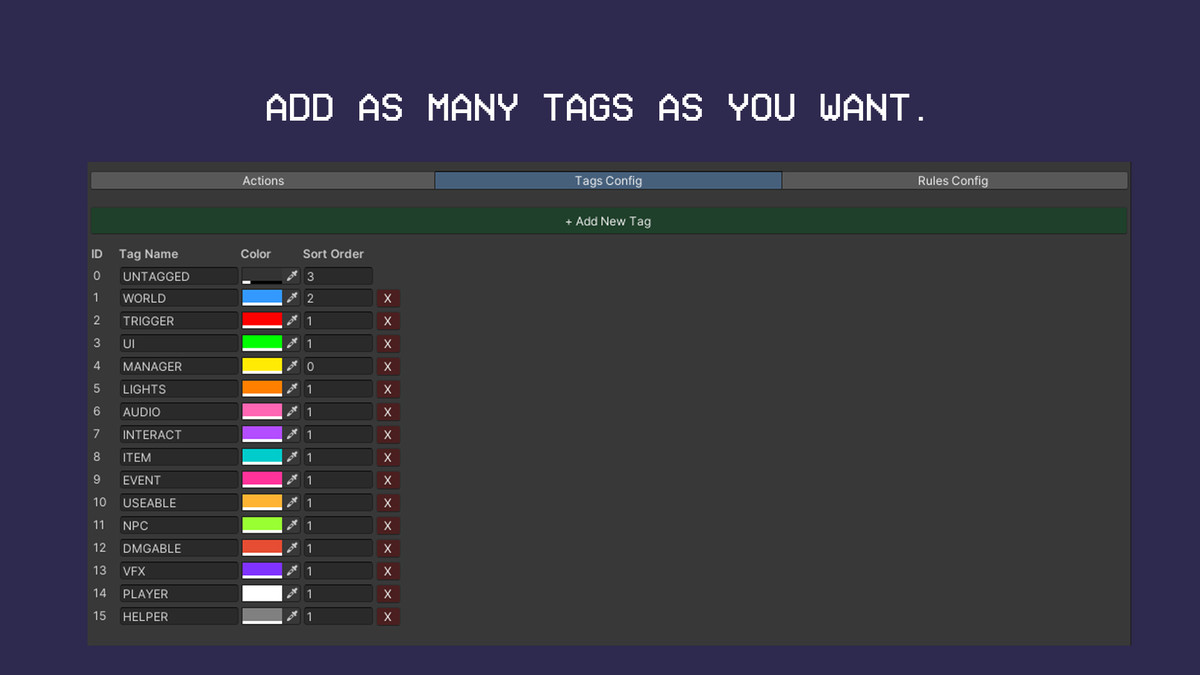
Fully Customizable Config: Easily add, remove, or modify tag names, colours, and sort orders via a clean, dedicated Editor window.
Persistent & Project-Safe: Saves configurations seamlessly using project-level JSON files, ensuring your settings stay clean and sync effortlessly across version control.
From the publisher's Asset Store listing.
Compatibility
| Unity version | Built-in | URP | HDRP | Custom |
|---|---|---|---|---|
| 2022.3.62f3 | Compatible | Compatible | Compatible | Compatible |
As listed on the Asset Store.